

Where you find Charlie
Charlie is one shortcut away on every page: pressCmd+J (Ctrl+J on Windows) or click Ask Charlie in the header. A new conversation picks up the agent or workflow you have open, so you don’t have to re-explain the context. Conversations have direct URLs, so you can bookmark one and reopen it from any page.
The chat takes more than typed text: drop in files like a transcript, a script document, or a screenshot, or use voice input to talk through what you want.
The Home page combines Ask Charlie with Opportunities: findings from telli’s automatic checks of your agents and workflows, such as a prompt variable without a value or a workflow with an increased failure rate. Each opportunity links to the affected agent or workflow, offers Fix with Charlie, and can be hidden.
What Charlie can do
Build and refine agents
In the Agent Builder, Charlie sits in the chat panel next to the prompt editor. It drafts prompt edits that appear inline for you to accept or reject, adjusts call behavior like voicemail detection, recording, transfers, and dialing strategy, sets up call outcomes, and connects tools, calendars, and knowledge bases. When you sign up and provide your company website, Charlie researches your company and builds your first agent with you.Build workflows
Charlie creates, duplicates, and edits workflows directly from chat — it drops in the trigger, condition, and action blocks, asks a clarifying question when it needs one, and proposes the publish before anything goes live. A duplicate copies the current draft, including unpublished changes, into a new disabled, unpublished workflow. The source workflow stays unchanged. Charlie can also propose enabling or disabling the workflow you have open. Select Review to open the Workflow Builder confirmation dialog; the production state changes only after you confirm there. Enabling runs the current published revision, while unpublished draft changes stay in the draft. Publish a workflow before asking Charlie to enable it. This confirmation flow is available only in the telli app, not in Slack, Microsoft Teams, through MCP, or in scheduled Charlie tasks.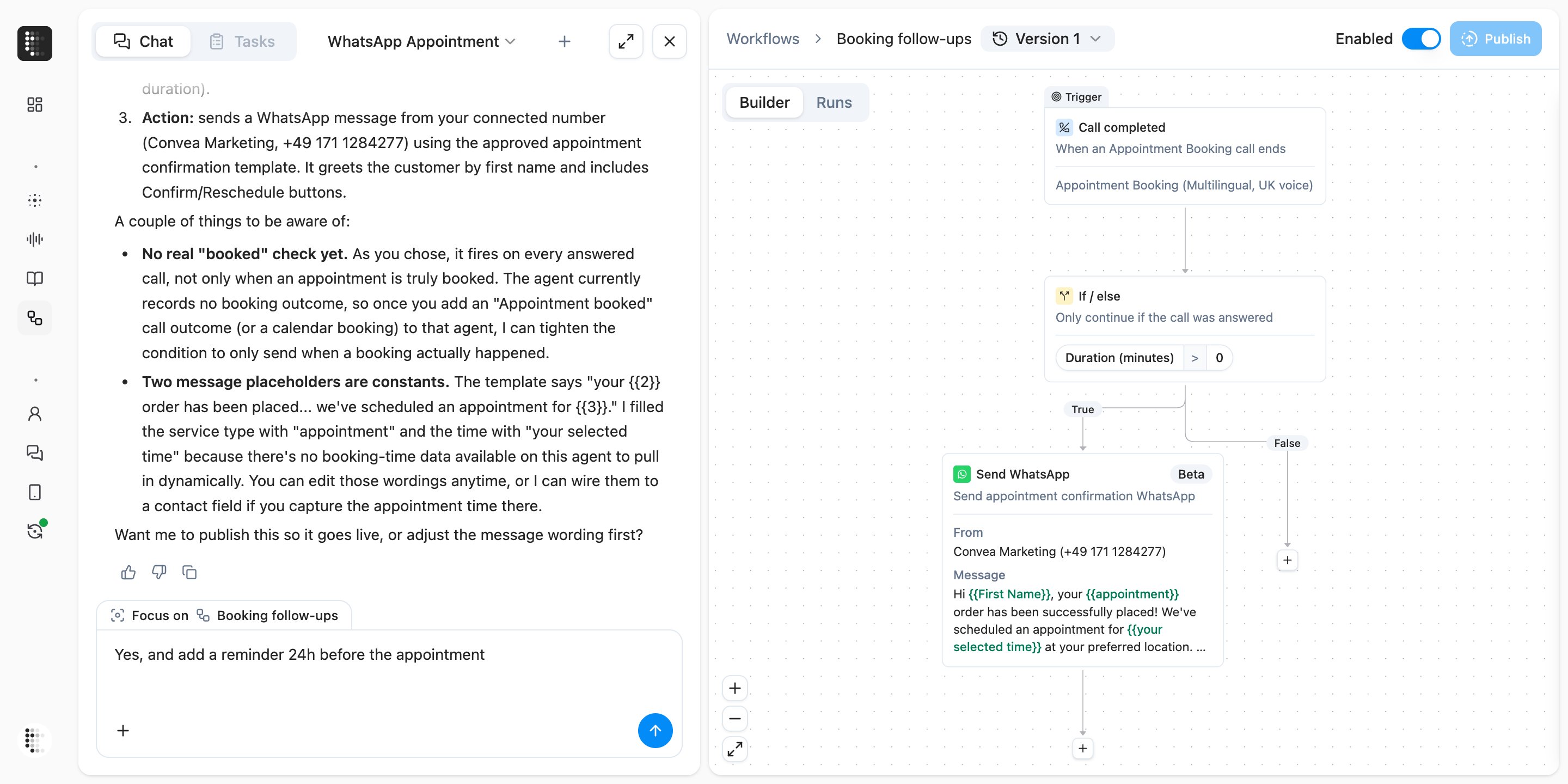
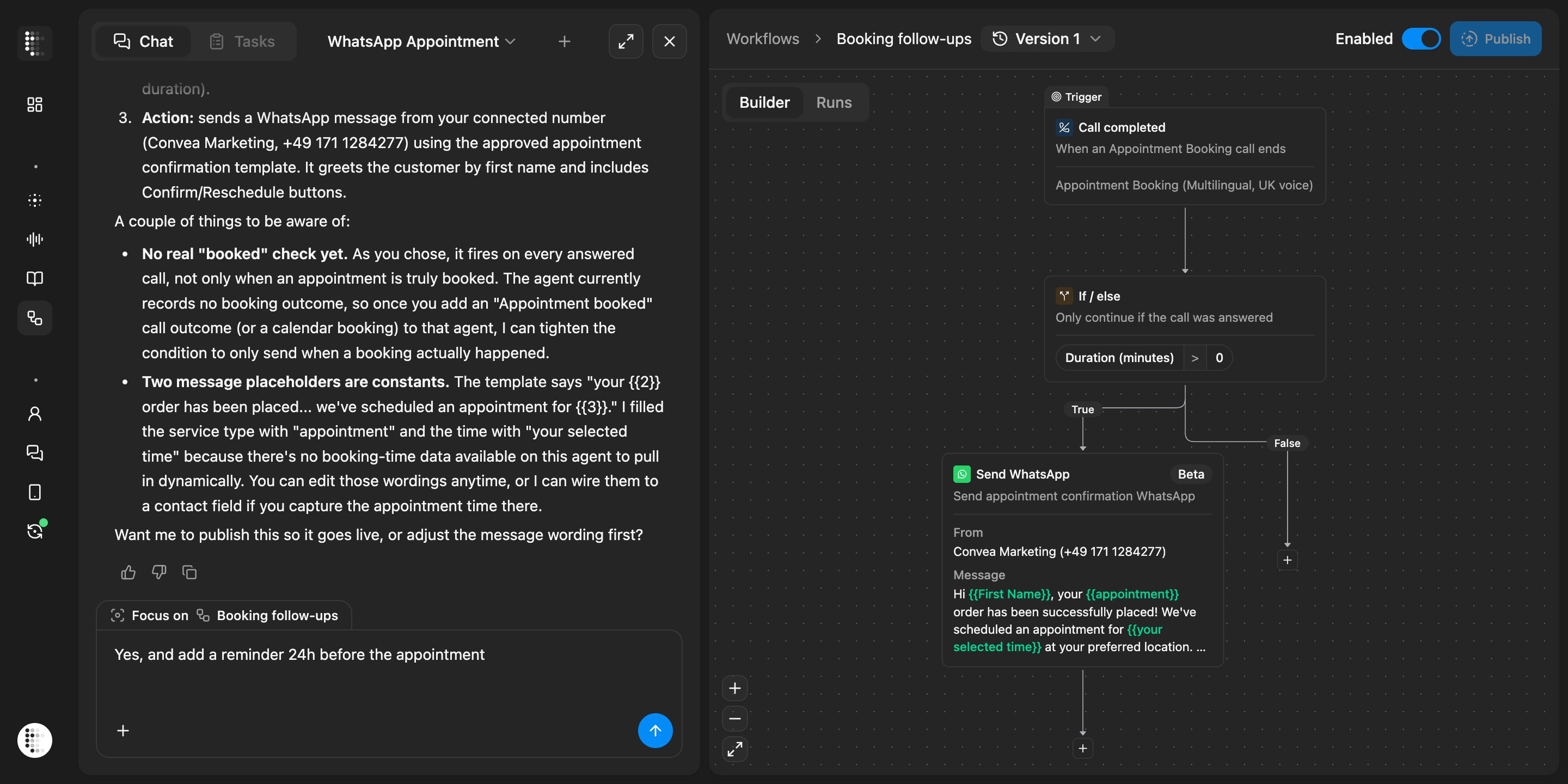
Charlie building a workflow that sends a WhatsApp confirmation after an answered call
Analyze calls and performance
Charlie searches past calls by date, outcome, transcript content, or tool errors, pulls full transcripts into the chat, and summarizes results across your account. From Conversation History, you can select the exact transcript turns that need work and open Charlie with them already attached, turning a bad call moment into a concrete improvement.Manage contacts
Charlie can create one contact or update one specific existing contact when you ask. It can set built-in fields such as name, phone number, email, and timezone, plus your typed custom contact properties. Contact creation and updates are available in the telli app, Slack, and through MCP. They are not available in Microsoft Teams or scheduled Charlie tasks. When you explicitly ask Charlie to delete one contact, it shows the contact’s verified name and phone number for review. Select Review, then confirm the existing deletion dialog. Confirmation deletes the contact and anonymizes its personal data. Canceling or a failed attempt leaves the request available to retry. Charlie can find up to 100 specific contacts and propose adding them to the Auto Dialer with a selected agent. You can review and edit the agent or outgoing number before you select Schedule calls. Contacts already in the Auto Dialer remain selectable, with a warning that confirmation may update their active scheduling settings. In the telli app, Charlie can also create contact-property definitions and update their descriptions or append Select options. Before creating a property, Charlie shows the exact schema and asks you to confirm it. Explicit description-only updates run directly. Before adding Select options, Charlie shows the new options and asks you to confirm because existing options cannot be removed. These actions change the account schema, not a property value on one contact. Charlie can also propose removing up to 100 specific contacts from the Auto Dialer. Select Review in the chat to open the same confirmation dialog used on the Contacts page. No scheduling or removal happens until you confirm the exact contacts in that dialog. Deletion, scheduling, and removal approvals are available when you use Charlie in the telli app. Charlie in Slack, Microsoft Teams, through MCP, or in a scheduled Charlie task cannot present these confirmation dialogs. Creating and updating contact-property definitions is also available only in the telli app.Find your way around
Ask where to find or configure something and Charlie takes you to the right page. Its answers link agents, workflows, and calls inline, so anything it mentions is one click away.You stay in control
Charlie keeps drafts and confirmations where review is required.- Every edit is a draft. Prompt edits appear as inline diffs you accept or reject — individually or all at once — and every agent or workflow change lands in the draft. The live version keeps running until you publish.
- Checkpoints. While you work on an agent in the Builder, Charlie saves checkpoints so you can roll back within that session in one click.
- No surprise publishes. Charlie never publishes an agent or workflow on its own — it always asks first.
- No surprise activation changes. Charlie never enables or disables a workflow on its own — you confirm the change in the Workflow Builder.
- No surprise deletions. Charlie never deletes a contact on its own — you review the verified contact and confirm the deletion first.
- No surprise scheduling. Charlie never schedules contacts in the Auto Dialer on its own — you confirm the contacts and calling configuration first.
- No surprise removals. Charlie never removes contacts from the Auto Dialer on its own — you confirm the exact set first.
Charlie beyond the app
Slack
Mention Charlie in a channel to ask about agents, calls, and results without leaving Slack.
Microsoft Teams
Message Charlie directly or add it to a conversation in Teams.
MCP
Connect Claude, ChatGPT, Cursor, and other AI tools to Charlie through the telli MCP server.
Learn more
Customize your agent with Charlie
A step-by-step guide to reviewing and improving an agent with Charlie.
Charlie Cookbook
Advanced workflows, example prompts, and best practices.