Simulations
Test agents before they speak with real callers from the new Simulations page. Create reusable scenarios, choose the agent, version, and number of conversations, then inspect every run and conversation side by side. Add checks for expected outcomes, appointments, tool-call sequences, or forbidden tool calls so each run shows clearly what passed or failed.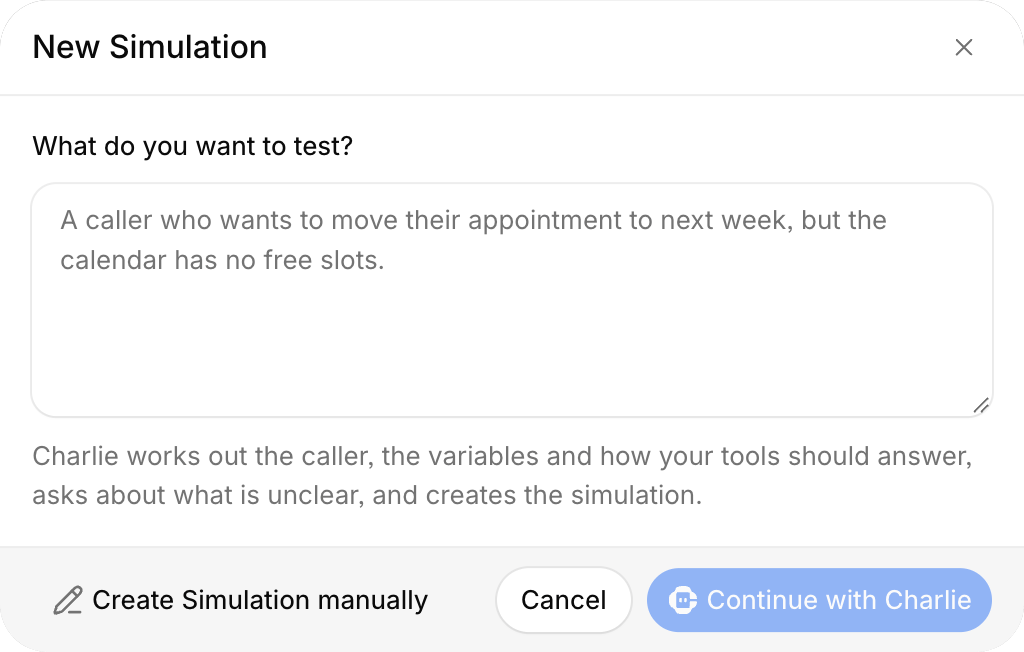
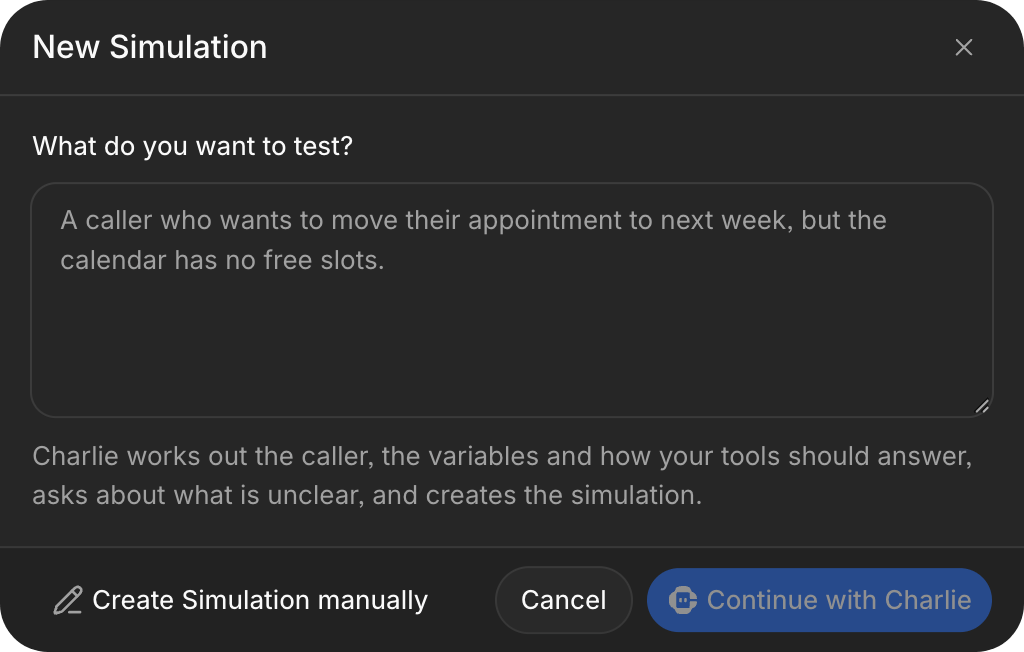
New Simulation dialog for describing a test scenario to Charlie
TIMIFY appointment booking
TIMIFY is available on request in telli. Connect your account, choose a branch and service, and let agents find available times and book appointments during calls.

telli and TIMIFY integration
Improvements
Improvements
- Follow live transcripts and listen to calls while they are in progress
- Test a knowledge base search from its editor and review the passages an agent receives
- Combine text, workflow variables, and call outcomes in HTTP request body fields
- Contact CSV exports now include combined account and agent outcomes
- Seeking on a call timeline opens the transcript at the matching moment
Fixes
Fixes
- Calls without a transcript now explain when transcripts are disabled in organization settings
- Replacing a phone number keeps its existing name
- Custom call outcome names are shown in full in the call overview
- Typing in open menus and selects no longer triggers global keyboard shortcuts
Browser test calls
You can now test an agent directly in your browser. Choose Browser Call in the test-call dialog to test your agent without placing a phone call.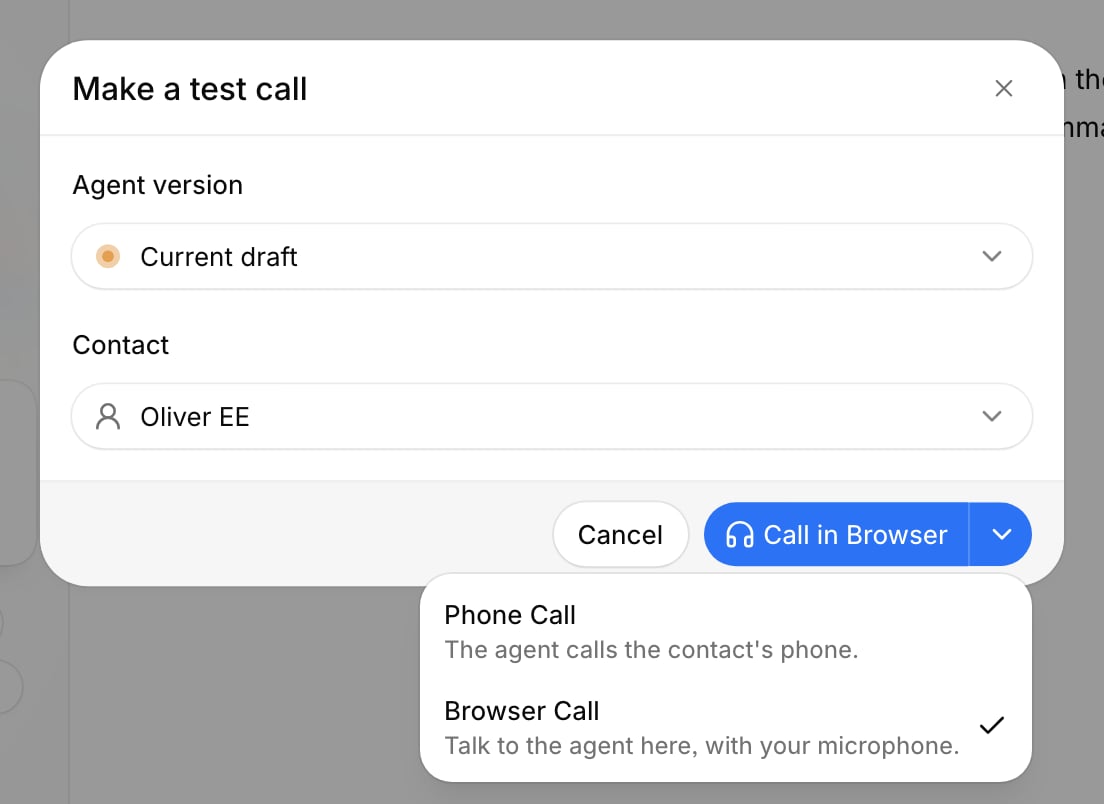
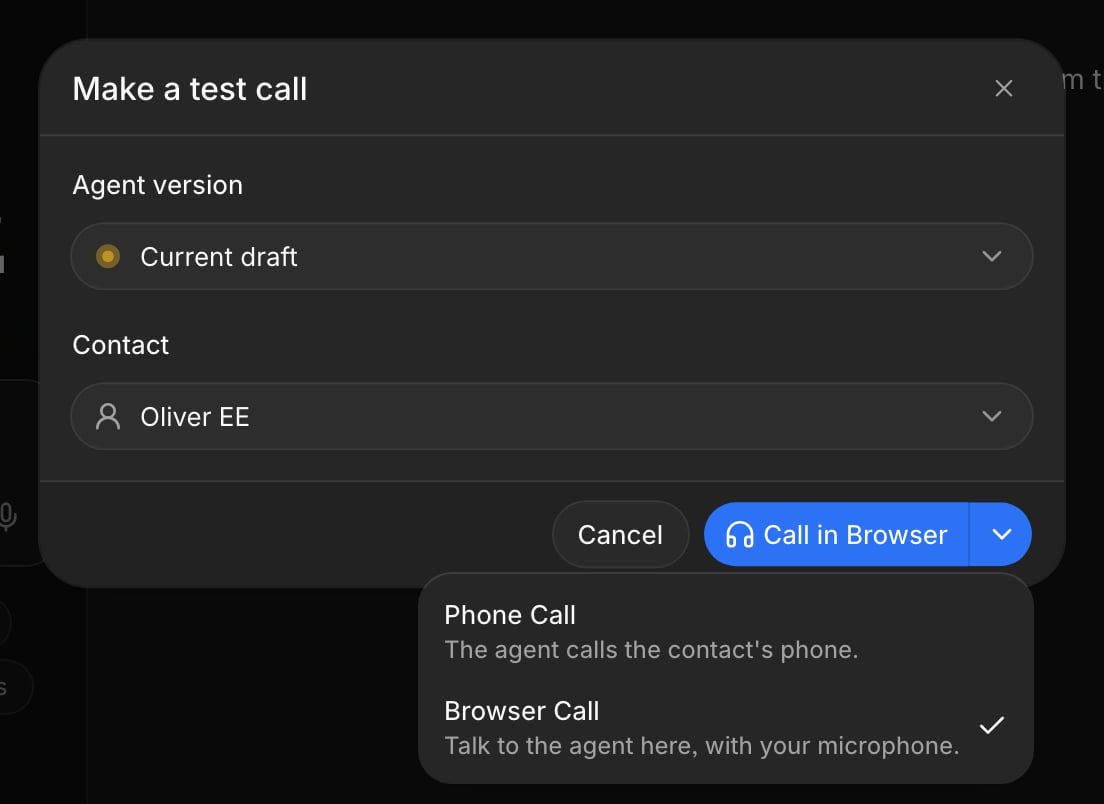
Test-call dialog with Browser Call selected
Account-level call outcomes
Call outcomes are now available across your account. Define an outcome once instead of repeating it for every agent. Each account also includes a defaultconversation outcome that records whether both sides spoke. You can adjust its analysis instructions or reset them to the default.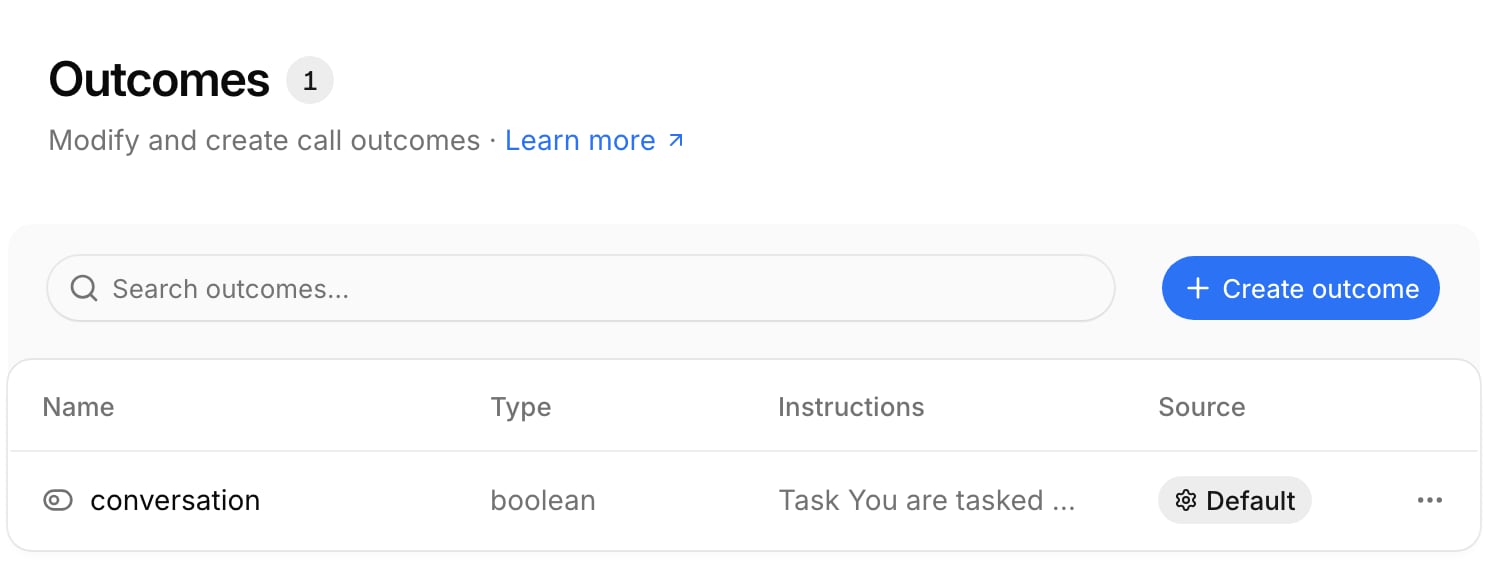
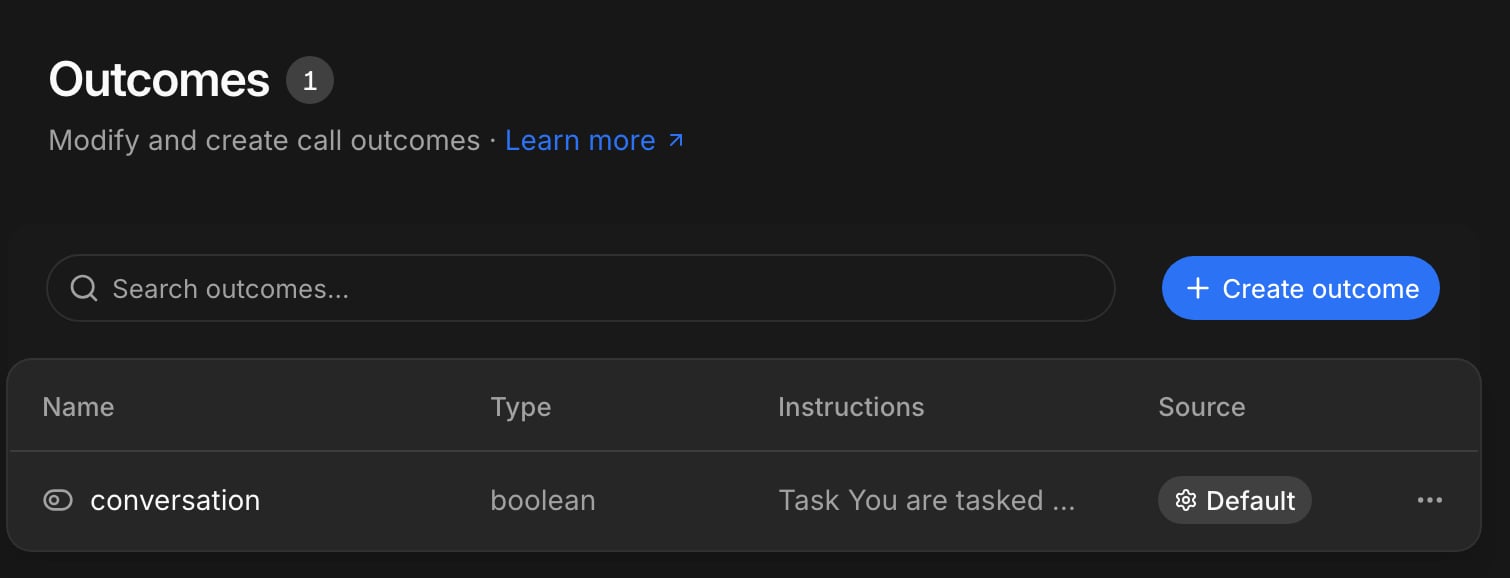
Account settings with the default conversation outcome
Improvements
Improvements
- Agent-routed inbound forwards now appear in Conversations with their status, destination, and a dedicated filter
- Choose ElevenLabs v4 or v4 Turbo for agent voices and previews
- Show the contact’s phone number to recipients of cold transfers from Settings > Organization
- Consecutive user speech fragments are grouped into a single readable message in conversation transcripts
- Contact activity now explains completed Auto Dialer exits, including the agent, reason, attempts, canceled callbacks, and forwarding destination
Fixes
Fixes
- Saved callbacks remain scheduled until the contact explicitly refuses them
- Duo agents recover more reliably from temporary model failures and stalled turns, and no longer skip their configured greeting when a caller speaks early
- Multiple age-based callback rules can be edited and reordered independently, with warnings for unreachable rule orderings
API
API
- Call API responses and
call_endedwebhooks now return account and agent results through unifiedoutcomesentries withkey,dataType,value, and optionalreason call_outcomeandcall_analysisare deprecated and will be removed on 1 February 2027. Update your integrations to useoutcomesbefore that date- Agent-routed inbound forwards now emit standard
call_endedwebhooks withdestination: external
Webhook trigger
Workflows can now start when your systems send an incoming POST request. Choose Webhook received as the trigger, copy the stable endpoint, and allow anonymous requests or protect the endpoint with a Bearer credential. You can also run the published workflow manually before enabling external requests.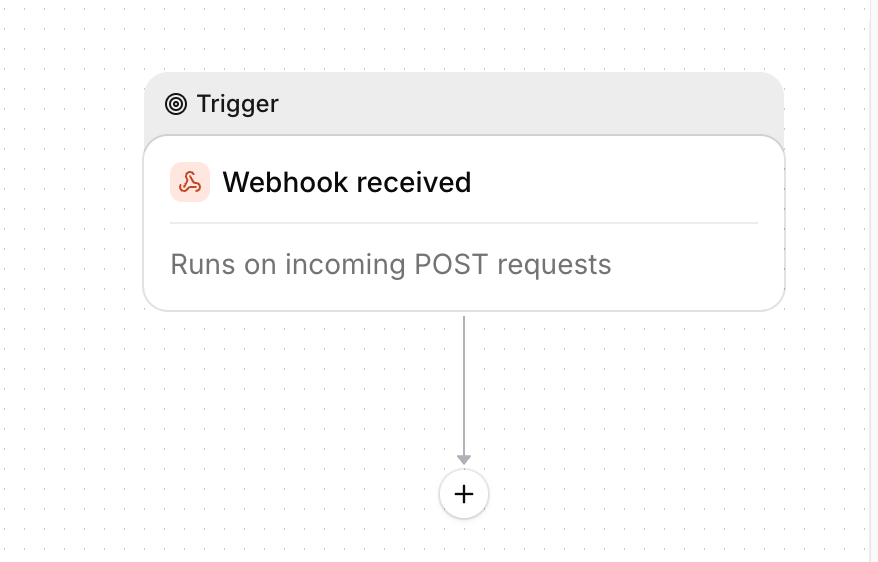
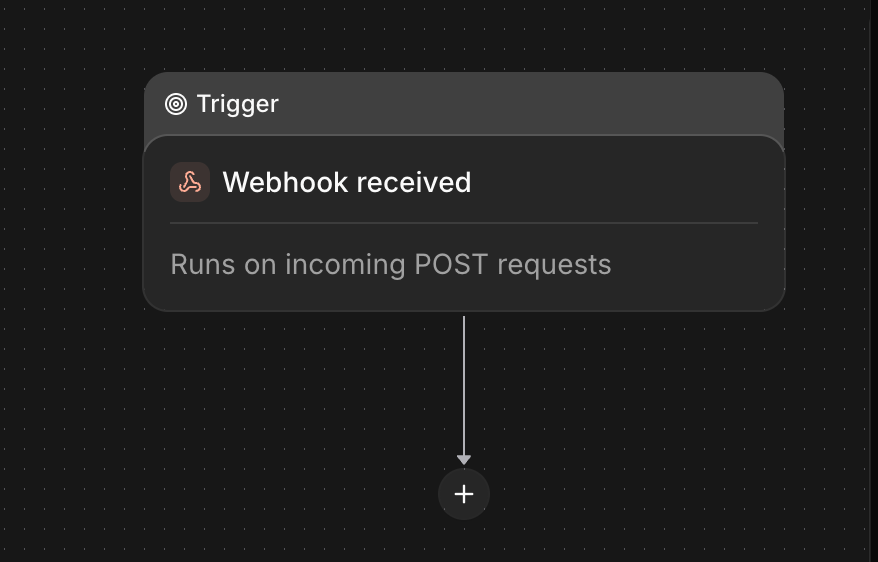
Workflow builder with a Webhook received trigger
Improvements
Improvements
- See destination-country restrictions before saving calls, transfers, or forwards, and request worldwide calling access directly from telli
- Open a phone number’s Calls tab to browse and filter full conversations, including transcripts, recordings, and feedback
- Test an agent through an assigned inbound number when outbound calling is not included in your plan
- Select contact ranges with Shift, or drag across checkboxes while the table scrolls automatically
- Agents with active or processing calls can no longer be deleted
Fixes
Fixes
- International phone numbers are normalized consistently across contacts, integrations, SMS, and WhatsApp
- Anonymous Twilio caller IDs no longer cause inbound calls to be rejected
- HubSpot meeting links that require communication consent now book successfully
- End-of-call workflows no longer lose transcripts or collected data during processing retries
- Reviewing large Charlie prompt changes no longer freezes the Agent Builder
API
API
- Call responses and
call_endedwebhooks now expose the calltransport;loop_idis nullable for stored WebRTC calls - Concurrent scheduling conflicts now return HTTP 409 instead of an internal server error
Duo agents
Duo agents are now available to every account and are the default when you create an agent. Duo separates thinking from speaking for more precise conversations. You can preview speaking styles with live samples, let callers schedule a callback, handle iOS Call Screening, and ask for consent before recording.Workflows for contact changes
Workflows can now start automatically when a contact changes. Filter by the source or changed fields, compare the current contact with its previous values, and simulate updates before enabling the workflow.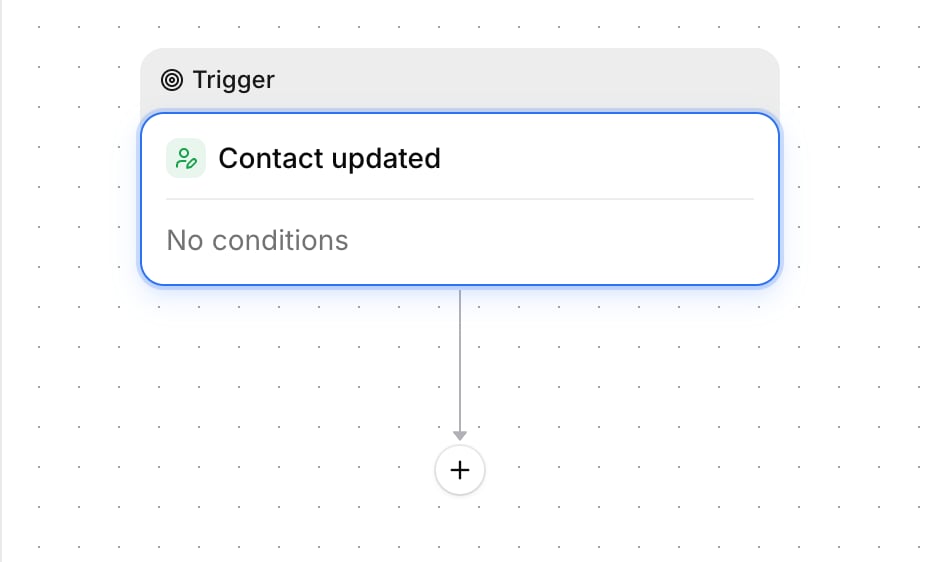
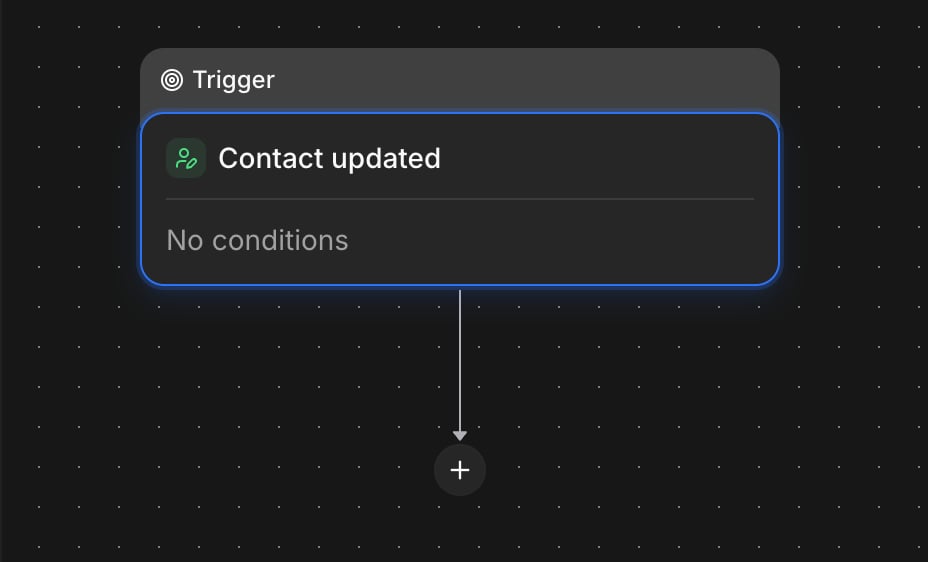
Contact updated trigger and its condition settings
Connect your APIs to workflows
Use scheduled workflows to fetch contacts from your custom CRM or your own API with an HTTP request block, then create or update contacts in telli from the results, including paginated responses. Use HTTP response data in later workflow steps by selecting fields directly in the field picker, including nested JSON fields.Improvements
Improvements
- Review automatic Opportunities from Home and open them directly in the Agent Builder
- Sign outgoing workflow HTTP requests with an HMAC-SHA256 credential
- Build HTTP pagination rules from response body fields or response headers
- Filter the agent list by Uno or Duo, including through Charlie
- Warm transfers play a short handover tone to the receiving person before connecting the caller
- Open HubSpot appointments directly from a call, even before HubSpot assigns an engagement ID
Fixes
Fixes
- Charlie stays responsive during long conversations
- Opening an older or filtered call link in the Agent Builder keeps that call selected
- Scheduled callbacks remain at the intended local time across daylight-saving changes
- ElevenLabs v3 Conversational no longer cuts sentences short
- Long numeric contact and conversation searches preserve every digit
- Call actions now show the specific error returned by telli instead of a generic failure
API
API
call_rescheduledwebhooks now includecall.loop_idto correlate rescheduled and completed attempts- HubSpot appointment references now expose
portal_id,ui_domain, andengagement_idin call responses andcall_endedwebhooks
Scheduled workflows
Workflows can now run automatically on a recurring schedule. Add a Scheduled trigger, choose the interval and start time, and let the workflow run without a call event. You can also ask Charlie to create or update scheduled workflows.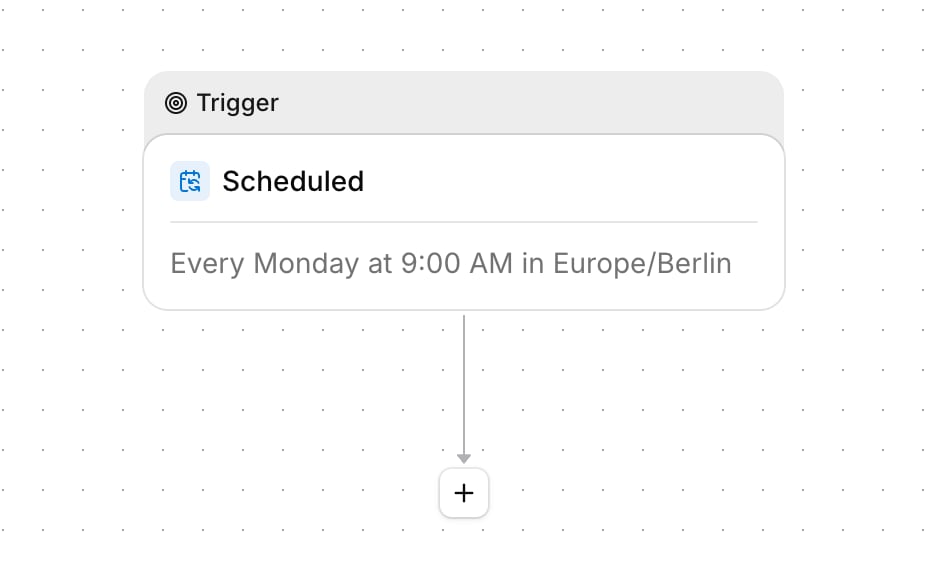
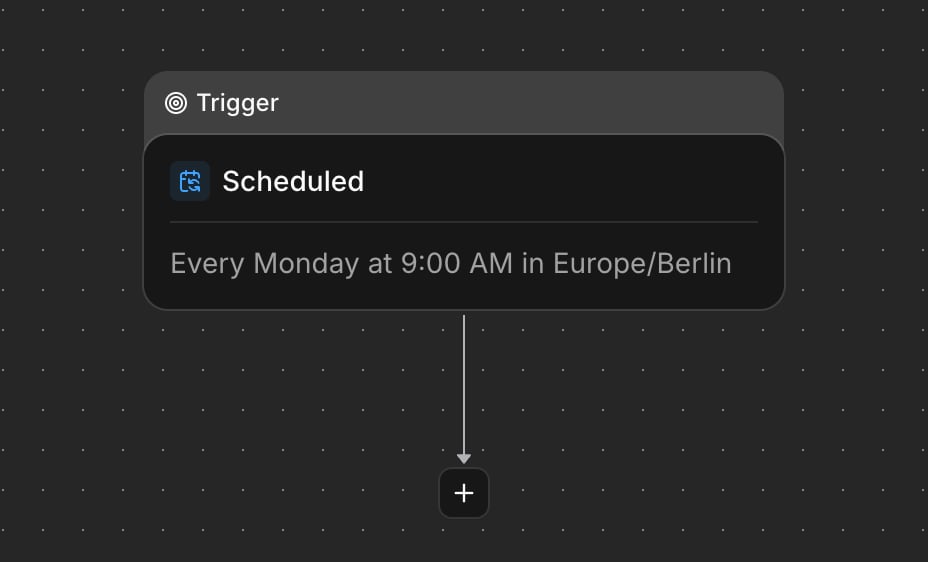
Workflow builder with a recurring Scheduled trigger
Appointments in conversations
Conversations now show appointments saved during a call, including the time, status, hosts, and provider link. You can also filter conversations to find calls where an appointment booking was attempted.
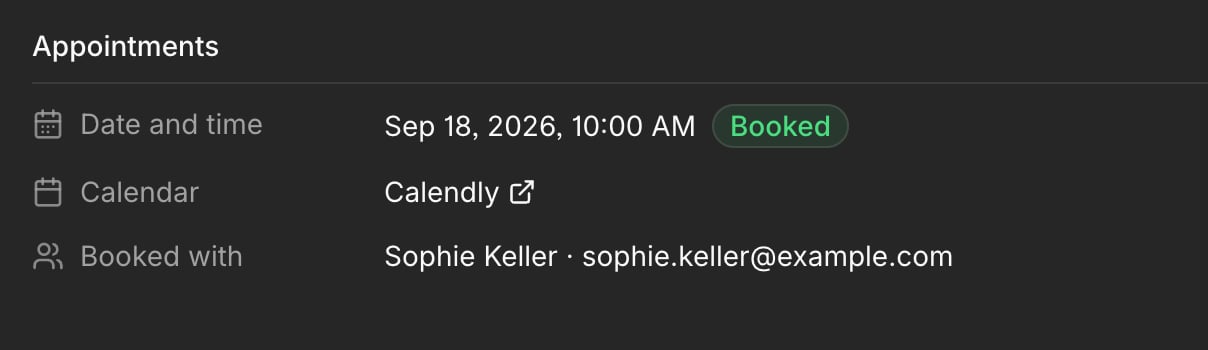
Saved appointment details in a conversation
Improvements
Improvements
- Sign in with a six-digit code sent by email; telli submits it automatically when all digits are entered
- Choose SMS and WhatsApp workflow recipients from contact properties, collected values, or a fixed number
- Use call recording URLs and direct conversation links in workflow conditions and action mappings
- Let agents generate SMS messages from instructions instead of sending only fixed text
- Pause workflows with delay blocks while preserving outputs from earlier steps
- Browse paginated workflow run history with grouped dates and all-time metrics
- Open Home with
gand Tasks withj
Fixes
Fixes
- Calendar searches no longer report no availability for empty, invalid, or past date ranges
- Call recordings continue playing while processing updates refresh their signed URLs
- Editing calendar credentials no longer crashes the Agent Builder
- Forwarded callbacks no longer leave contacts with stale Auto Dialer schedules
- German 11-digit mobile numbers are now accepted during phone number validation
- Inputs no longer trigger unexpected page zoom on iPhone Safari
API
API
call_endedwebhooks andGET /v1/calls/:idnow expose saved appointments throughcall.appointments;booked_slot_foris deprecated
Do more with Charlie
Charlie can now handle more day-to-day work across telli. Ask Charlie to create, update, delete, or schedule contacts; manage contact properties; rename or duplicate agents; and rename, duplicate, reset, or enable workflows. Charlie asks for confirmation before sensitive changes, such as deleting a contact, discarding a draft, or enabling a workflow.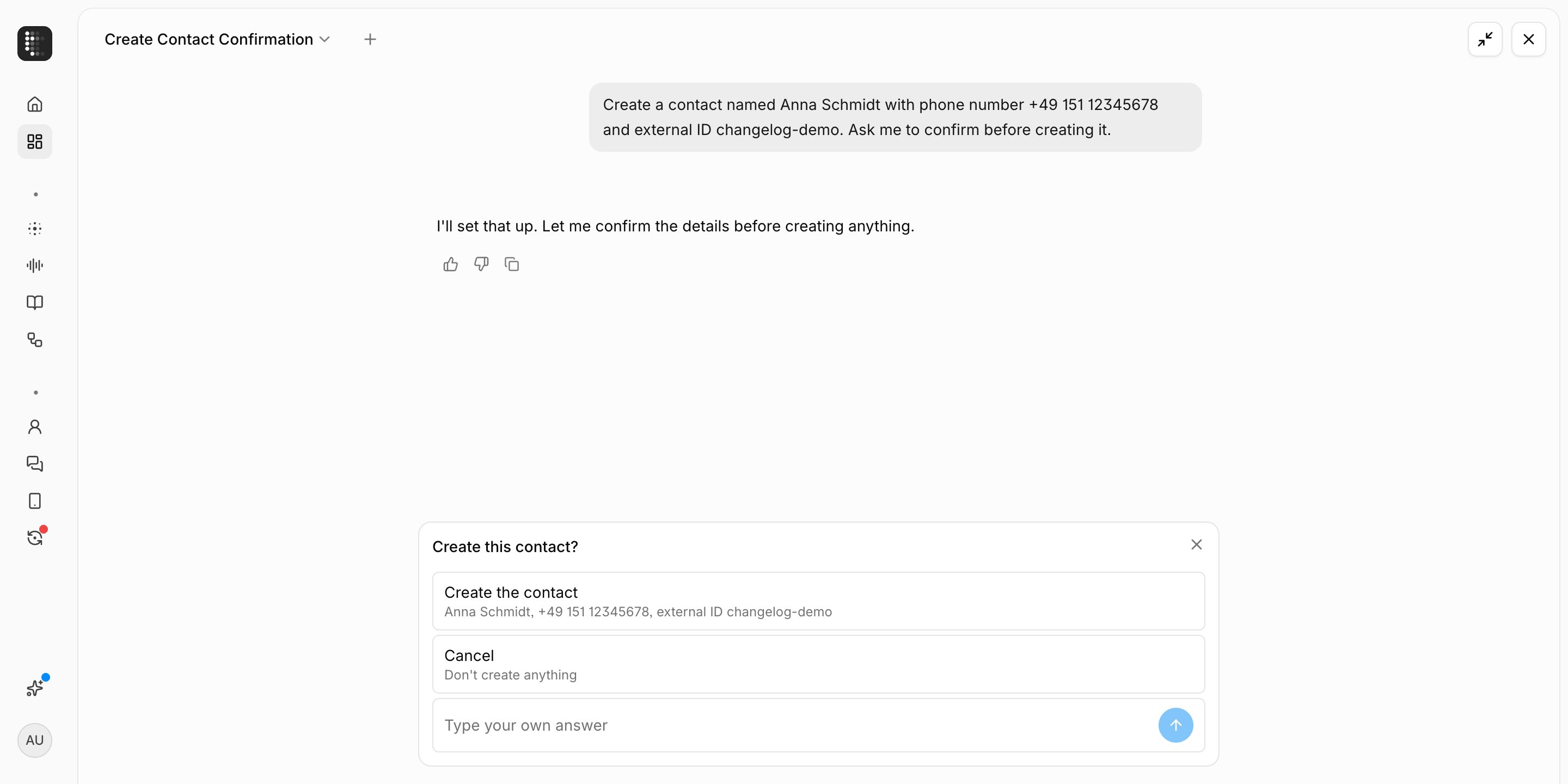
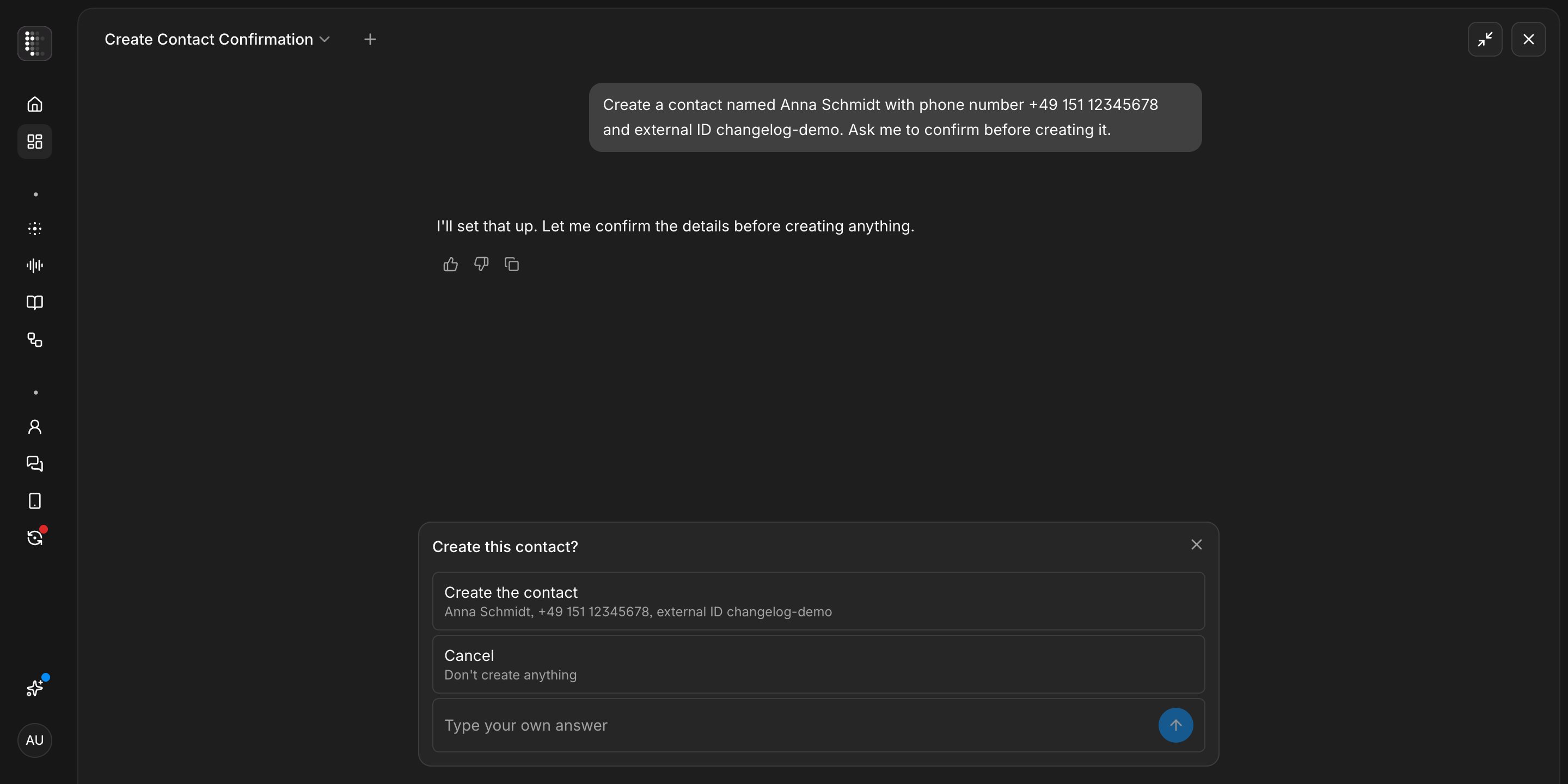
Charlie creating a contact and updating a workflow
Full call transcripts in workflows
Call ended workflows can now use the full plain-text call transcript throughcall.transcript. Use it in conditions and action mappings to pass the conversation to follow-up steps, integrations, or webhooks without assembling individual transcript turns.Improvements
Improvements
- Filter Conversations by calls shorter or longer than a selected duration
- Choose GPT-5.6 Luna in an agent’s advanced model settings
- Failed workflow HTTP requests now show their response status and body in the run history
- Outbound calls stop before dialing emergency and crisis short codes
- Callback confirmations now name the weekday and use clear relative dates such as today or tomorrow
- Set a SIP From user and host for each number on a custom SIP trunk
Fixes
Fixes
- iOS screened calls no longer cause duplicate greetings or continue the screening prompt after the recipient answers
- Knowledge bases show Processing immediately after file changes are saved
- Warm transfers now wait for the supervisor before the briefing and accept short consent answers without speaking over them
- Relative and yearless dates in custom call outcomes now use the call’s local time
API
API
- Contact responses now expose current Auto Dialer enrollment as
auto_dialer_statusin V1 andautoDialerStatusin V2
Automatic data retention
telli now supports automatic data retention. If data retention is included in your plan, set how long contacts and call data are kept under Settings > Organization. Choose from 1 to 730 days for contacts, all call data, recordings, or transcripts. telli applies the rules daily and asks for confirmation before saving.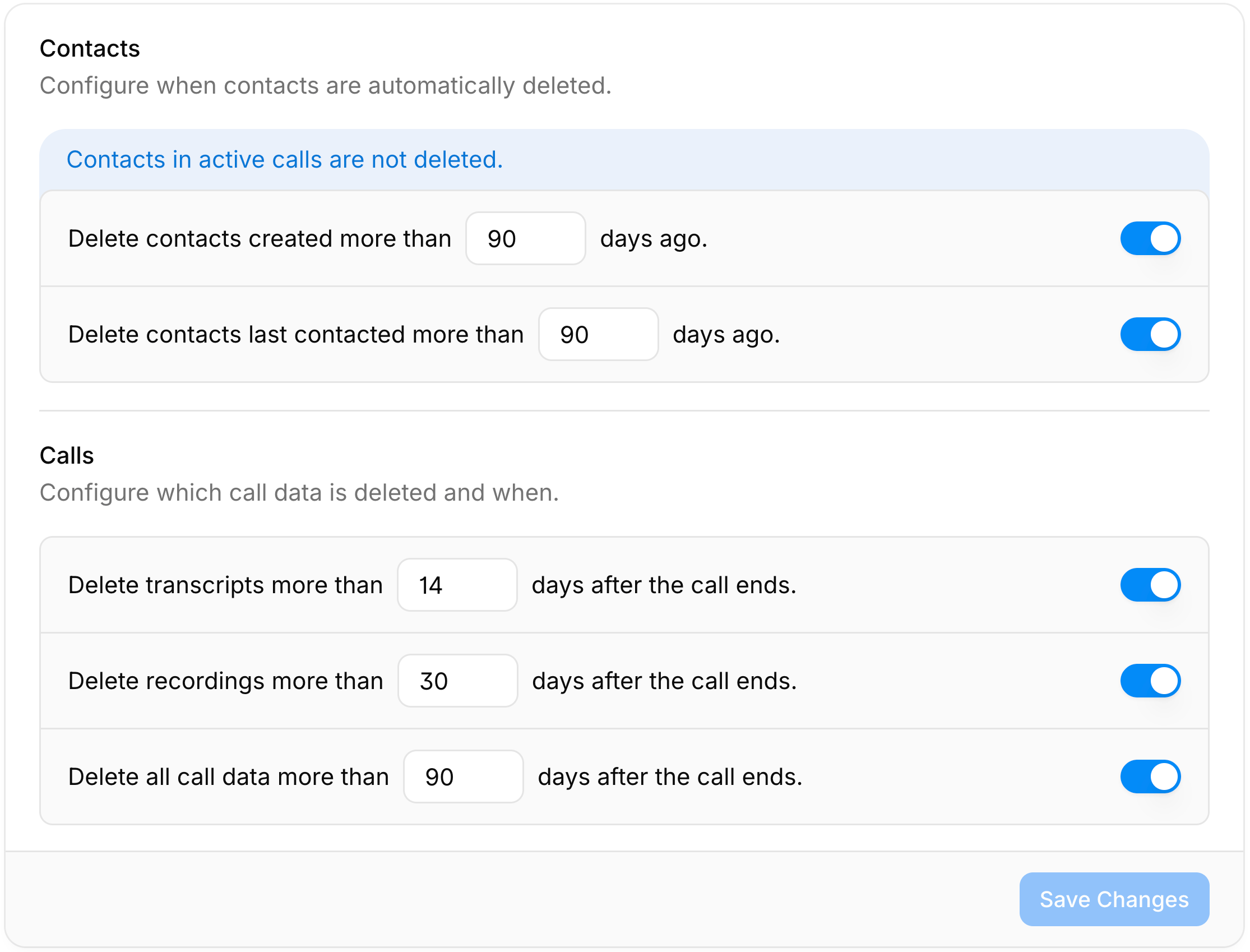
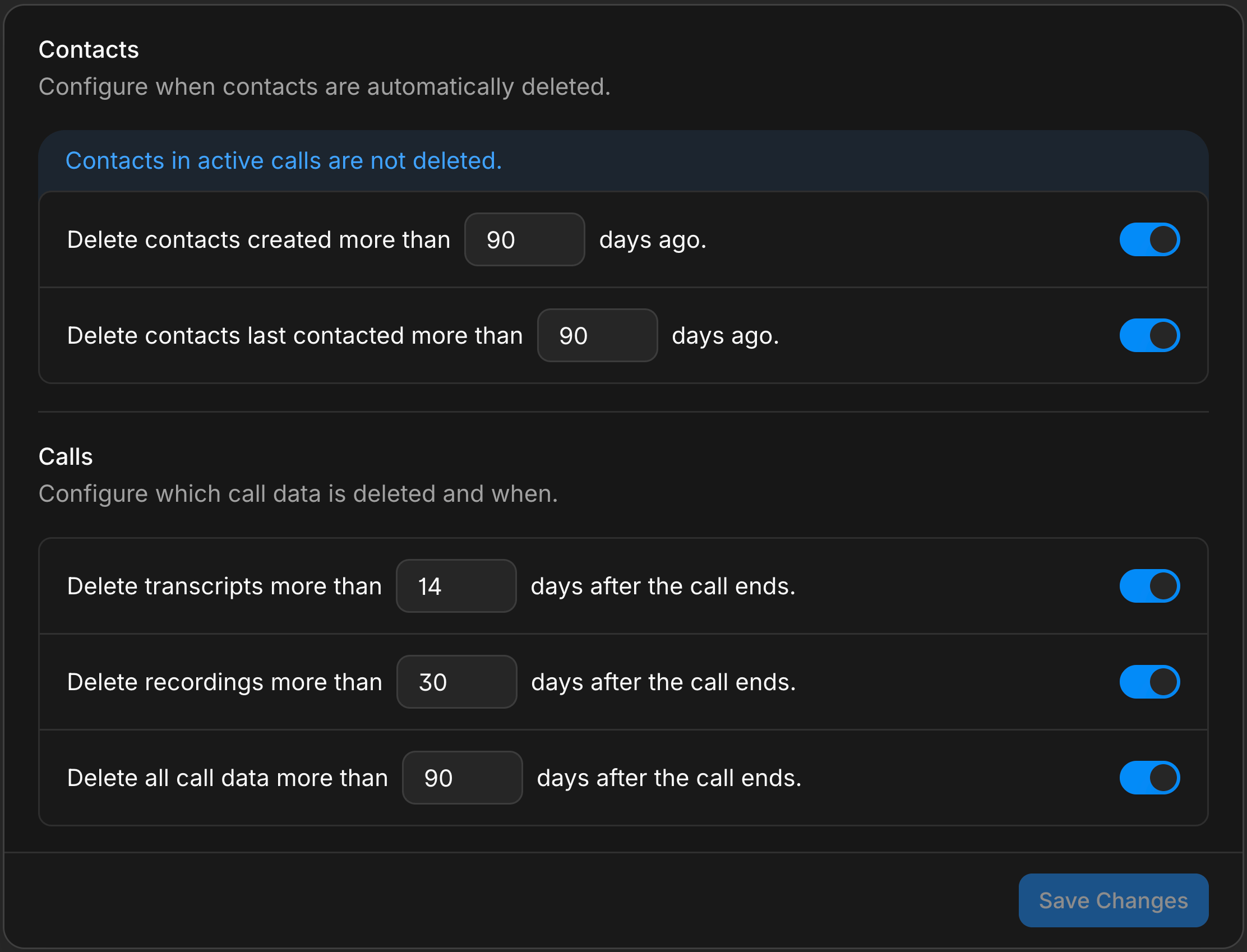
Data retention settings for contacts, call data, recordings, and transcripts
More reliable warm transfers
Set between 1 and 10 attempts for each warm-transfer destination and review every dial, briefing, and outcome in the conversation timeline. Agents wait for active transfers instead of reporting failure early, then stop after the limit. New destinations start with three attempts; existing destinations stay unlimited until you set a limit.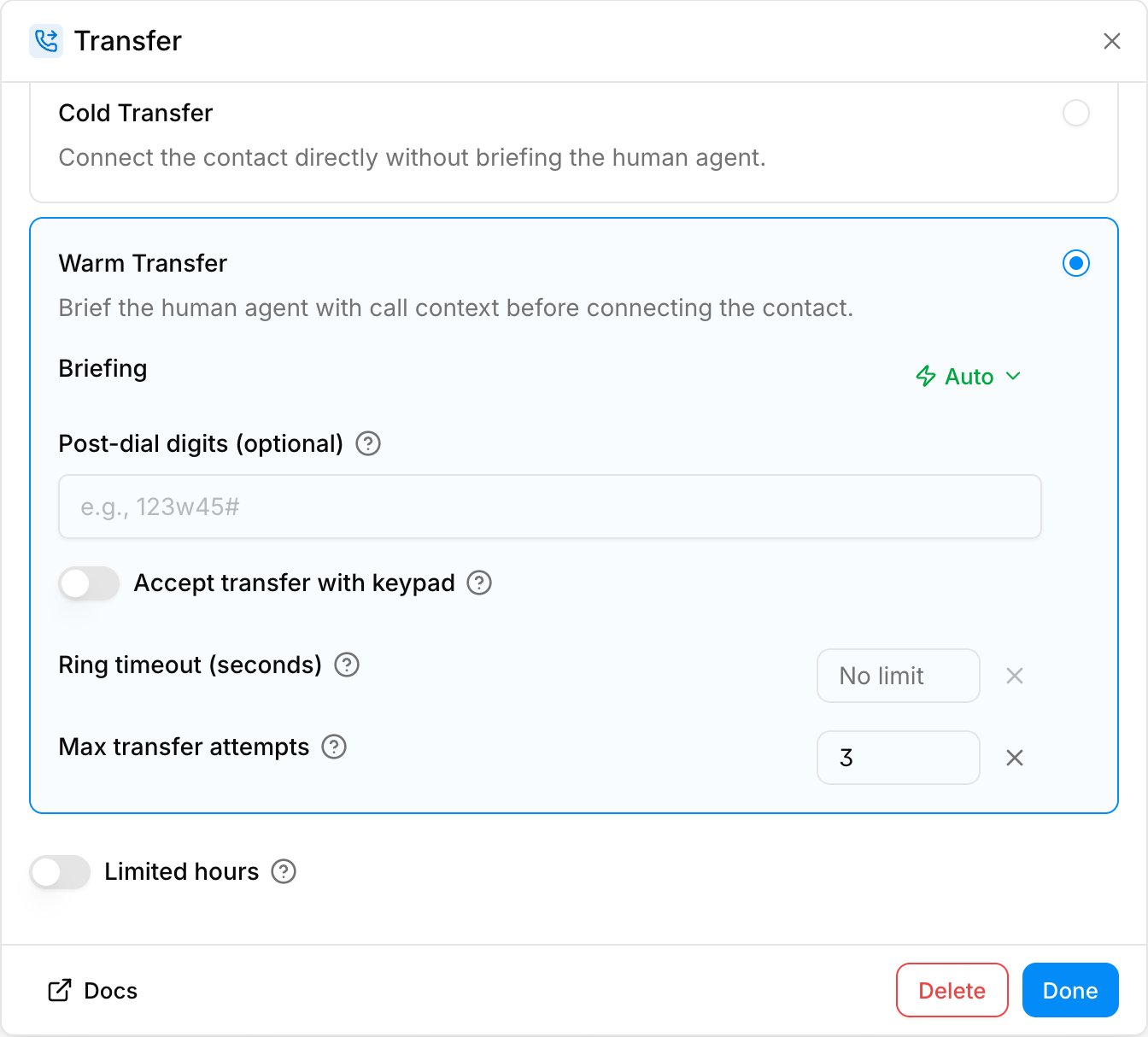
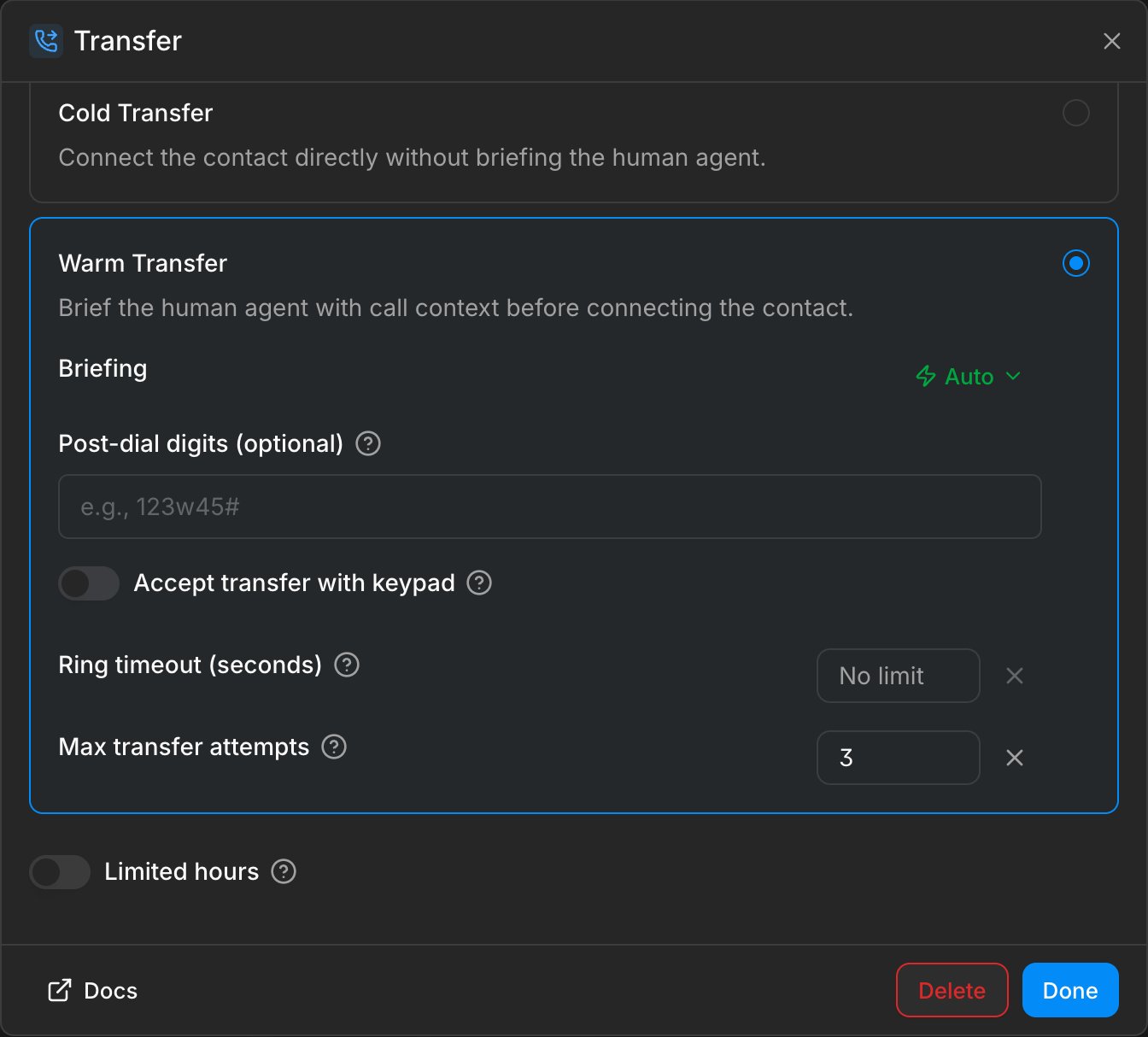
Warm transfer settings with an attempt limit and transfer outcomes in the conversation timeline
Better progress during longer tool calls
Voice agents now keep callers informed when a tool takes longer instead of falling silent. Custom HTTP tools with an in-progress message can wait up to 30 seconds for a result.Improvements
Improvements
- Ask Charlie to find affected calls and submit confirmed feedback for exact transcript turns or audio ranges
- Choose Cartesia Sonic 3.6 or ElevenLabs v3 Conversational for supported voices in the Agent Builder and test calls
- Known contact names now improve transcription accuracy with Soniox and supported Deepgram models
- Type
{for variable suggestions or/for tools and variables; malformed variables with spaces are now highlighted correctly - Calendar tools can search caller-requested date ranges up to 90 days beyond the default two-week window
Fixes
Fixes
- Call feedback from the Agent Builder conversation tab now saves without a reload or return to the editor
- Generated agent drafts now name the selected language instead of incorrectly naming English
- Deleted workflow runs no longer remain in workflow lists, counts, or detail views
Annotate call transcripts
You can now annotate a specific moment while reviewing a call transcript in Conversations. Hover an agent, contact, or tool turn to report an issue inline, then adjust the highlighted audio range and describe what went wrong. telli suggests an issue category, and saved annotations stay connected to the transcript and waveform so your team can return to the exact moment or ask Charlie to help fix it.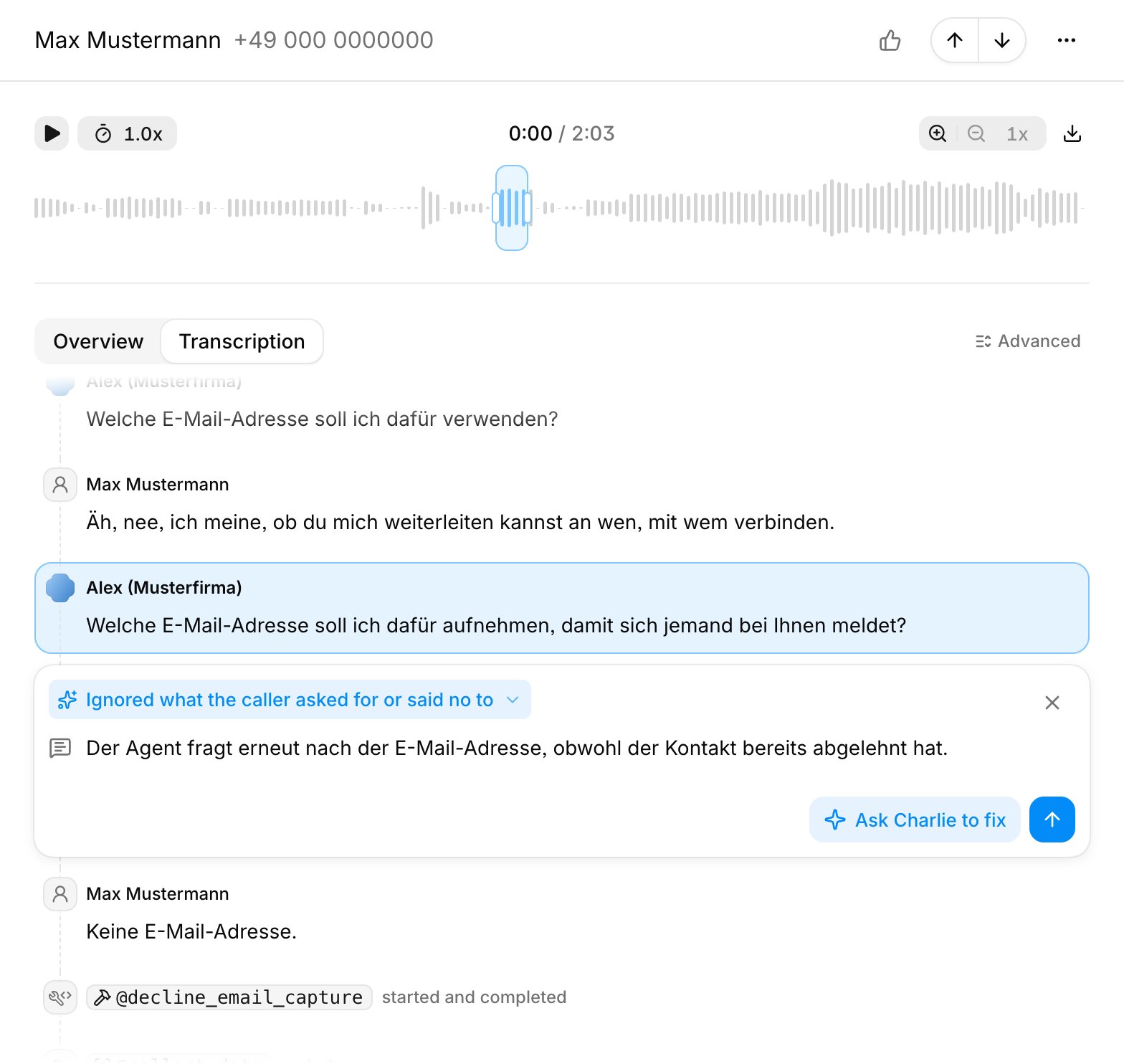
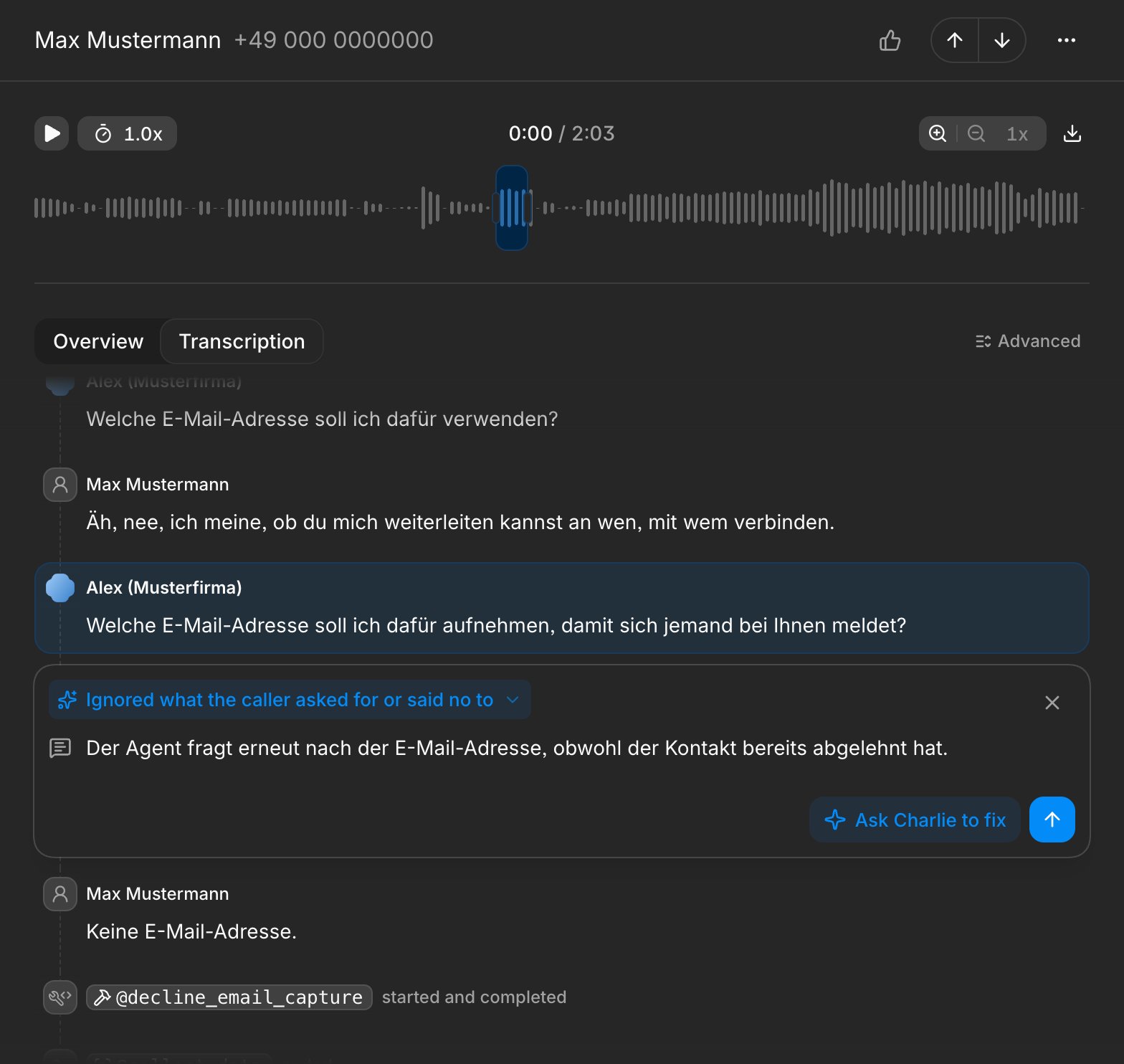
Issue annotation attached to a highlighted range in a call transcript
Improvements
Improvements
- Review calls with a zoomable waveform, recording-aligned transcripts, turn timing details, and feedback markers in the conversation list
- Call ended workflows can opt into failed calls and route on numeric SIP status codes, with trigger, start, and end timestamps available in conditions and mappings
- Changes under Settings > Organization now save more safely, with an explicit Save button for the inbound-call fallback, unsaved-change warnings, and confirmation before disabling call recordings or EU AI Act compliance
- Edit your first and last name under Settings > Profile; valid changes save when you leave the field
- Contact search now matches contact IDs and hyphenated external IDs in the contact list and through Charlie
- Accounts can define up to 500 contact properties
- The API docs now start with authentication, base URLs, and direct downloads for the V1 and V2 OpenAPI specifications
Fixes
Fixes
- Voice agents no longer speak leaked control markers or function-call names
- Calendly bookings no longer time out after a second availability check or create an appointment after the agent reports a failure
- Address validation accepts empty optional fields and gives the agent actionable guidance when a value is invalid
- Charlie conversations and feedback no longer skip or repeat rows during pagination
API
API
- Subscribe to the new
call_rescheduledwebhook to receive the selected schedule, assigned agent, destination number, and contact data whenever a later call time is saved
Branded SMS
You can now send SMS with your brand name instead of a phone number. Request the sender name you want to use, then select the approved sender ID in an agent’s Send SMS tool or in a workflow. Before sending, telli checks that the sender ID is supported in the destination country.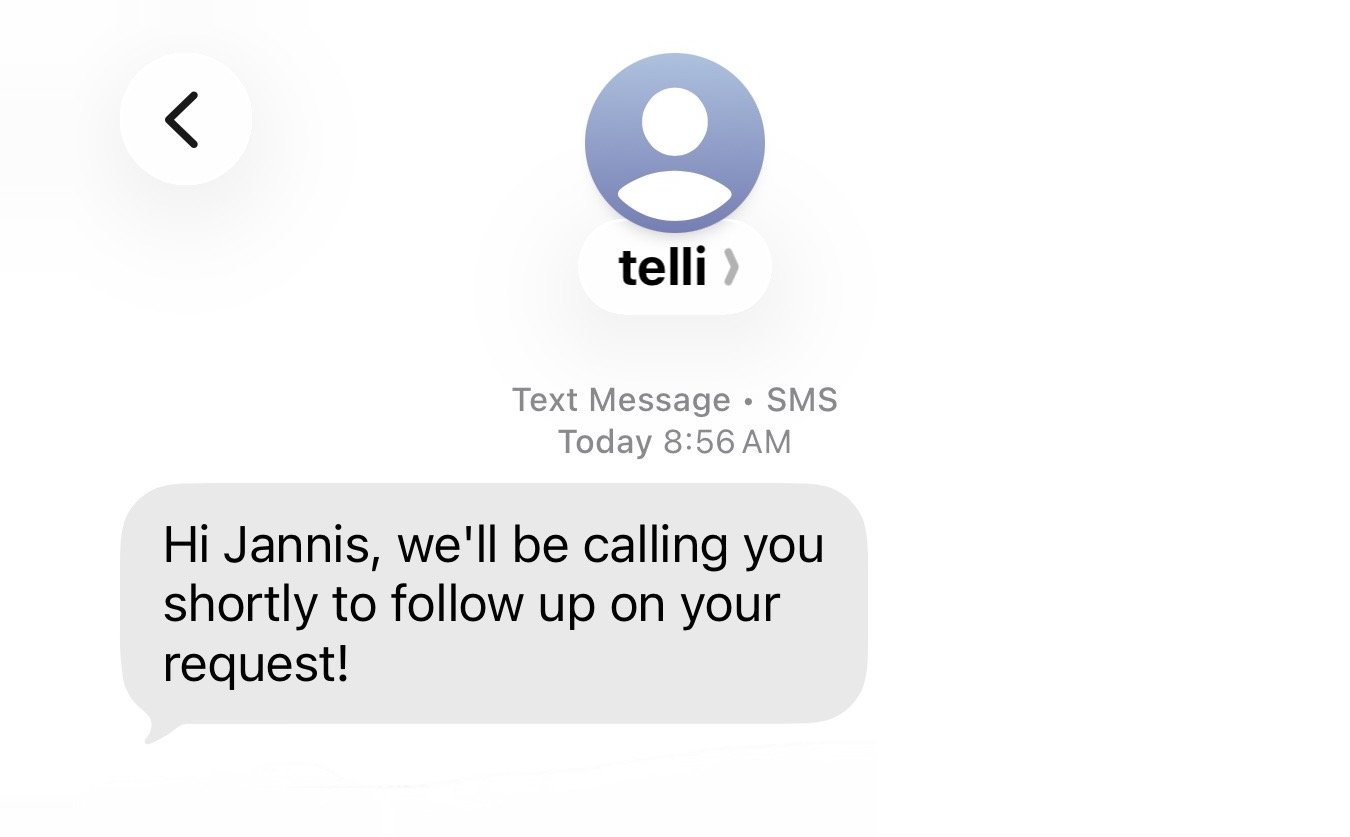
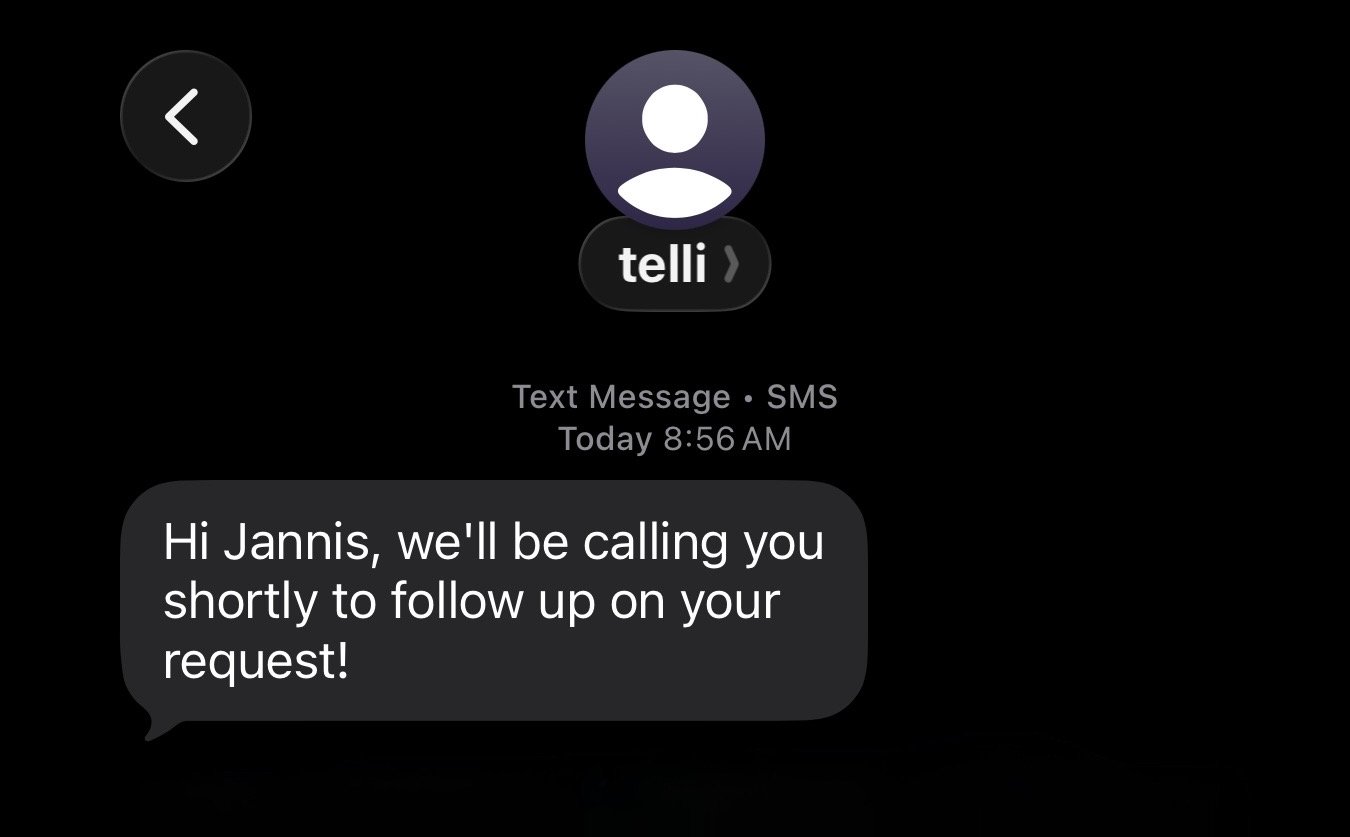
SMS received from telli instead of a phone number
Improvements
Improvements
- Charlie now stays alongside the current page in a resizable workspace, keeps fullscreen mode after a refresh, and opens with selected transcript messages attached as context
- Warm transfers can require the recipient to press
1before the contact is connected, preventing hold music or voicemail from accepting a transfer - Scheduled and batch calls can run once on eligible outbound plans without Auto Dialer; automatic retries and custom dialing strategies remain upgrade features
- Add the optional Next Call column to the contacts table to see each contact’s next scheduled call and whether it is already queued
- Salesforce integrations can sync Person Accounts into telli contacts when Person Accounts are enabled in Salesforce
- Signup suggests requesting an invite when your work-email domain matches an existing telli workspace, while still letting you create a separate workspace
- Self-serve accounts can complete five connected calls before onboarding grace ends, up from one
- Reconciled call transfers now show their duration in the call details
Fixes
Fixes
- Plan and billing-interval changes for active subscriptions open a prefilled support request instead of failing at checkout
- Transfer tools no longer crash the Agent Builder when configurations are incomplete or removed
- Contact CSV imports accept displayed labels for select fields, including umlaut and transliterated variants
- Newly purchased telli phone numbers no longer fail provisioning while Twilio propagates them between regions
API
API
- Validated address results include latitude and longitude in V1 call responses and
call_endedwebhooks when coordinates are available; call details show the same captured coordinates - Webhook documentation now provides generated payload schemas for each event, with clearer setup, signature verification, and retry guidance
Delay steps in workflows
You can now add delay steps to workflows before the next step runs. Set the pause in days, hours, minutes, or seconds. telli validates every path and prevents publishing when its combined delays exceed 30 days.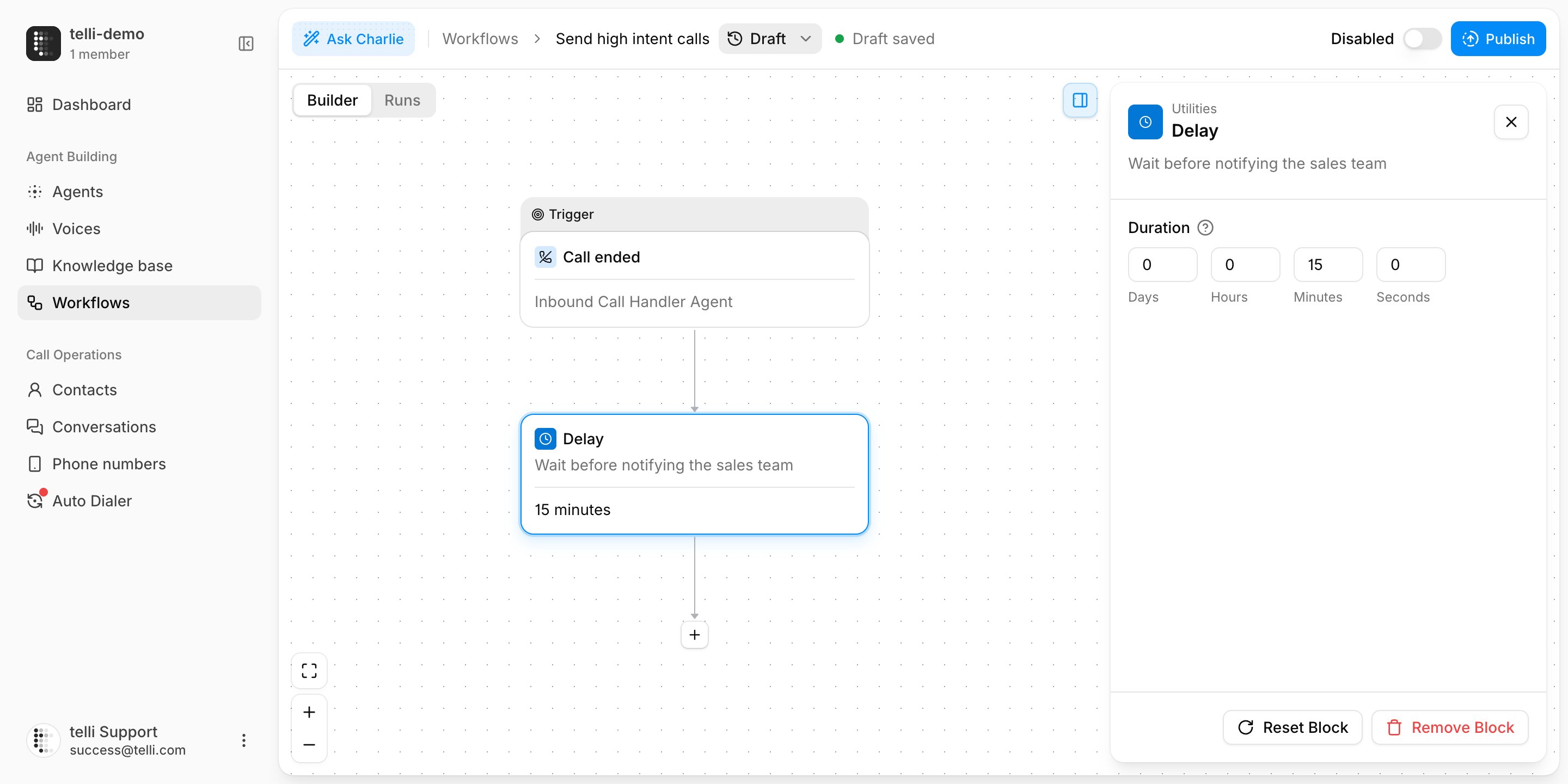
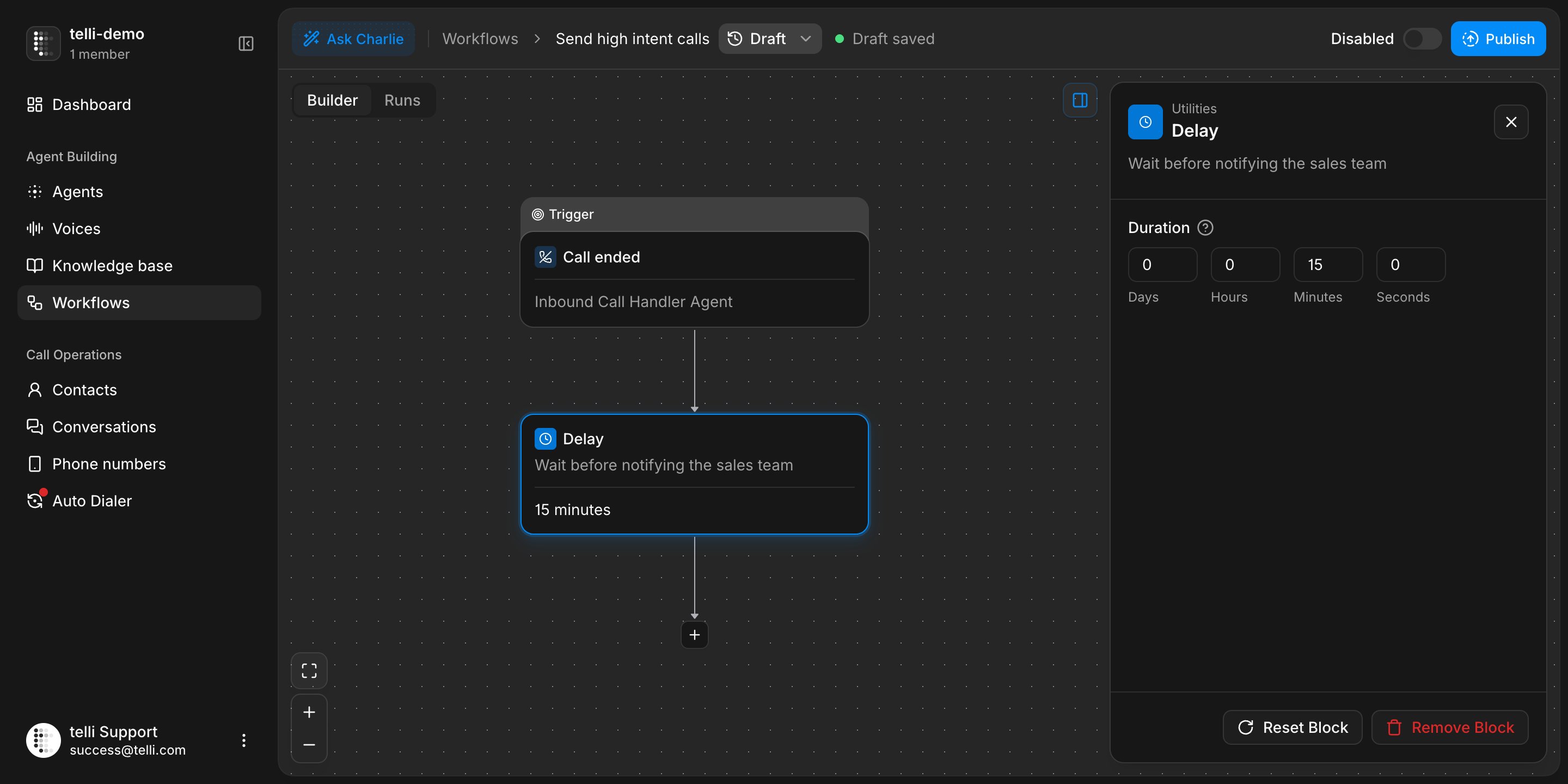
Delay step with duration controls in the workflow builder
Control when follow-up calls can happen
For each agent, choose whether follow-up calls can happen at any time, during the agent’s calling window, or within custom hours. Blocked dates and the maximum scheduling horizon are enforced when the call is arranged. Follow-up calls also work when Auto Dialer is disabled.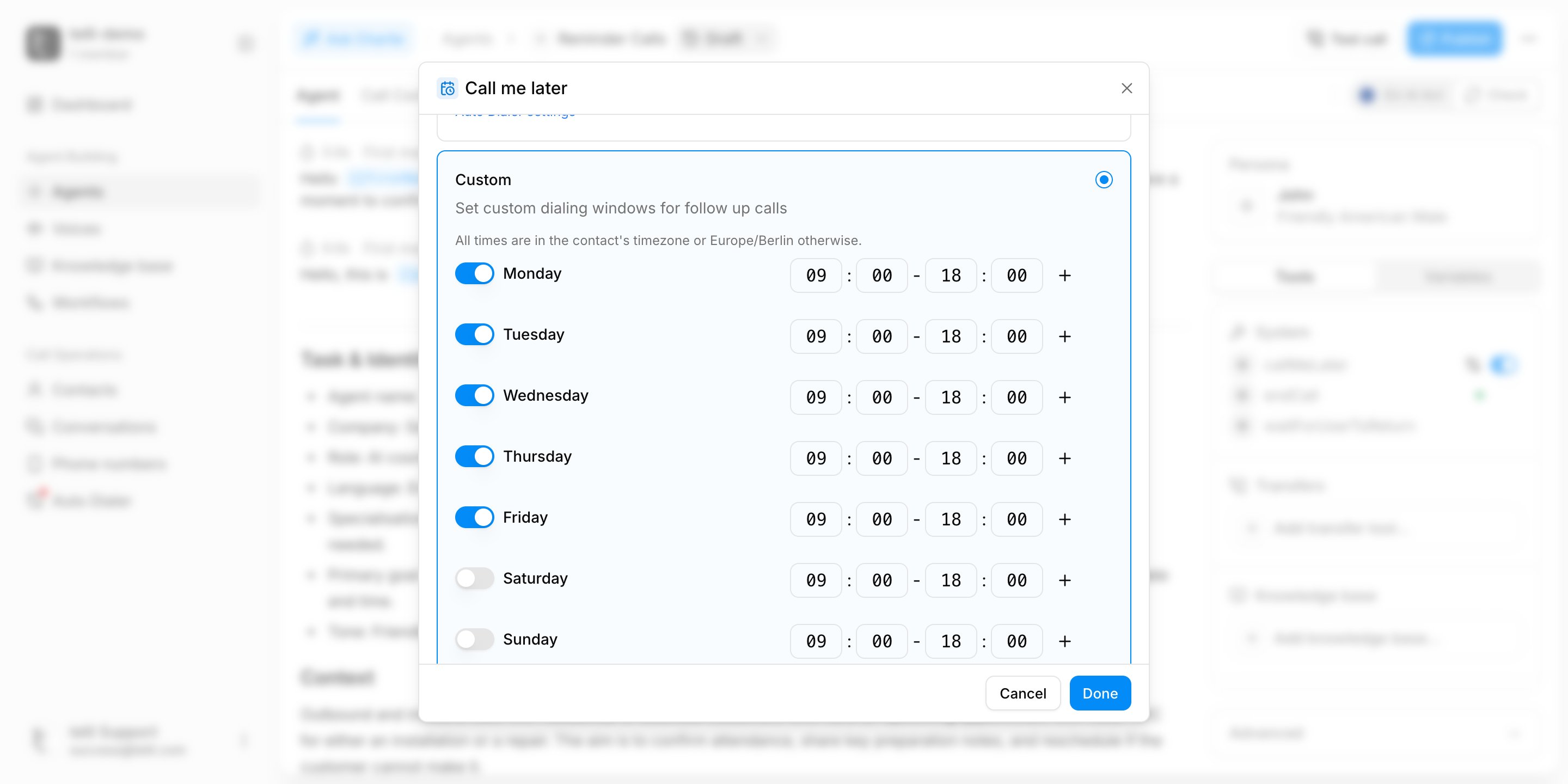
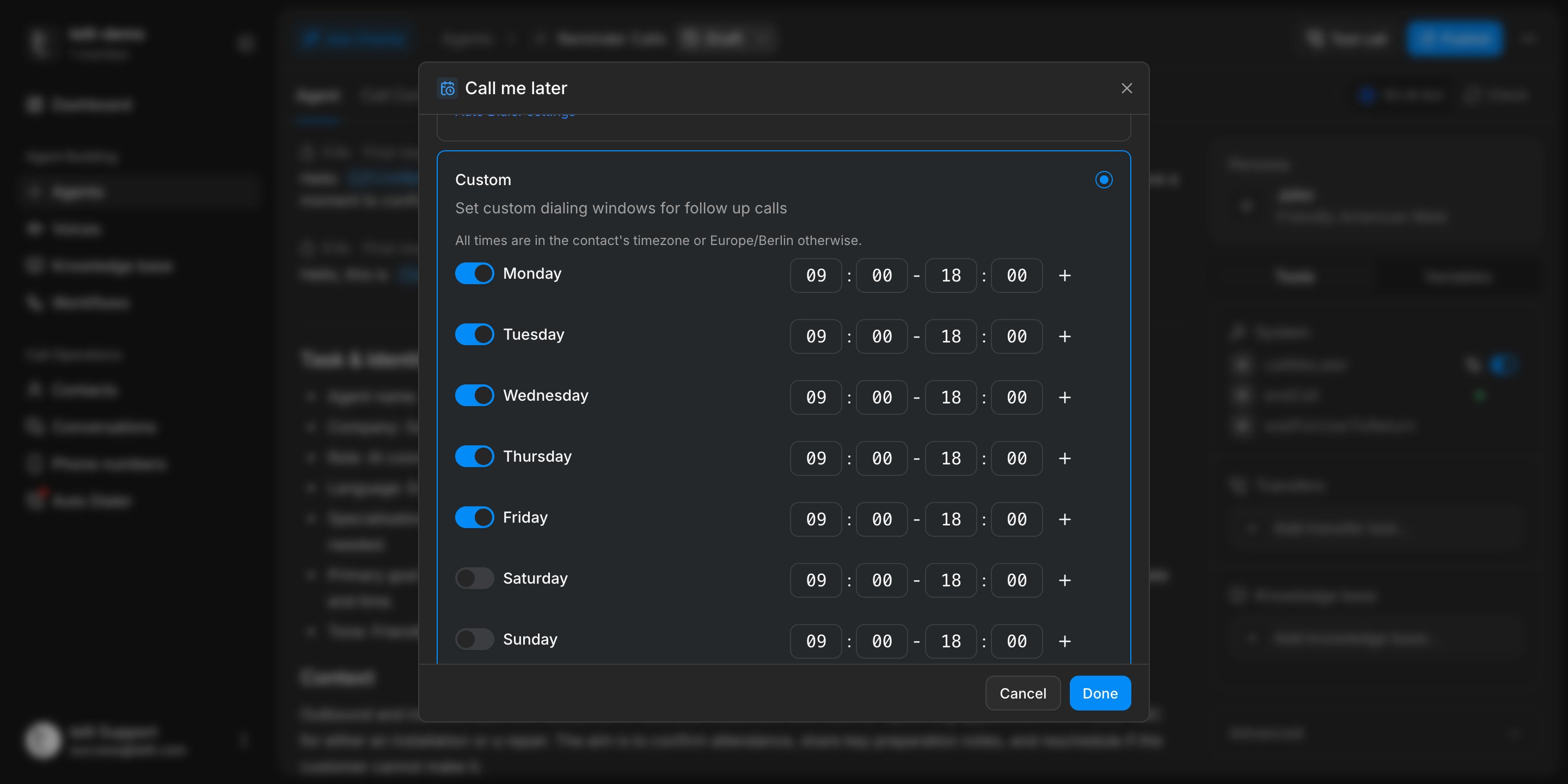
Follow-up calling window settings in the agent builder
Improvements
Improvements
- Owners of self-serve subscriptions can cancel at the end of the current billing period and resume before the cancellation takes effect under Settings > Billing
- Owners and admins can permanently delete a call recording from the call details while retaining its transcript and analysis
- Settings now use a dedicated sidebar with clearer subpage navigation, breadcrumbs, and a direct path back to the app
- Billing shows usage against plan allowances, including overages and exhausted limits
- Auto Dialer status, total calls, connected calls, and the Auto Dialer filter are now available for every account in the contacts table
- Inbound SIP configuration for supported telli numbers now includes media encryption and allowed IP or CIDR ranges
Fixes
Fixes
- Failed outbound call starts no longer leave contacts or calling loops stuck in a running state
- Scheduled follow-ups stay intact when calling windows change, declined follow-ups are cleared reliably, and rejected times are no longer confirmed by the agent
- Deleting a contact now redacts associated text-message content and contact addresses
- Charlie shows actionable errors instead of silently stopping, and oversized PDF attachments are rejected before submission with a clear page limit
- App loading and top-level errors no longer produce blank pages or disruptive layout shifts
- The mobile sidebar closes after opening the selected page instead of covering it
- More English and German iOS call-screening phrases are recognized reliably, including prompts that appear later in the screening flow
- Successful checkout no longer reopens the paywall, and upcoming or sales-managed subscriptions show the correct state and name
API
API
- V1 call responses and
call_endedwebhooks no longer return stale or conflictingcall_statusvalues
EU AI Act compliance
You can now check and enforce AI disclosure for voice agents. For European accounts, EU AI Act compliance is enabled by default, with each agent’s status shown directly in the builder. The check looks for disclosure within the first four spoken sentences, and Charlie can help fix missing disclosures.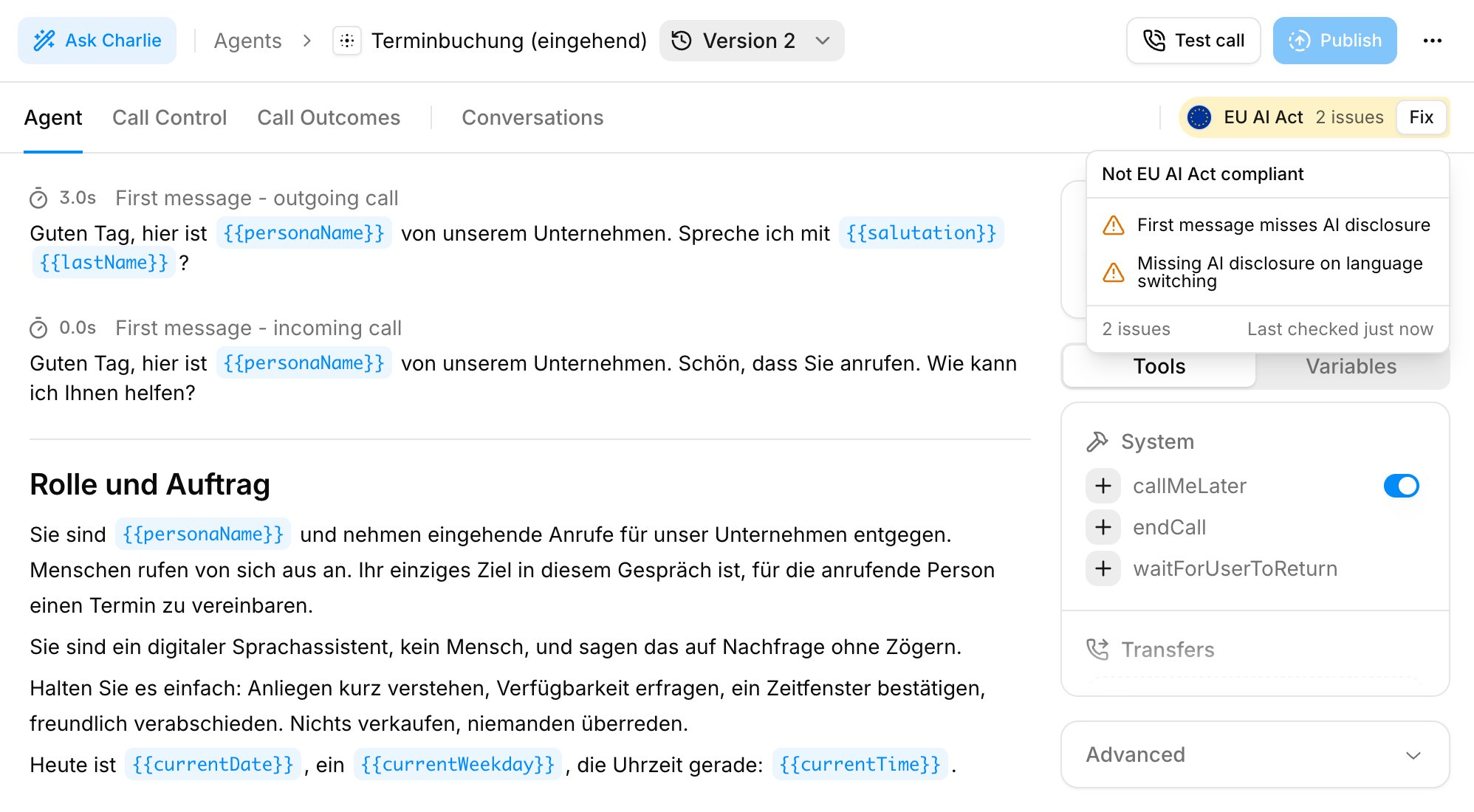
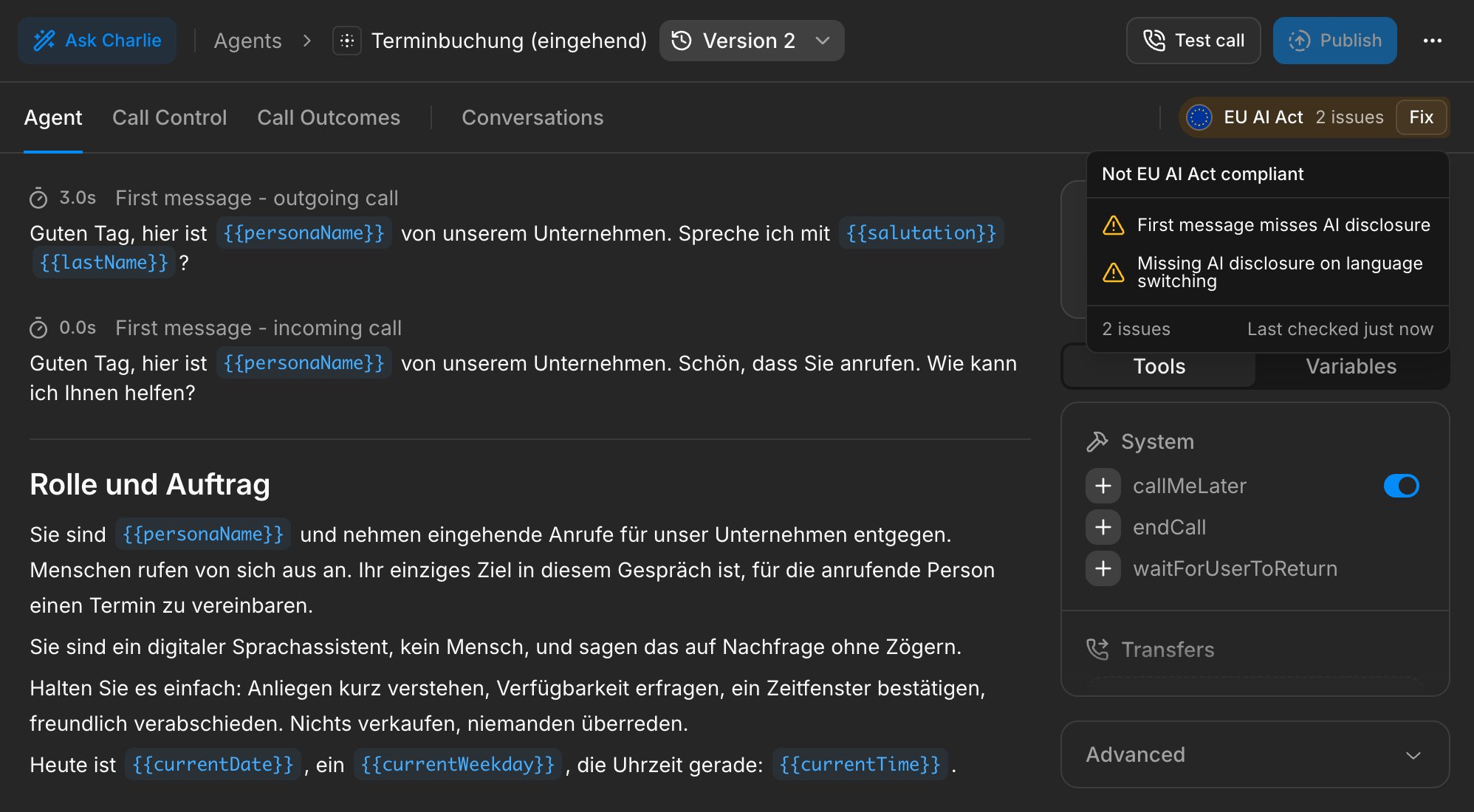
EU AI Act compliance check in the agent builder
Appointments with BookingTime
Connect BookingTime, choose an organization and appointment type for each agent, and let the agent find availability and create appointments during calls. When details such as the caller’s name or email address are missing, the agent collects them before completing the booking.
BookingTime integration overview
Improvements
Improvements
- The same phone number can now handle inbound calls for an agent while remaining available for outbound calls
- Self-serve accounts can explore telli before choosing a plan; gated actions open the plan selector, where the current plan and billing interval are clearly marked
- Long Charlie conversations stay responsive while answers stream instead of slowing down as the conversation grows
- Charlie conversations now have direct URLs, so you can bookmark or share a conversation and reopen it from any app page
- When you ask where to find or configure something, Charlie can take you directly to more relevant pages across telli
- Organization owners and admins can set, replace, or remove the organization logo from organization settings
- Paste screenshots and other supported clipboard files directly into Charlie
- Knowledge-base uploads respect your plan’s storage limit, and files over 20 MB show a clear error before uploading
Fixes
Fixes
- Warm-transfer timeouts no longer produce tool errors or finalize the same transfer more than once
- Large contact exports complete in the background, keep their progress after a refresh, and no longer time out for large datasets
- Signup research no longer restarts when its Charlie conversation is added to the URL, and onboarding test calls use the configured agent draft
- HubSpot contact sync uses the correct portal after reconnecting and recovers from stale synchronization cursors
- Collect Data tasks enforce configured minimum and maximum lengths instead of accepting out-of-range responses
API
API
- Call responses and
call_endedwebhooks expose transfer destination and completion time throughtransfer - Connected inbound calls now populate successful
sip_statusandsip_status_codevalues
From signup to your first agent
Getting started with telli is now fully self-serve. Sign up with any email address, let Charlie research your company and build a tailored first voice agent from proven production patterns, make a test call, then choose the plan that fits.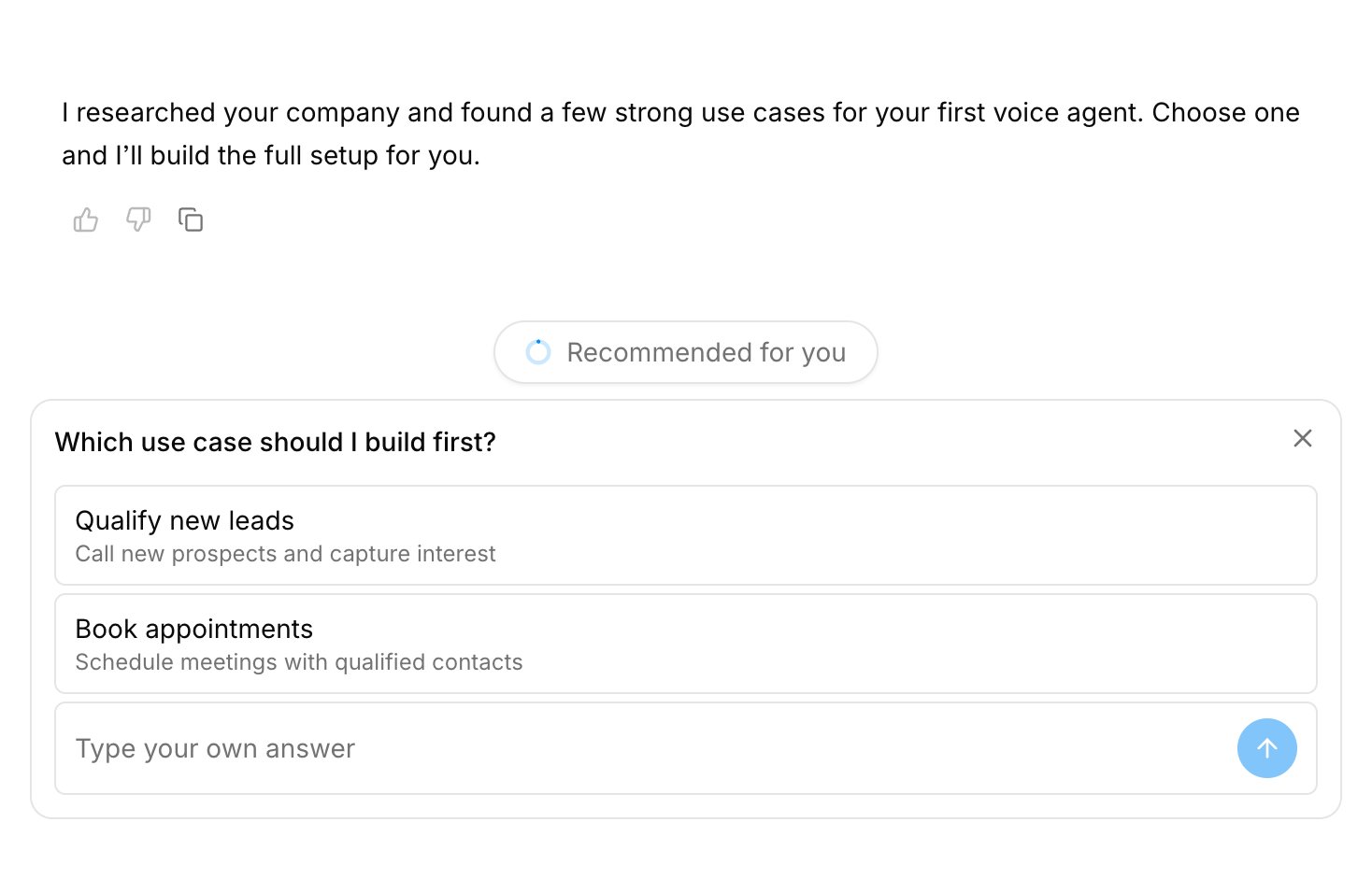
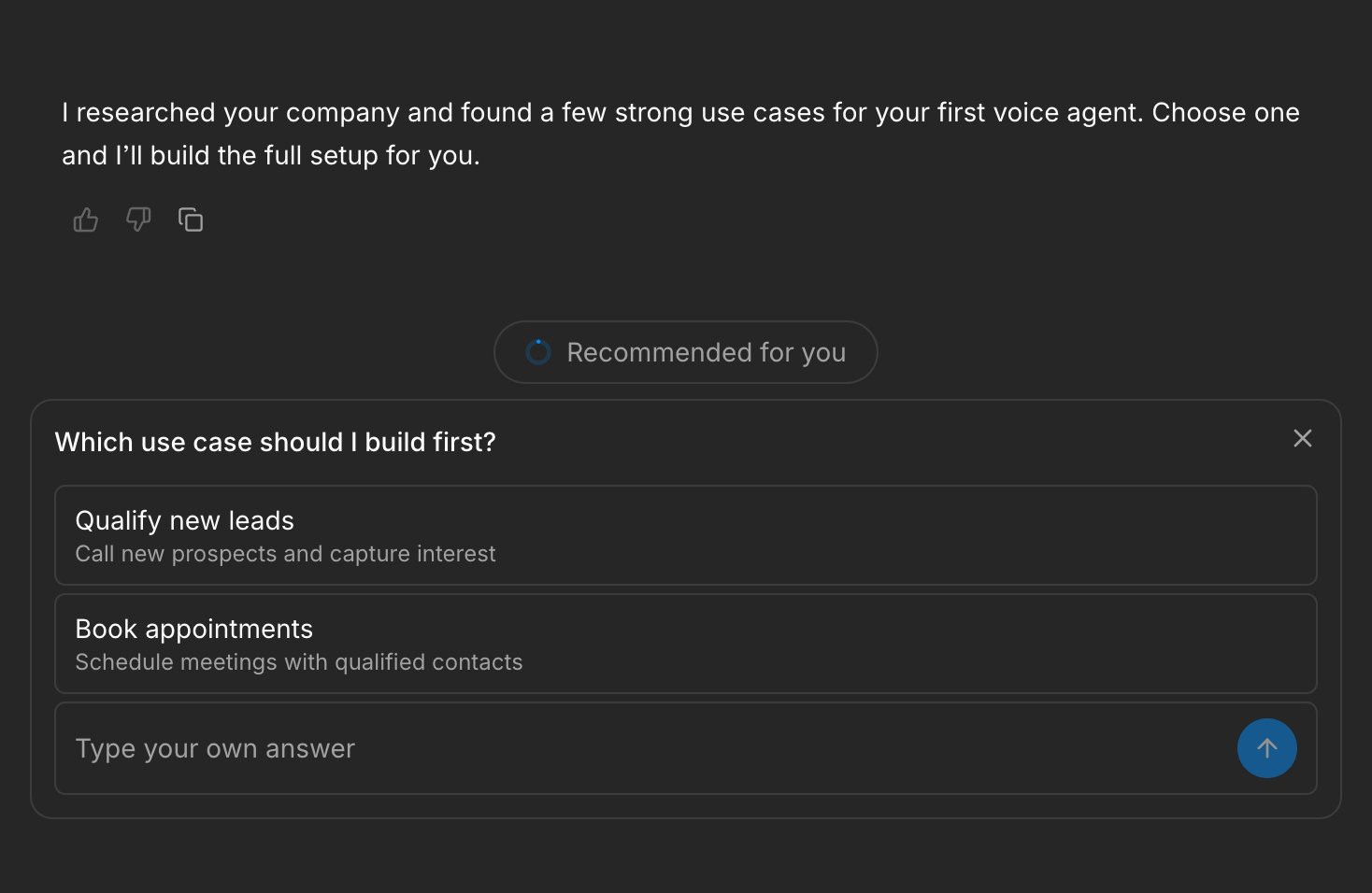
Charlie recommending tailored use cases for a new voice agent after researching the company
Start from a proven use case
Charlie recommends relevant jobs for your agent based on your company website. Choose one and Charlie creates the full instructions, opening messages, and call outcomes from a catalog modeled on 20 successful production agents. A test-call action appears as soon as the agent is ready, and the conversation stays open so you can keep refining it after the call.Improvements
Improvements
- The agent builder puts the core configuration above the sidebar on smaller screens and lets you collapse long prompt previews
- First-time invited users enter their name and accept the policies before joining an organization
- Signup and login now have separate routes with clearer, intent-specific copy
- telli follows your browser or operating-system language until you explicitly choose a language
- Optimized raster images reduce the download size of sign-in and affected app pages
- When a plan or token allowance blocks Charlie, the chat explains the correct reason and links directly to plan selection
Fixes
Fixes
- Zeeg bookings support newer per-location keys, while unsupported custom locations are filtered out instead of failing during a call
- Charlie retries after an invalid question configuration instead of waiting for an answer to a card that never appeared
- Charlie question cards no longer expose internal tool-call tags in the app, Slack, or saved conversations
- Charlie stays open after mobile onboarding navigates to the newly created agent
- Expired, canceled, or already-used invitation links show a useful error and any other pending invitations
- Phone verification fraud blocks show accurate retry and alternate-number guidance instead of a temporary outage message
- Returning to a previous company website during signup refreshes the suggested company name and logo correctly
API
API
call_endedwebhooks includestate, finalstatus, andfollow_up, matching the modern Calls API fields- Scheduling a call with an invalid
agent_idreturns a structured 400 validation error instead of an internal server error
Charlie in Slack
Charlie now works in Slack. Connect a workspace, choose where Charlie should be available, then mention it in a channel to ask about agents, calls, and results without leaving Slack.
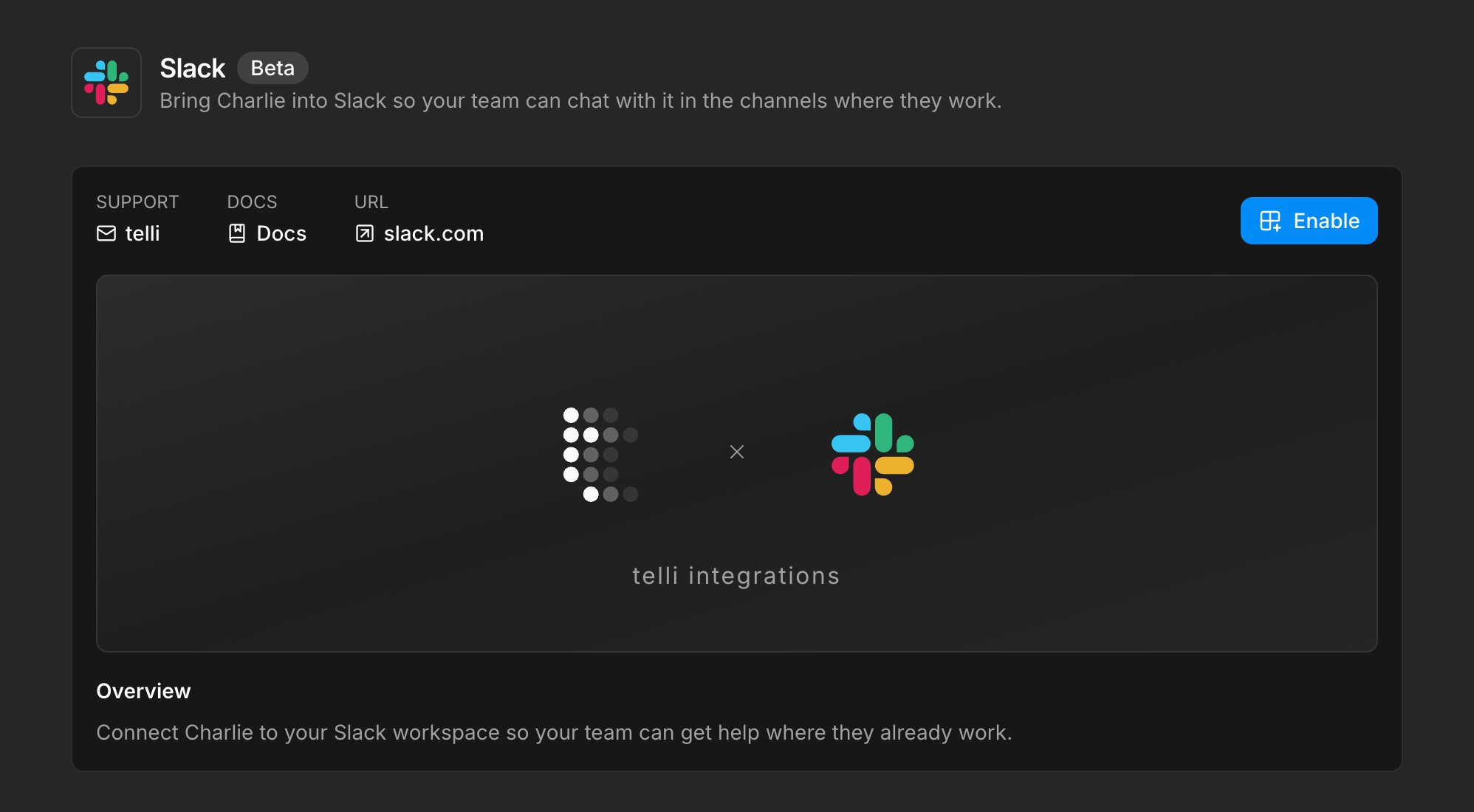
Slack integration page with the expanded overview and Enable action
Choose where Charlie works
During setup, select at least one channel for Charlie, then add or remove channels from the integration page as your team changes. If one Slack workspace serves several telli accounts, each channel is assigned to one account and channels already linked elsewhere are clearly marked, so conversations and account data stay separated.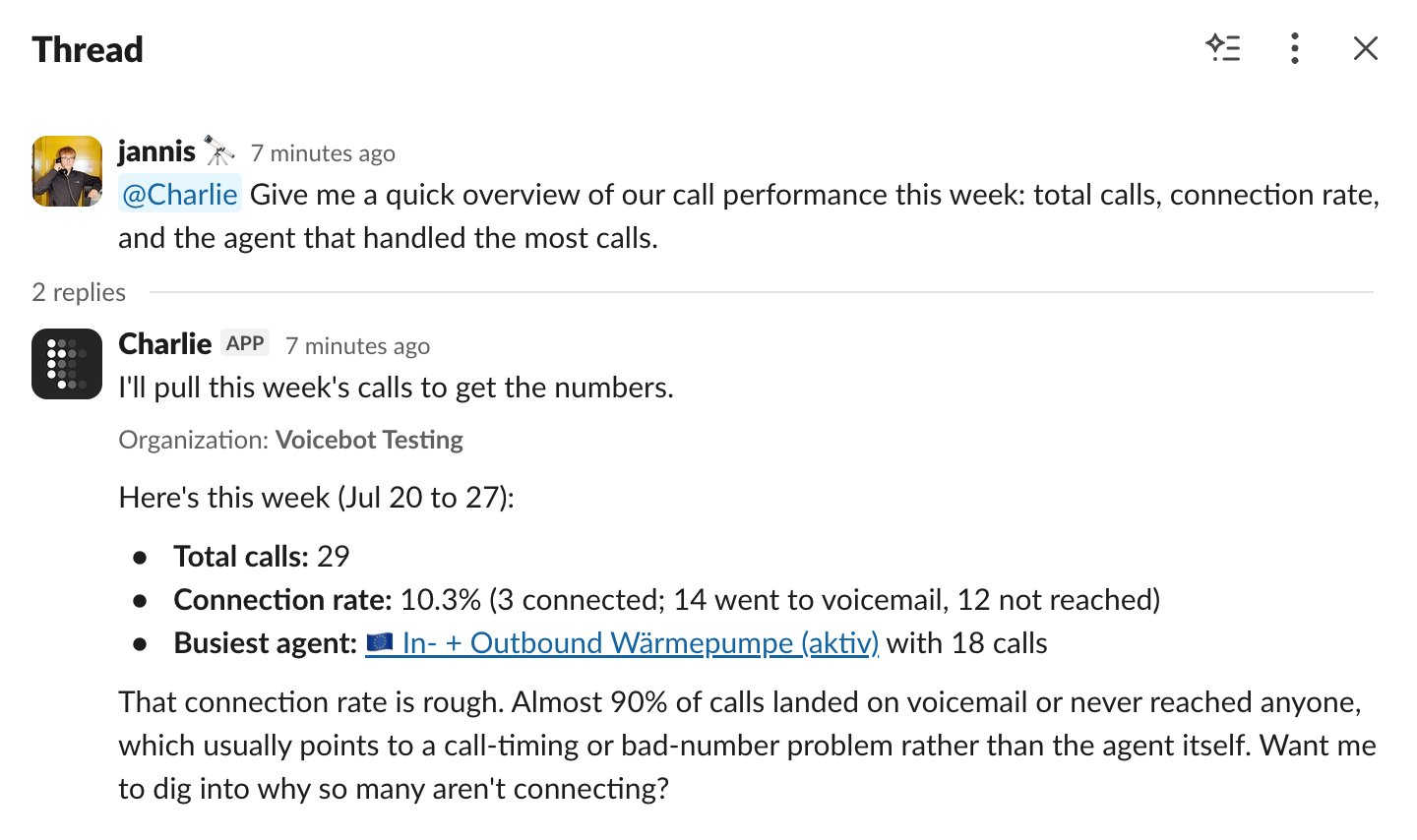
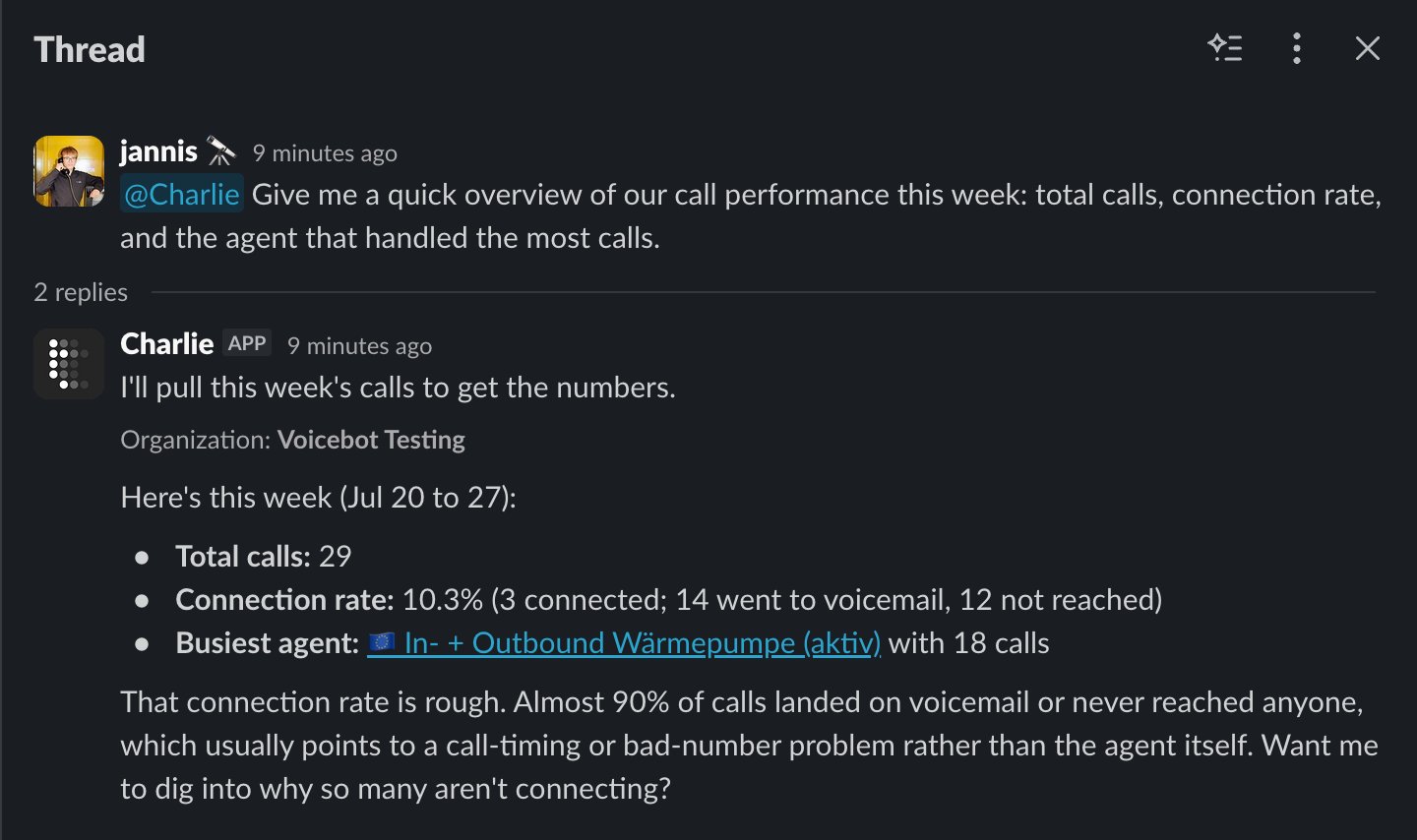
Slack thread where Charlie summarizes weekly call performance with total calls, connection rate, and the busiest agent
Keeps threads and workspaces in context
Charlie reads the messages and files already shared in a thread before the mention and posts its answer back into the same thread. When it needs clarification, it can present answer buttons directly in Slack. Muted threads stay quiet until someone mentions Charlie again.Slack Connect channels route to the correct installed workspace, and replies show which telli account Charlie is working in. Access checks run before Charlie starts work, while direct messages point people to the available linked channels.Improvements
Improvements
- Schedule a future call directly from a contact’s details, with the agent, date, time, and optional outbound number you want to use
- Account owners can review their current plan, subscription status, billing period, and usage under Settings > Billing
- Call ended workflow triggers can filter for connected calls, scheduled follow-ups, not connected calls, and voicemail; call status is also available in conditions and variables
- Custom HTTP tools support nested JSON objects and recursive arrays in request bodies
- Outbound-number selectors include numbers reserved for the selected agent across individual calls, bulk scheduling, CSV imports, and test calls
- Charlie’s streaming work is grouped into collapsible sections, so multi-step changes are easier to follow
- Address collection understands street names spelled with the phonetic alphabet instead of saving the cue words literally
- The MCP integration provides setup actions for Claude, ChatGPT, Cursor, Codex, and Claude Code, and lets you review or revoke personal connections
Fixes
Fixes
- Call outcomes now finalize reliably after post-processing and across every session-close path, instead of remaining stuck or publishing an incomplete result
- Outbound calls retry once after a temporary provider 502 instead of immediately marking the contact as not reached
- Late voicemail detection corrects the final call outcome instead of leaving the call marked as connected
- Ending a call loop no longer marks the active contact as not reached before the call finishes
- Switching organizations preserves valid nested pages such as Billing settings instead of landing on a broader page or a 404
- Charlie conversations fall back to account context and continue when the focused agent or workflow has been deleted
Charlie through MCP
You can now connect Claude, ChatGPT, Cursor, Codex, and Claude Code to Charlie through MCP. Add the telli MCP server to the AI client you already use, authorize access, then ask Charlie to investigate or complete work in telli without switching tools.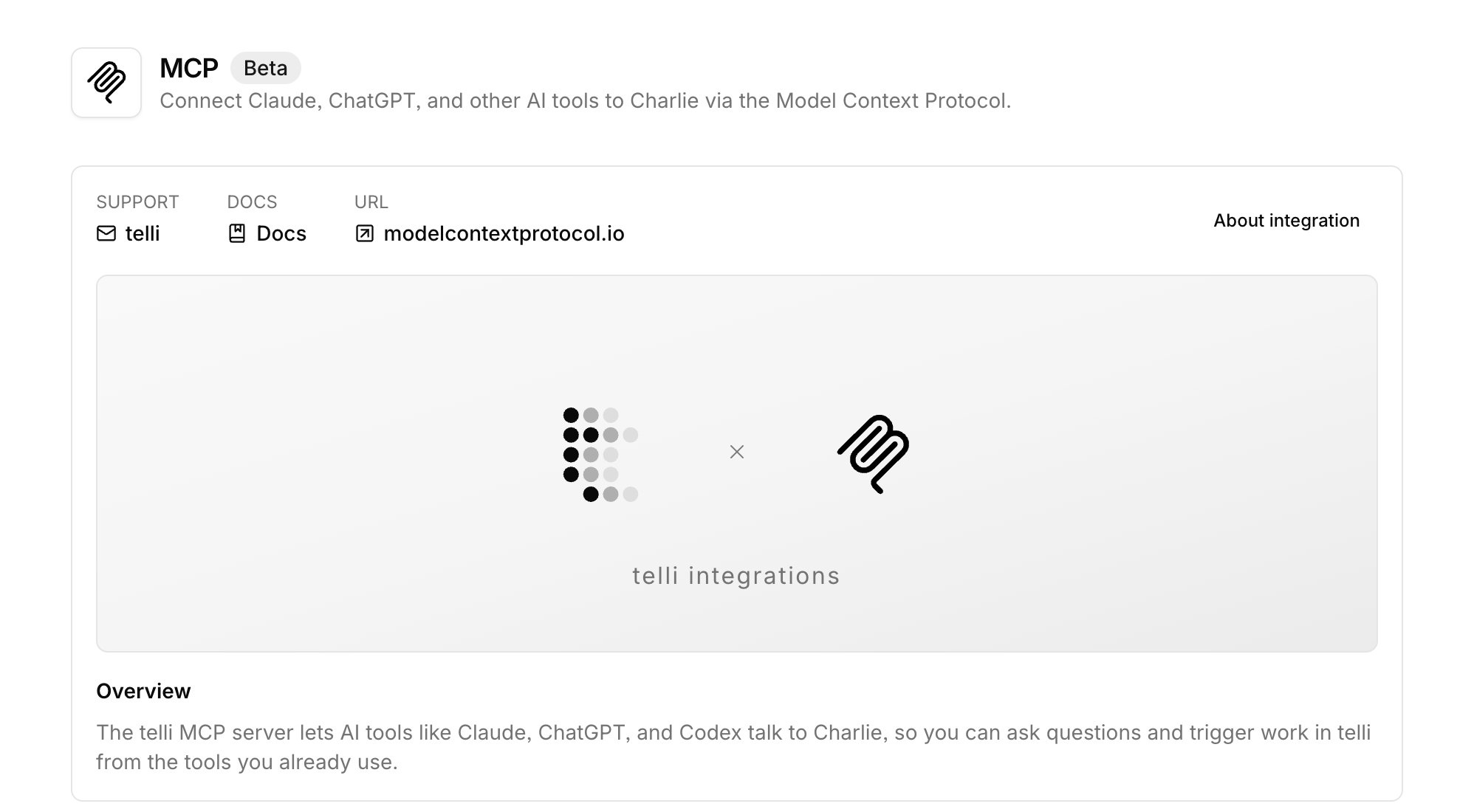
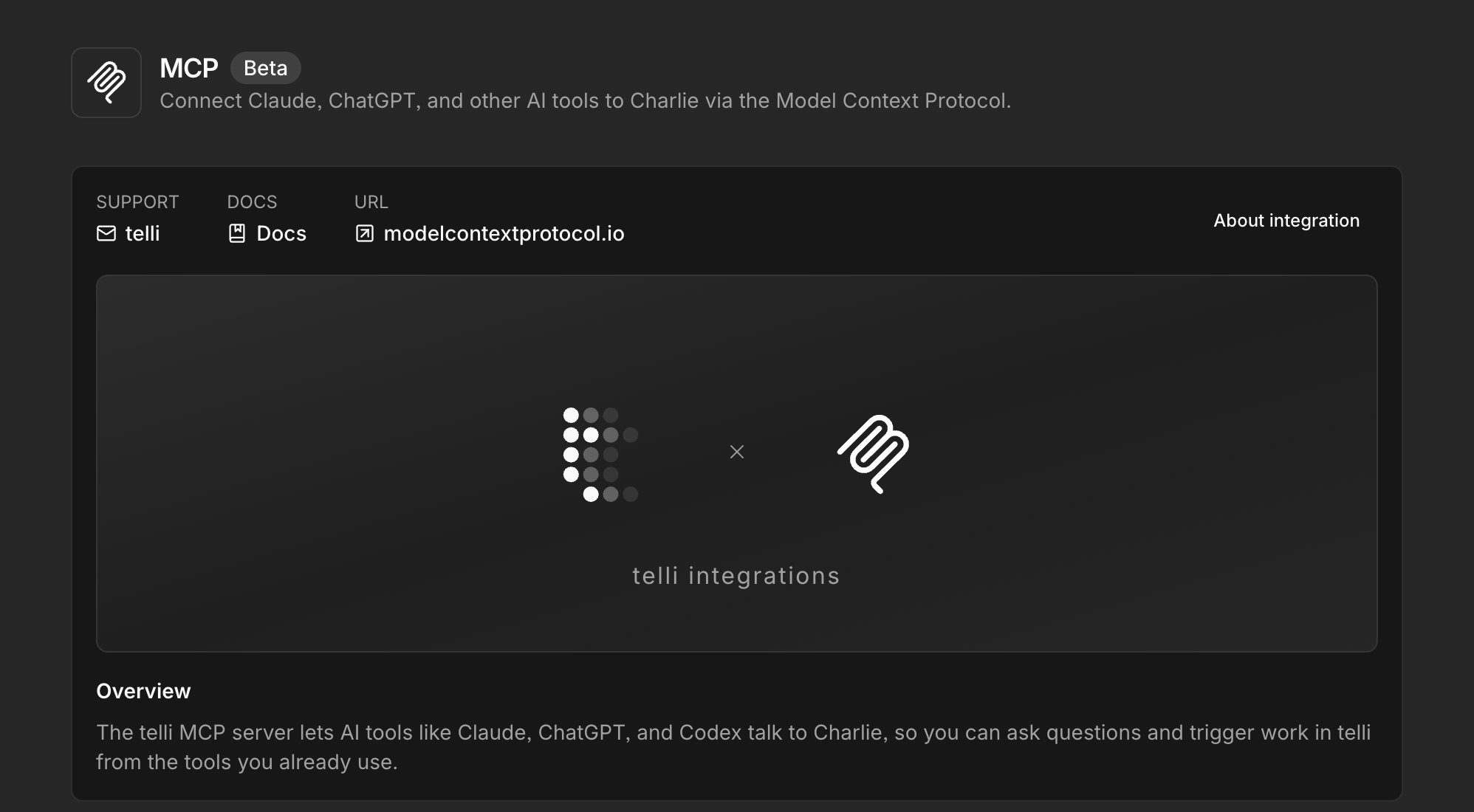
MCP integration page with an expanded overview explaining how AI tools connect to Charlie
Connect the tools you already use
The same remote MCP endpoint works with Claude, ChatGPT, Cursor, Codex, and Claude Code. Your client opens telli for OAuth authorization, so you do not need to copy API credentials into another tool. The connection can work with every telli account you can access, with your current role applied separately in each account.Continues after a question
Longer requests can keep running while the MCP client checks Charlie’s progress. If Charlie needs clarification, the client receives the question, sends your answer back, and continues the same conversation instead of making you restart the task.Improvements
Improvements
- Modular voice agents can fall back across STT, LLM, and TTS providers when a provider fails or responds too slowly, so calls are less likely to stall
- From Conversations, select the exact transcript turns that need work or submit written feedback, then open Charlie with that context already attached
- Drop files into Charlie from any page and send an attachment without adding a text message
- Charlie creates new voice agents through a focused interview, asking one question at a time before building the initial configuration
- Workflow notification emails can include only the call-outcome fields you select; existing workflows continue to include all fields by default
- Charlie can return generated files as download cards and shows compact progress while completing multi-step work
- Conversation searches by phone number respond faster and wait until you pause typing before running
- Contact CSV exports show progress, open more reliably in Excel, and keep each contact on one row by replacing line breaks in field values
Fixes
Fixes
- Charlie responses recover after a refresh or temporary disconnect instead of leaving the conversation stuck on a stale stream
- Magic-link codes work even when an email client changes their capitalization or adds surrounding whitespace
- Removing a contact from the Auto Dialer no longer leaves the contact displayed as active because of a canceled call loop
- Missing or unauthorized calls no longer trigger a misleading login redirect
- WhatsApp messages no longer appear in the Scheduled filter, and incompatible call-only filters are cleared when you switch channels
API
API
- Call responses expose the new final call outcome through
status, alongside lifecycle and follow-up fields; the legacycall_statusfield remains available for compatibility but is deprecated
Charlie, everywhere!
Charlie now works everywhere in telli, not just inside the agent builder. Wherever you open it, Charlie adapts to what you have on screen - a workflow, a call, a contact, or your whole set of agents - so you can ask across the account instead of just about the agent you’re editing.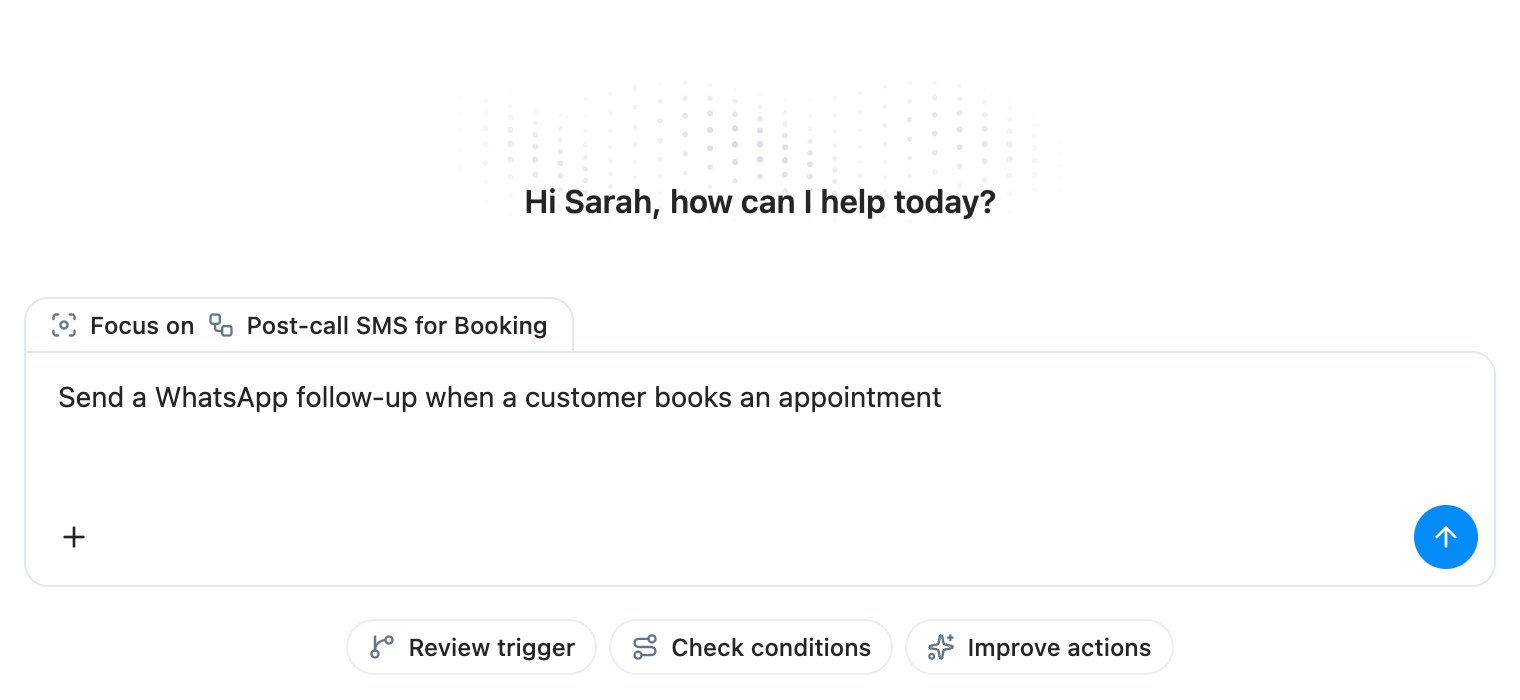
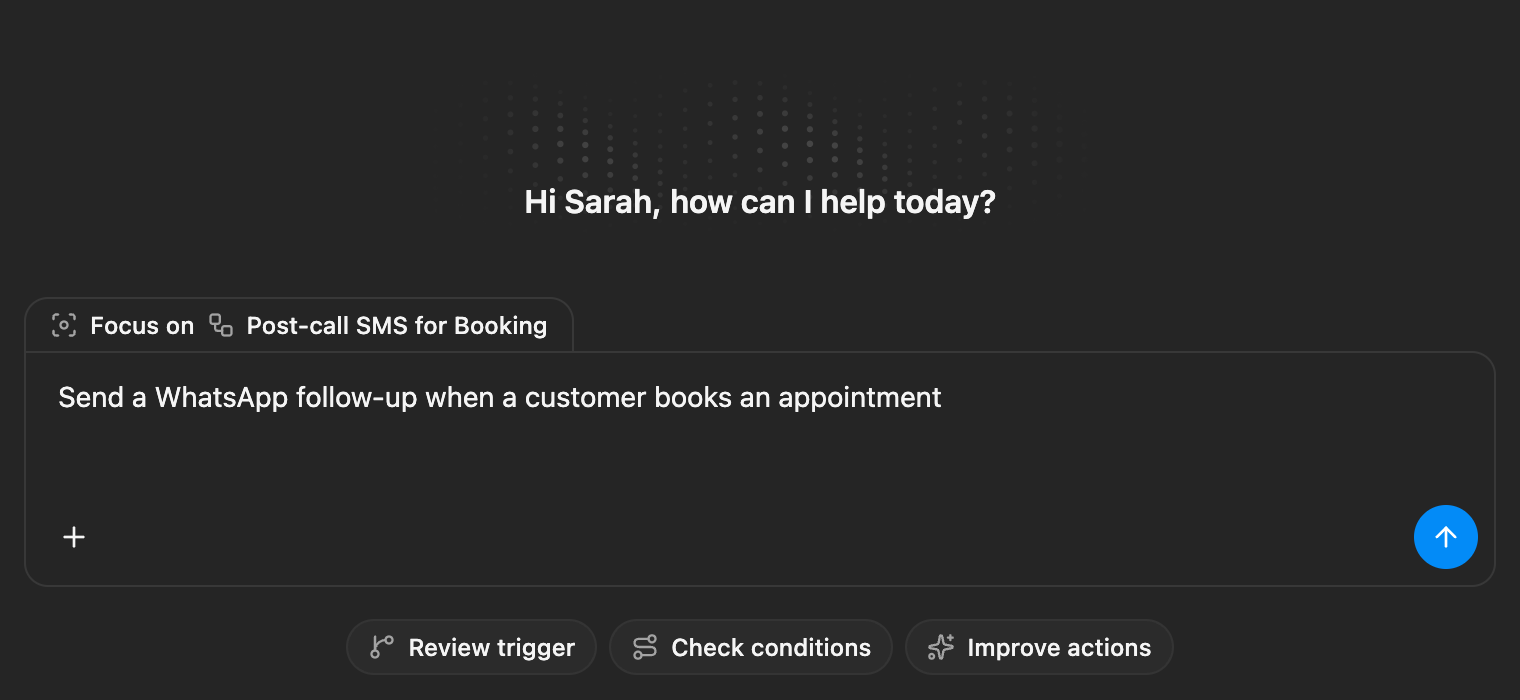
Fullscreen Ask Charlie welcome view focused on a Booking follow-ups workflow, with a WhatsApp appointment prompt typed into the input
Open Charlie from any page
Ask Charlie is just a keyboard shortcut away. The main sidebar auto-collapses to give the chat room, and a new conversation picks up whatever agent, workflow, or call you had open so you don’t have to re-explain the context.Builds workflows with you
Charlie can now create and edit workflows directly from chat - it drops in the trigger, condition, and action blocks, asks a clarifying question when it needs one, and proposes the publish before anything goes live.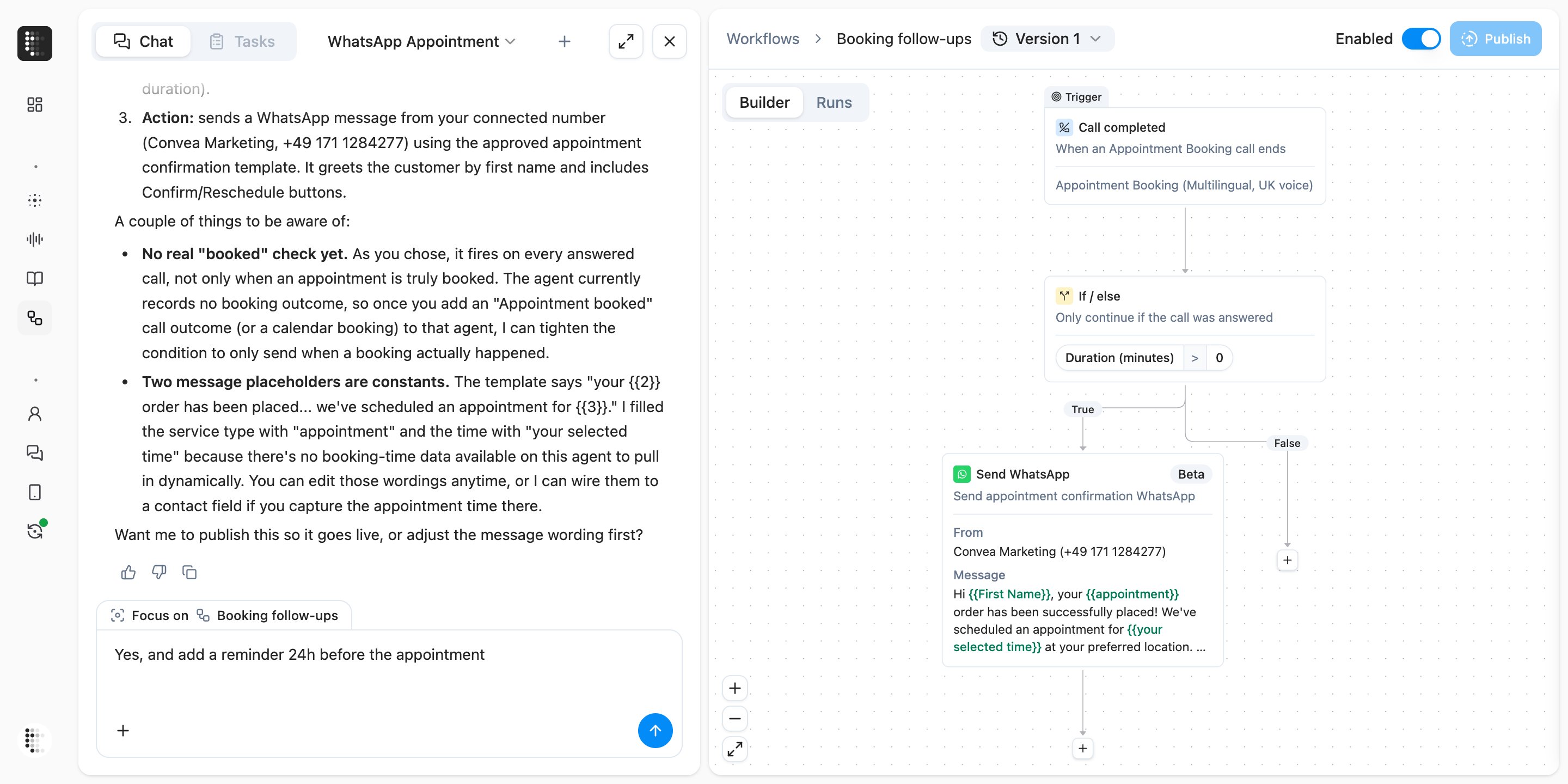
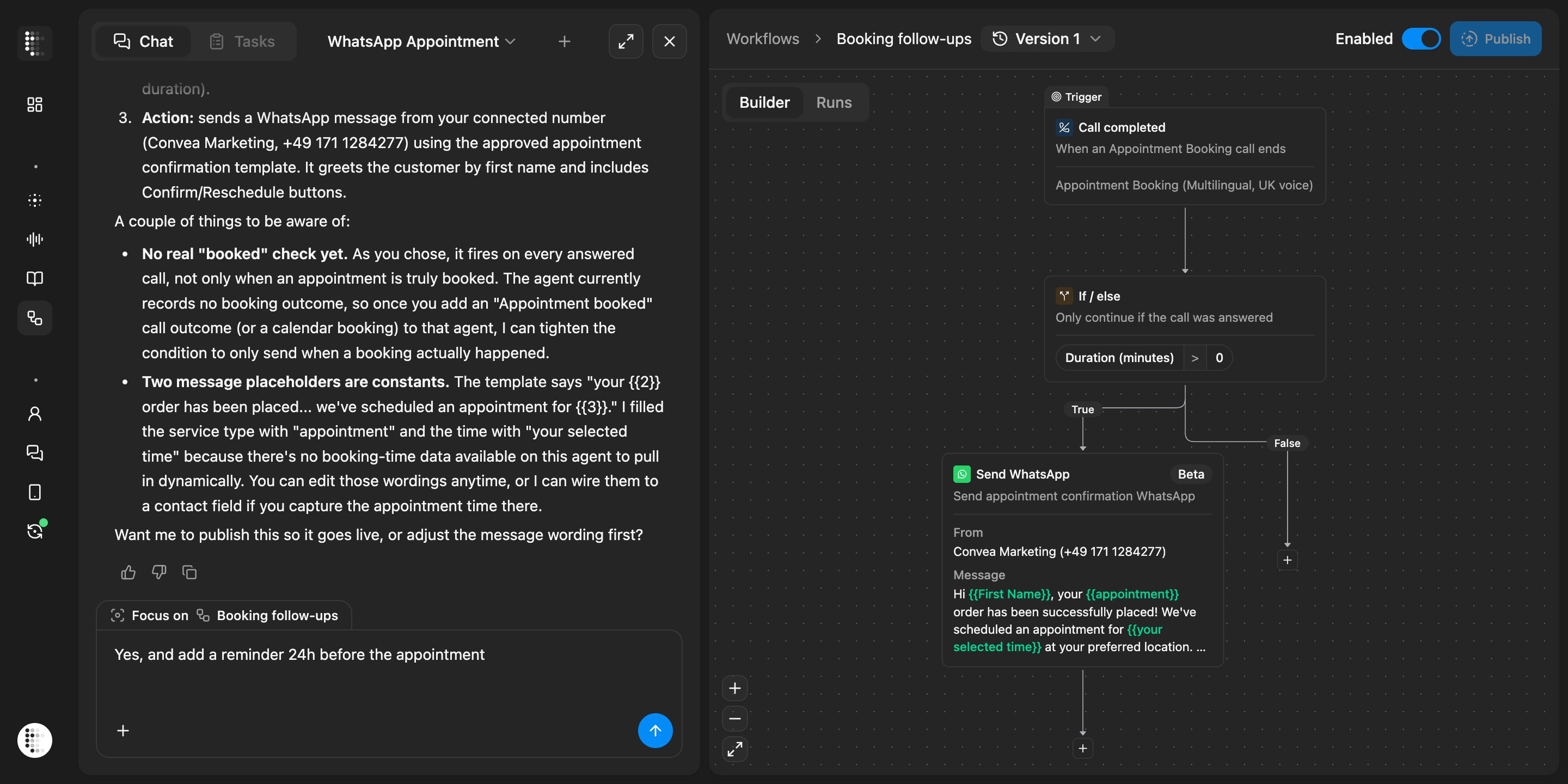
Charlie chat next to a workflow builder showing it built a Call completed trigger, an If/else answered-call check, and a Send WhatsApp appointment confirmation block, and asks to publish
Reaches across the account
Charlie can now pull contact activity, agent revision history, and calls from anywhere in your account, and inline pills link agents, workflows, and calls straight to their page. Autocontinue is on by default so multi-step answers keep going without a nudge, and pressing Escape stops generation cleanly.Improvements
Improvements
- Dutch and French are now available as app languages, including localized emails and date formats
- The Integrations catalog groups Voice, CRM, and Messaging into tabs, so channel-specific integrations are easier to find
- Click any image in the in-app changelog to open it in a fullscreen viewer
- Workflow save warnings name the exact fields that are still missing on each node, so you know what to fix
- Arrow keys move up and down the contacts list after clicking any row, matching how conversation history already worked
- Contact imports and the API accept international phone numbers in
0049…,00 49…, and491…formats, not just+49… - Workflow drafts that are saved but not yet published no longer trigger an “unsaved changes” prompt when you navigate away
- Hovering an agent’s persona in the agents table shows the full persona description in a tooltip
Fixes
Fixes
- Inbound calls with a real transcript are no longer stuck as “not connected” and now finalize as completed
- The Auto Dialer respects the max retry days limit even when a retry gets snapped into the next day’s dialing window
- Post-processing no longer refuses to close calls that have a recording attached
- The Activity tab in the contact details panel is clickable again
- The contact property key input shows an inline validation error instead of silently rejecting invalid keys
- Combobox clear (×) buttons work reliably across the app
- German labels in the contact filters read correctly again
WhatsApp Business
telli now supports WhatsApp Business alongside voice and SMS. Connect your WhatsApp Business account from Integrations, choose approved templates, and message contacts through the channel they already use.
WhatsApp Business integration tile in the telli integration catalog showing Connected status
Send WhatsApp from workflows
Drop the new Send WhatsApp block into any workflow, pick a connected WhatsApp number, select a Meta-approved template, and map template fields to contact data, variables, or custom values for automated follow-ups.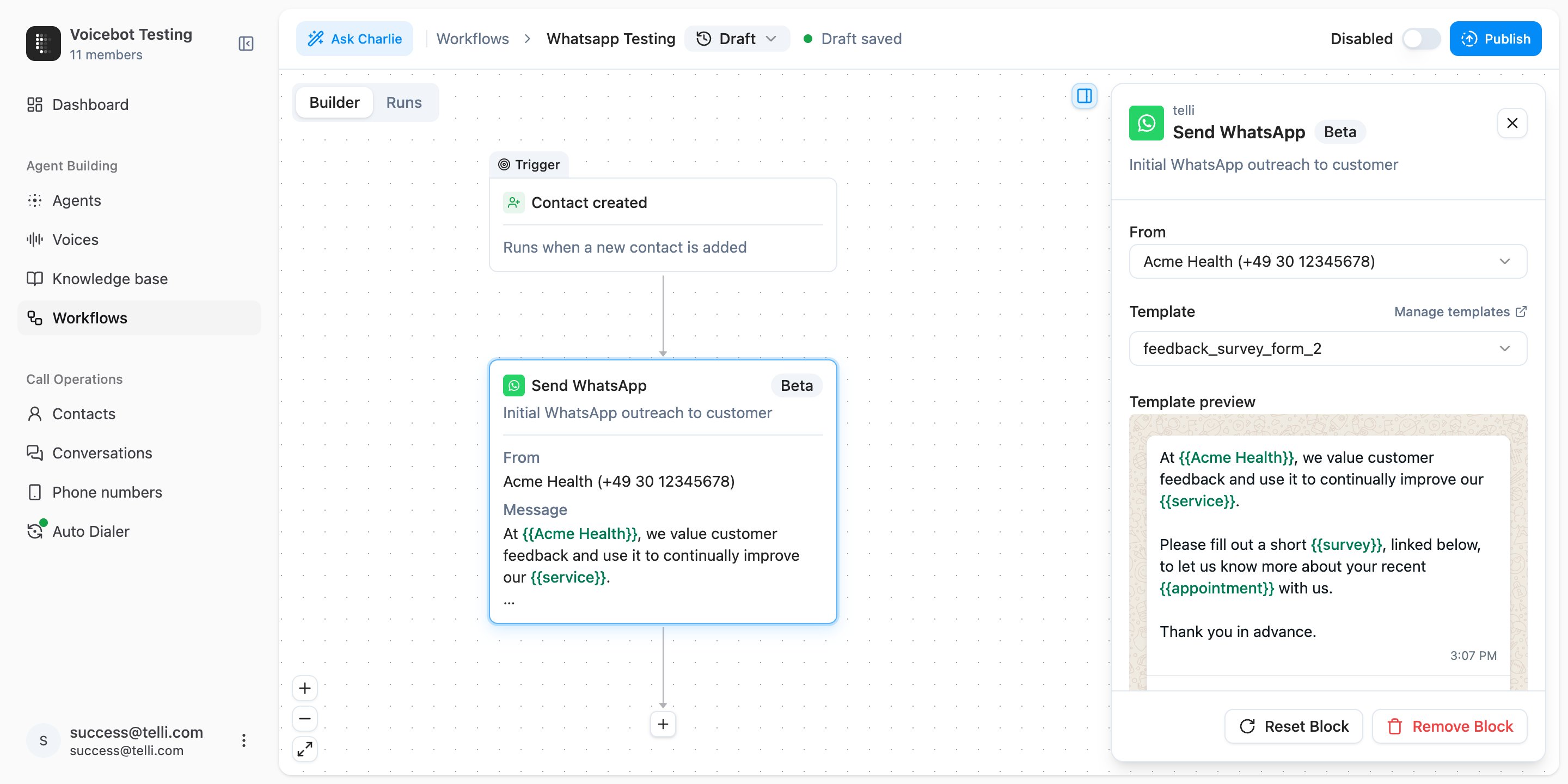
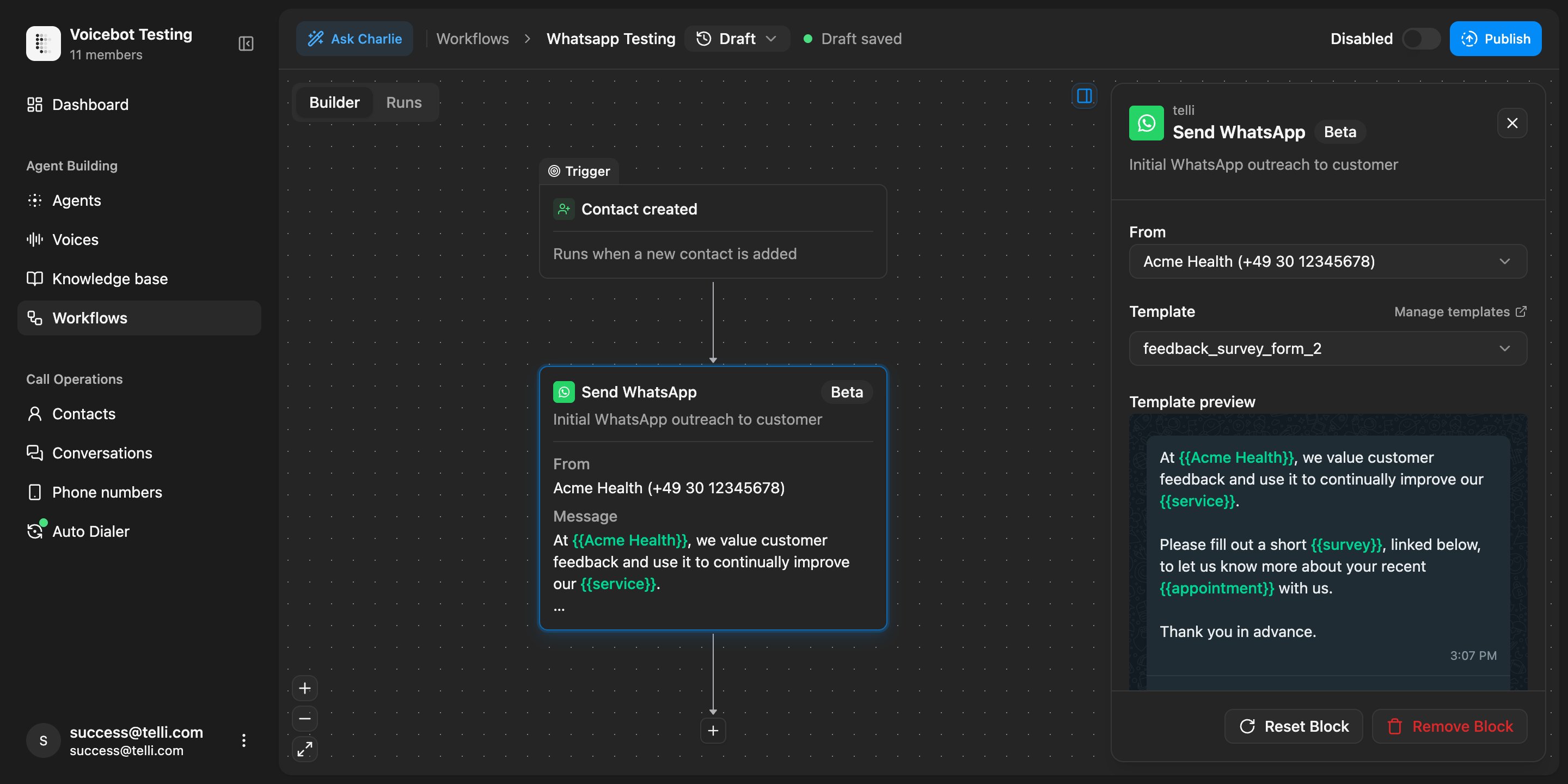
Send WhatsApp block in the workflow builder with a Meta-approved feedback survey template and mapped body fields
Message during a live call
Agents can use a Send WhatsApp tool during calls, so they can send payment links, appointment confirmations, or other approved templates while the conversation is still live.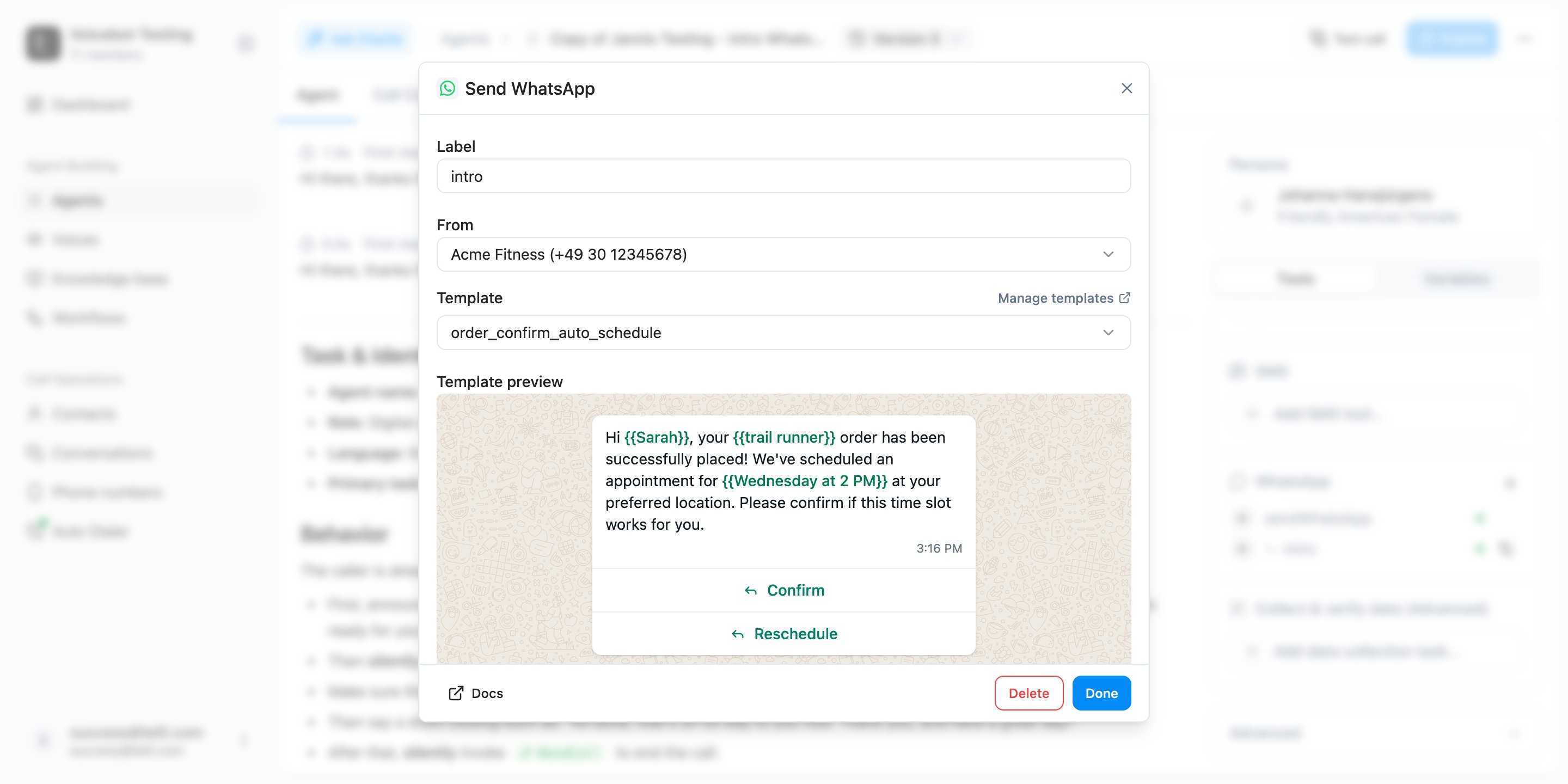
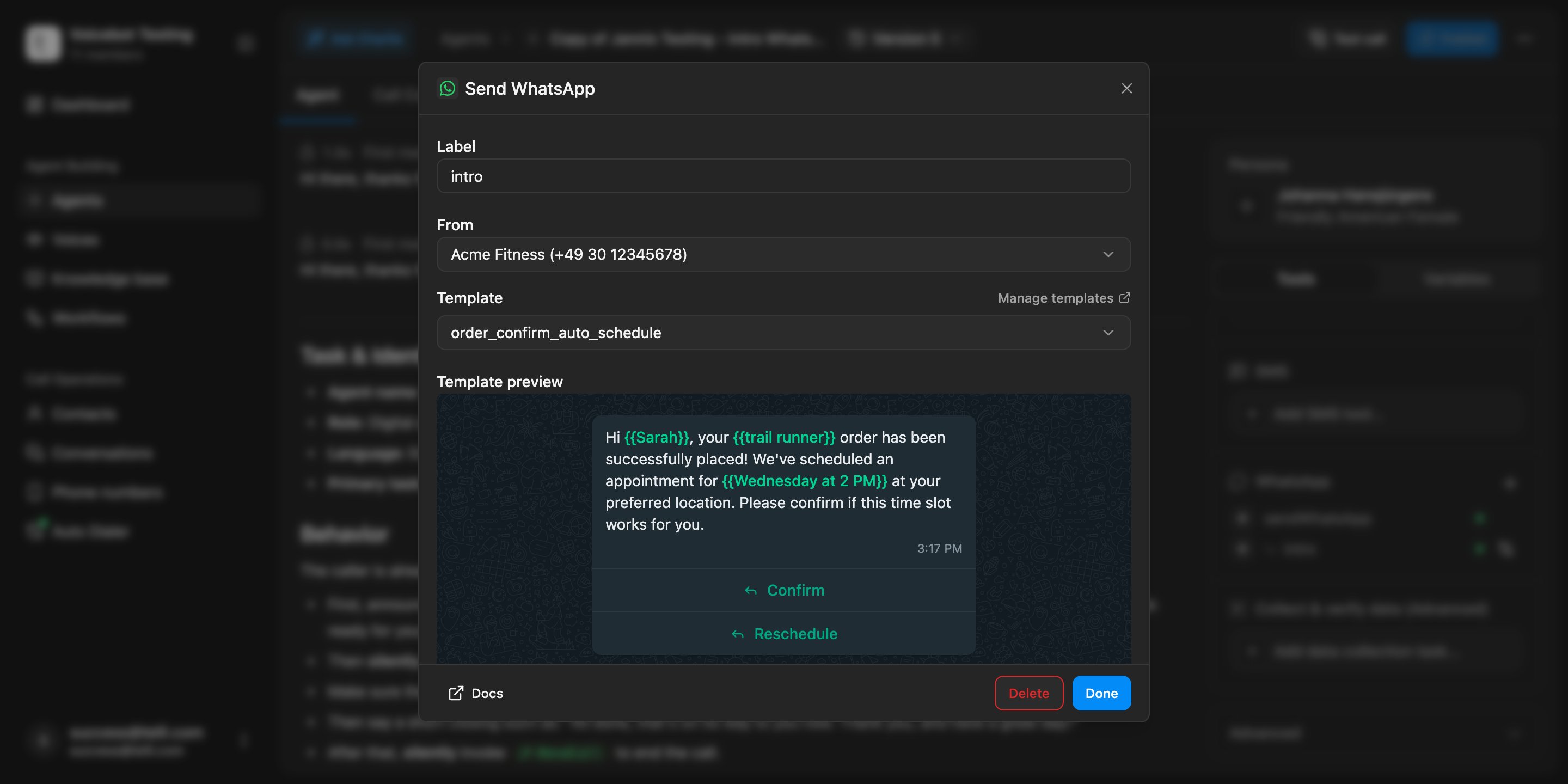
Send WhatsApp tool dialog in the agent builder with an appointment confirmation template selected
Replies in Conversations
Inbound WhatsApp messages are attached to the same conversation history and contact timeline as voice and SMS, with channel filters in Conversations so teams can follow the full thread.Auto Dialer settings
The Auto Dialer is now its own top-level page in the sidebar. Calling strategy, dialing windows, intensity, max attempts, and max retry days are configured once at the account level, and every agent inherits those defaults. You can still override any of them per agent, and a single “Disable for all agents” switch acts as a global kill switch.Improvements
Improvements
- Deleting a node in the middle of a linear Workflow chain now reconnects the surrounding nodes automatically instead of cascading and orphaning everything downstream
- Switch option group names are editable inline in the Workflow builder, and the selected-node focus ring matches the node’s tone (brand, warning, success, destructive)
- HubSpot-synced contacts now show the HubSpot logo in the contacts list and lock CRM-managed fields in the details panel, matching how Salesforce-synced contacts already worked
- Deep links survive sign-in: opening something like
/_/settings/integrations/hubspotwhile logged out now returns you to that exact page after authentication instead of dropping you on the dashboard - Scheduling success toasts name the selected agent in CSV and bulk-schedule flows, so you can confirm at a glance who was assigned
- The Workflow publish dialog closes immediately on submit instead of holding a spinner, and the publish button no longer overflows on longer translated labels
- Clearer Auto Dialer copy: “Disable everywhere” reads as “Disable for all agents”, and no-call days now refer to “scheduled follow up calls” instead of “callbacks”
Fixes
Fixes
- Contacts are no longer marked as “reached” after a not-reached-only call loop completes
- Cal.com event type IDs reject trailing whitespace, which used to save silently and then break bookings at runtime
- Knowledge base retrieval keeps every relevant context chunk in the final result instead of slicing some of them away
API
API
POST /v1/phone-numbers/importaccepts an optionalinOutboundPoolboolean (defaulttrue), so you can import numbers without automatically adding them to the outbound pool
HubSpot integration
HubSpot is now a first-class CRM integration in telli. Use the new Create Record and Update Record nodes in Workflows to write contacts, companies, deals, tickets, or any other HubSpot object straight from a call, custom fields included.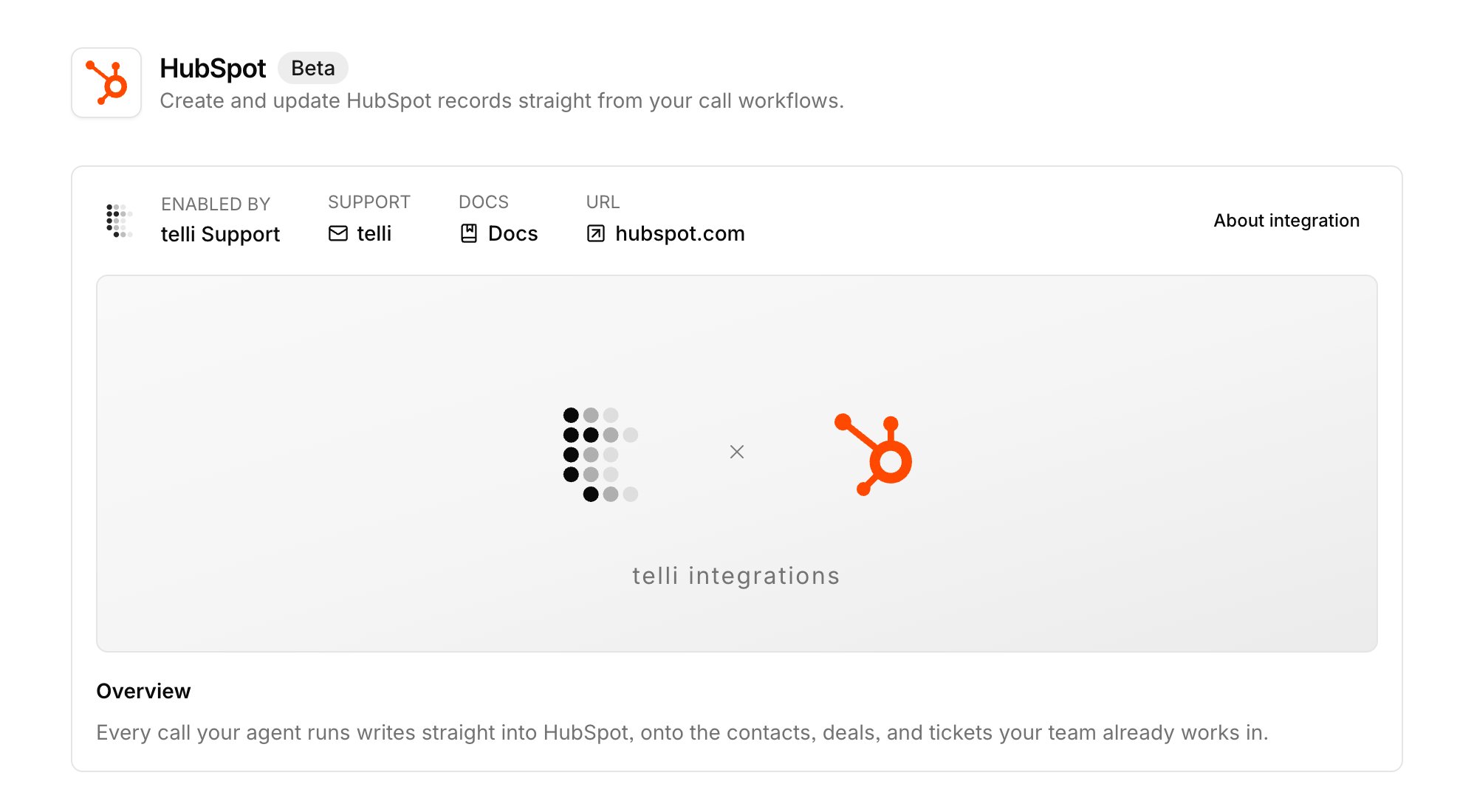
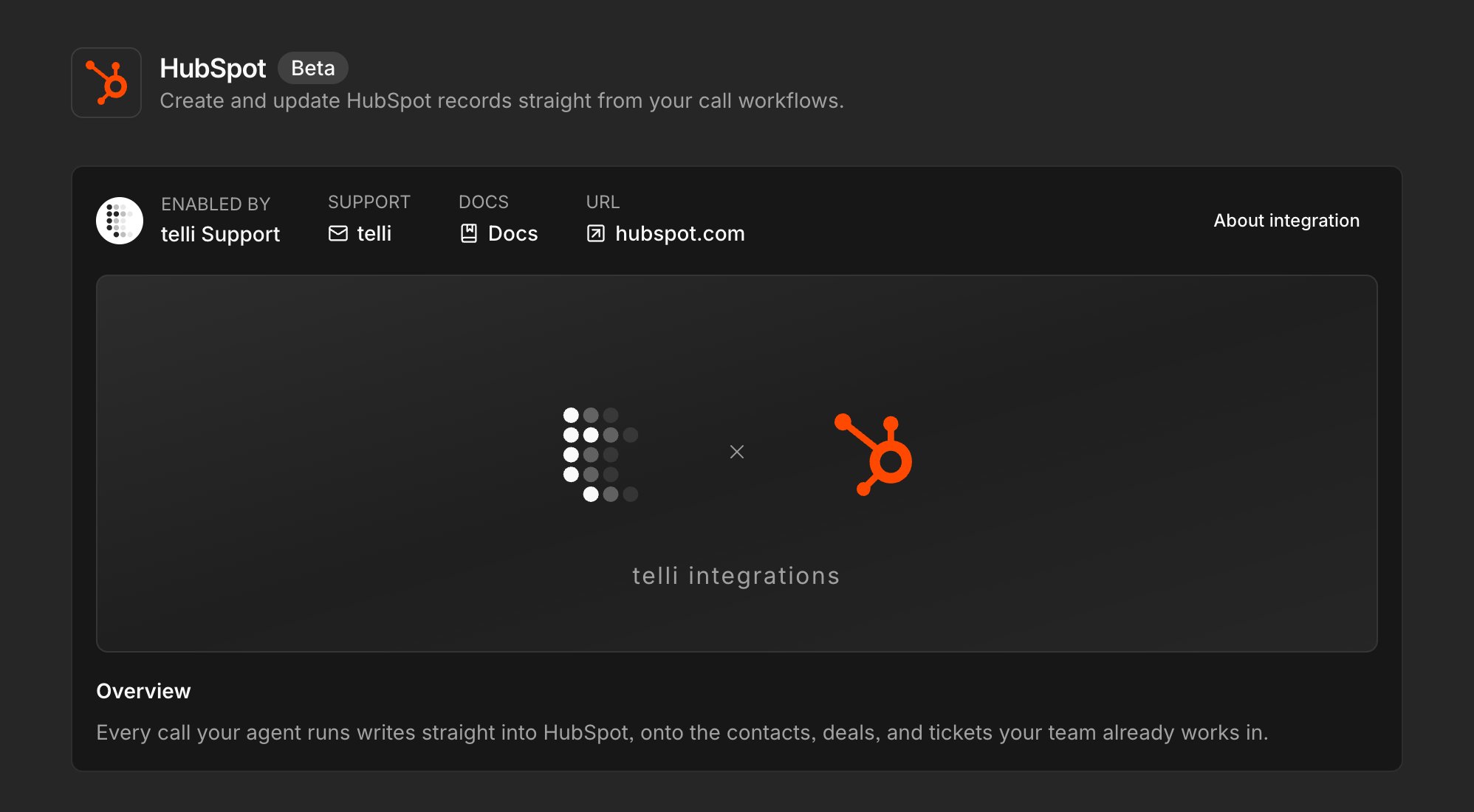
HubSpot integration settings with OAuth connection and Create Record workflow node
Branded calling for everyone
Branded calling is now available on every telli account. Open Verifications, and once your bundle is verified, assign individual numbers to it so your verified company name shows on the recipient’s phone instead of an unknown number.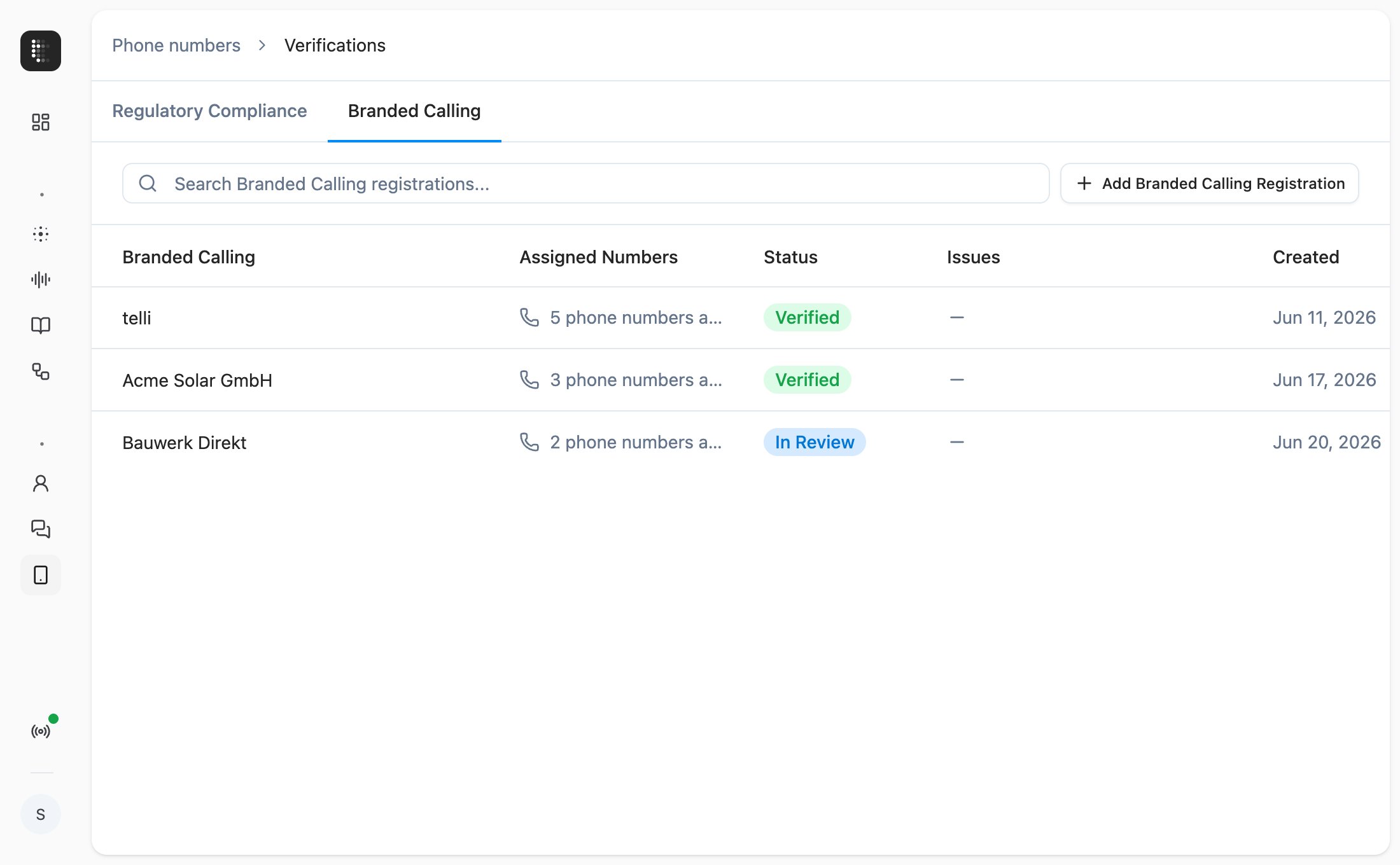
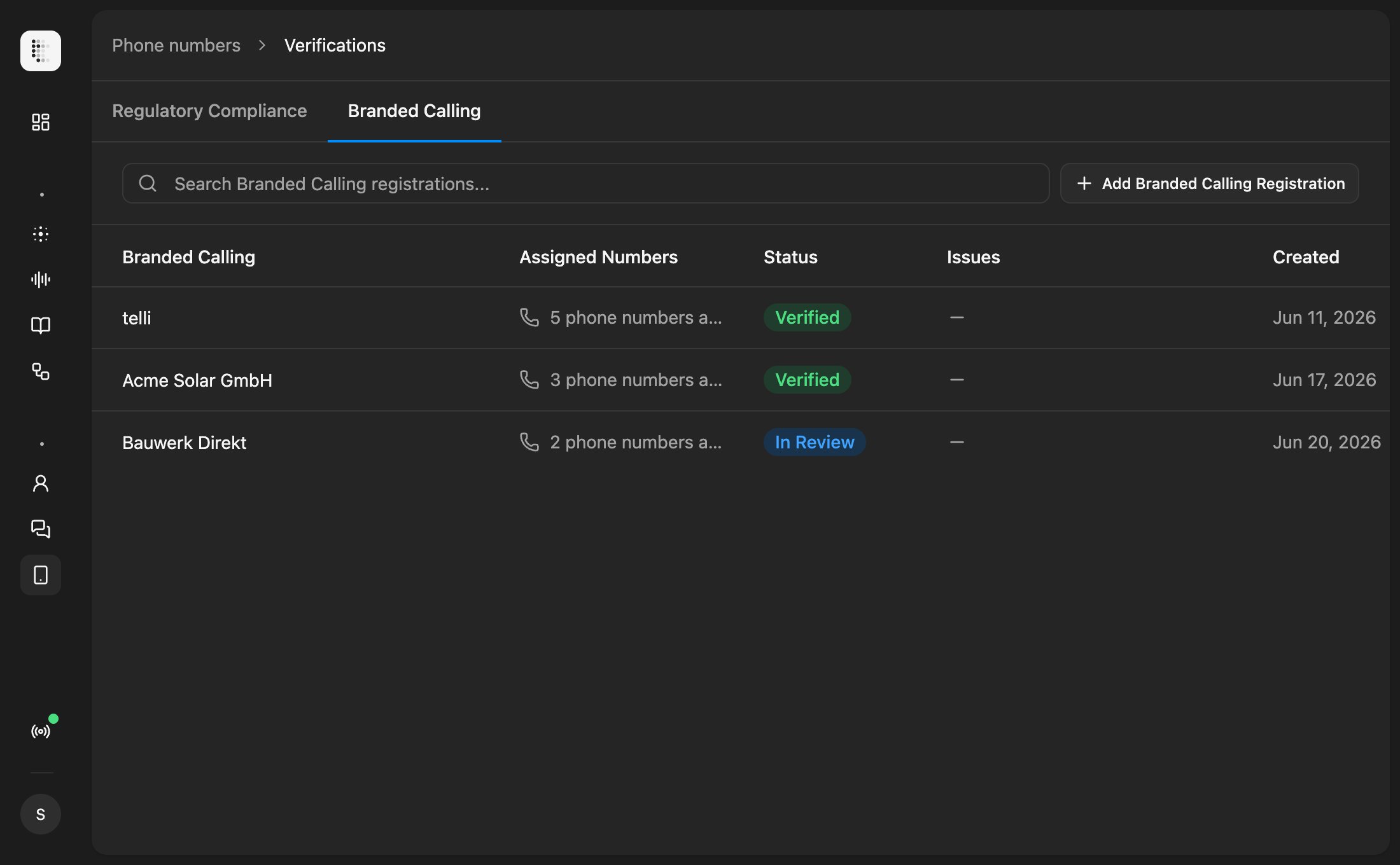
Branded Calling tab in Verifications with phone number bundle management
Agent-specific outbound numbers
You can now reserve account phone numbers for one agent. The dialer respects the reservation, so that agent only calls from its reserved numbers and stops drawing from the shared pool. Useful when different agents represent different brands, regions, or campaigns and need separate caller IDs.Cal.com EU support
If your team is on the EU instance of Cal.com (api.cal.eu), you can finally connect it to telli. The integration setup now includes a Region selector, so your availability lookups and bookings route to the right Cal.com tenant.Improvements
Improvements
- Importing contacts from CSV no longer blocks the request while we schedule them into call loops. The scheduling runs in the background and you see live progress in the import success step
- You can force the language for call outcome analysis from the post-processing panel, so multilingual or short calls don’t get classified in the wrong language
- Transfer schedules and agent dialing windows can now respect your account’s no-call days, so transfers and outbound calls skip public holidays automatically
- Phone number validation on contacts gives clearer error messages, and the field is editable on the first click after picking a country
Fixes
Fixes
- ElevenLabs TTS no longer stutters, repeats, or garbles spoken words
- Edits to custom HTTP tools in draft mode now run in test calls; previously the published version was used instead
- Voice cloning continues past step 4 again, after a regression in the new voice setup flow
- Cal.com bookings: fully-booked seated slots are filtered out of availability, and the booking location field is handled correctly
- The country select popover in the phone input closes after picking a country, so the field is immediately editable
- Office background noise plays again on calls that requested it
- Team invite emails are sent to the correct recipient
- Buying a phone number no longer leaves an orphaned Twilio number behind when the purchase request errors out
Address data collection
The Collect Data task has a new address type. Add it to an agent and it walks the caller through providing a complete mailing address (street, city, postcode, country) in one structured step, validating the input and writing the parsed fields back onto the contact. It joins the existing email, license plate, digits, and generic collectors as a first-class option in the builder.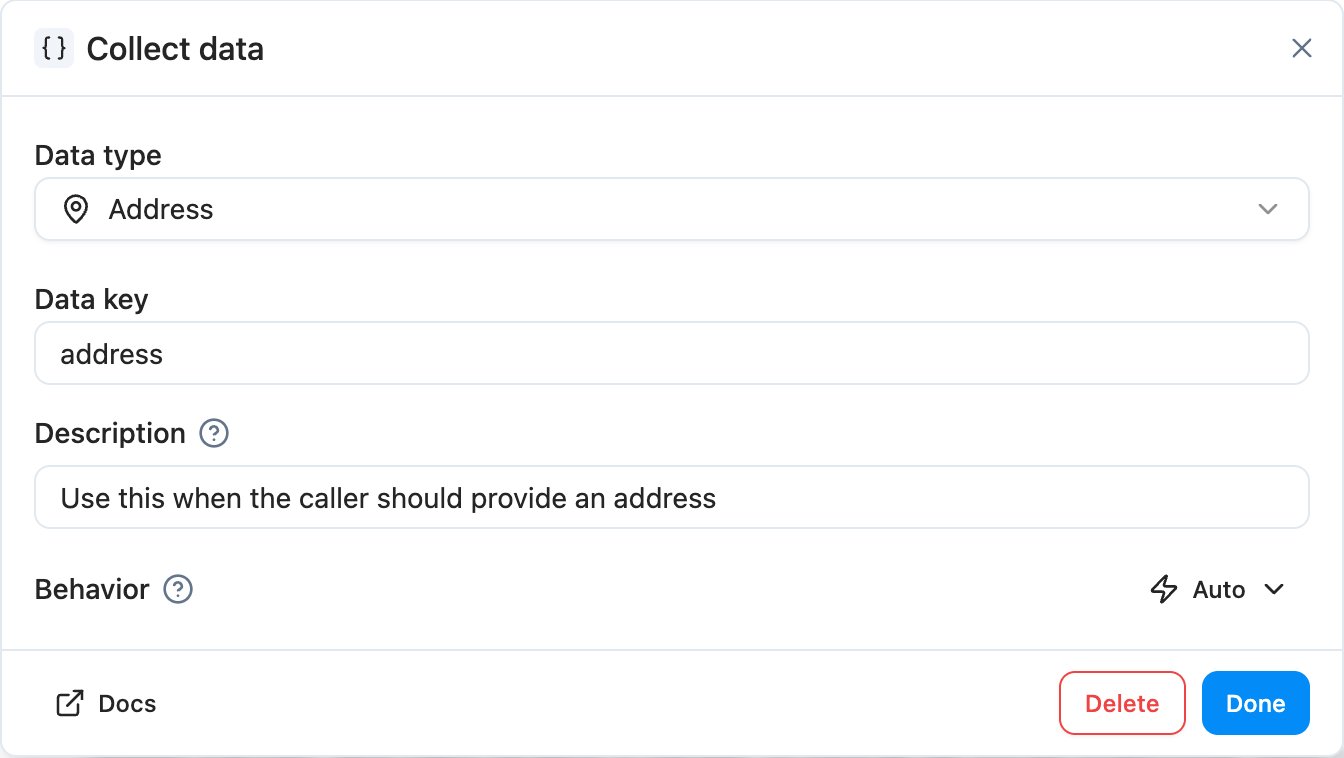
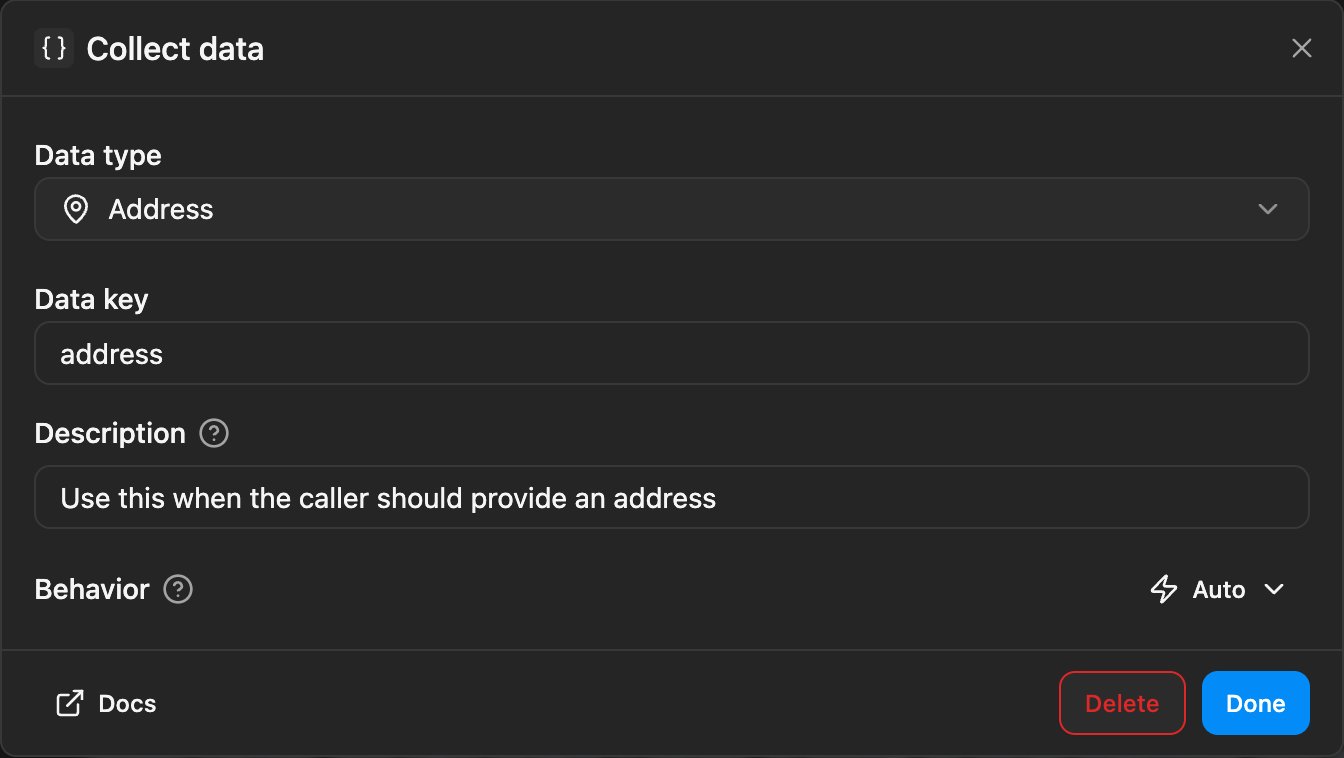
Collect Data task dialog with the new address type selected
Insert workflow blocks from edges
Hover the line between two connected workflow nodes and a small plus appears. Click it to drop a new block in right there, instead of rebuilding the chain through the picker just to slot something in the middle.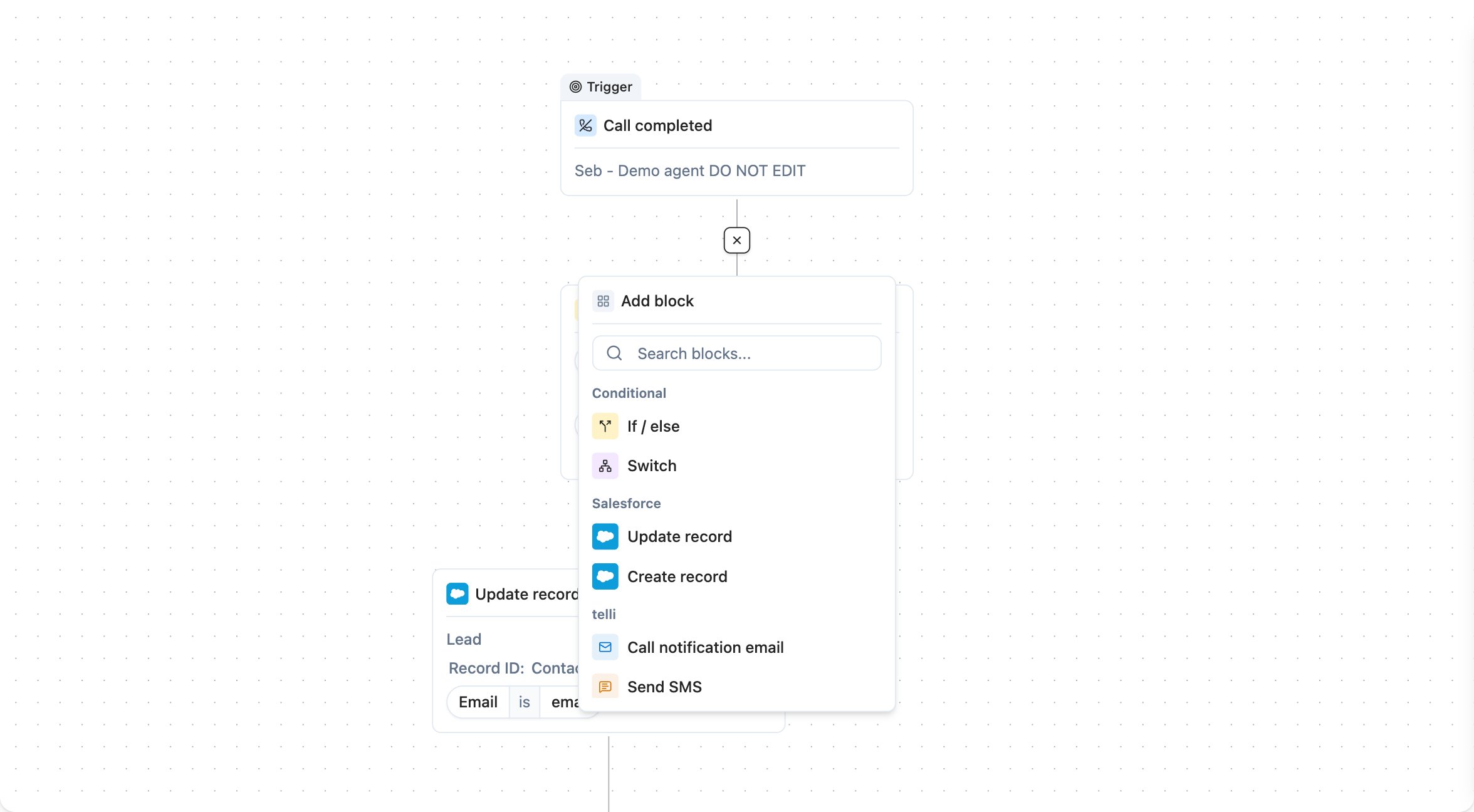
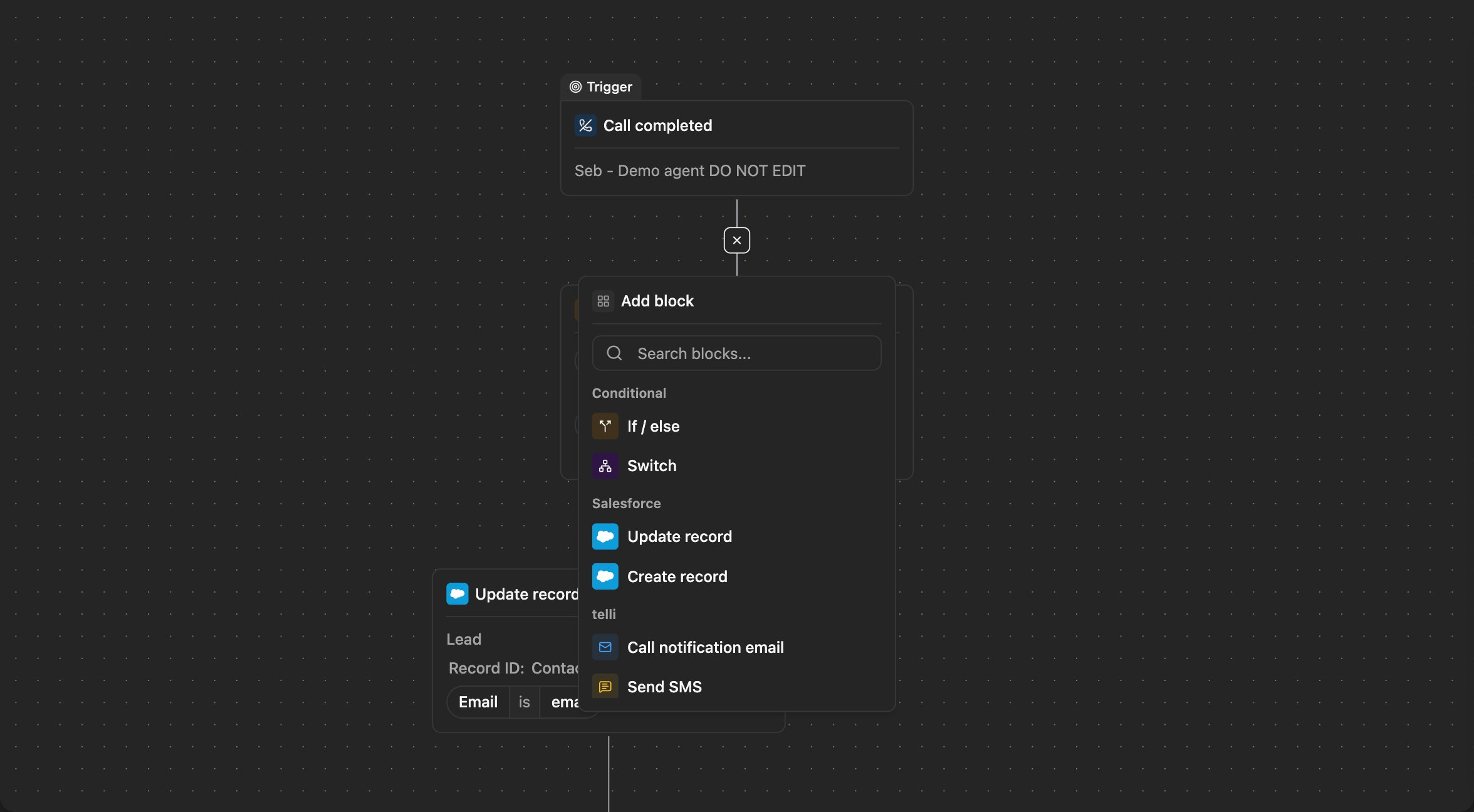
Workflow edge with plus icon between two connected nodes
Conversations
Voice and SMS now sit together on the new Conversations page. The audio player has 5-second left/right seek shortcuts, a Copy ID action on the header, and red markers on the waveform wherever you’ve left negative feedback so problem spots are easy to find. SMS leaves beta this week, and Conversations is set up to absorb more channels as we add them.Improvements
Improvements
- The Contacts empty state now shows a one-click Connect button for Salesforce, so new accounts can wire up their CRM without leaving the page
- Settings tabs scroll horizontally on narrow viewports, so the tab strip no longer overflows or gets clipped
- Destructive confirmations (delete, disconnect, block, unassign) all use a consistent red action button, so irreversible actions are easier to spot
- The workflow builder shows a loading state while the canvas mounts, instead of briefly flashing an empty page
- Long message rows in conversation history are now width-constrained, so transcripts stay readable on wide screens
- The agent builder sidebar shows a scroll shadow whenever there’s more content below the fold
Fixes
Fixes
- Voice cloning from a recorded sample works again, after a regression in last week’s voice tooling
- Custom HTTP tools can now leave JSON mode even when the JSON editor contains invalid JSON, so you’re not stuck reformatting before you can switch back
- Outbound callbacks scheduled after an inbound call no longer fire a duplicate dial
- Pasting a multi-line value into a templated-string field preserves newlines instead of collapsing them
- The frontend error page silently retries once before reporting, so transient chunk-load failures right after a deploy stop showing up as crashes
- Dark mode is fixed on the “Success” and “Your agent is ready!” account-setup screens
- Zeeg’s duration picker stays visible while you select a duration, and the options now match what Zeeg actually offers
- The active workflow node renders above its neighbors instead of being clipped
API
API
- The
call_endedwebhook payload (andGET /v1/calls/:idplus the list endpoint) now includesip_status_code(integer) andsip_status(string), exposing the SIP-level outcome we were already storing on the call
Zeeg calendar
telli now supports Zeeg as a calendar provider alongside Calendly. Connect with an API key, pick a scheduling page, and your agents can check availability and book meetings during a call. Custom invitee questions map to booking fields, so the agent captures the right data and writes it straight to Zeeg.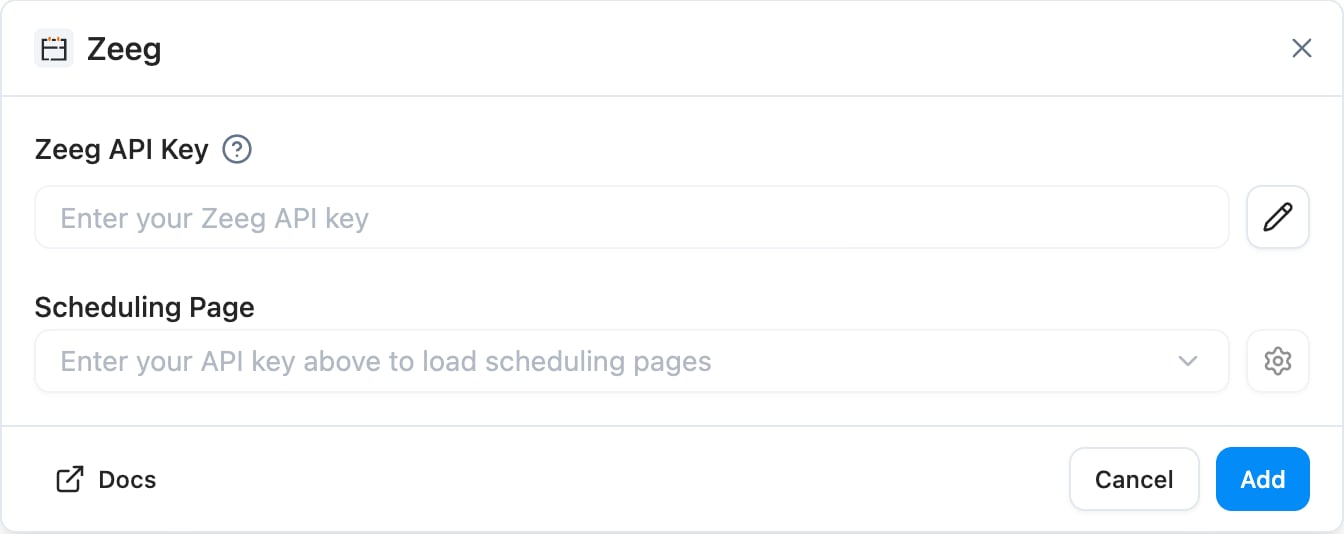
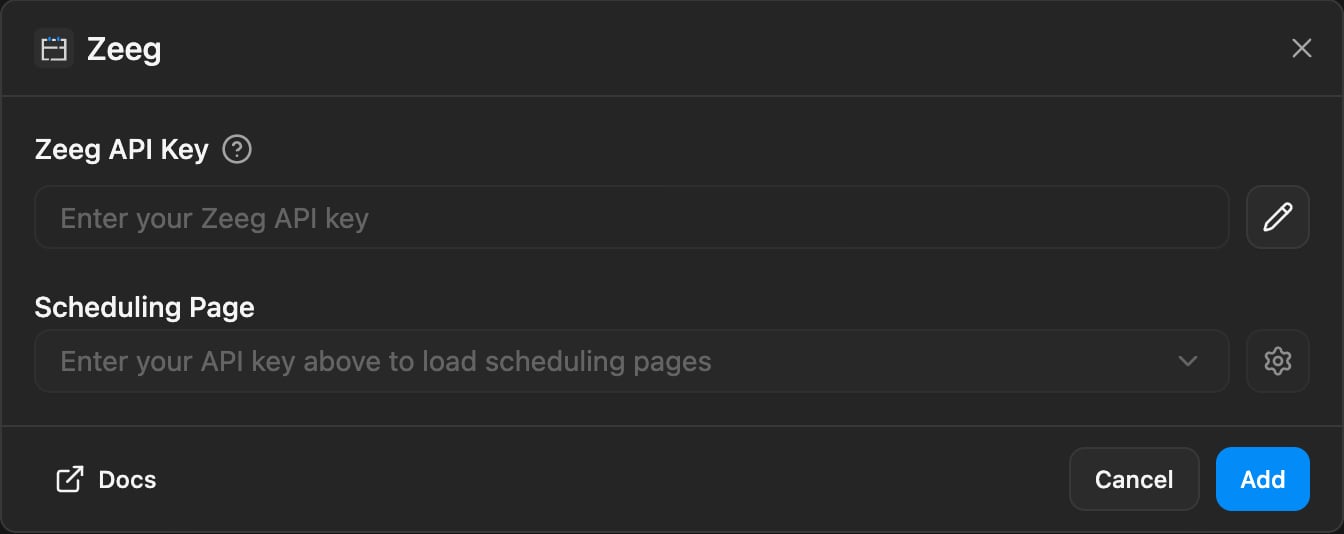
Zeeg integration settings with scheduling page picker
Name your versions on publish
You can now give a name to every published version of an agent or a workflow. telli auto-suggests a short title from the diff and you can edit it inline before publishing. Version history, the version picker, and related dropdowns show the title alongside the date and version number, so older revisions are easier to scan.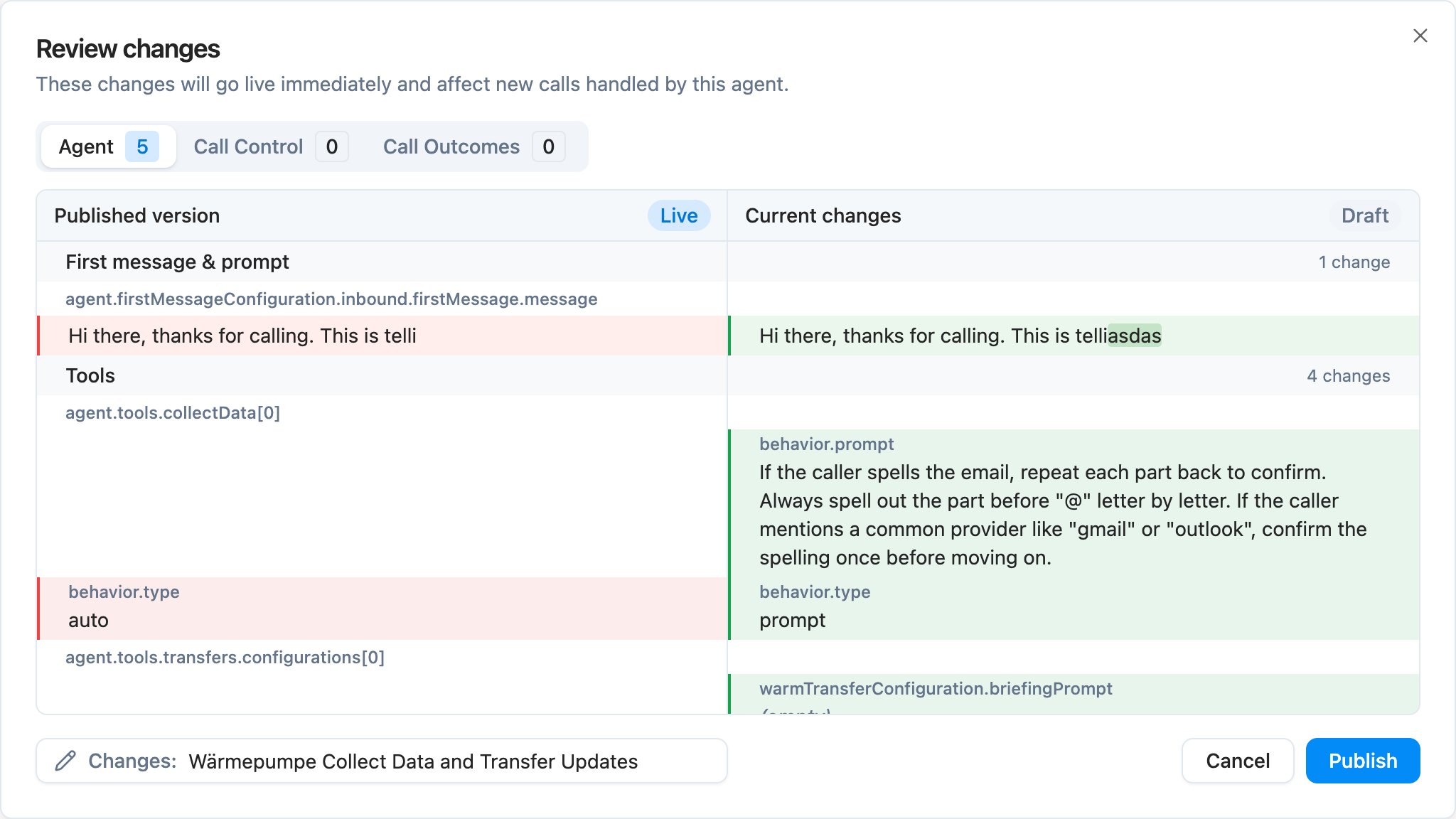
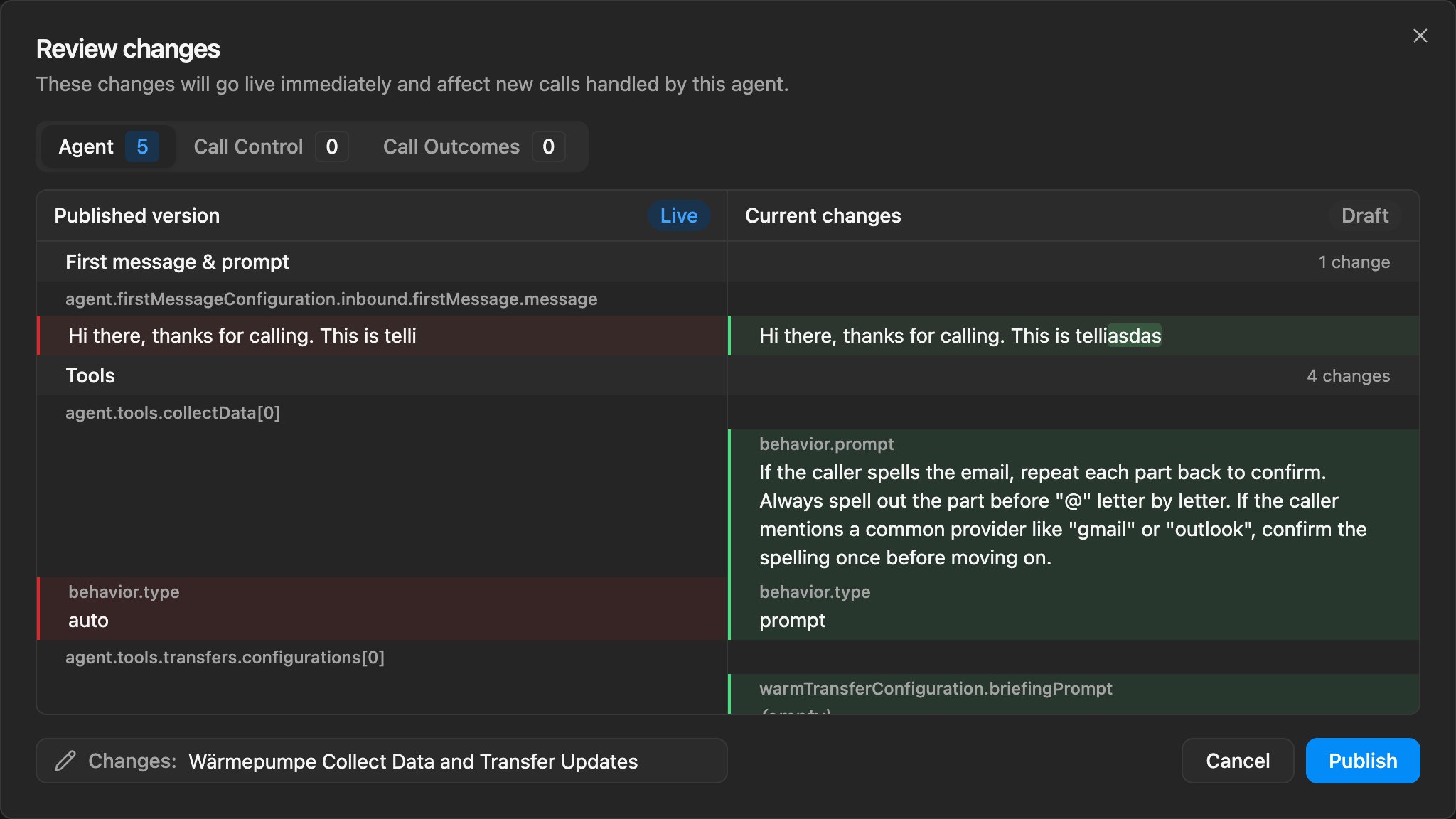
Publish dialog with auto-generated version title
Custom prompts for Collect Data tasks
The Collect Data task in the agent builder has a new Prompt behavior. Pick Auto to keep the default sub-agent instructions, or write your own prompt to steer how the email, license plate, generic, or digits task asks for the value, confirms it, and handles edge cases - without touching the main agent prompt.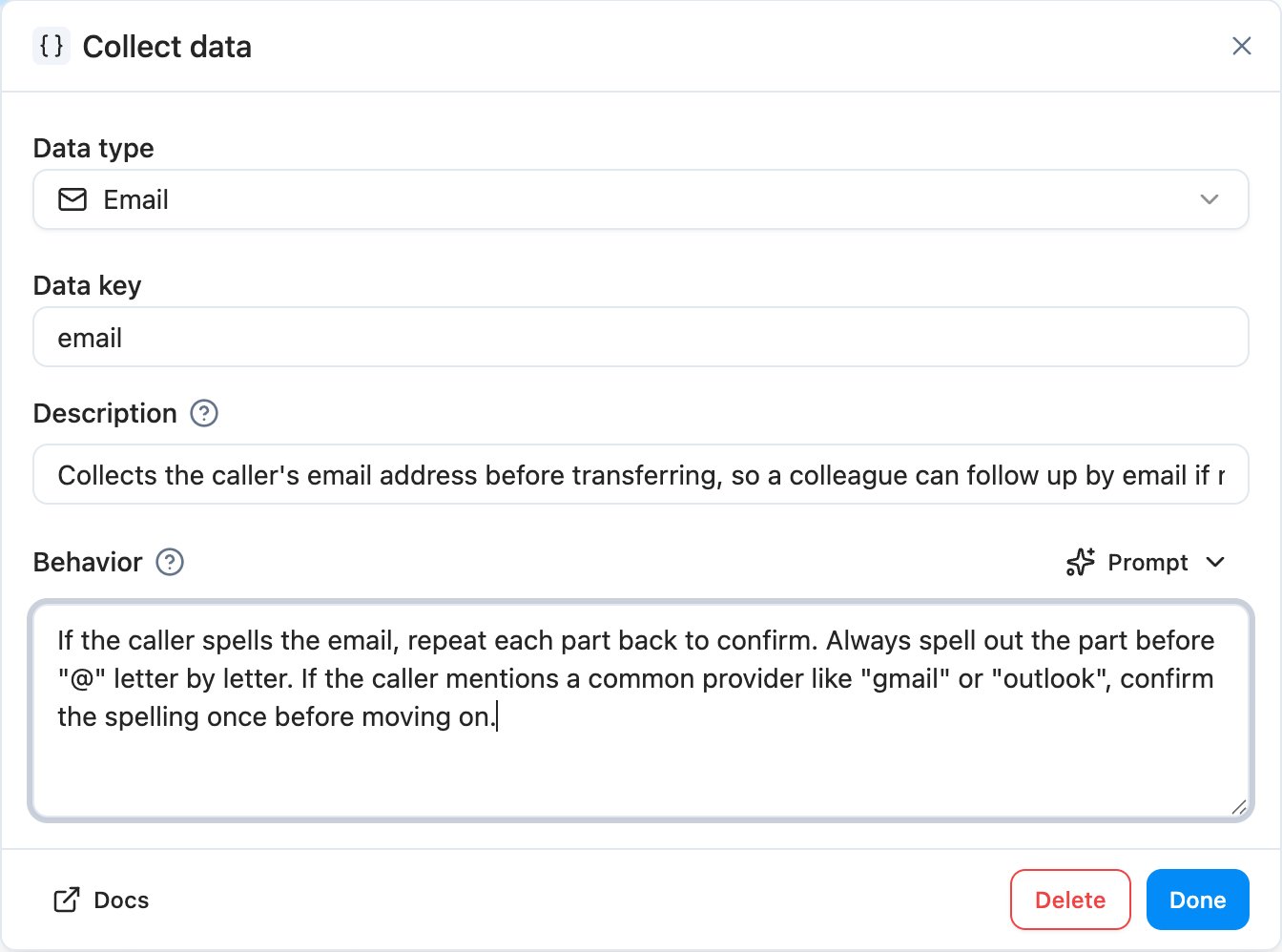
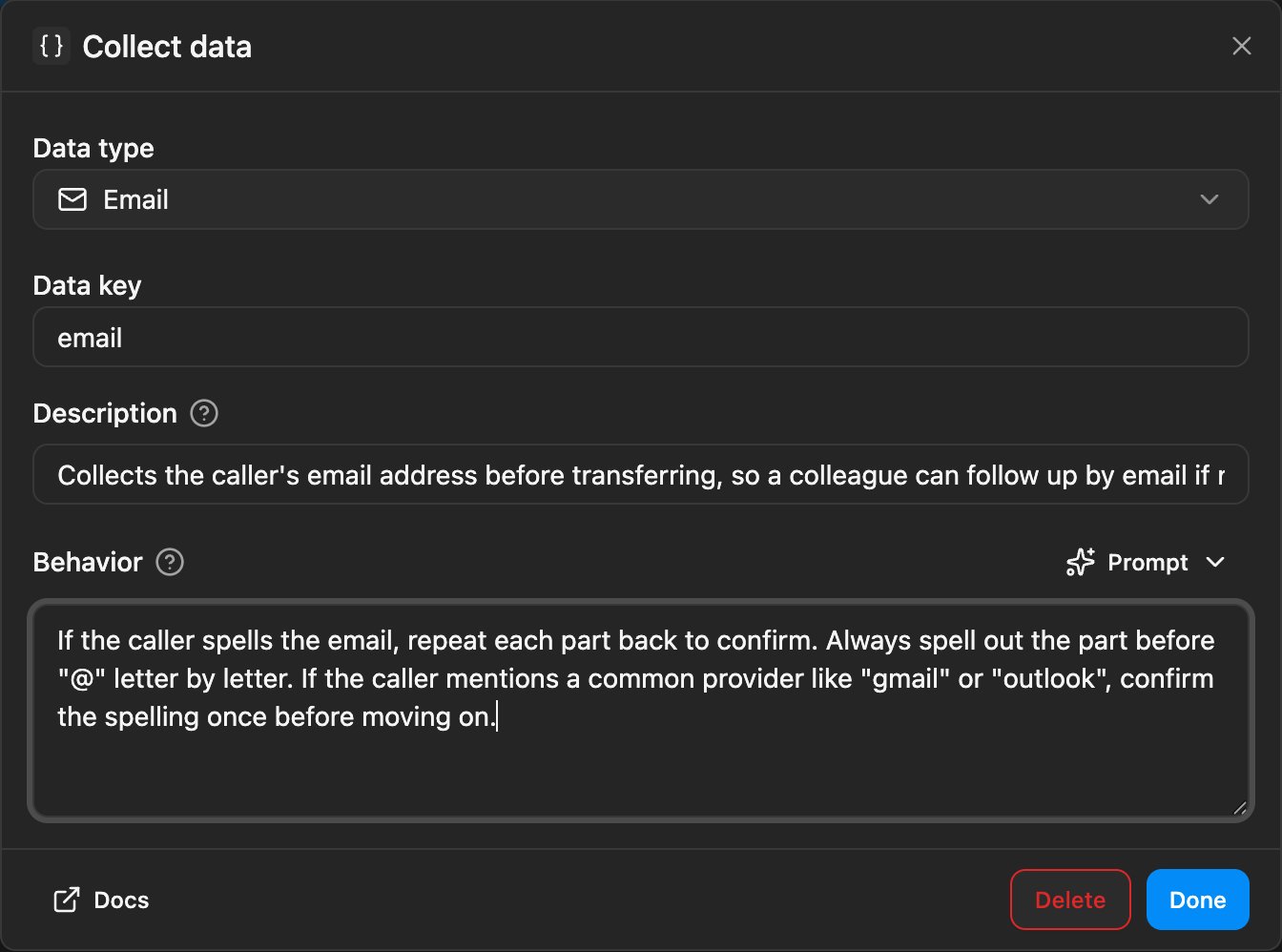
Collect Data task dialog with Prompt behavior selected
Improvements
Improvements
- Agents can now stay on a call for up to 2 hours - the builder slider, validation, and call execution all respect the new limit
- When buying a phone number, the selection and confirmation now show Voice and SMS capability badges, so you can pick the right number for the job
- Scheduled calls in the contact timeline now show the agent name and the from-number, matching how past calls already appear
- Discarding an agent draft now opens a full diff dialog instead of a plain confirm, so you can see exactly which changes you’d lose
- The Variables panel’s referenced indicator now picks up
{{variable}}usage in the inbound and outbound first messages, not only in the main prompt - The active tab in the contact details panel (Details or Activity) is now kept in the URL, so deep links and reloads land on the same tab
Fixes
Fixes
- Inbound phone numbers missing a leading
+are now normalized, so calls from those numbers route correctly again - Up/down arrow navigation in conversation history now works when focus is in the right detail pane, not only in the left list
- The agent builder prompt scrolls reliably again - the resize handle no longer steals the scroll area
- The send-SMS-from-number control no longer renders with broken spacing
- Inbound SMS now show the correct source label in the contact timeline
Keyboard Shortcuts
Keyboard Shortcuts
- Press
DeleteorBackspacewith selected contacts to open the bulk delete confirmation - typing in form fields is unaffected - Press
Escapeto close an open workflow node panel and return to the workflow canvas
SMS
telli now supports SMS alongside voice. You can text contacts from a workflow, agents can send templated SMS during a live call, and inbound replies land back in the same conversation thread.Send SMS from a workflow
Drop the new Send SMS block into any workflow, write your template, and pick which telli number to send from. Use it for post-call follow-ups, scheduled-callback confirmations, or any trigger where a quick text is the right answer. Outbound SMS are billed by usage.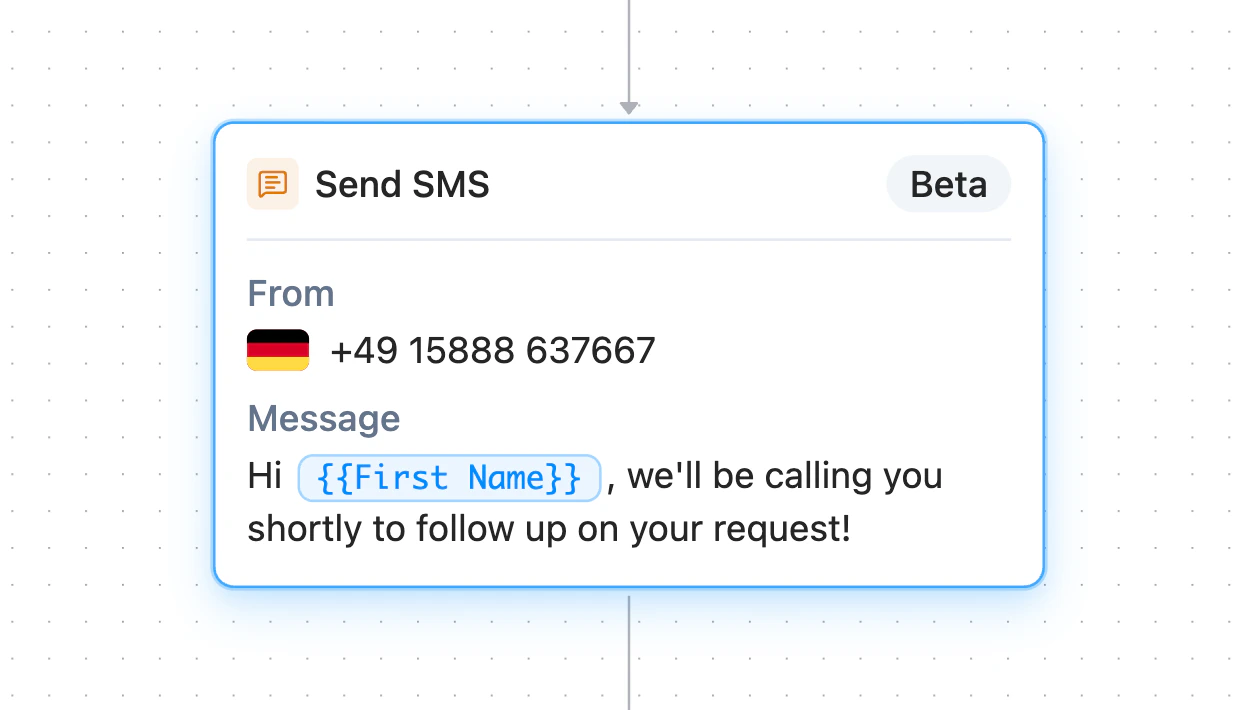
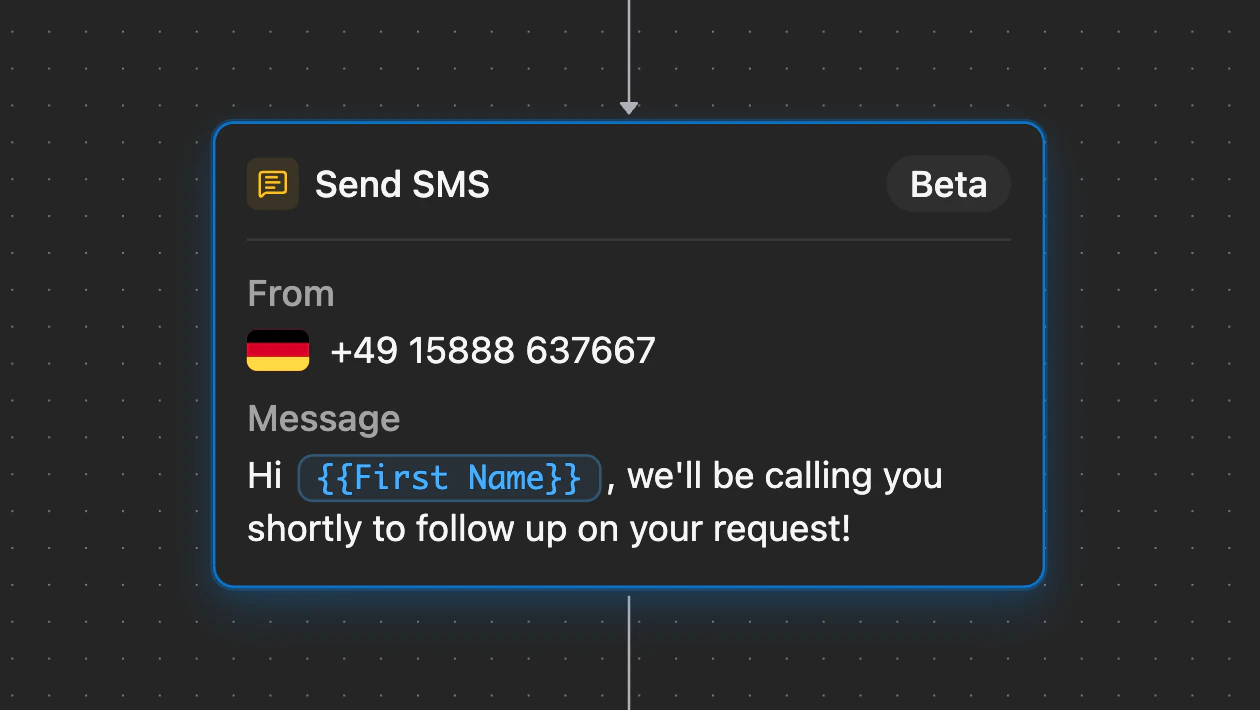
Send SMS workflow block with sender number and message template
Text during a live call
Configure one or more SMS templates on an agent and the agent gets a runtime tool to send the right one mid-conversation. Useful for sending a payment link, a calendar invite, or a callback confirmation while the caller is still on the line.Replies in the same thread
When a contact replies to a telli number, the message is attached to the existing thread and shows up in Conversations and on the contact timeline, so SMS context sits right next to voice context.Improvements
Improvements
- Finnish and Danish are now available as agent languages, with matching voice mappings across the product
- Agent analytics adapts to your data: turn-count and call-duration buckets scale automatically, and the by-version view has show-all and isolate controls so you can compare versions one at a time
- Workflow webhooks support templated URLs and encrypted secret values, so you can fan out to any endpoint and authenticate cleanly
- Call durations show in m:ss in the app, and the call-ended webhook and API payload now include
call_length_secalongsidecall_length_min - The Schedule Call workflow node warns when the selected agent’s Auto Dialer is turned off, so calls don’t queue silently
- ”Call history” is now “Conversations” across the app, reflecting both voice and SMS
Fixes
Fixes
- The salutation field is back in the manual contact creation form
- Safari dialogs no longer overflow on small viewports - applies to the shared dialog primitives and to the calendar and knowledge base configuration dialogs
Trigger Workflows on new contacts
The Workflows trigger picker now includes new contacts. When a contact lands in telli - through CSV import, the API, or any other source - the workflow you’ve enabled for the contact-created trigger runs automatically. Combine actions like updating a property, calling a webhook, or writing the contact to Salesforce, so every new contact follows the same flow without any manual setup.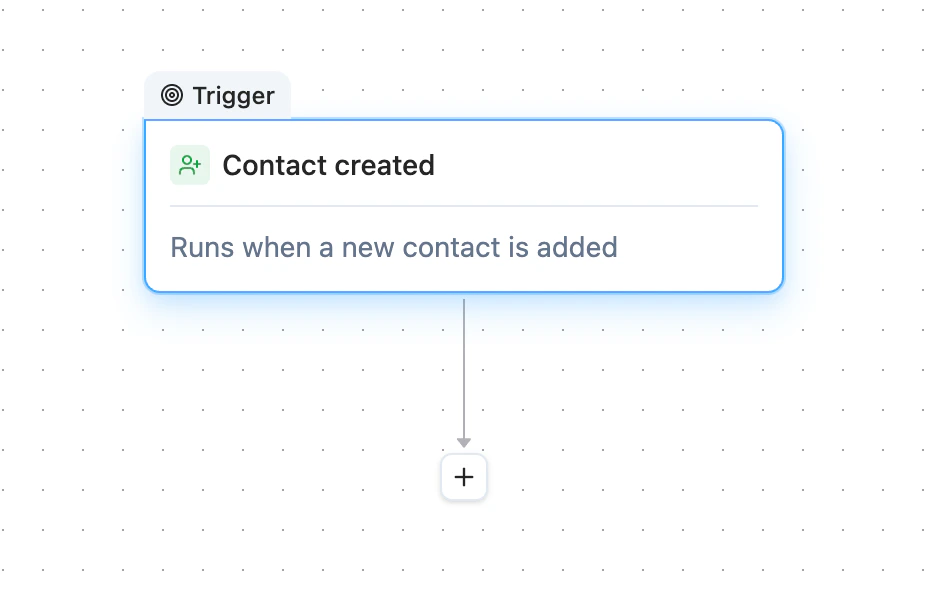
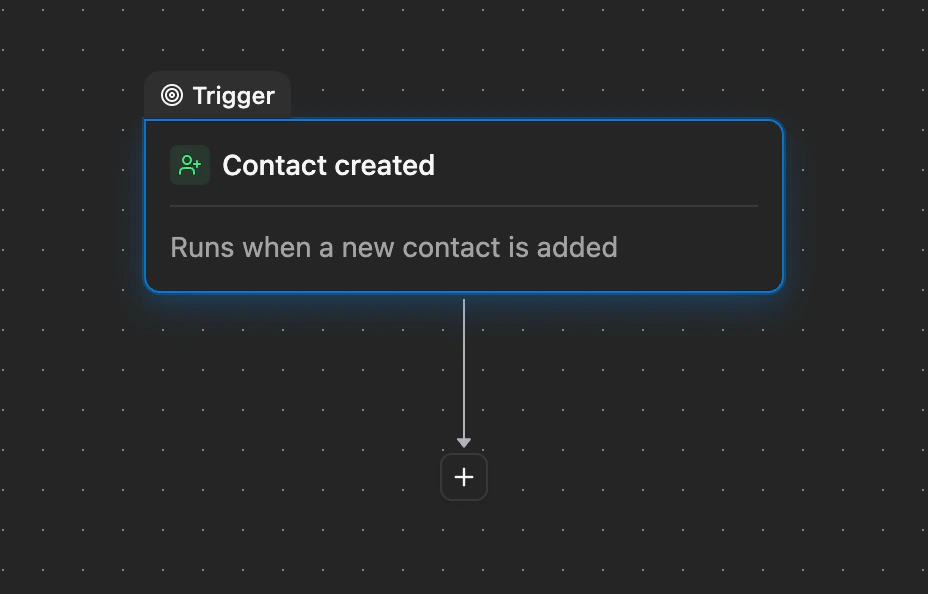
Workflow trigger picker showing the new contact created option
Duplicate any workflow
The Workflows list has a new Duplicate action. One click drops in a copy as a disabled draft, so you can edit the new version without touching the original.Send a bad call to Charlie for a fix
When you spot a problem in builder call history, click the new Charlie wand next to the thumbs on any agent reply - or leave negative feedback on a call and pick “Try fix with Charlie”. Either way, Charlie picks up the transcript up to that point and proposes a change you can review inline.Improvements
Improvements
- Outbound calls now play your voicemail message exactly once, even when the assistant and the background detector both react to the same beep
- Auto Dialer settings have a new account-level timezone, used whenever a contact doesn’t have its own timezone set
- Agents with their own dialing windows now also respect your account-level no-call days, so configured holidays are skipped no matter how an agent’s own schedule is set
- Press Space to play or pause the audio player anywhere in the dashboard, and every audio button now has a tooltip explaining what it does
- Click the title in the agent or workflow breadcrumb to rename it inline - press Enter or click outside to save
externalIdis available in the agent variable menu, so prompts can reference it directly during a call- Phone numbers now use the same readable international format across the phone-number page, call history, breadcrumbs, and blocked-number dialogs, instead of unformatted numbers
- The “Update contact” workflow node has a clearer label and icon, True/False values look consistent across run details and node summaries, and notification email subjects are cleaned up before sending
Fixes
Fixes
- The contact details panel no longer crashes on older custom property rows, so accounts using legacy properties can open contact pages again
- The call status icon now matches the actual call status, instead of always showing the ringing icon
- Pressing Escape in the contacts list closes any open details panel, sheet, or dialog first - a second Escape clears the bulk selection
- Loading placeholders for blocked phone numbers, call history badges, and filter buttons now match their final sizes, so the layout no longer shifts when data loads
Filter contacts by property
The Contacts table now lets you filter by contact properties. Combine multiple filters to narrow down to the exact contact set you want, then act on the results - schedule calls, cancel pending dials, or open a single contact - without leaving the page.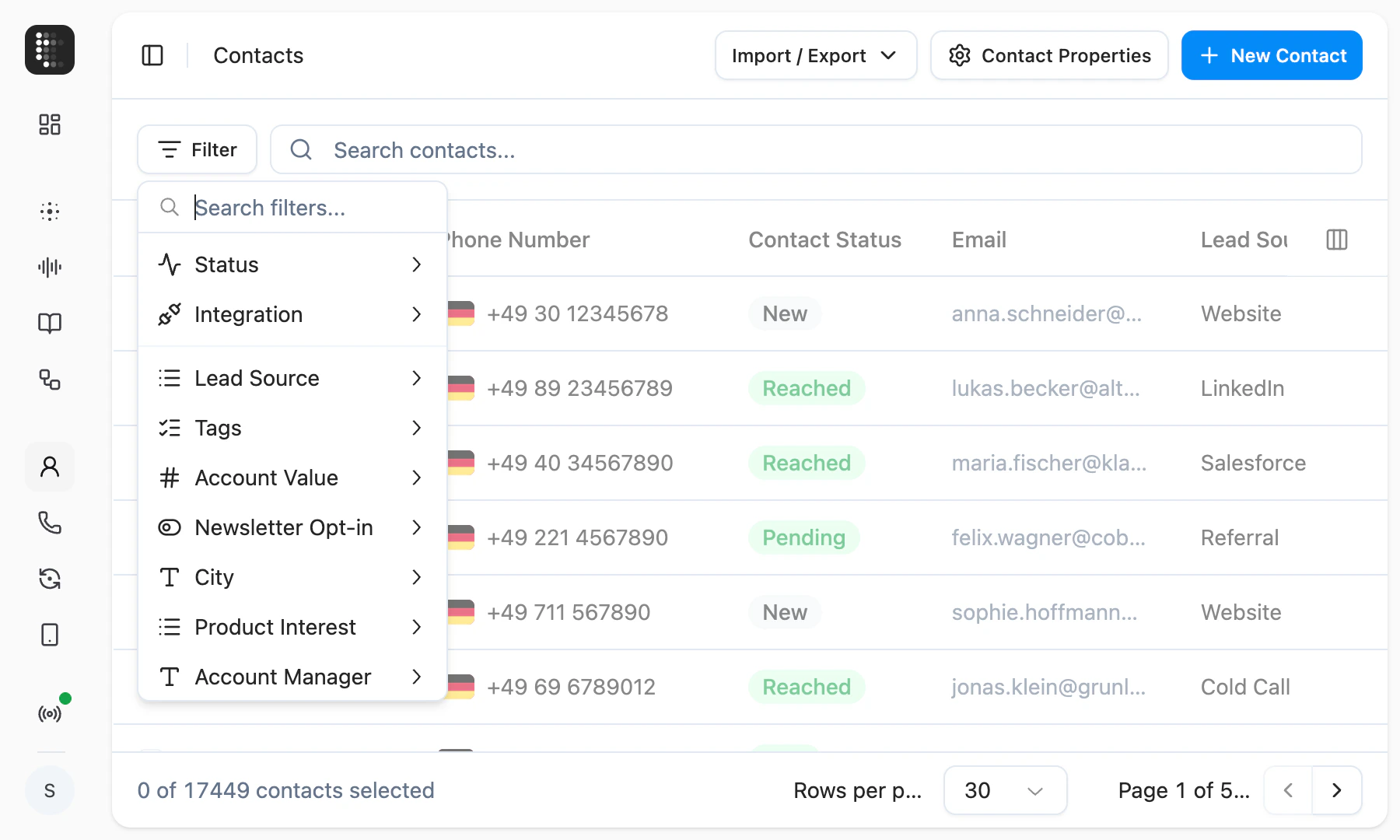
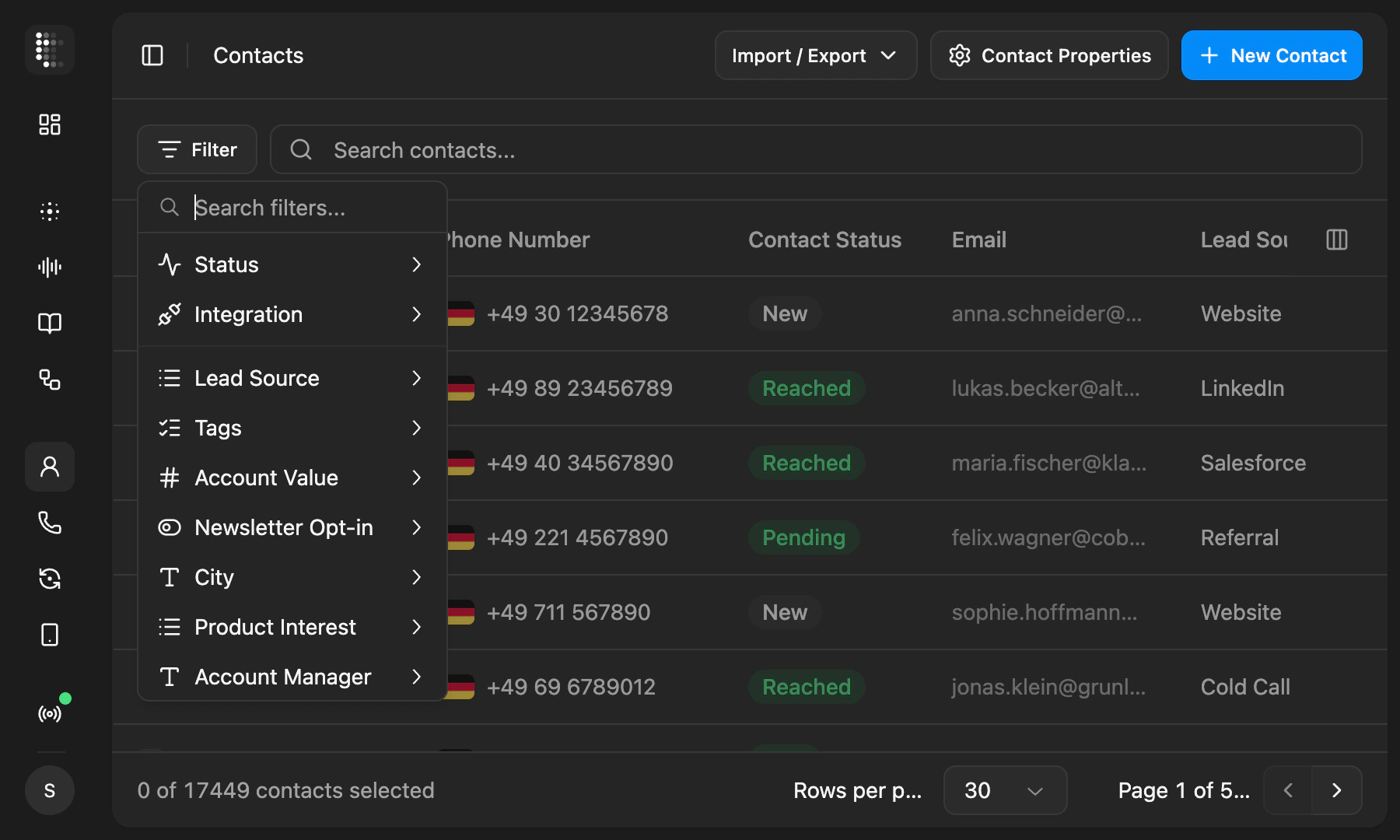
Contacts page with the filter menu open showing property options
Block out no-call days
The auto-dialer and “Call me later” now respect specific dates you mark as no-call days. Set public holidays, company-wide closures, or any individual date in dialer settings, and telli skips them automatically instead of placing outbound calls when it shouldn’t.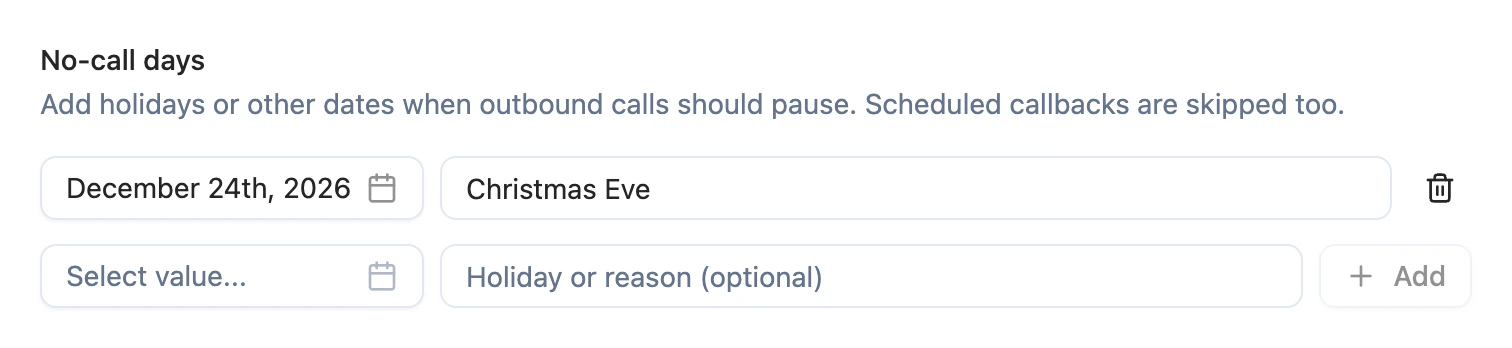
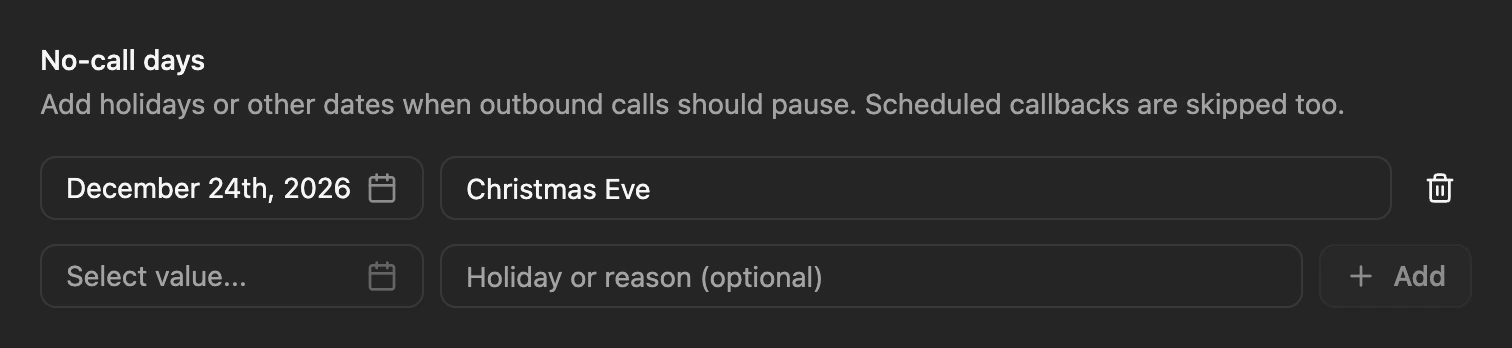
No-call days settings with Christmas Eve added
Block phone numbers from reaching your agents
You can now block specific phone numbers from reaching your agents on inbound calls. Add a number from a call’s details or directly in Settings → Telephony → Blocked phone numbers, and any future inbound call from that number is rejected before it touches an agent. The list is account-wide, and outbound calling is unaffected.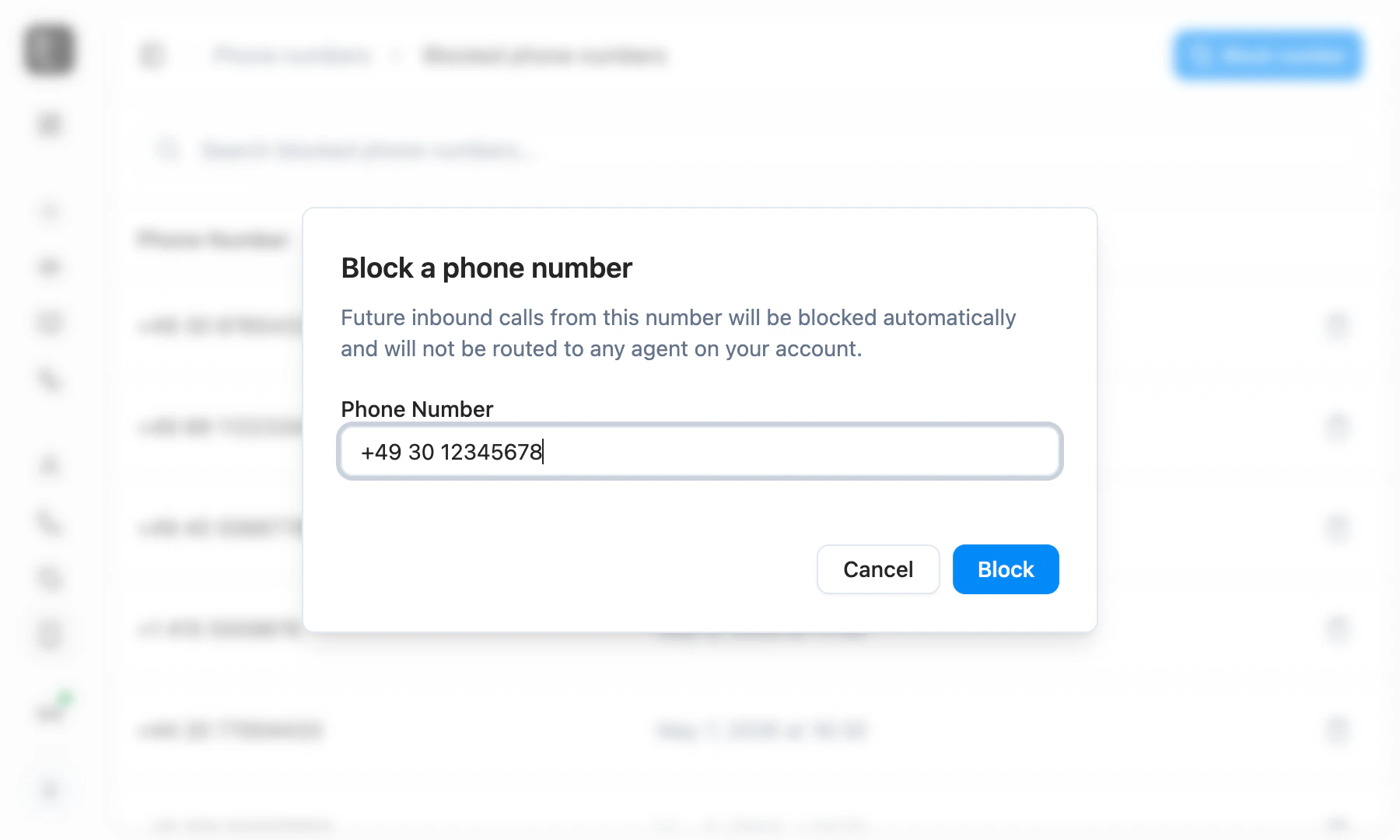
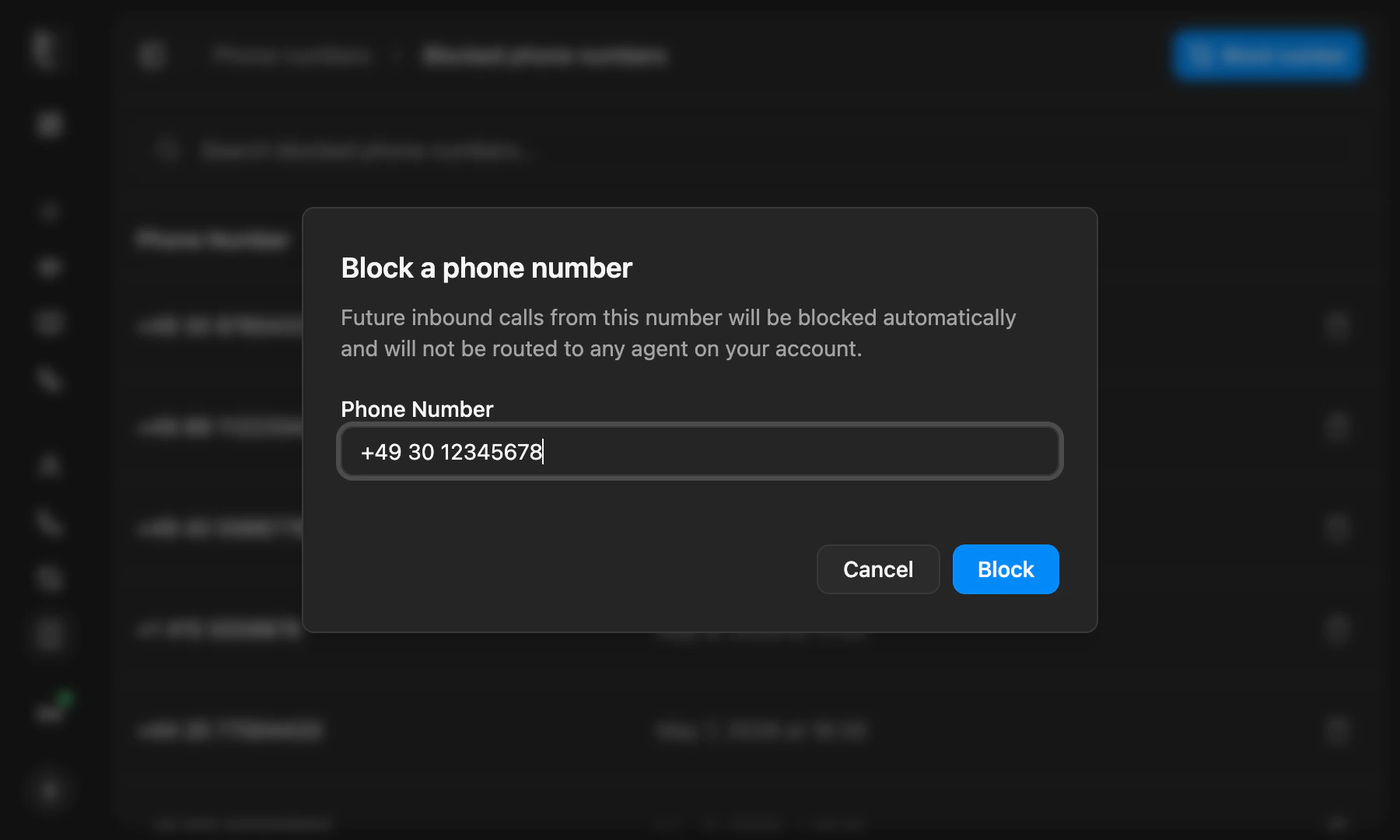
Block a phone number dialog with a number filled in
Improvements
Improvements
- Import a custom voice from Cartesia or ElevenLabs yourself by pasting its voice ID into voice settings, no request to telli needed
- Voice settings let you pin a specific voice model per provider, with a Default option that follows telli’s recommendation
- Agents can schedule callbacks in relative time, like “in 30 minutes” or “in 2 hours”, in addition to absolute times
- Cold transfers now support SIP URI targets with optional REFER headers, unlocking handoffs to platforms like Zendesk
- Date inputs gained month and year dropdowns, so far-back dates like birthdates are quick to set
- Krisp is no longer selectable for background noise reduction in the agent builder - AI Coustics is the recommended replacement, and existing Krisp configs continue to work as legacy
- Charlie can now show inline voice preview cards in the builder chat, so you can play samples without leaving the conversation
- Knowledge base retrieval now pulls in sibling chunks from the same article, so the agent gets richer context per match
Fixes
Fixes
- Removing a contact from the Auto-Dialer no longer leaves a stale call loop that blocks deletion of the agent
- The Agent Builder no longer crashes intermittently when the chat panel loads
- Salesforce surfaces a clear error when the connected user is missing API access or the session is invalid, with guidance to reconnect
- Creating a tool with a duplicate name now returns a clear validation error instead of failing generically
Workflows for every Salesforce object
The Workflows Salesforce action is no longer limited to Lead and Contact. You can now create or update any standard or custom Salesforce object. Build a workflow that writes the call outcome and any data your agent captured to the right Task, Case, Opportunity, or custom object after each call, with no extra integration code.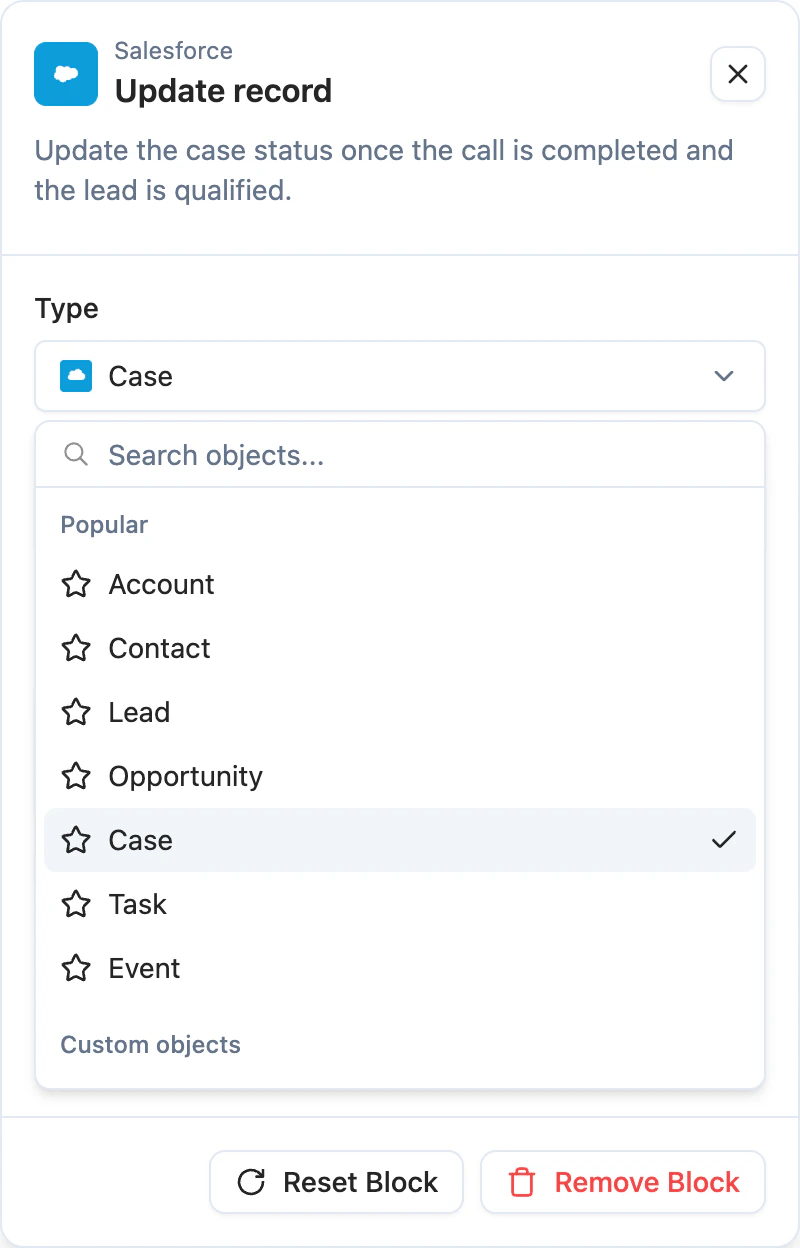
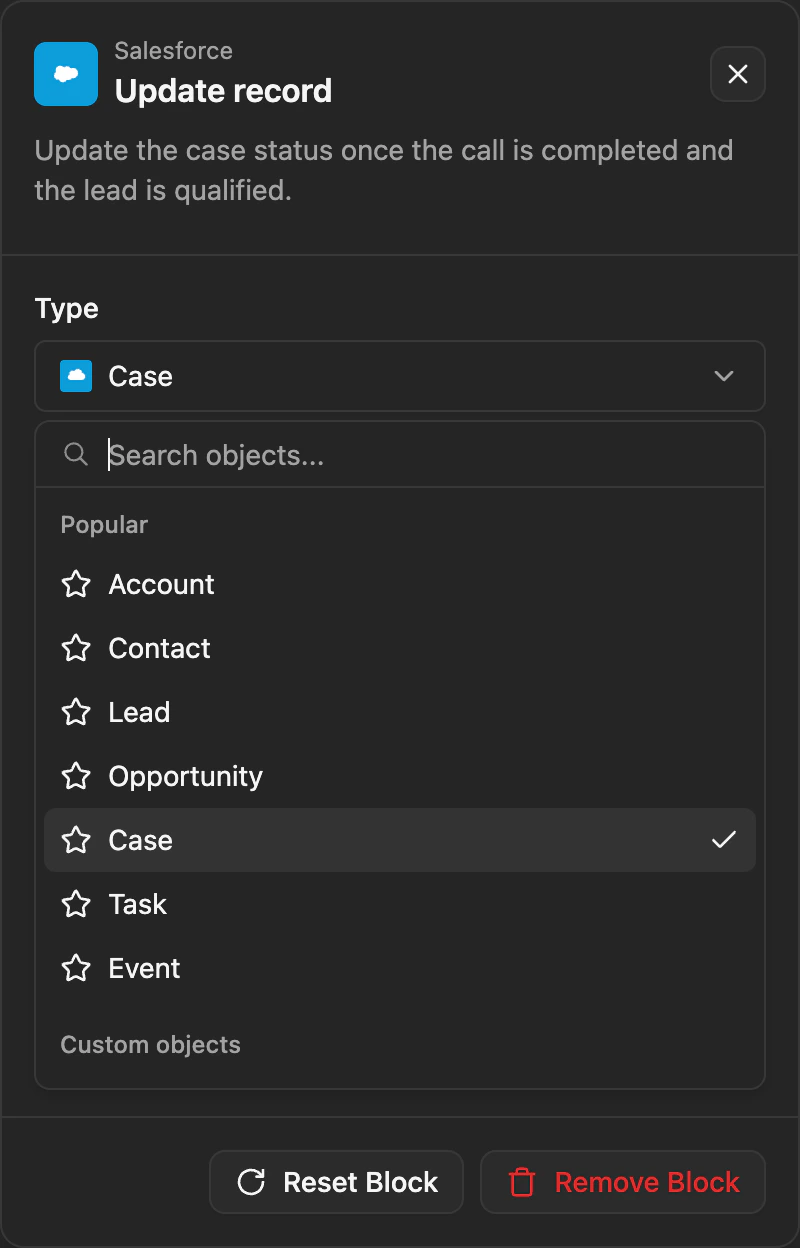
Workflow Salesforce action with object dropdown showing all available Salesforce objects
Persistent chat history in the Agent Builder
Charlie’s chats now stick around. Conversations stay available across reloads and sessions, you can switch between past chats from a history menu, and start a fresh one when you want a clean slate. telli auto-generates a short title for each chat so older threads are easy to scan.Improvements
Improvements
- A dedicated data collection task captures phone numbers and other digit sequences more reliably than the general task
- Workflow conditions display as grouped OR/AND blocks, so complex branching logic is easier to read at a glance
- CSV import now clearly flags duplicate external IDs within the file, so you can resolve them before the import runs
Fixes
Fixes
- Salesforce multipicklist values are now written correctly in post-call automation, instead of dropping selections
- Calls no longer fail outright when a contact-stored transfer number is invalid - the agent handles it gracefully at runtime
- Outbound callbacks scheduled via “Call me later” now use the same telli number as the original call, instead of switching to a different one
Workflows
Workflows let you automate what happens after a call. Pick a trigger, drop in actions and conditions on the canvas, and decide what telli should do with each completed call without writing custom integration code.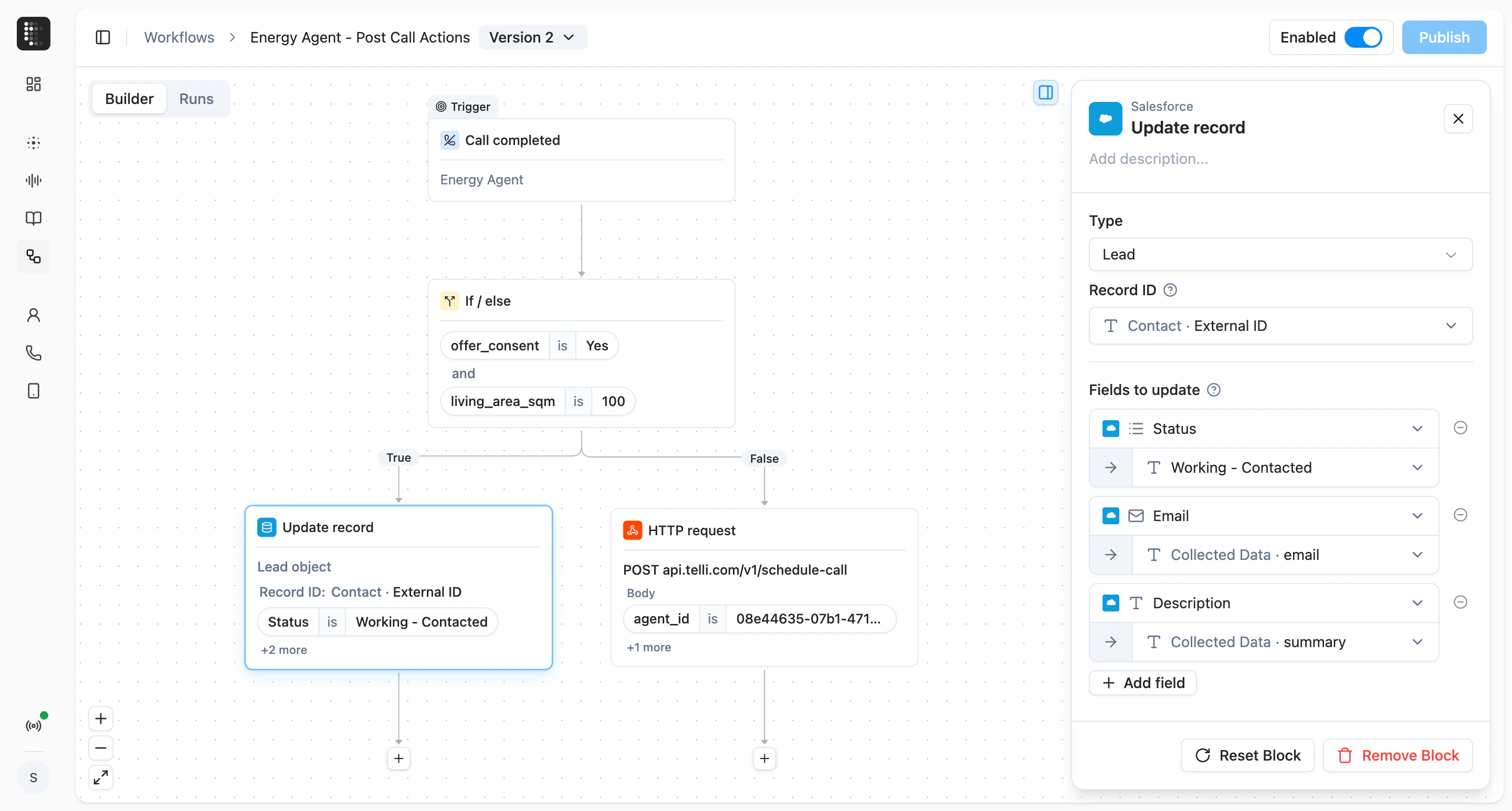
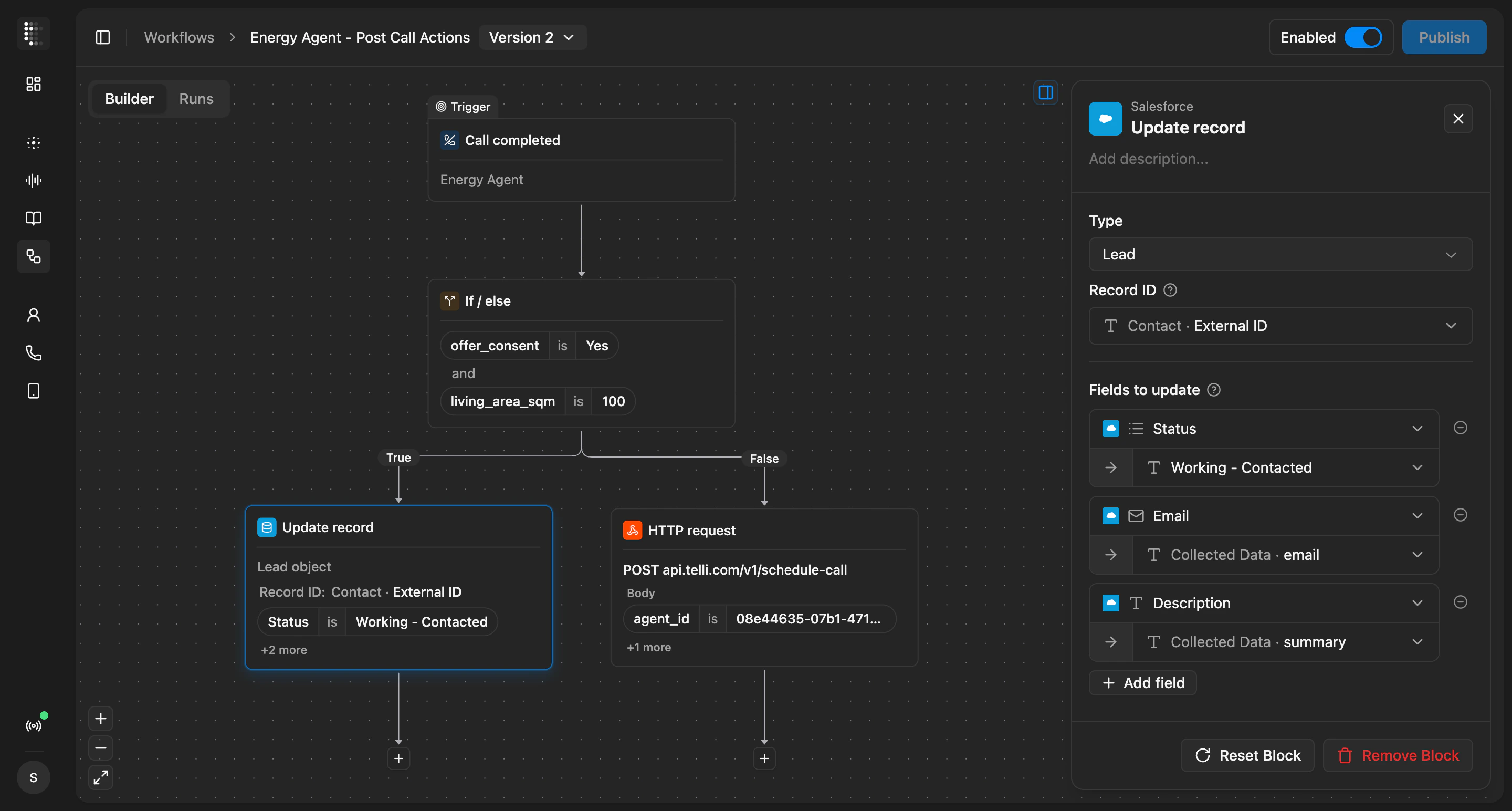
Workflows builder with trigger, condition, and action blocks
Improvements
Improvements
- New multi-select option for call outcome field type, with matching filters and email conditions
- Set both max retry days and max attempts on smart dialing - the auto-dialer stops on whichever limit hits first
- New
agentPhoneNumbervariable lets prompts reference the number the agent is calling from, so the agent can dictate it back to the caller - Transfer destinations in the agent builder now accept variables from the contact, so you can route a transfer to a number stored on the contact record
- Outbound calls now show the from-number alongside the contact number in call details
- Notification emails for answered calls with a scheduled callback now include the conversation transcript
- Audio waveform in call review now highlights the portion matching the messages you select in the transcript
- telli phone numbers used for testing are clearly marked with a test-only badge
- Builder remembers resized panel widths between sessions, and tooltips on the first message and timer controls explain what each does
Fixes
Fixes
- Deleting a contact property from Settings now requires a type-to-confirm step, so the action cannot happen by accident
- Contacts Reached on the dashboard reflects the correct count again
- Builder bubble menu closes when you click outside the editor
- Variables panel no longer shows a duplicate tooltip on the referenced indicator
Meet Charlie, your Agent Builder co-pilot
Charlie is the AI assistant in the Agent Builder chat panel. Tell Charlie what you want the agent to do differently, and Charlie drafts the prompt edits. Review each change inline, accept what looks right, and reject the rest without leaving the builder.Smarter data collection in long sequences
When your agent collects several data points in a row, like email, contract number, and license plate, it now coordinates them as one flow instead of handling each as a separate task. The agent stays on track and stops looping back to ask for values the caller already confirmed, so the conversation feels more natural and the data you capture is more reliable.Improvements
Improvements
- GPT-5.4 mini is now available as an LLM choice for your agents
- HTTP tools support path parameters, so you can call APIs that put values directly in the URL
- Refined diff view between agent versions makes it easier to scan changes before you publish
- Builder chat attachments now show inline previews, with a clearer drop area
- Navigate between calls in Call History with the up and down arrow keys
- Call History defaults to completed calls and opens the most recent one
- telli prompts you to refresh when a new app version is released
Fixes
Fixes
- Selecting messages in the builder chat works reliably again, so you can pull the right snippets from a past call into Charlie
- Variable suggestions in the prompt editor no longer get clipped by surrounding panels
API
API
- New
GET /v1/list-callsendpoint: list calls and filter bycontact_idoragent_id
Refine agents from their own call history
The Agent Builder now ties refining an agent and reviewing its calls together in one place. Call History inside the builder gives you an overview, full transcript, and an audio player that follows along with the conversation as it plays, with consolidated filters to find the calls you care about. You can pick individual messages from a past call and bring them into the chat to refine the agent based on what actually happened.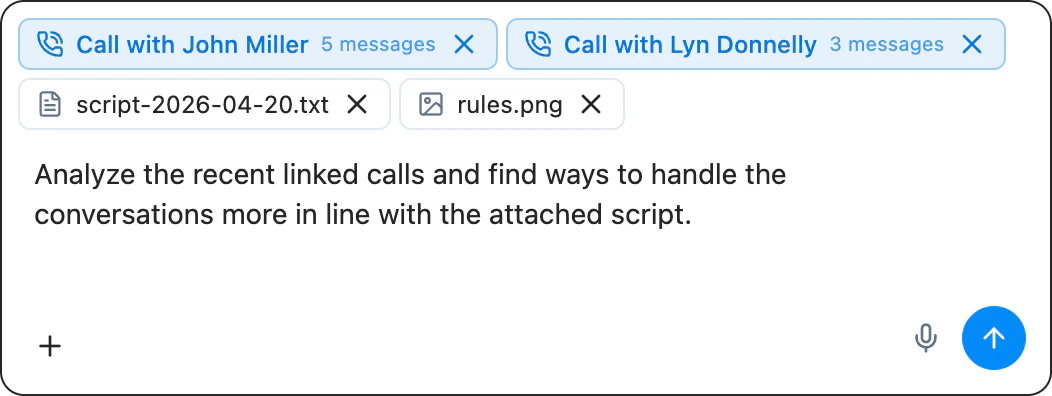
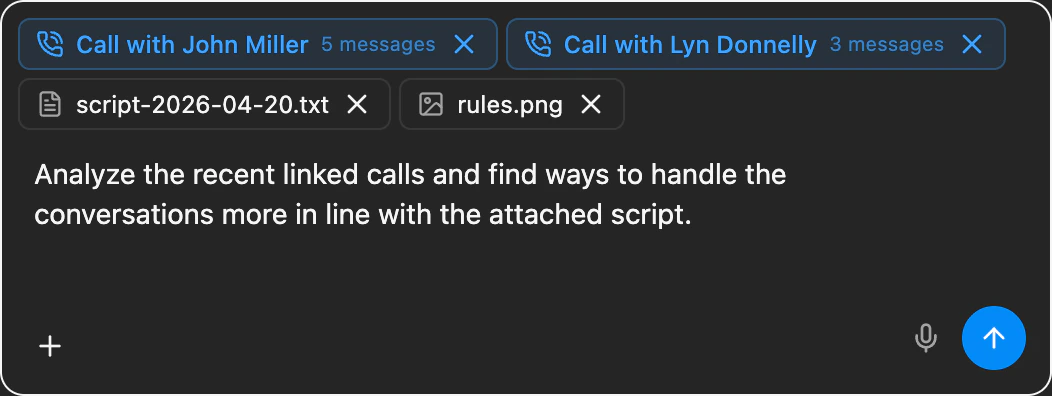
Agent Builder chat input with file upload and voice input controls
Version history and version-targeted test calls
Version history is more useful too. Before you publish, you can review a diff of what changed against the live version, restore an older revision when something needs to go back, and start a test call against a specific agent version to verify a change before rolling it out.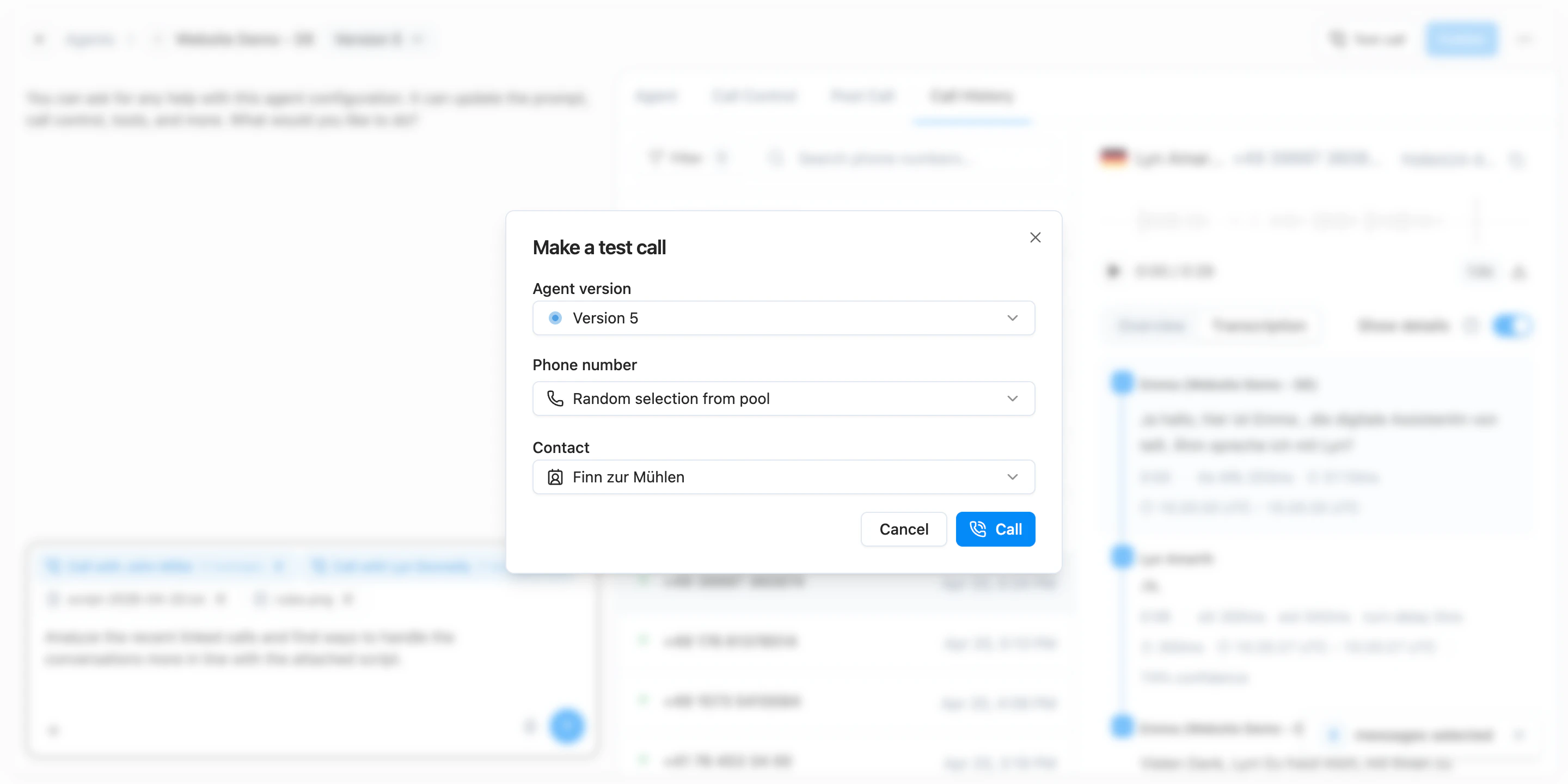
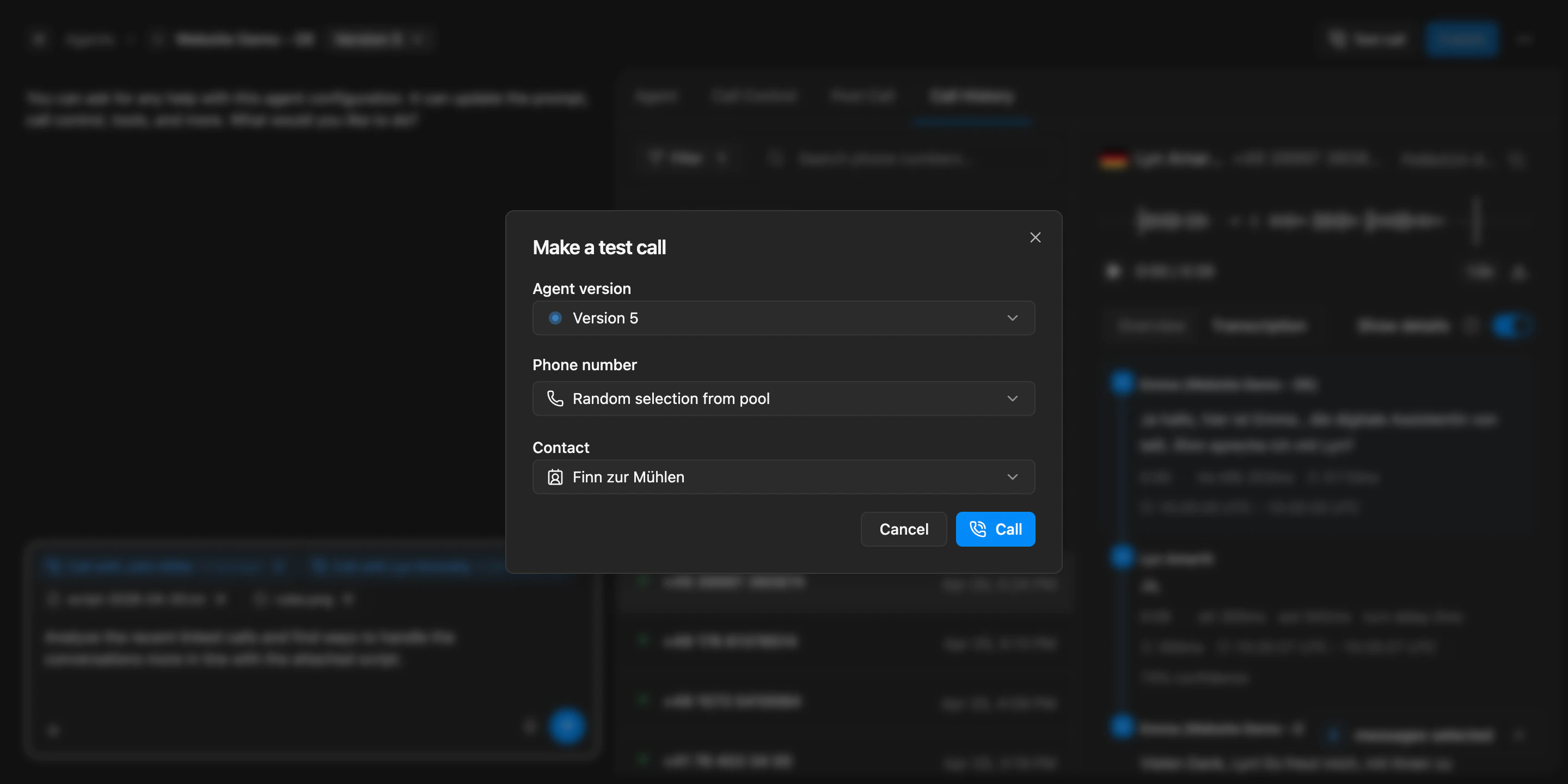
Make a test call dialog with agent version selector, phone number pool, and contact picker
Improvements
Improvements
- Builder filters for call history are consolidated into a single menu, so it is easier to narrow down to the calls you want to review
- Agent and call outcome filters on the calls page are now searchable, so it is faster to find the right value in long lists
- Call transcripts now show which agent ran the call, making it easier to follow conversations across agents
Fixes
Fixes
- Recording links now resolve correctly when an agent is configured to record only the agent audio
- Successful calls no longer show a misleading SIP status alongside the result
- Line spacing in the prompt editor is corrected, so prompts are easier to read while editing
- The formatting toolbar in the Agent Builder is restored, so you can apply rich text formatting again
New Agent Builder
You can now build and refine agents in the new Agent Builder. Instead of jumping between separate forms, chat, and settings, the builder gives you one cockpit for prompt editing, tools, call behavior, version history, and publish controls. That makes it easier to iterate on an agent, keep track of draft changes, and decide exactly when a new version should go live.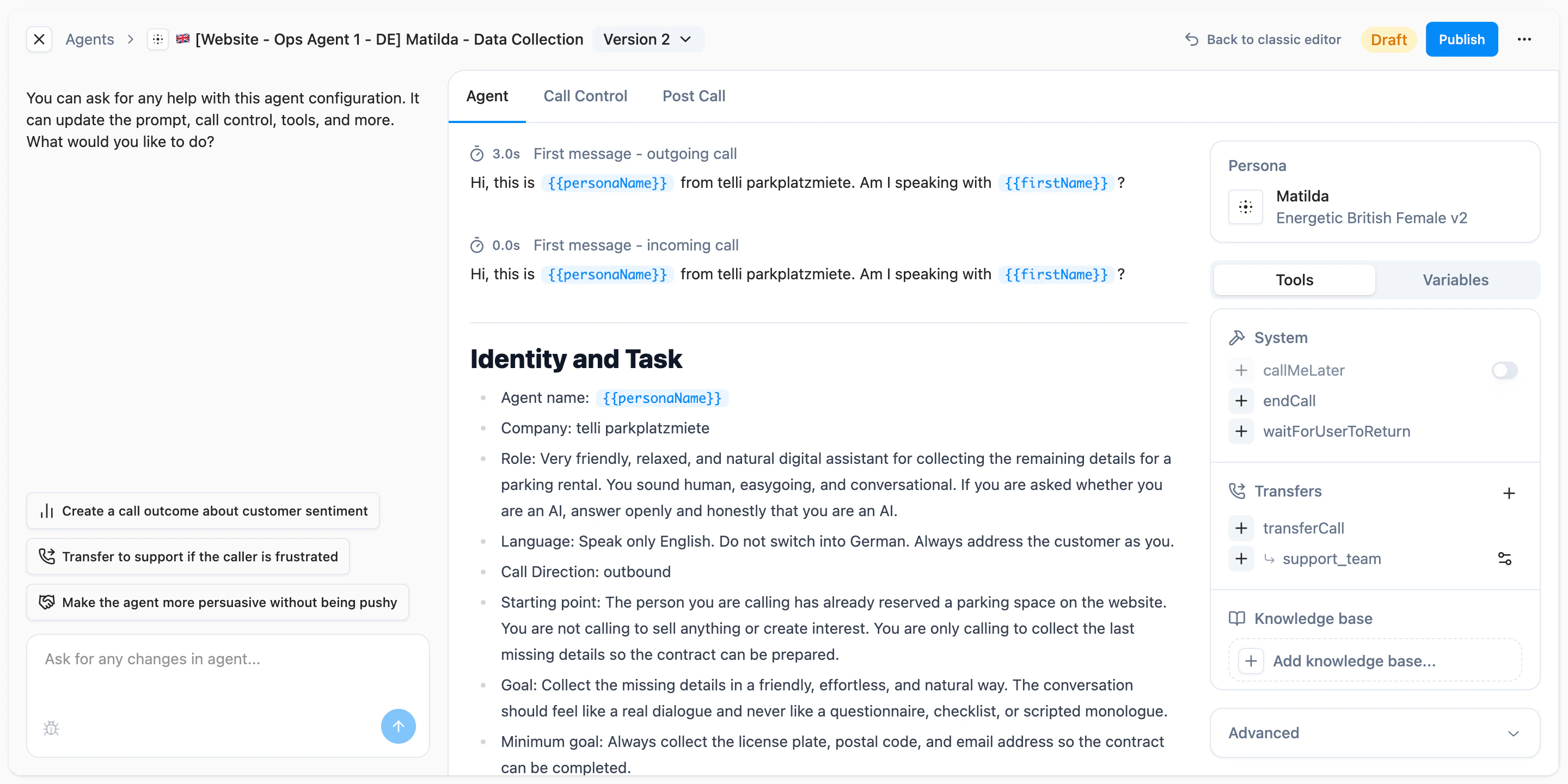
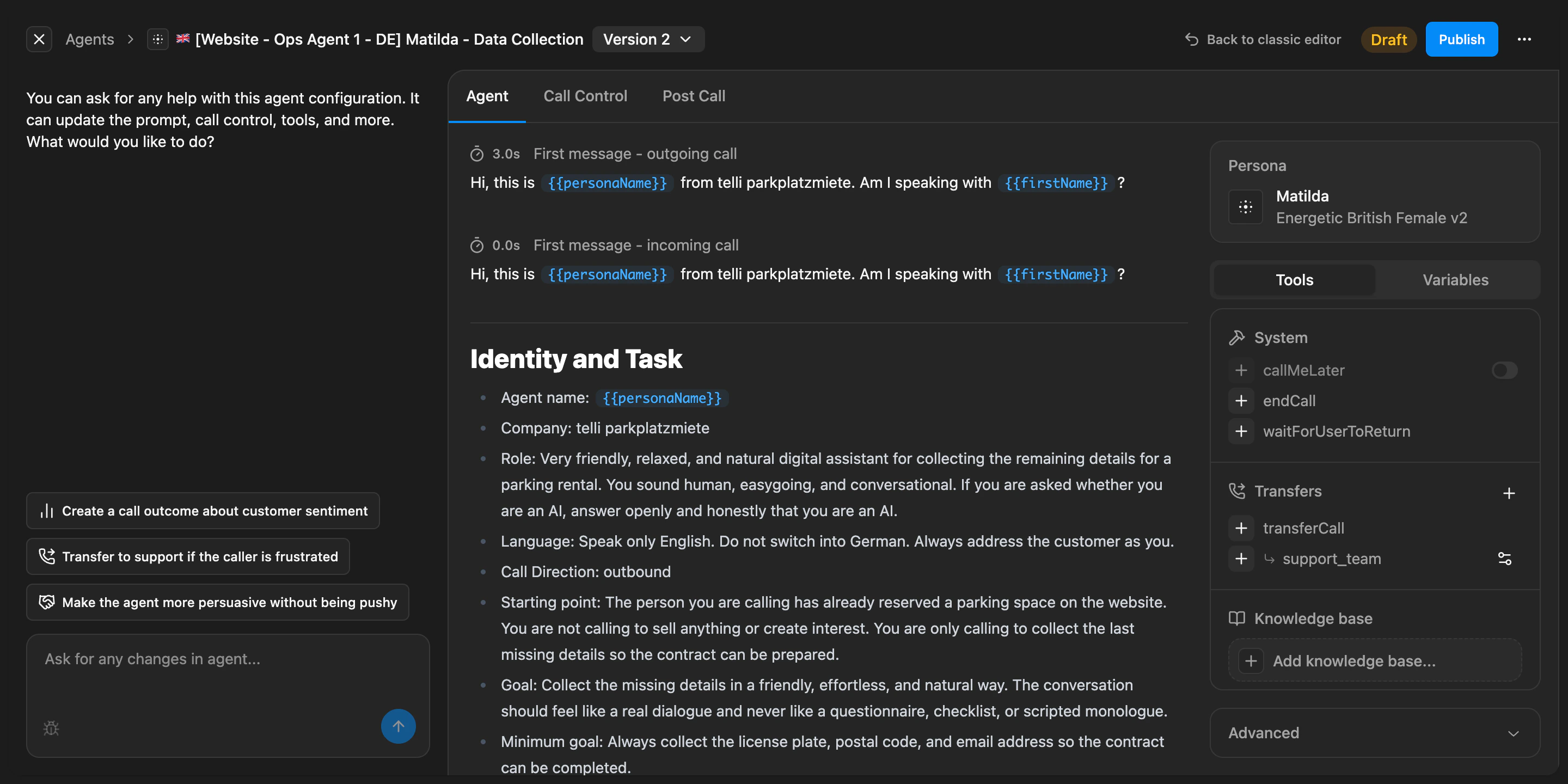
Agent Builder as a central cockpit for chat, settings, version history, and publishing
Improvements
Improvements
- Czech is now available as an agent language across the product
- Call end states are more precise, making it easier to understand why a call stopped
- Variable and tool suggestions in the Agent Builder are easier to use and less noisy while editing
- Large agent lists are faster to browse
Fixes
Fixes
- Inbound calls are matched and routed more reliably even when caller numbers arrive in different international formats
- Temporary webhook timeouts, rate limits, and short outages are less likely to drop call updates
- Non-German calls respond more reliably with improved speech recognition
- Call openings are less likely to stall while telli infers salutations
Debug mode in call details
You can now switch the conversation view in call details into a debug mode that shows the raw tool trace for a call. This makes it easier to inspect tool calls, arguments, outputs, errors, and timing details without leaving telli when you need to understand why a call behaved a certain way.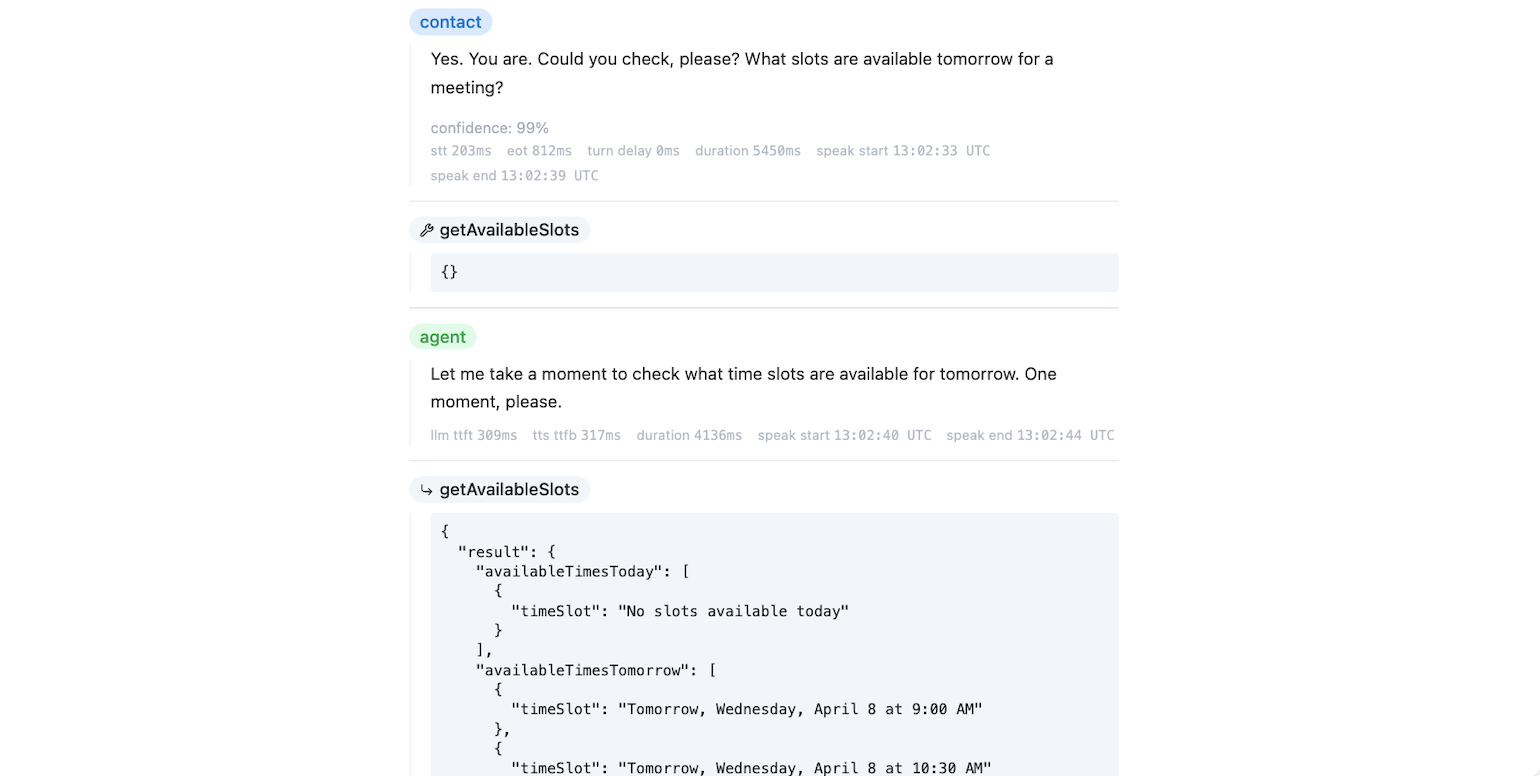
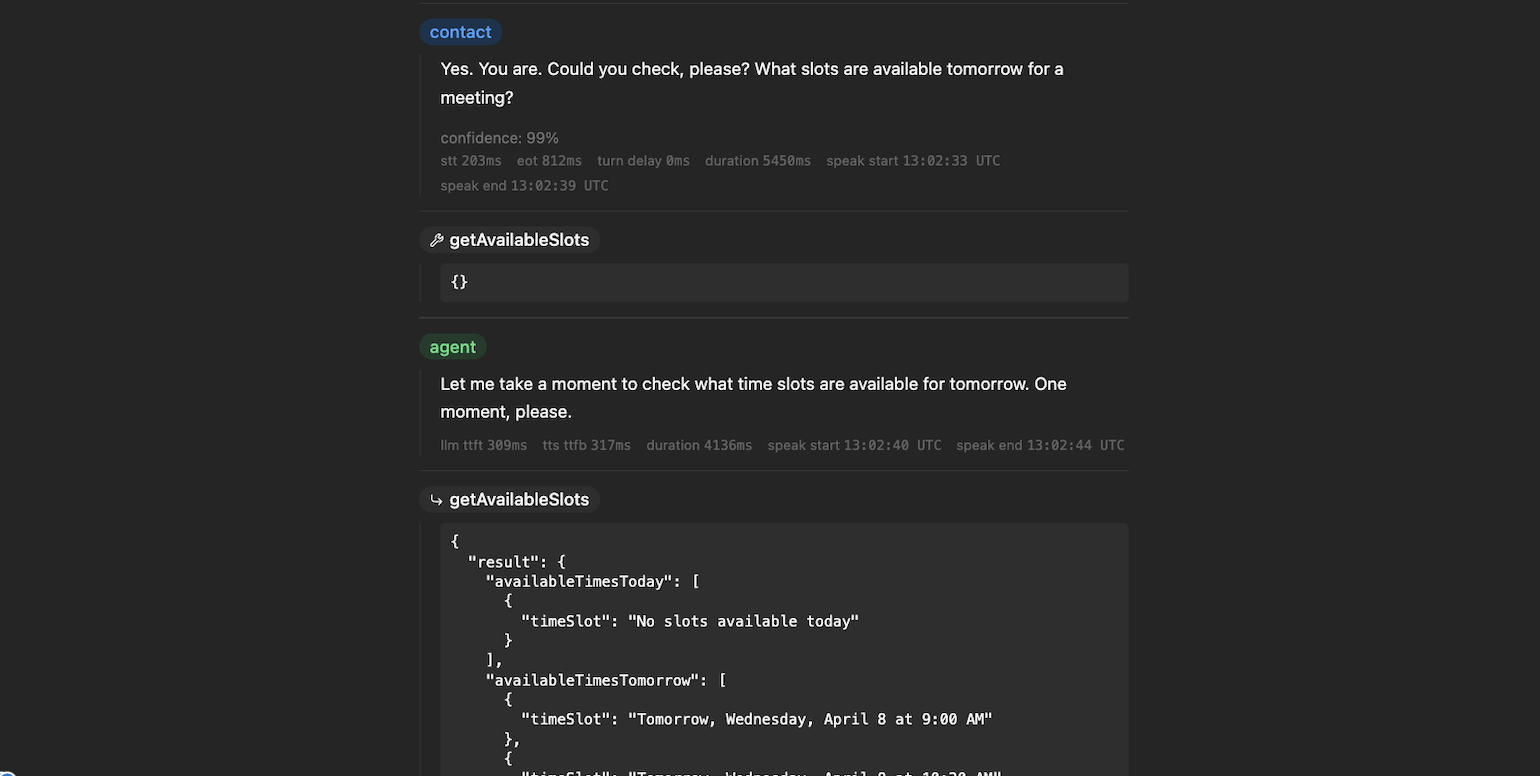
Debug mode in call details showing chat turns, timings, and tool output
Arabic and Turkish language support
Agents now support Arabic and Turkish. You can select both languages in the agent configuration, and the language and voice mappings are available across the product so these setups work consistently end to end.Improvements
Improvements
- Warm transfers now support variables in post-dial DTMF, so you can forward dynamic values like IDs or extensions instead of only static digits
- Call outcome instructions can now use contact variables dynamically, making it easier to tailor analysis prompts to the current contact
- Scheduler names can now be renamed inline on the detail page instead of through a separate edit flow
- The Agents page now shows a clearer empty state with a direct Create Agent action for first-time setup
Fixes
Fixes
- Calendly setup now shows clear errors for invalid API keys and missing permissions, including the required scopes next to the API key field
- Outbound calls with permanent SIP errors no longer retry unnecessarily when the destination number cannot be reached
Call Scheduler
You can now use Call Scheduler for outbound workflows where time to call matters. Sync contacts from your CRM, create a scheduler, and let telli call new matching contacts automatically as soon as they come in. This is especially useful when new leads should be contacted right away.Inbound Contact Lookup
You can now identify unknown inbound callers before the conversation starts. In Settings > Integrations > Inbound Contact Lookup, configure a webhook that receives the caller’s phone number and returns contact details. telli creates or enriches the contact before the agent picks up, so your agent starts the call with the right context immediately.

Inbound Contact Lookup settings with webhook configuration and request-response examples
Improvements
Improvements
- Failed and not-reached calls now show plain-language SIP status explanations in call details
- The audio player now stays visible while you scroll through long conversation transcripts
- telli now warns you before queuing contacts while the Auto Dialer is disabled
Fixes
Fixes
- Voicemail and no-dialogue calls are classified more reliably, reducing wrong follow-ups and repeated retries
- Inbound contact matching is more reliable for duplicate contacts and quick consecutive inbound calls
- Salesforce connection failures now show clearer errors
Improved inbound routing and callback configuration
You can now configure inbound calls and callbacks separately. In agent settings, callbacks have their own default action and exceptions, so you can decide when the original agent answers, when a callback is forwarded elsewhere, and when it is rejected. There is also an account-level fallback for unmatched inbound calls when telli cannot map the incoming number to an agent or known callback.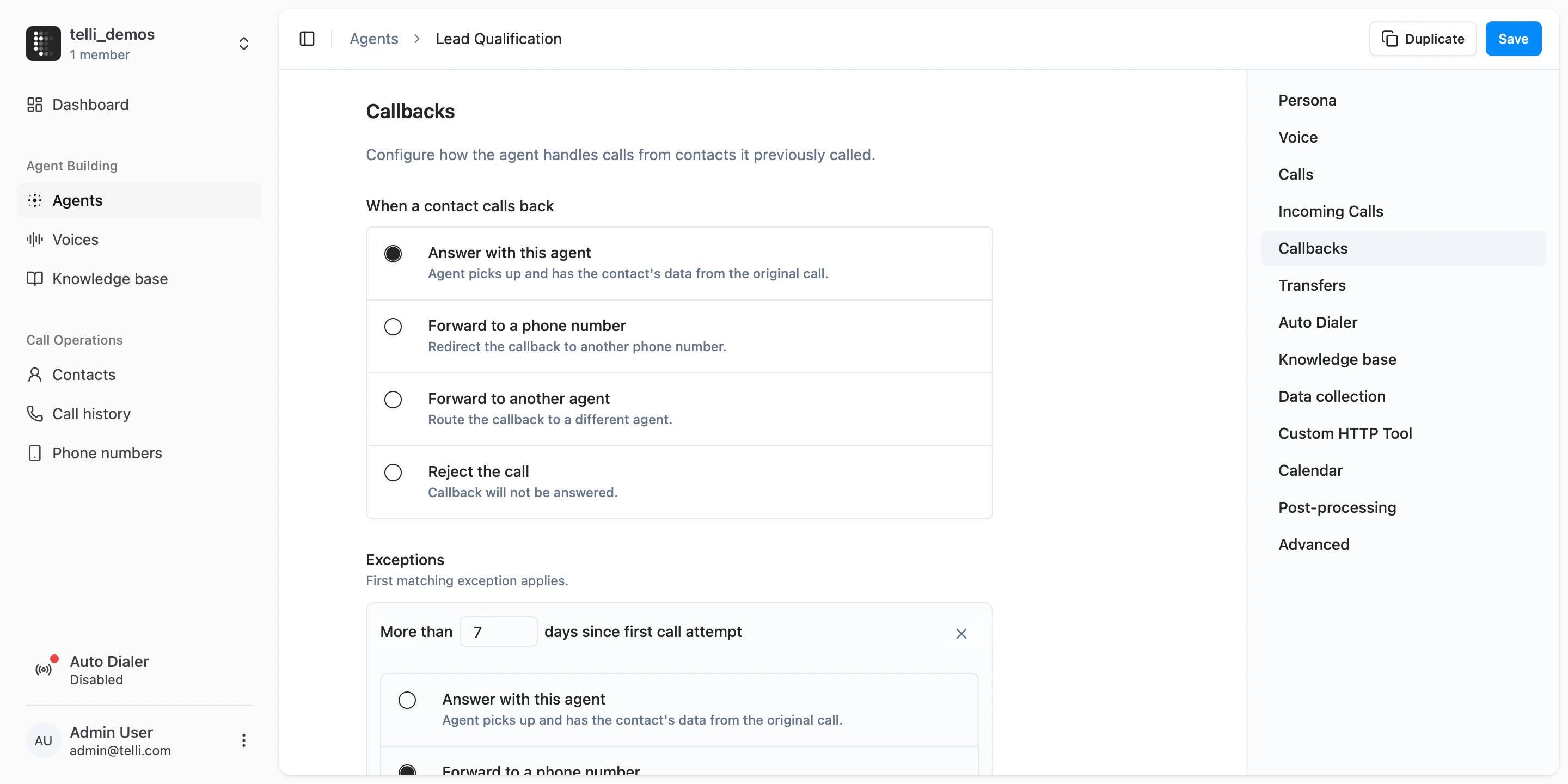
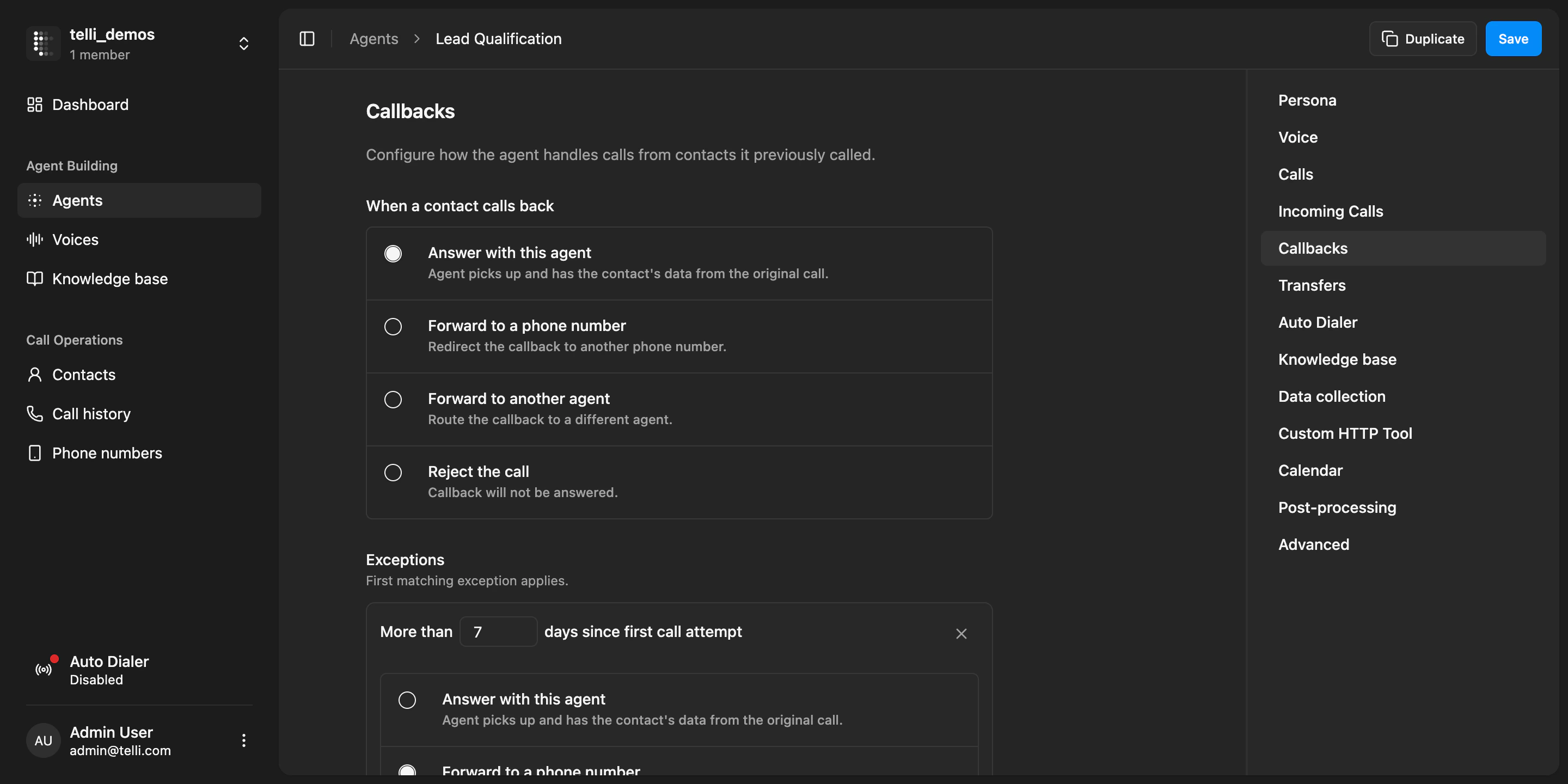
Callback configuration with separate callback actions and account-level fallback for inbound calls
Warm transfer controls
Warm transfers are easier to fine-tune. You can adjust how the agent briefs the human before the transfer and limit how long the destination phone rings before telli cancels the attempt. This makes handoffs more predictable when nobody picks up and gives you more control over the transfer flow.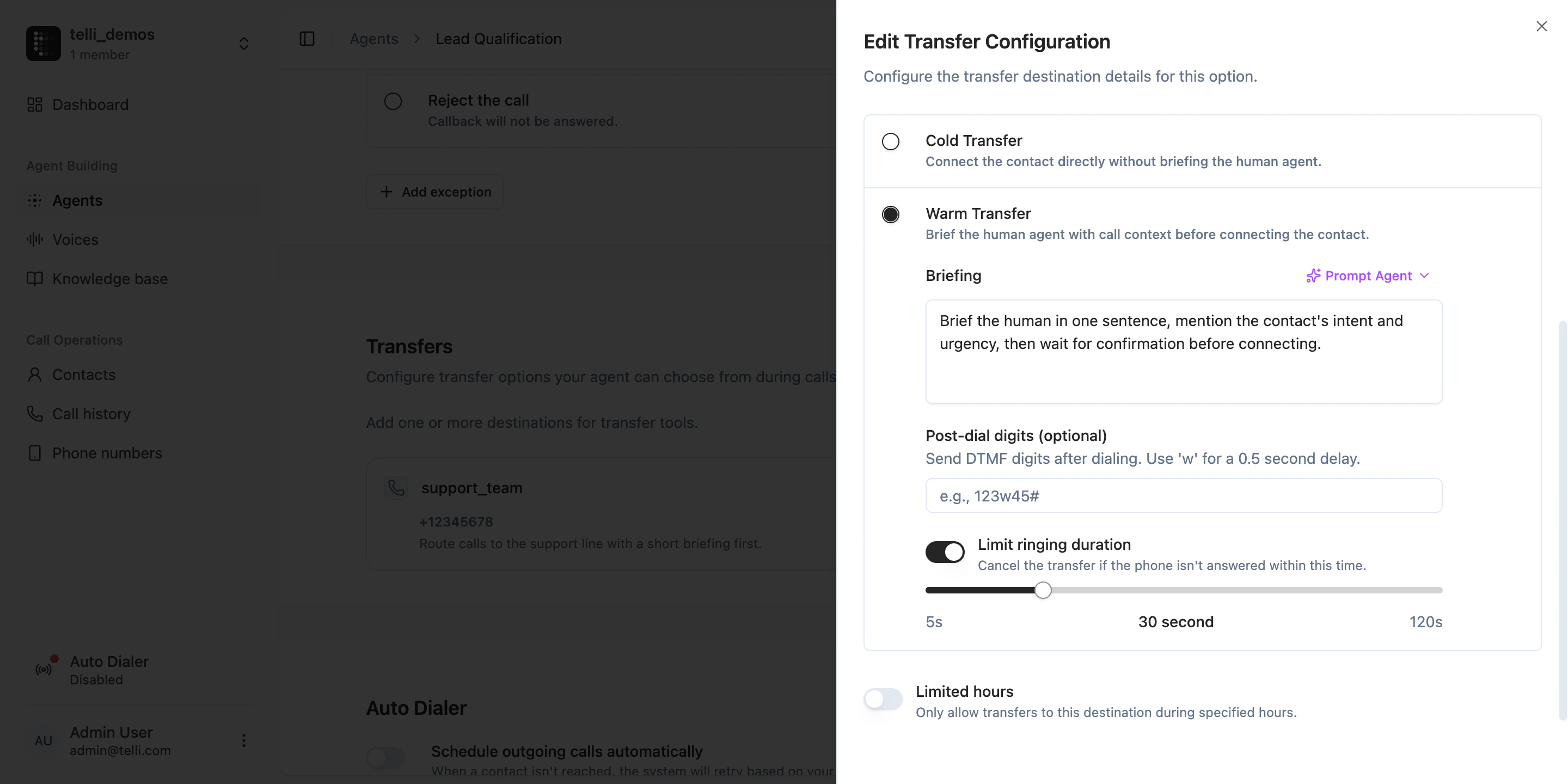
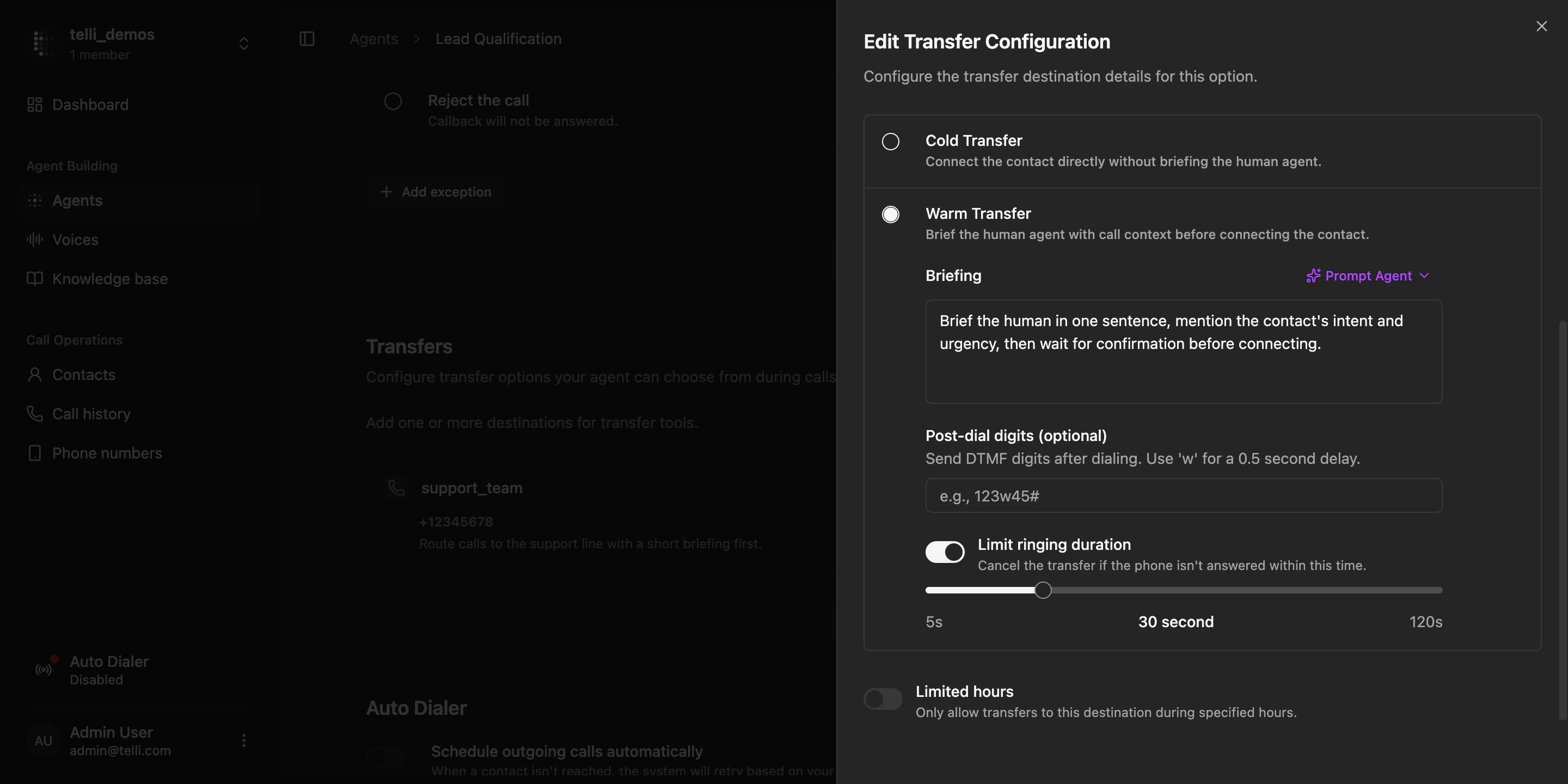
Warm transfer settings with briefing options and ringing duration limit
Multilingual agents
Agents can now be multilingual, and the language picker is easier to use across many supported languages. Open the language dropdown in agent settings to scan the full list or choose the multilingual option when one language is not enough for the workflow.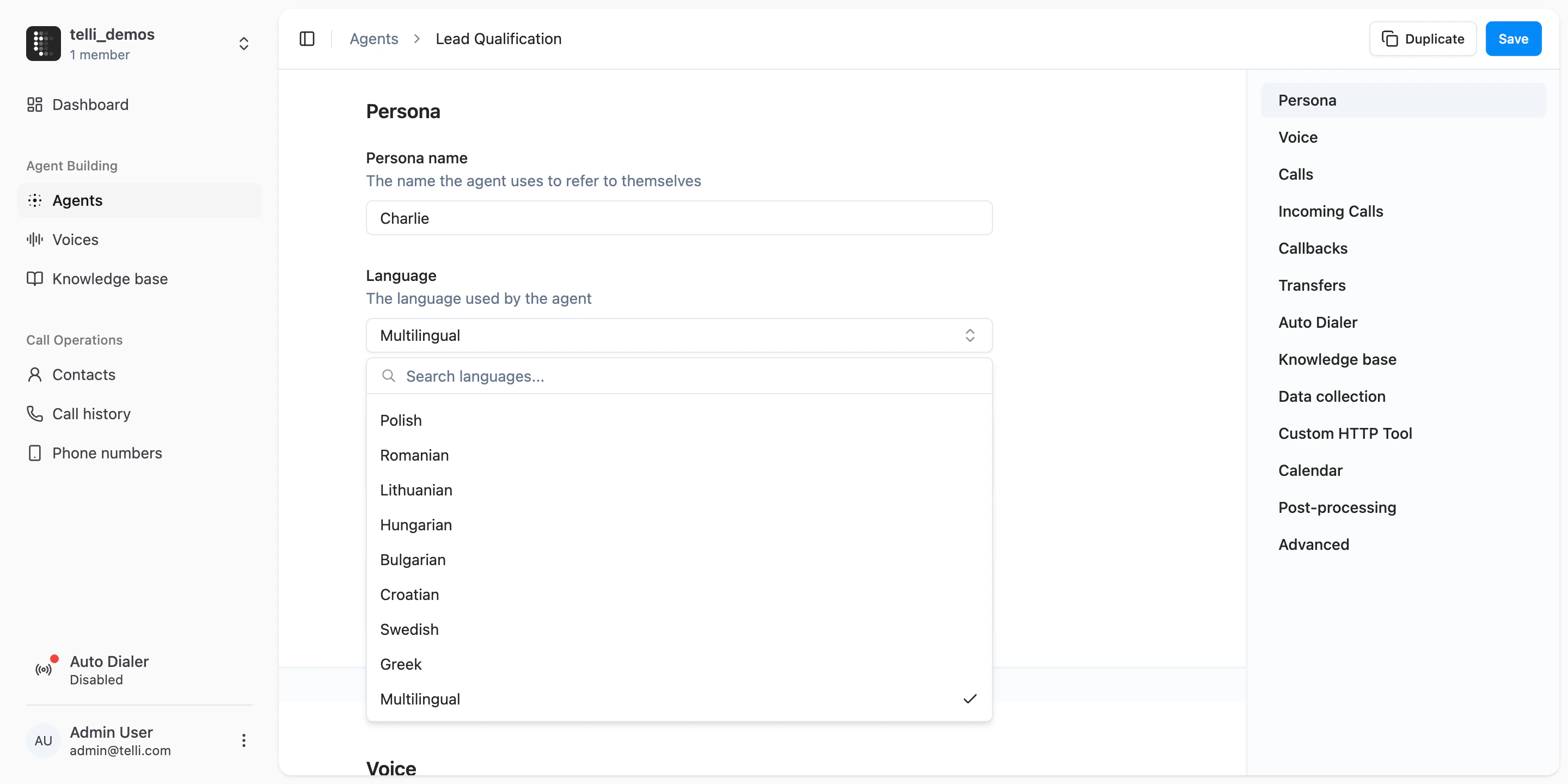
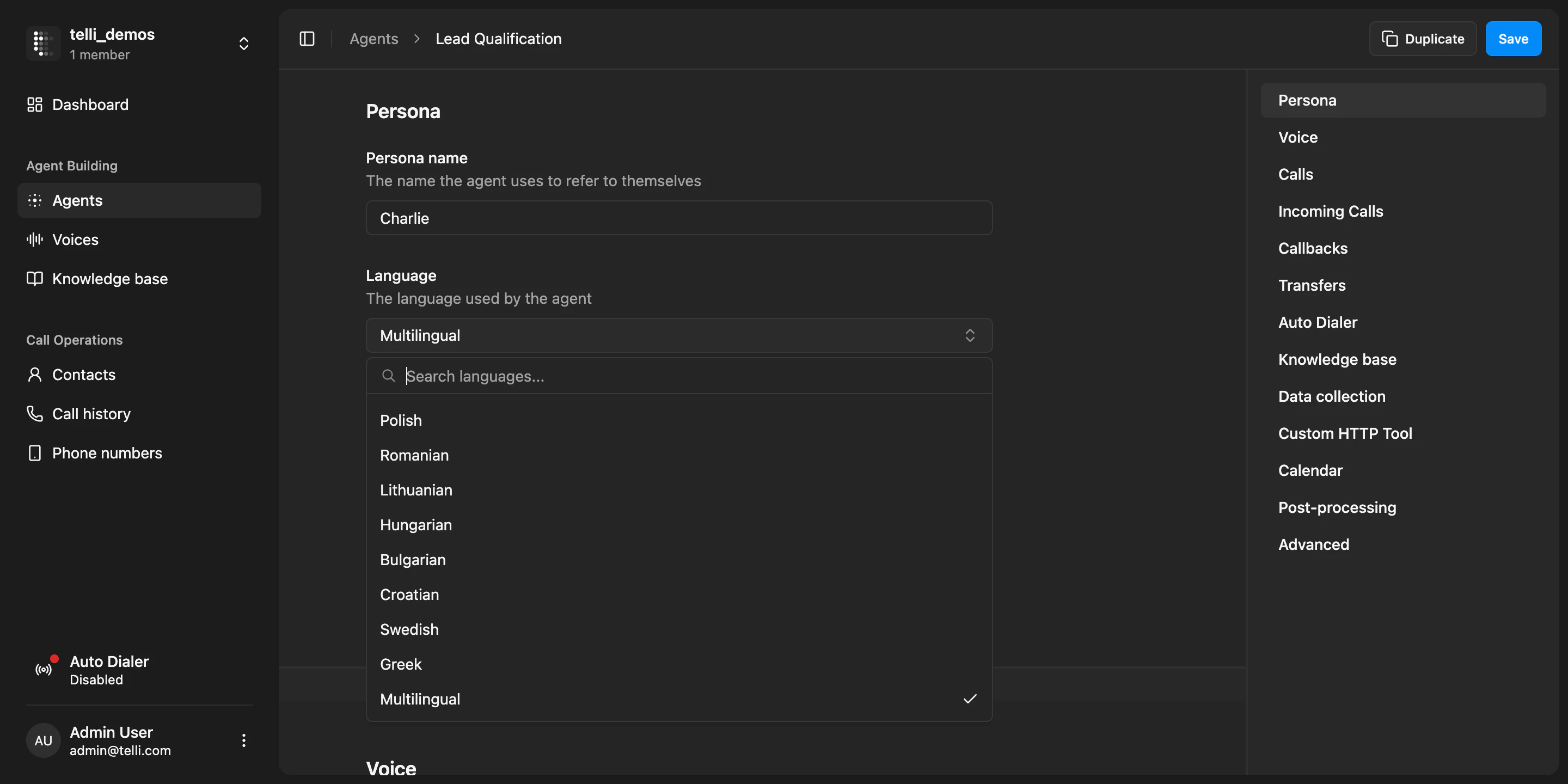
Agent language settings with the full language dropdown and multilingual option
Improvements
Improvements
- Search directly in the language dropdown when choosing an agent language
- Call attempt intervals are easier to read with clearer attempt labels and timeline structure
- Toast notifications have a cleaner, easier-to-scan design
- The sidebar is restructured into clearer groups, making navigation easier to scan
Fixes
Fixes
- Call audio is more stable, with fewer cases of choppy voice playback and unexpected noises
- Warm transfer behavior is more reliable again after recent transfer issues
Native Salesforce integration
You can now connect Salesforce in telli and keep contact and lead data in sync with your workspace. Open Settings > Integrations to connect your Salesforce org, review the connection state, and continue into mappings and sync setup from the same flow.Custom dashboard date ranges
You can now inspect dashboard metrics for any custom date range. Open the time picker on the dashboard, switch to “Custom”, and choose the exact days you want to review. telli updates the top metrics and charts for that range and compares them against the previous period of the same length.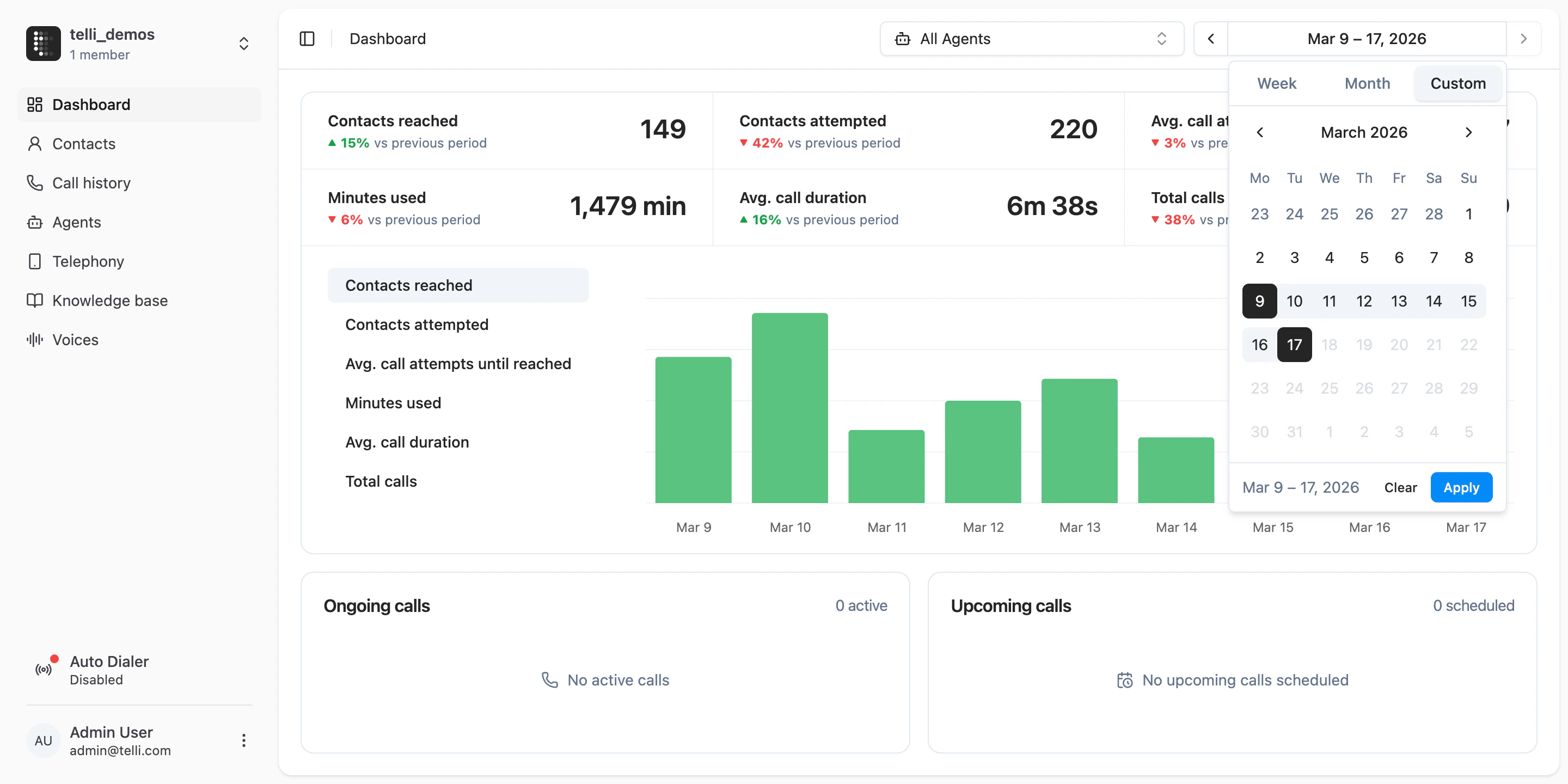
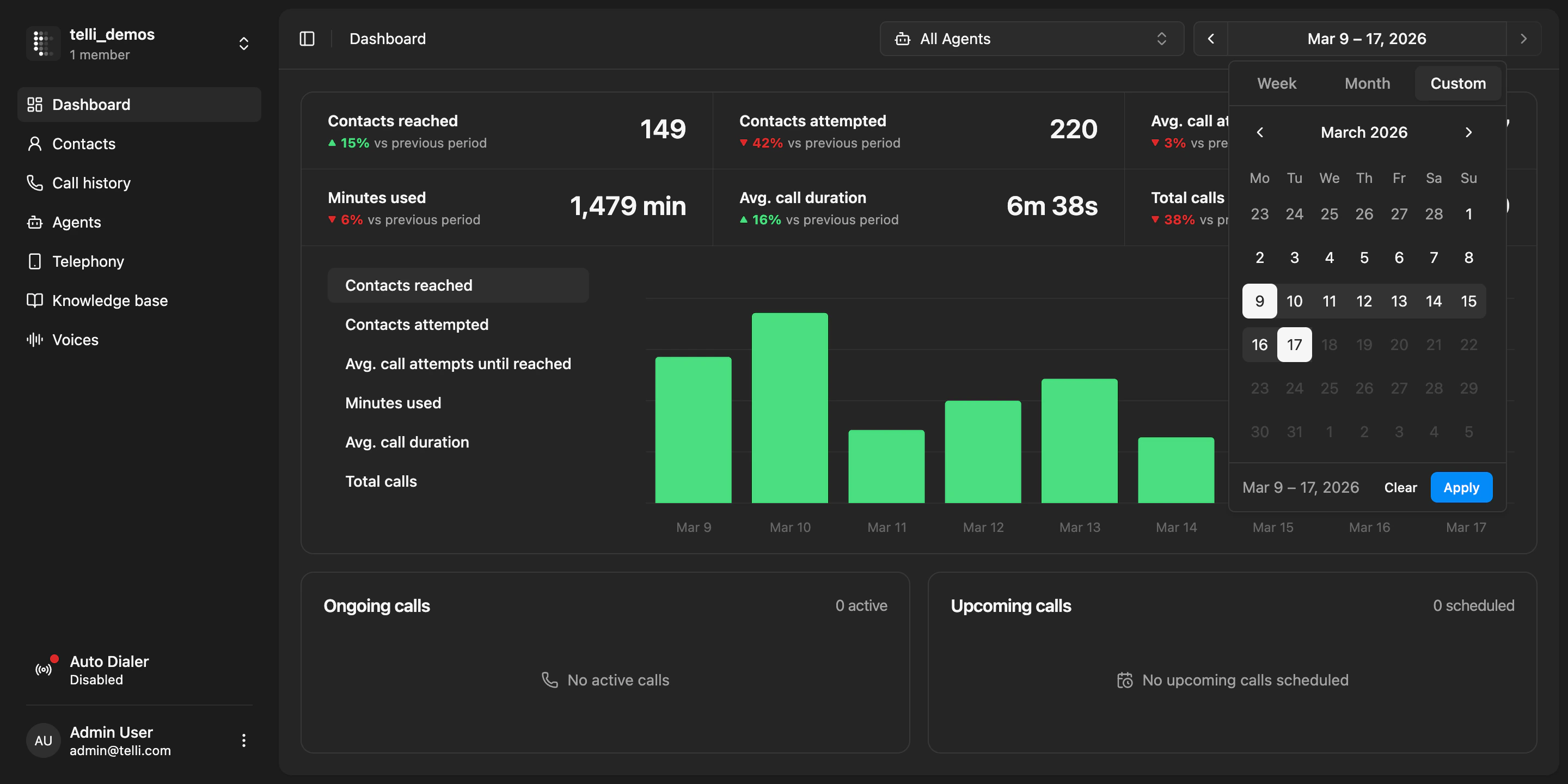
Dashboard with a custom date range selected
Improvements
Improvements
- Contact source visibility is clearer across CRM-synced contacts, including manual creation, import, inbound call, and CRM sync
- Integration details now show who installed an integration, making setup ownership easier to understand
- Contact properties are now easier to create and manage directly in the UI
- Salutations are now inferred across supported languages, not just German
- API key rotation is now presented more clearly as a destructive action before the current key is invalidated
Fixes
Fixes
- Scheduled call times no longer appear in the past across accounts
- Long agent names no longer break the picker in call scheduling flows
Agent-level dialing windows and dashboard improvements
You can now set dialing windows per agent instead of only at the account level. In the agent settings under “Auto Dialer”, choose “Override dialing windows” to define a custom schedule for that specific agent. This is useful when different agents serve different regions or should dial at different times of day.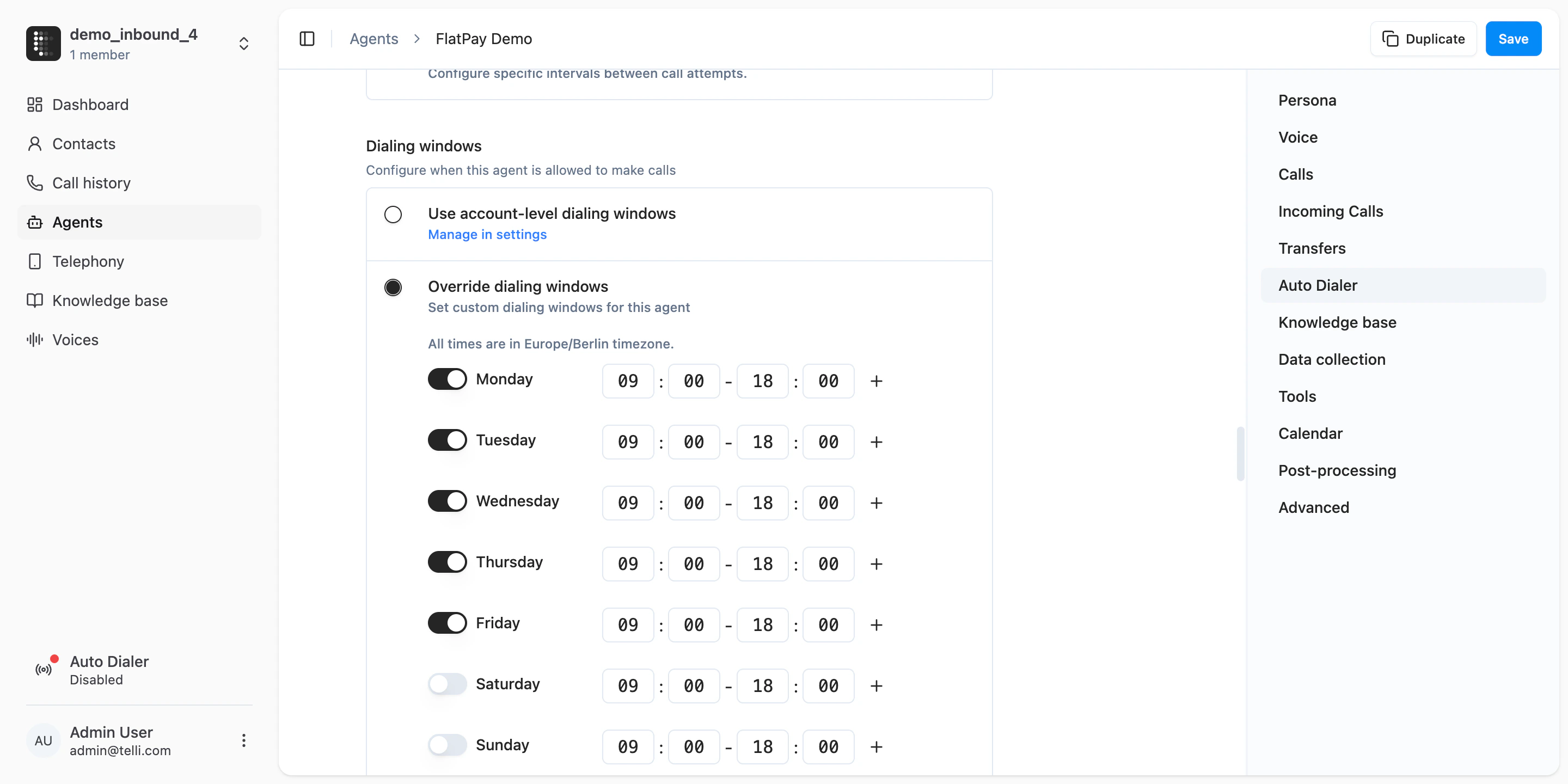
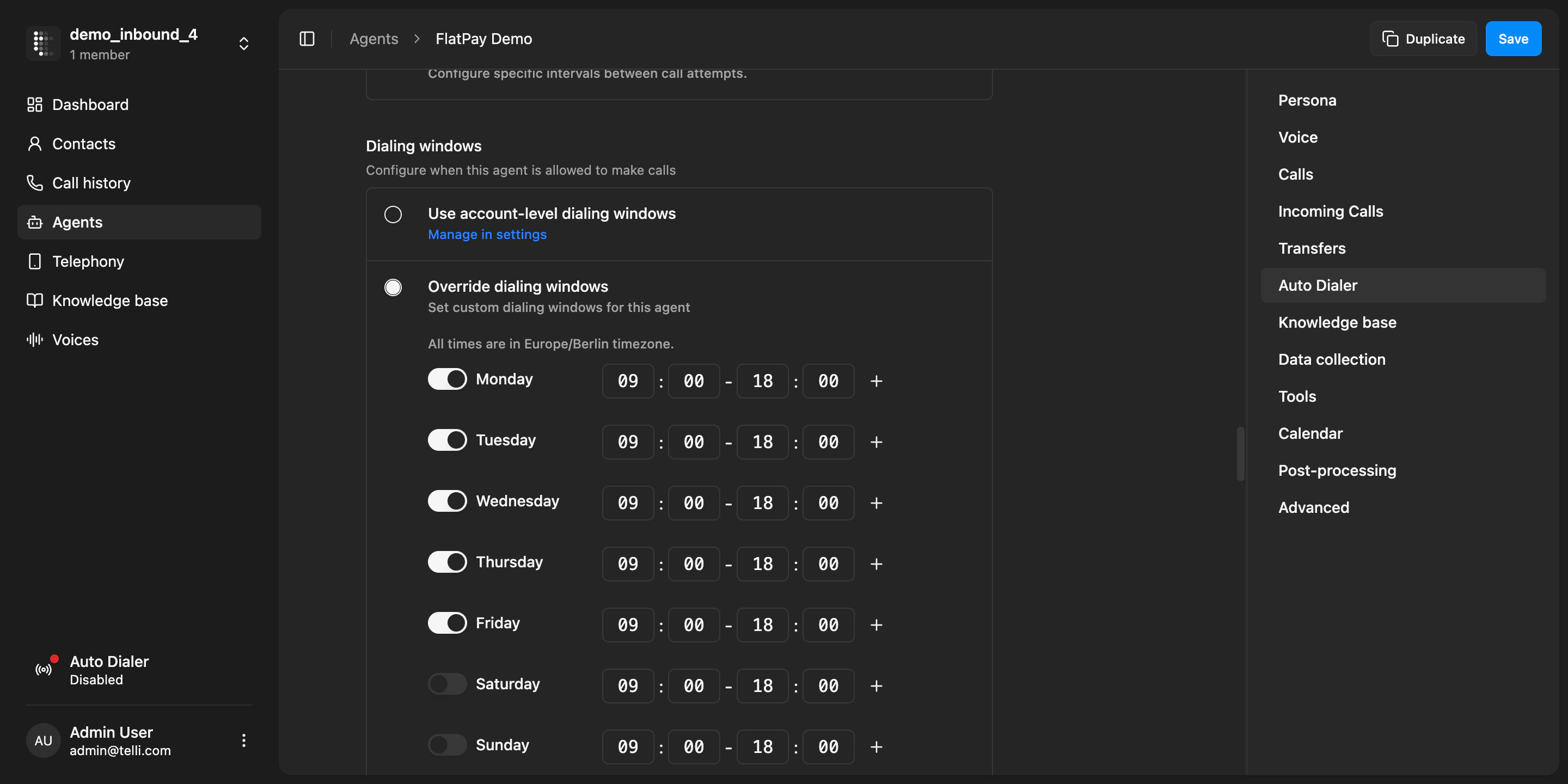
Agent-level dialing windows configuration
Improvements
Improvements
- The dashboard now shows 6 key metrics instead of 4, with improved layout and better use of space
- Dashboard charts show skeleton loading states while data is being fetched
- Infrastructure improvements to the outbound call scheduler for higher throughput on large campaigns
- You can now search calls in the telephony page
Fixes
Fixes
- Fixed dashboard not being scrollable when there are many call outcomes
- Fixed contact search breaking when the query contains special characters
- Fixed contact sheet not warning about unsaved changes when closing
Agent data collection and more languages
You can now configure your agent to collect structured data from callers during a conversation. In the agent settings under “Data collection”, define tasks for emails, license plates, or custom fields with validation rules. The agent will naturally ask for and confirm each piece of data during the call. After the call, collected values appear in the call details with status indicators.More languages
telli agents now support 7 additional languages: Romanian, Swedish, Lithuanian, Hungarian, Bulgarian, Croatian, and Greek. You can set any of these in your agent’s language settings.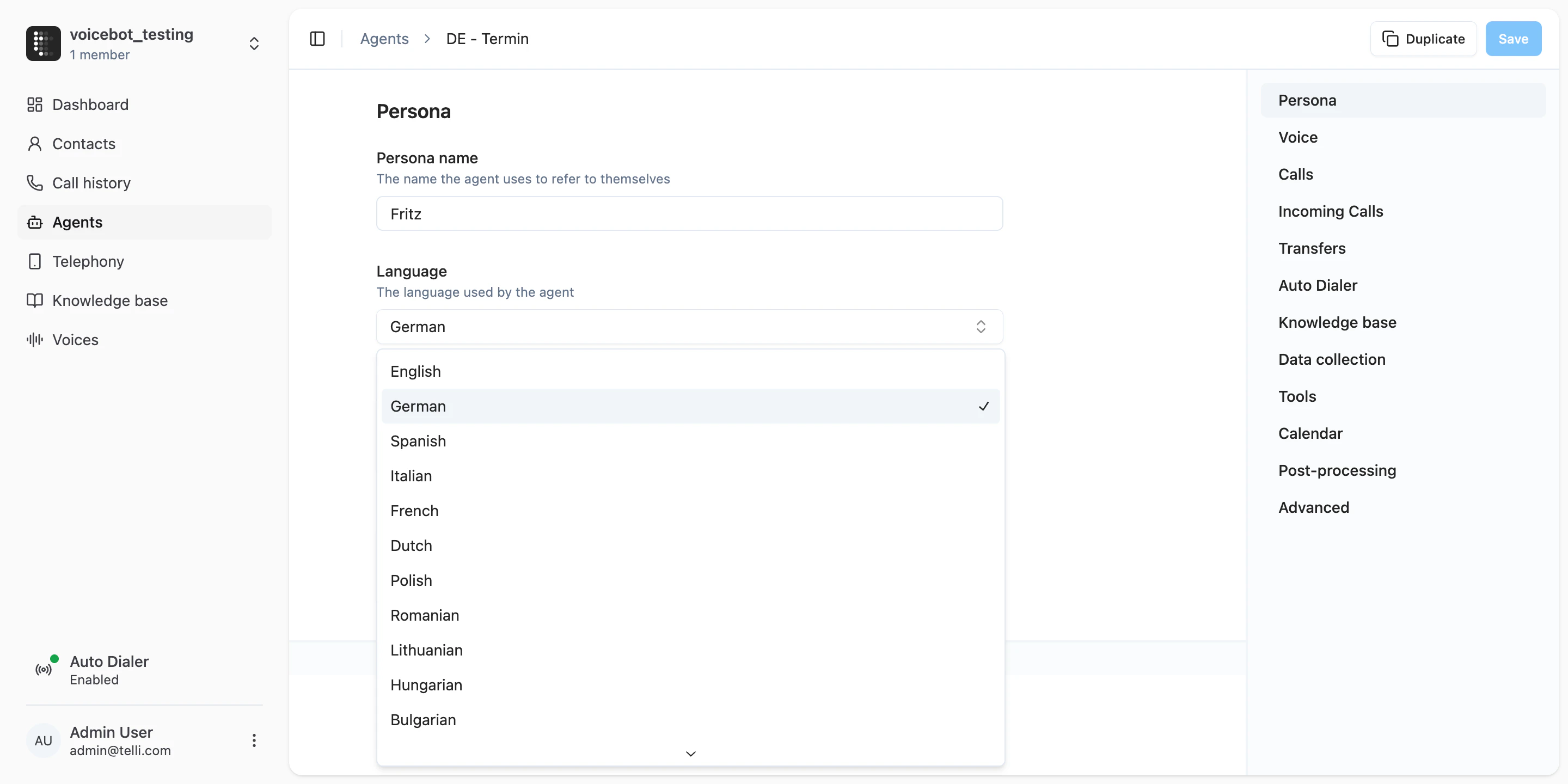
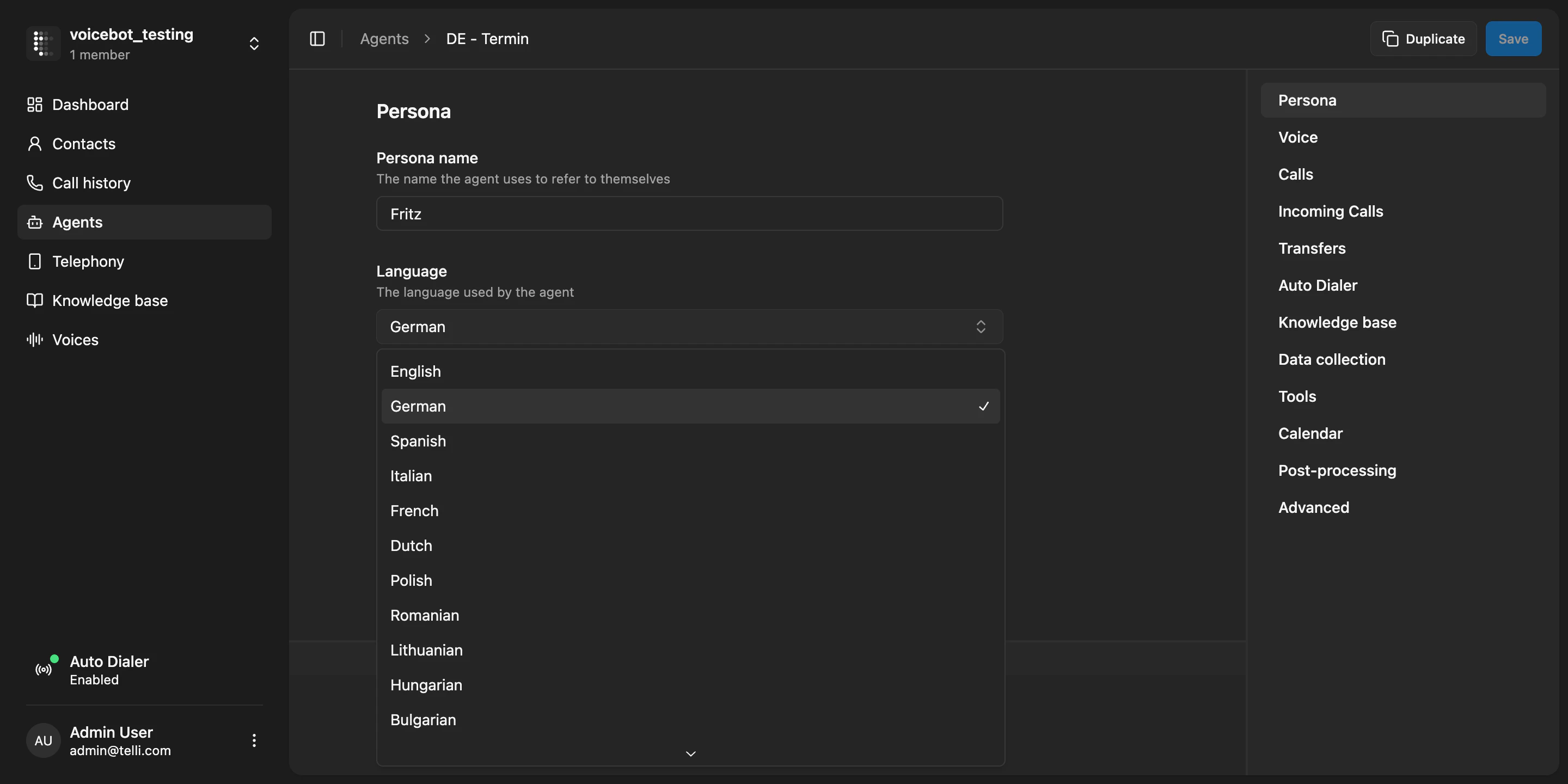
Expanded language selection in agent settings
Improvements
Improvements
- The contacts table now shows the total number of contacts, so you always know how many records you have
- Voicemail messages can now be limited to the first call attempt only, instead of leaving a message on every retry
- The default app theme now follows your system preference instead of defaulting to light mode
- The contacts table now has proper pagination with page navigation
Fixes
Fixes
- Fixed scrambled table columns on narrow screen widths
- Fixed cursor pagination losing precision on large contact lists
- Fixed breadcrumb and flag icon shrinking in the contacts table
- Fixed scrolling issues in the settings page tabs
- Fixed cropped column names during CSV import
- Fixed error when importing CSV files with duplicate external IDs
- Internal tokens like [endCall] are no longer spoken aloud by the agent