

Prerequisites
- A telli account with API access
- A CRM system (e.g., Airtable, Salesforce, HubSpot, Pipedrive) or automation platform (Zapier, Make, n8n)
- A webhook endpoint URL from your CRM or automation platform
Setup to receive call data in your CRM
Webhooks enable telli to automatically send call data to your CRM in real-time. When calls complete, telli sends POST requests to your webhook endpoint with complete call information, transcripts, and analysis results. This allows you to automatically update CRM records with call outcomes, qualify leads, and track contact status without manual data entry. You can configure one endpoint per service to listen to all event types. This means your CRM will automatically receive data about calls and their analysis in real-time, keeping your customer records always up to date.Setting Up Webhooks for Your CRM
To automatically sync call data to your CRM:- In your CRM or automation platform (Zapier, Make, n8n), create a webhook endpoint and copy the URL
- In telli, go to Settings > Developer and click “Configure” under “Webhook configuration”
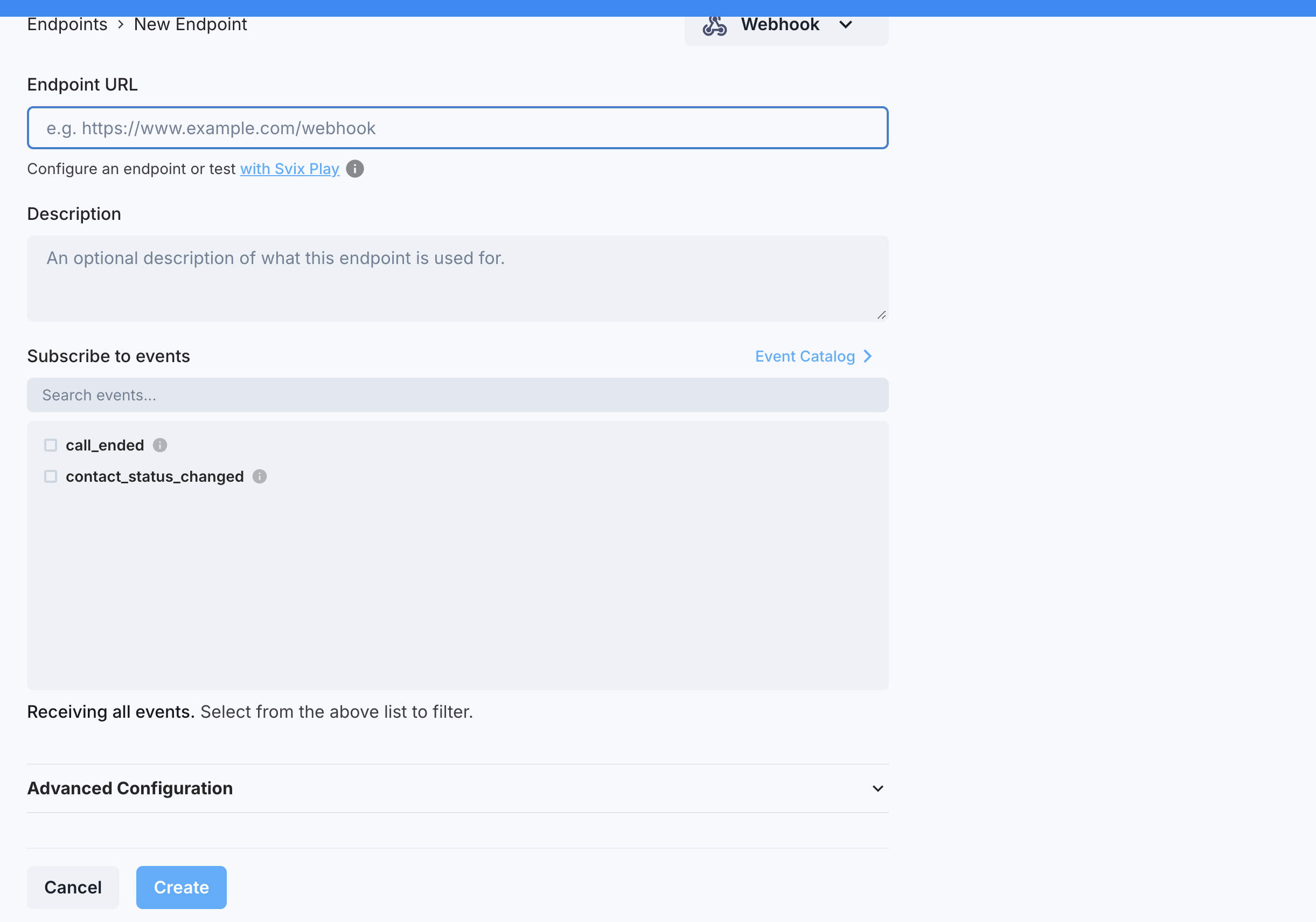
- Click “Add Endpoint” and paste your CRM’s webhook URL
- Enable the events you want to receive (e.g. “call_ended” to update CRM records when calls complete)
- Make a test call using your telli account
- Verify that the webhook triggered and your CRM record was updated automatically
How to add an endpoint
How to add an endpoint
To connect your CRM to telli, you’ll need to configure a webhook endpoint. This is the URL where telli will send call data to update your CRM records.In telli, go to Settings > Developer and click “Configure” under “Webhook configuration” to access the webhook portal.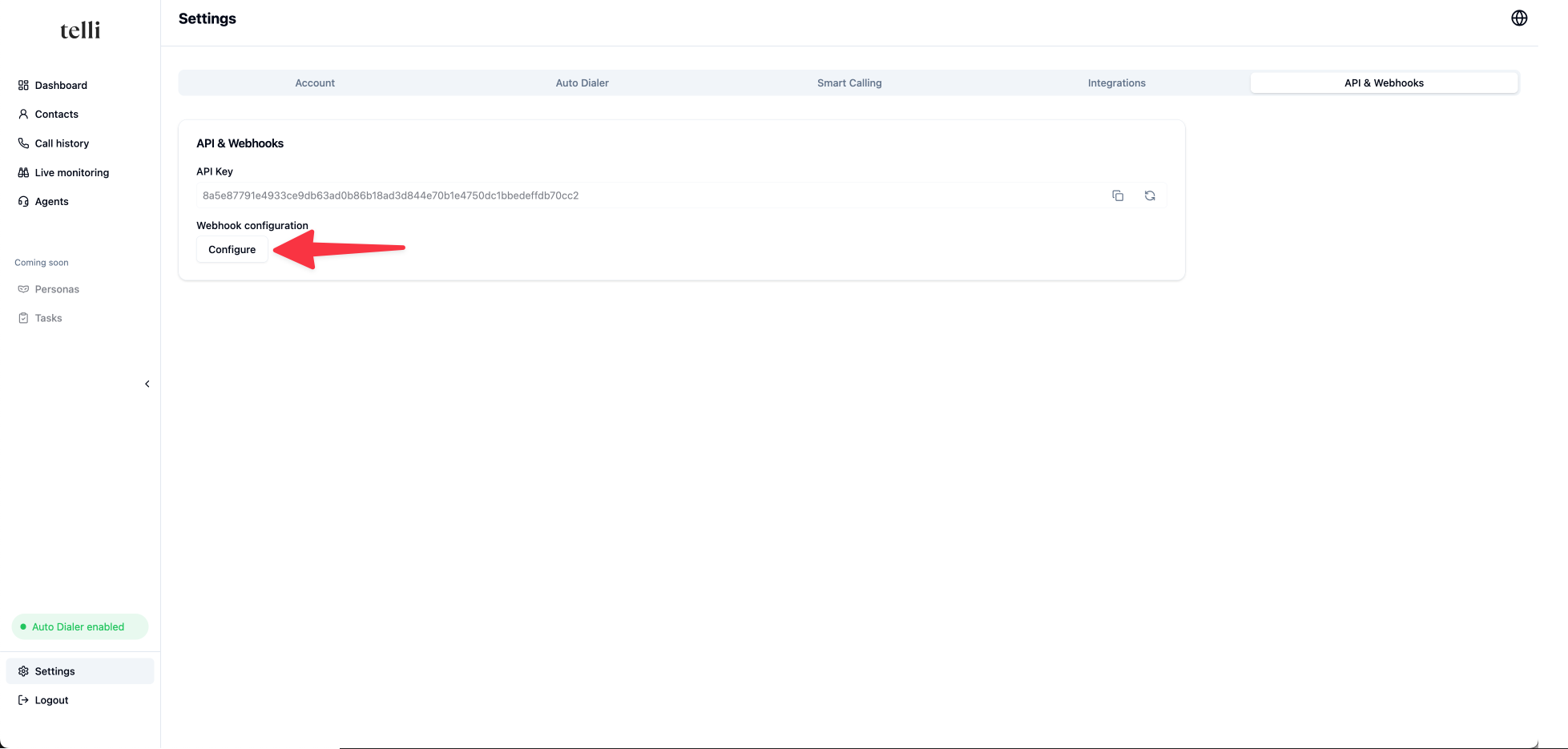
Events
We support the following webhook events:- call_ended: Triggered when a call completes, including transcript and analysis
- auto_dialer_status_changed: Triggered when a contact enters or exits the auto dialer
- contact_status_changed: Deprecated contact status event; removed July 1, 2027
Call Ended Event
When a call is completed and analyzed, telli automatically sends a webhook to your CRM with detailed information about the call. This includes the transcript, analysis results, and complete contact information, allowing you to update CRM records with call outcomes, qualify leads, and track customer interactions automatically. Status Thecall_ended payload describes the outcome of the call with three fields:
state: where the call is in its lifecycle. One ofqueued,ringing,in_progress, orended.status: what happened once the call ended.nulluntil the call has ended, then one of:connected: a conversation occurred with the contactnot_connected: we weren’t able to reach the contactvoicemail: we reached the contact’s voicemailfailed: an error occurred during the call
follow_up: the follow-up telli scheduled from the call, ornullif none. When present it is{ "type": "agent_follow_up", "scheduled_at": "<ISO timestamp>" }.
call_status field can be one of the following:
COMPLETED: A conversation occurred with the contactANSWERED: A call occurred but another attempt will be made to reach the contactNOT_REACHED: We weren’t able to reach the contactVOICEMAIL: We got the voicemail of the contactERROR: An error occurred in the call
-
call_outcome: custom call analysis fields that you can configure in the telli app -
call_analysis: system-provided call analysis fields Notice that thecall_analysisformat is different from thecall_outcomeformat:
collected_data field contains data actively collected and confirmed with the caller during the call:
status:"confirmed"|"declined"|"error"|"in_progress"value: the collected string, ornullif not collected
collected_data is null.
View call_ended event payload example
View call_ended event payload example
Contact Status Changed Event
The contact status changed event automatically updates your CRM as contacts progress through calling campaigns. Each contact moves through different states, and your CRM is notified in real-time so you can track lead progression and prioritize follow-ups.Contact Statuses
Contacts can have the following statuses:new: Contact has not been called yetpending: Contact is in dialer and we are trying to reach themclosed: Dialer was exhausted and we are not trying to call them anymorereached: Contact was reached and had a conversation. We are not trying to call them anymore
View contact_status_changed event payload example
View contact_status_changed event payload example
Security and Reliability
Verifying Signatures
To ensure webhook messages updating your CRM are actually from telli and not a malicious actor, you should verify webhook signatures. This is optional but recommended for production CRM integrations. For a more detailed explanation, check out this article on why you should verify webhooks.Node.js example
Node.js example
Hint: Disable CSRF protection for your endpoint to allow webhook POST requests
Retries
Retries
Automatic Retries
We attempt to deliver each webhook message based on a retry schedule with exponential backoff.The scheduleEach message is attempted based on the following schedule, where each period is started following the failure of the preceding attempt:- Immediately
- 5 seconds
- 5 minutes
- 30 minutes
- 2 hours
- 5 hours
- 10 hours
- 10 hours (in addition to the previous)
Manual Retries
You can also use the webhook portal to manually retry each message at any time, or automatically retry (“Recover”) all failed messages starting from a given date.Reliability Features:- Automatic retries: Failed webhook deliveries are retried with exponential backoff
- Manual recovery: Retry failed messages through the webhook portal