> ## Documentation Index
> Fetch the complete documentation index at: https://docs.telli.com/llms.txt
> Use this file to discover all available pages before exploring further.
# Phone Numbers
> Buy and manage phone numbers directly in telli
To buy phone numbers on our platform, you first need an approved regulatory bundle to verify.
> Estimated setup time: 5–7 minutes (if you have your documents ready)
## Essential Documents
To create a regulatory bundle, have one of the following ready:
* Excerpt from the commercial register (Handelsregisterauszug), or
* Gewerbeanmeldung / GewerbeUmmeldung / Empfangsbescheinigung für Gewerbeanmeldung
These documents must:
* Show your correct legal business name and identification number (e.g. HRB numbers in Germany)
* Show your registered business address (no PO box)
* Match the data you enter in the regulatory bundle (name, address, registration info)
## Creating a Regulatory Bundle in telli
In the telli dashboard:
1. Go to the “Telephony” section
2. Switch to the “Business Verifications” tab
3. Click “Add New Verification”
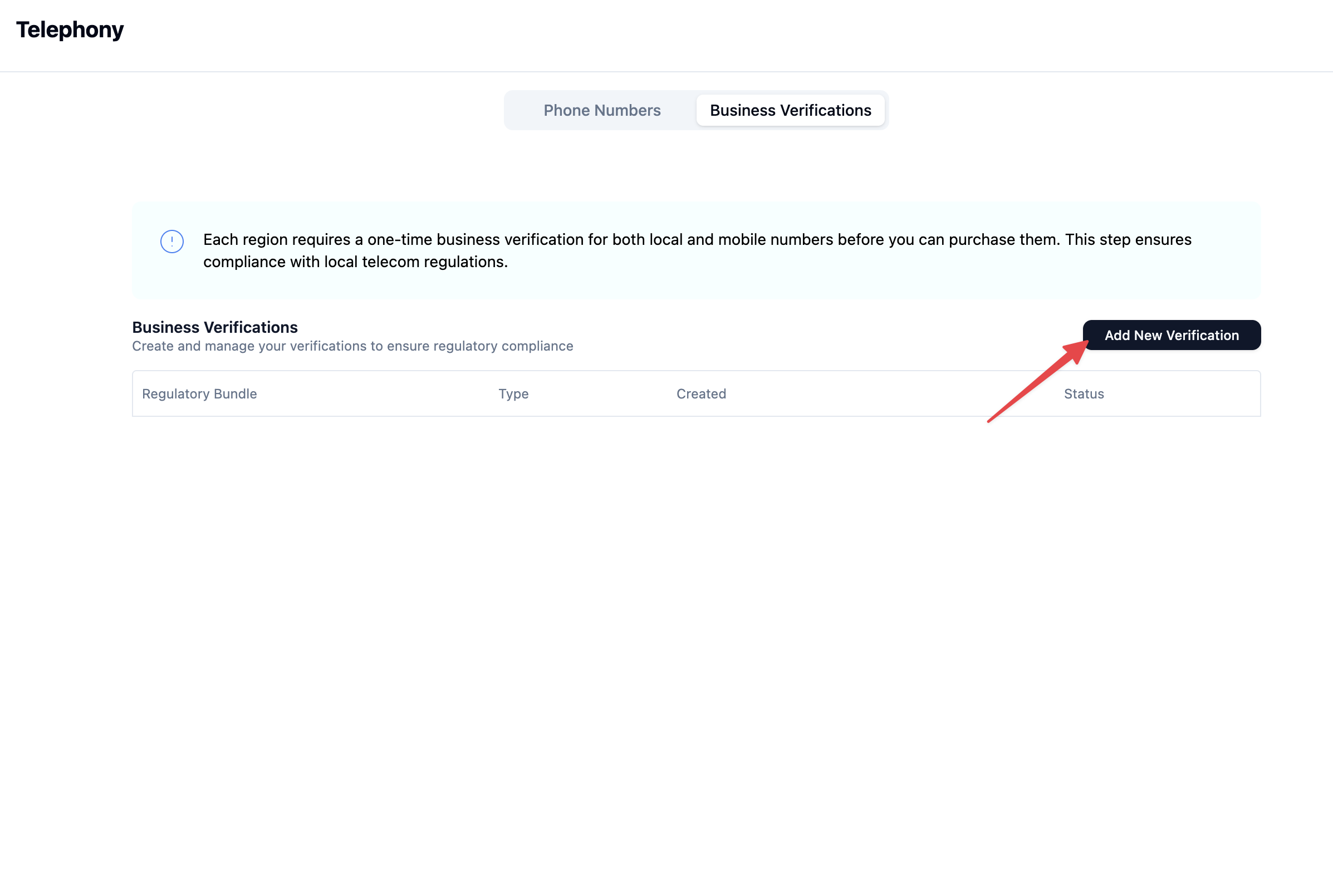 4. Select:
* The country in which your business is registered and for which you want to buy phone numbers
* Give the verification a name as the internal identifier (use something descriptive here, this should give an information on what you applied for e.g. “ABC GmbH Local”)
* Type: Local or Mobile (depending on what you want)
4. Select:
* The country in which your business is registered and for which you want to buy phone numbers
* Give the verification a name as the internal identifier (use something descriptive here, this should give an information on what you applied for e.g. “ABC GmbH Local”)
* Type: Local or Mobile (depending on what you want)
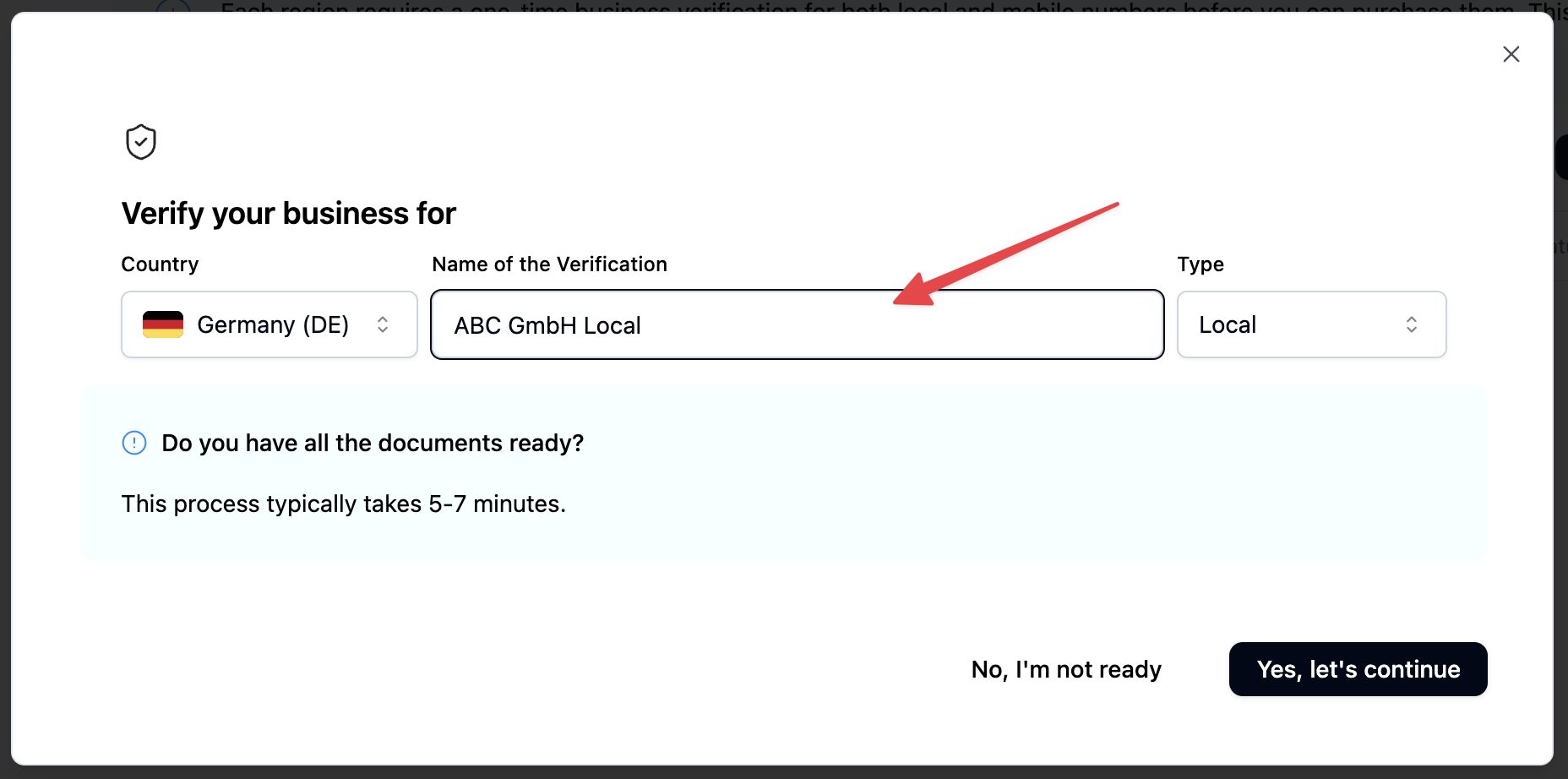 5. Fill in all required fields (business details, address, registration info, contact person)
**Remember: The busines address must be within locality or region covered by the phone number's prefix; a PO Box is not acceptable. Must match the address appearing on the official registration document.**
5. Fill in all required fields (business details, address, registration info, contact person)
**Remember: The busines address must be within locality or region covered by the phone number's prefix; a PO Box is not acceptable. Must match the address appearing on the official registration document.**
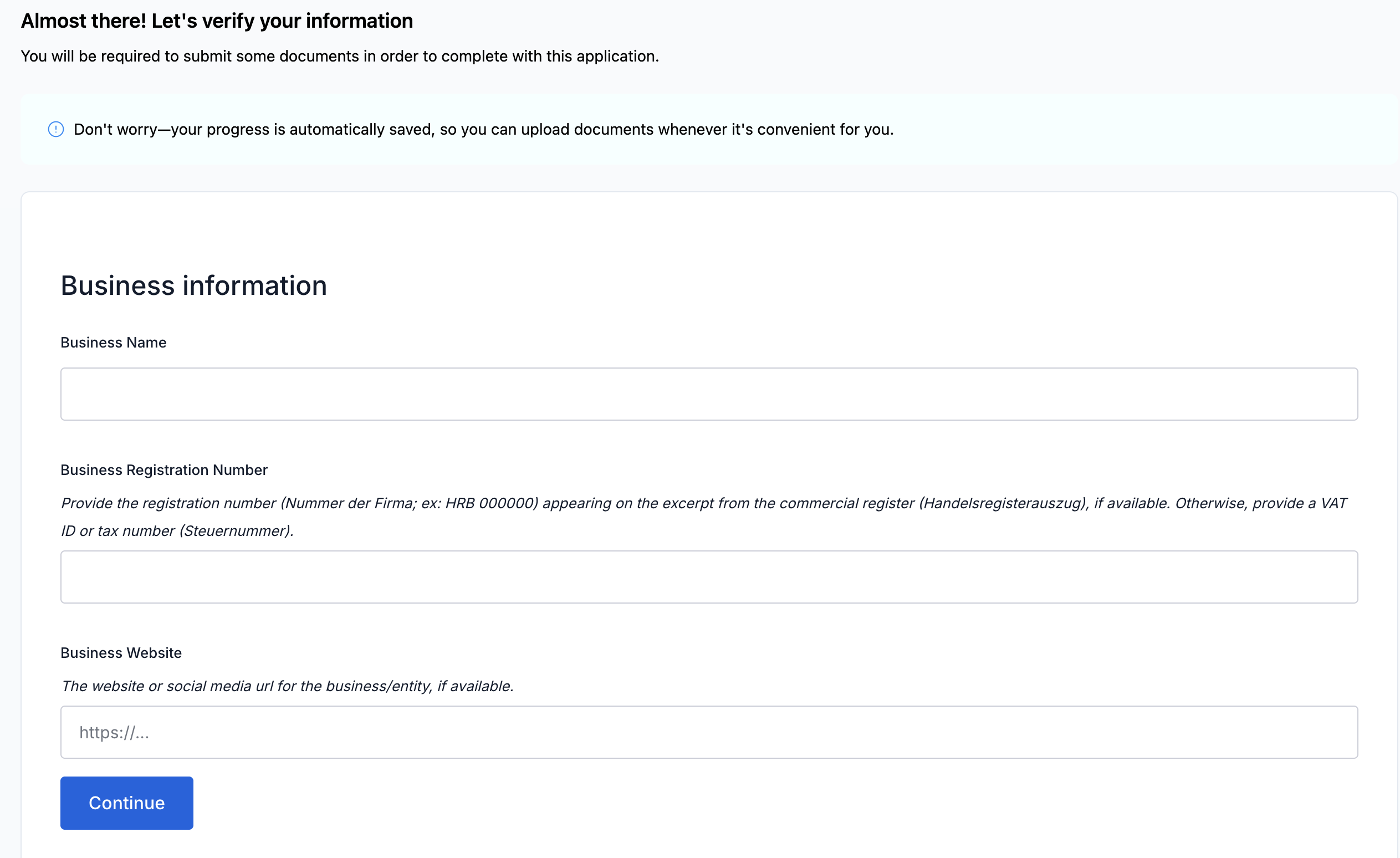 You are also asked to provide an authorized representative, an individual given the legal authority to act on behalf of the business:
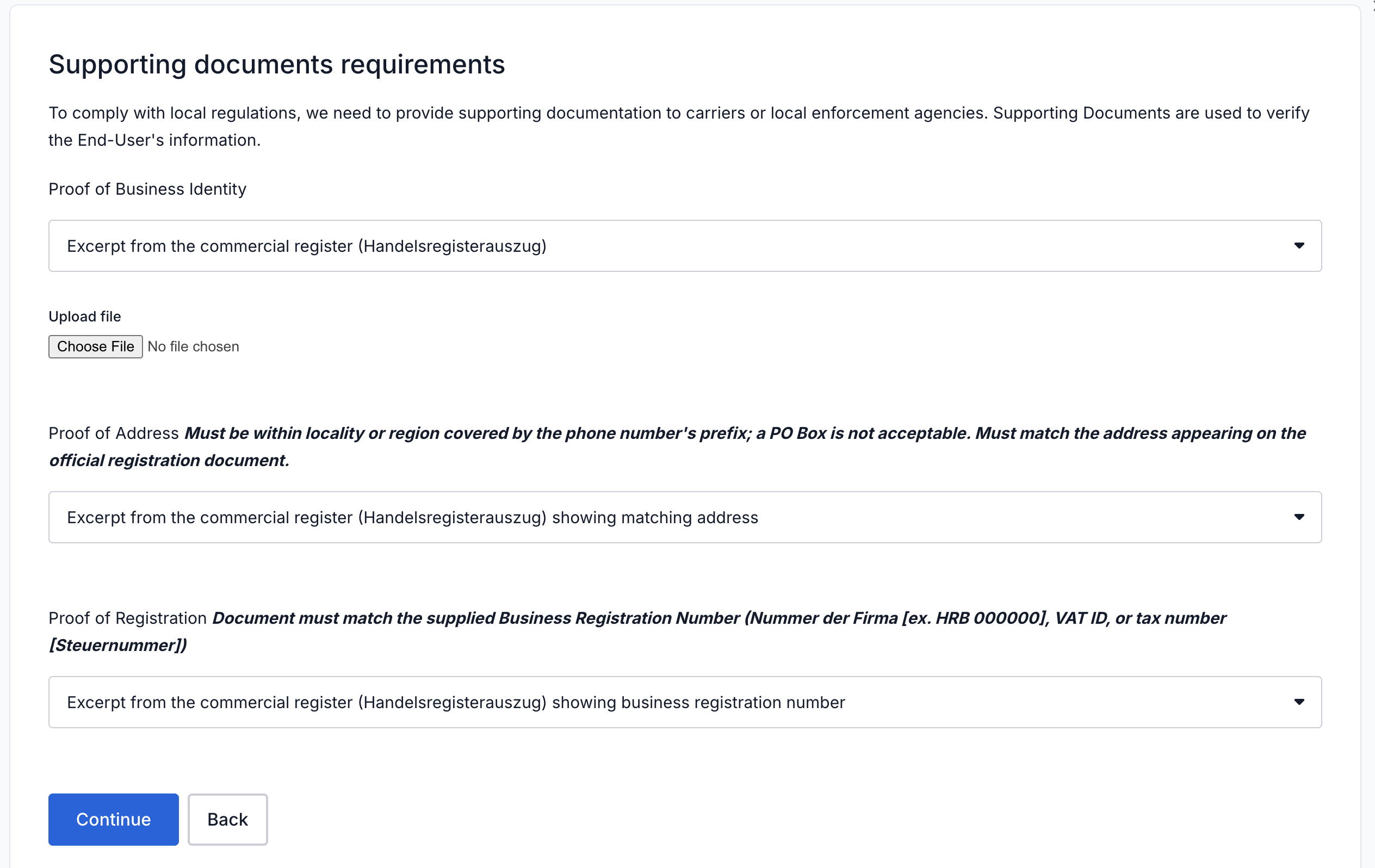
 6. Upload your documents (e.g. Handelsregisterauszug or Gewerbeanmeldung), choose one of the options from the drop-down, depending on what you have available:
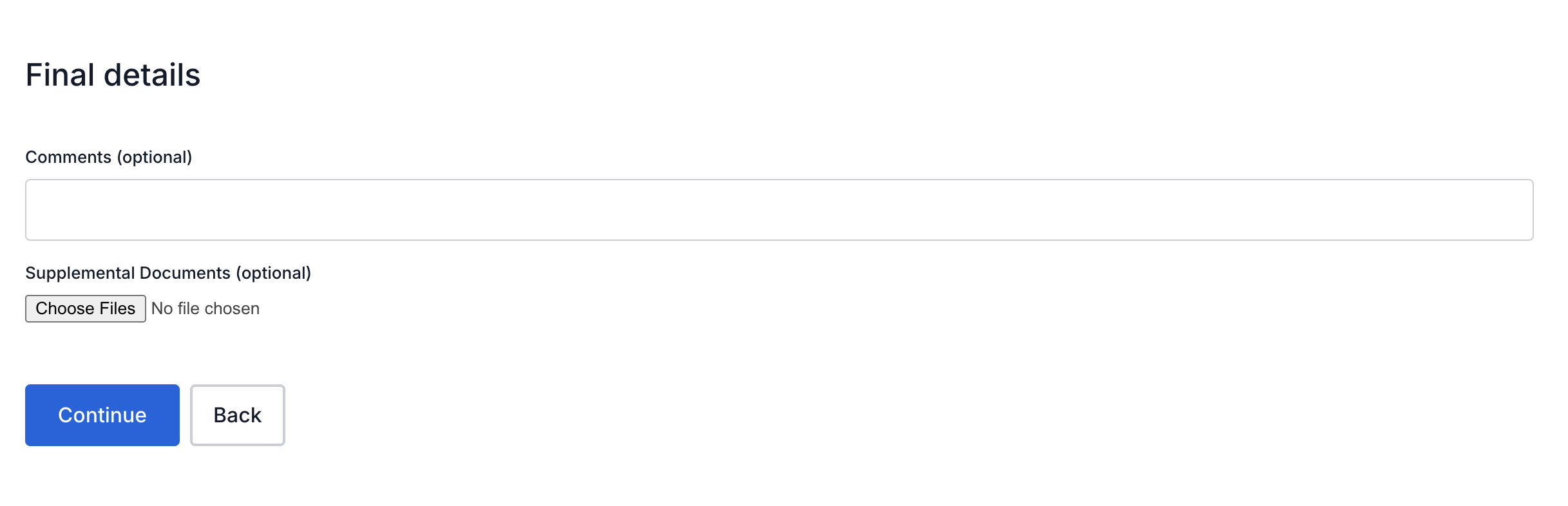
 Feel free to just leave this empty and finish the application:
 7. Submit and wait for approval (usually 1-2 business days)
Once successful, you should see a success screen - you’re good to go for now.
7. Submit and wait for approval (usually 1-2 business days)
Once successful, you should see a success screen - you’re good to go for now.
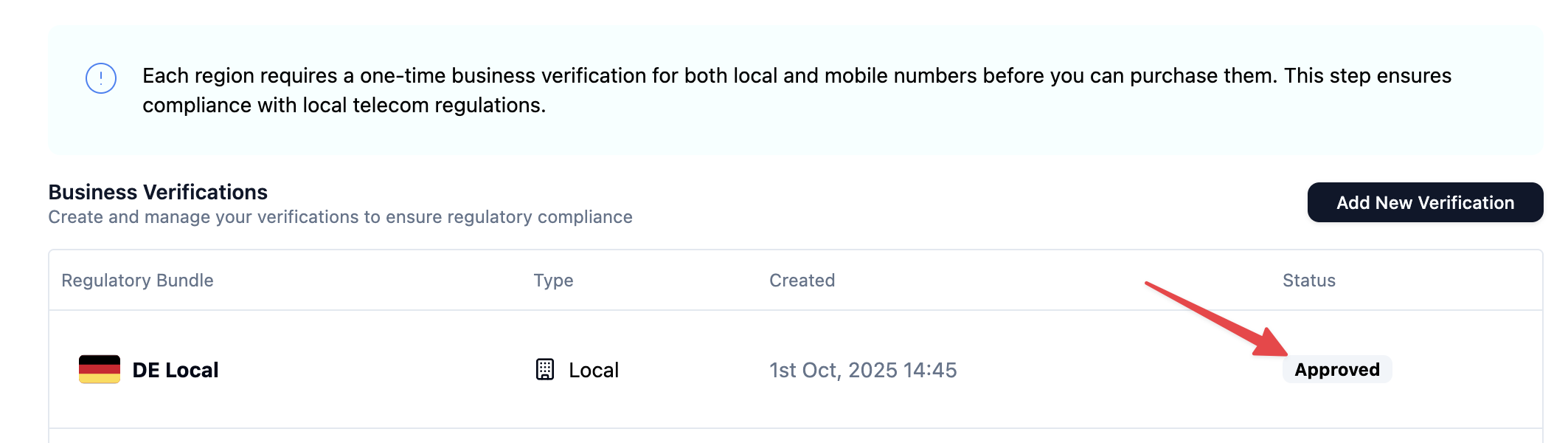
 Once approved, you can select this bundle when buying German numbers in the Numbers section. This usually takes around 1-2 business days and should be indicated by the “Approved” badge in the bundles overview:
 Now you could proceed with the next step, in particular:
## Buying a Phone Number in telli
In the telli dashboard:
1. Go to the “Telephony” section
2. Switch to the “Phone Numbers” tab
3. Click “Buy New Number”
4. Select:
* The country of your registered/approved bundle
* Type: Local or Mobile (depending on what you applied for in the regulatory bundle)
Now you could proceed with the next step, in particular:
## Buying a Phone Number in telli
In the telli dashboard:
1. Go to the “Telephony” section
2. Switch to the “Phone Numbers” tab
3. Click “Buy New Number”
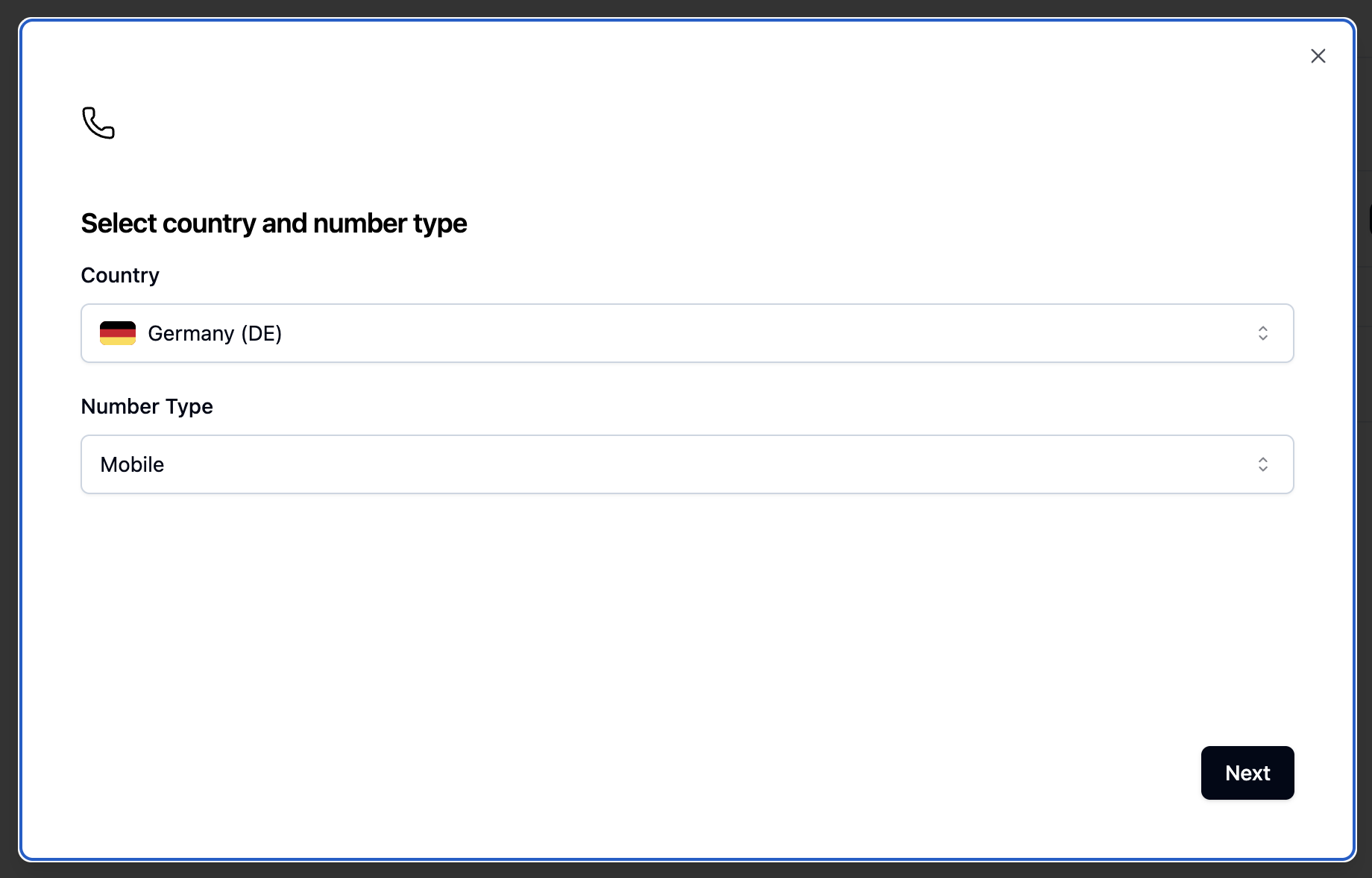
4. Select:
* The country of your registered/approved bundle
* Type: Local or Mobile (depending on what you applied for in the regulatory bundle)
 5. Optional: If you have multiple approved bundles, choose the applicable one
6. Depending on whether you applied for a local or mobile bundle:
* **Local**: Enter the number prefix of the region of your approved bundle (e.g. 030 Berlin → enter “30”, leave the 0 out)
* **Mobile**: Enter “1” as a Prefix for mobile phone numbers
5. Optional: If you have multiple approved bundles, choose the applicable one
6. Depending on whether you applied for a local or mobile bundle:
* **Local**: Enter the number prefix of the region of your approved bundle (e.g. 030 Berlin → enter “30”, leave the 0 out)
* **Mobile**: Enter “1” as a Prefix for mobile phone numbers
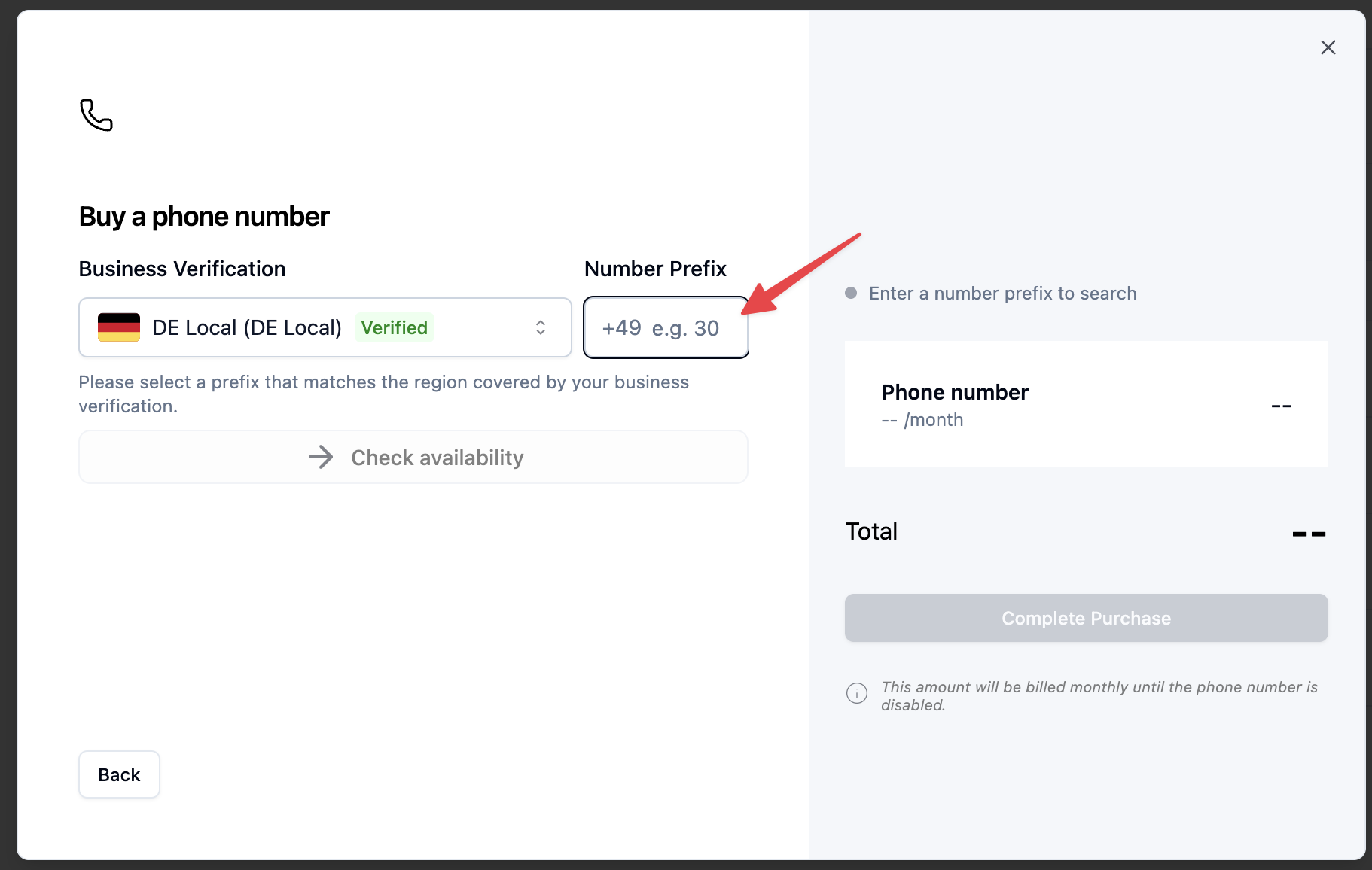
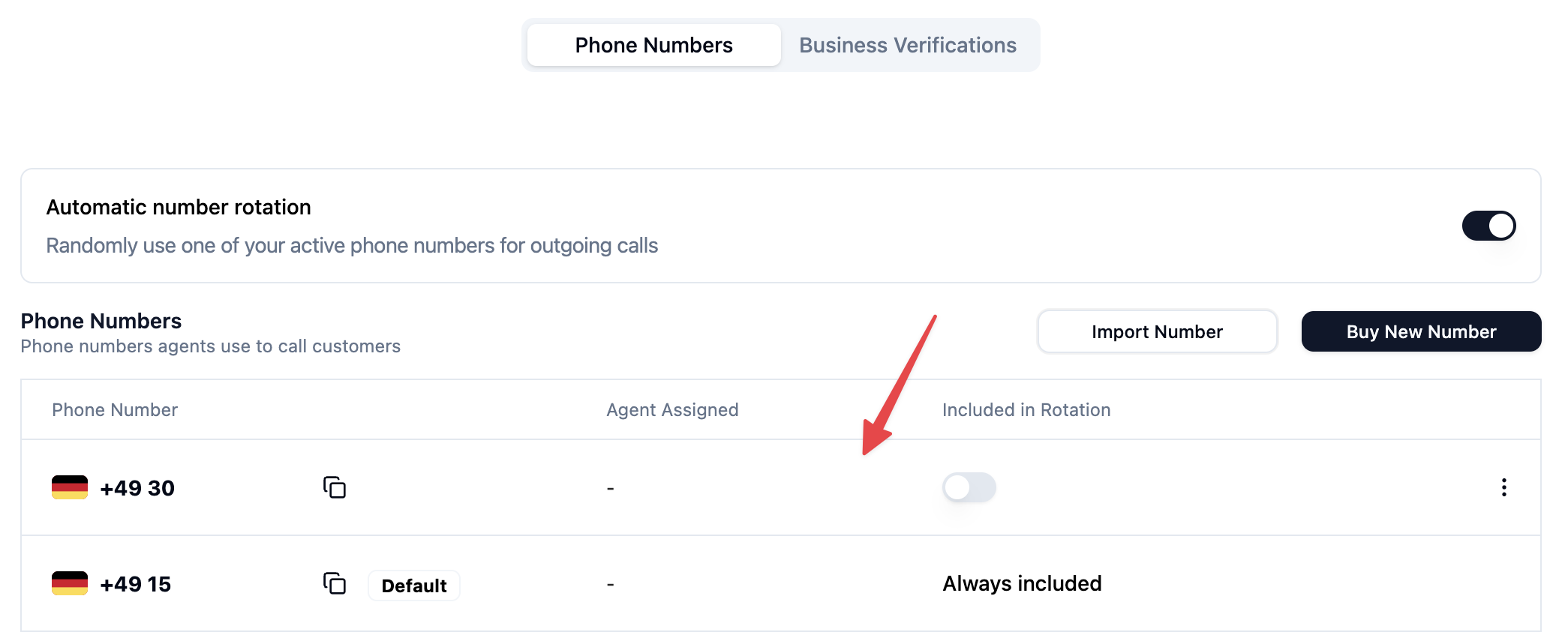
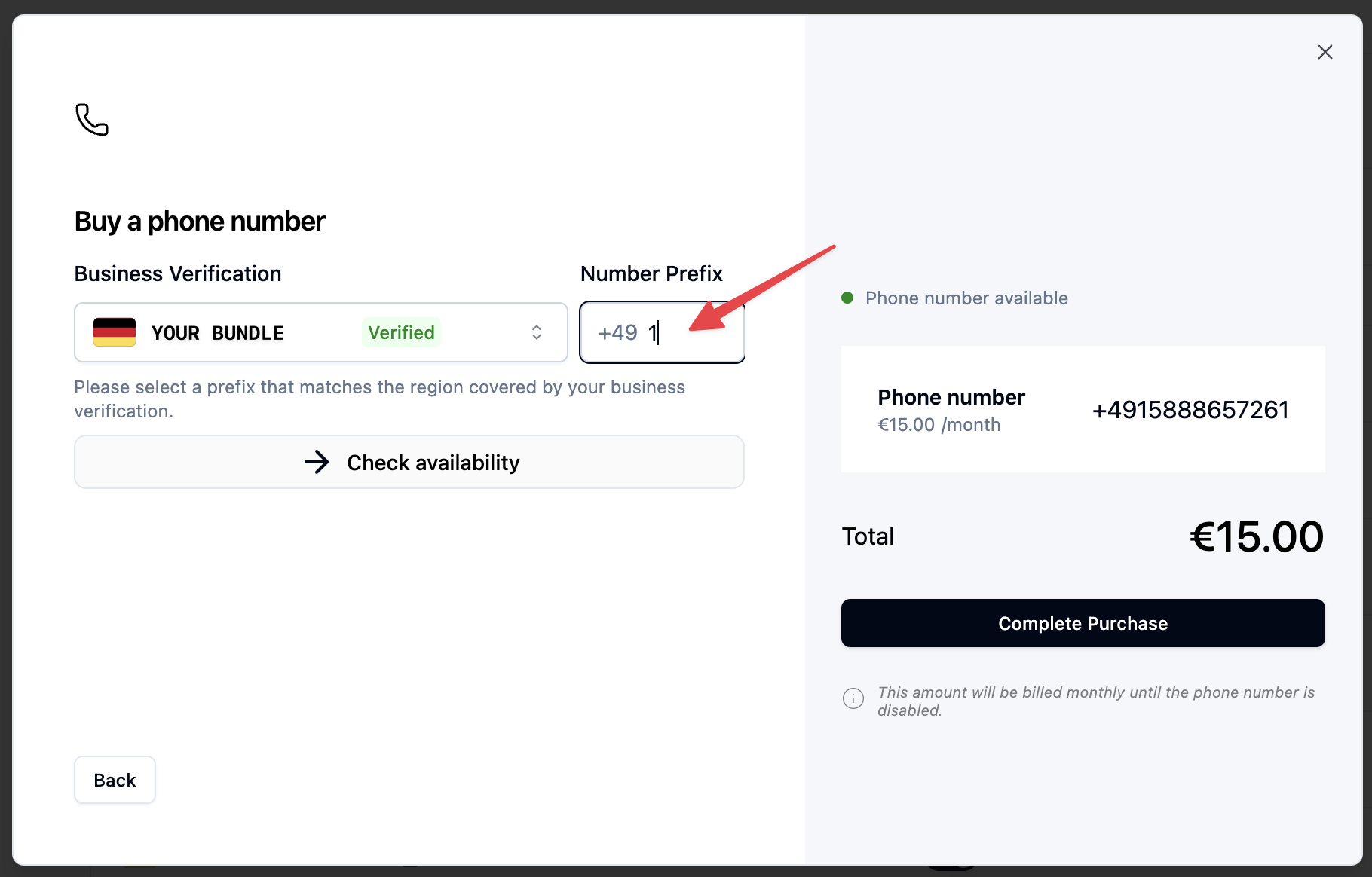 Click “Complete Purchase” to buy the phone number. The shown number should now appear in your phone number overview in the list and is immediately available for call operations.
 Here’s a great article from Twilio on regulatory guidelines for specific local phone number regulations:
[https://www.twilio.com/en-us/guidelines/regulatory](https://www.twilio.com/en-us/guidelines/regulatory)
Here’s a great article from Twilio on regulatory guidelines for specific local phone number regulations:
[https://www.twilio.com/en-us/guidelines/regulatory](https://www.twilio.com/en-us/guidelines/regulatory)