> ## Documentation Index
> Fetch the complete documentation index at: https://docs.telli.com/llms.txt
> Use this file to discover all available pages before exploring further.
# n8n
> This tutorial demonstrates how to use the verified telli node in [n8n](https://n8n.io) to automate adding contacts, scheduling calls, and updating CRM contact status based on call outcomes.
 ## Prerequisites
* Accounts at [telli](https://telli.app) and [n8n](https://n8n.io)
* API key from your telli dashboard (Settings > Developer)
* Verified community nodes enabled in your n8n workspace
* Enable the telli community node in your n8n workspace - see here how it's done:
## Prerequisites
* Accounts at [telli](https://telli.app) and [n8n](https://n8n.io)
* API key from your telli dashboard (Settings > Developer)
* Verified community nodes enabled in your n8n workspace
* Enable the telli community node in your n8n workspace - see here how it's done:
Follow these steps to enable and use the telli community node in your n8n workspace.
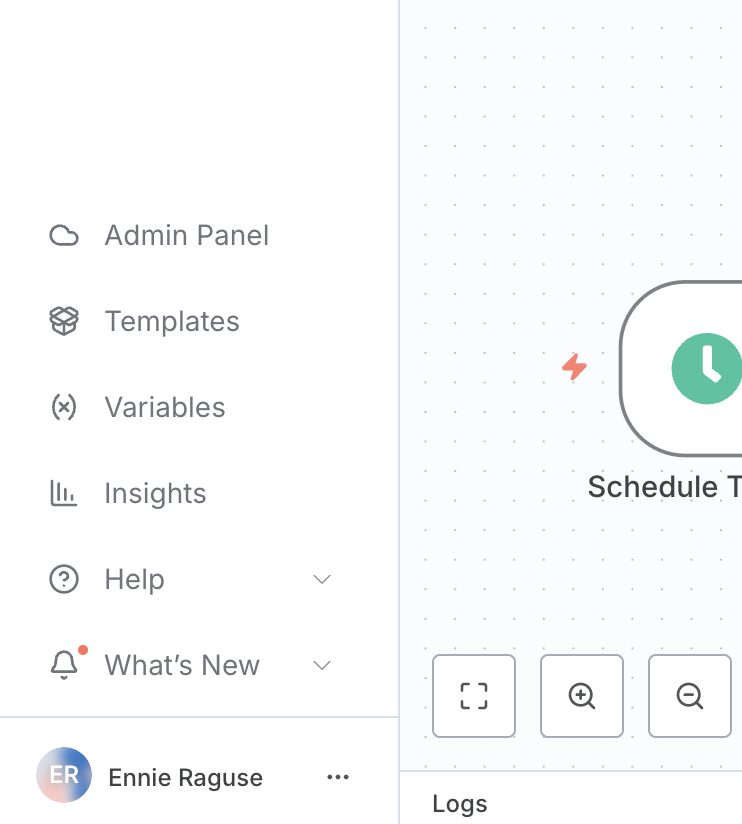
### Step 1: Access the Admin Panel
1. Log into your n8n workspace
2. In the left sidebar, click on **"Admin Panel"** (the cloud icon)
 ### Step 2: Navigate to Workspace Settings
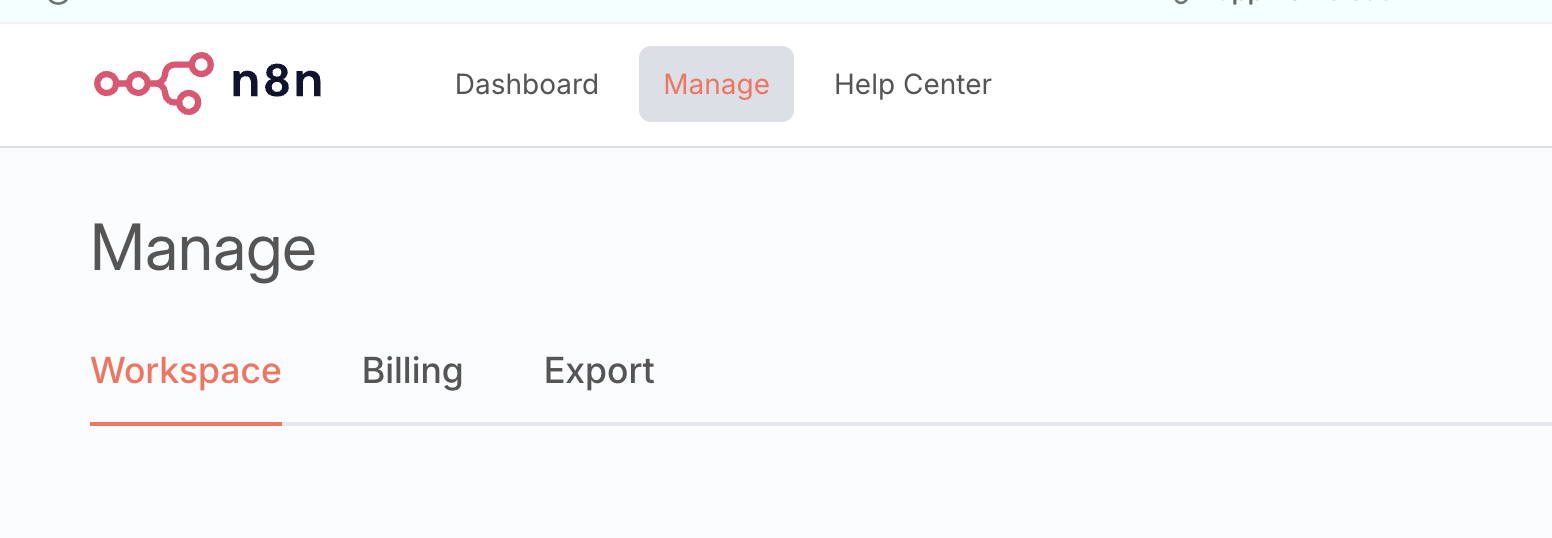
1. In the top navigation bar, click on **"Manage"**
2. In the secondary navigation bar, select **"Workspace"**
### Step 2: Navigate to Workspace Settings
1. In the top navigation bar, click on **"Manage"**
2. In the secondary navigation bar, select **"Workspace"**
 ### Step 3: Enable Verified Community Nodes
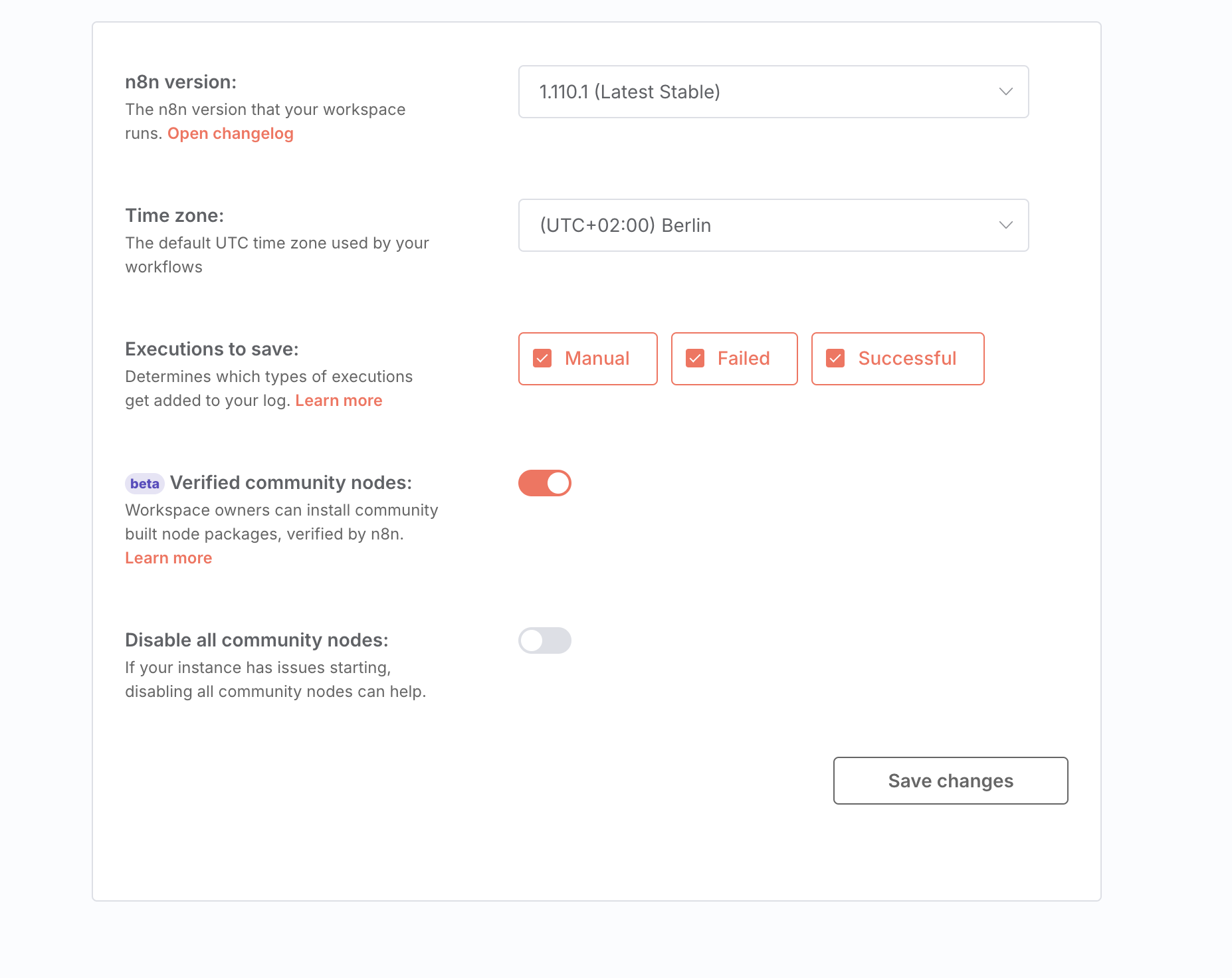
1. Scroll down to the **"Verified community nodes"** section
2. Toggle the switch to **"on"** (it should turn orange when enabled)
3. Click **"Save changes"** at the bottom right
### Step 3: Enable Verified Community Nodes
1. Scroll down to the **"Verified community nodes"** section
2. Toggle the switch to **"on"** (it should turn orange when enabled)
3. Click **"Save changes"** at the bottom right
 ### Step 4: Install and Use the telli Node
1. Go back to your workflow canvas
2. Click the **"+"** button to add a new node
3. Search for **"telli"** in the node search
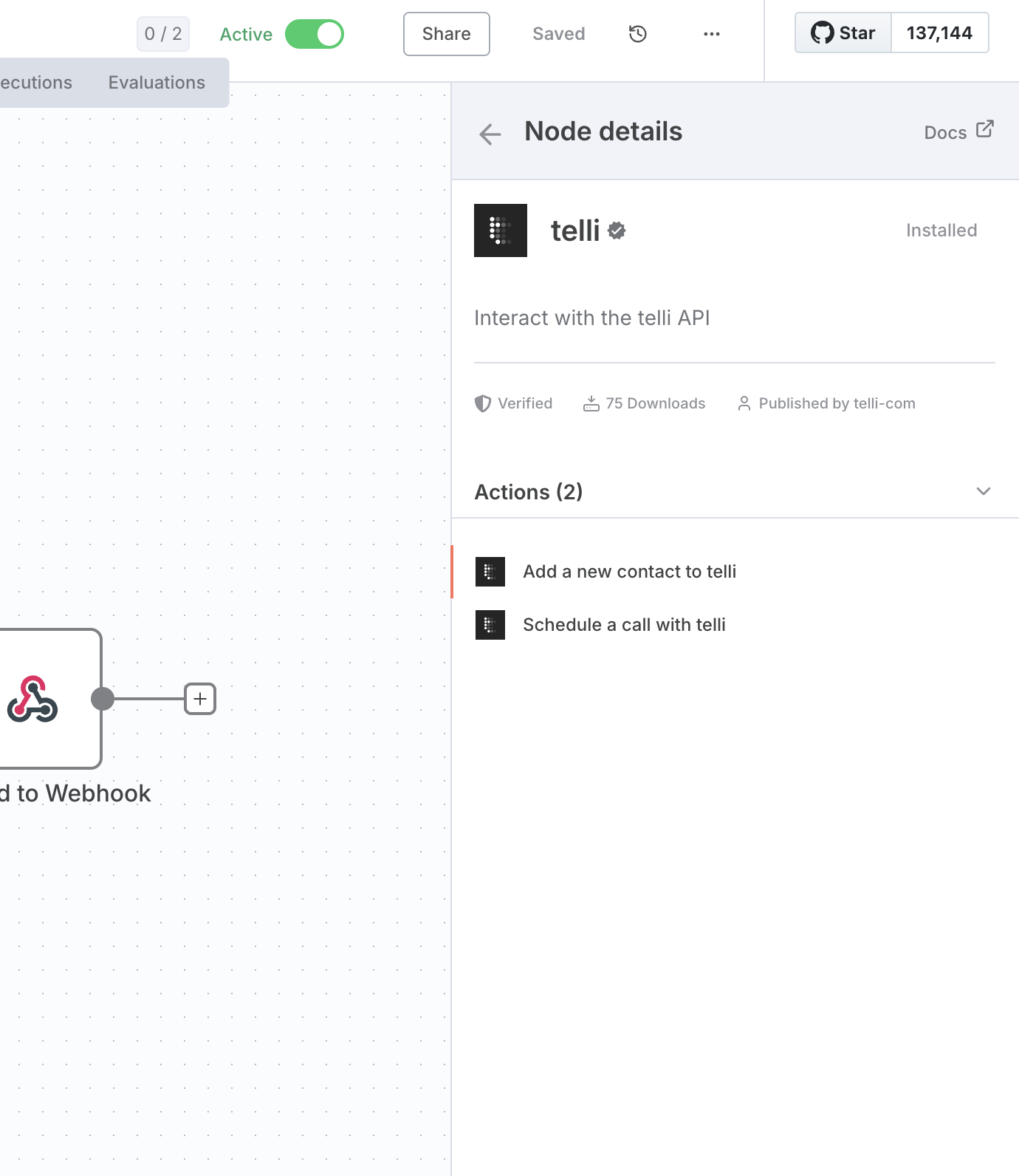
4. Select the **telli** node (it will show as verified with a green checkmark)
5. The telli node provides two actions:
* **Add a new contact to telli**
* **Schedule a call with telli**
### Step 4: Install and Use the telli Node
1. Go back to your workflow canvas
2. Click the **"+"** button to add a new node
3. Search for **"telli"** in the node search
4. Select the **telli** node (it will show as verified with a green checkmark)
5. The telli node provides two actions:
* **Add a new contact to telli**
* **Schedule a call with telli**
 ## Workflow Templates
Get started quickly with pre-built n8n workflows:
* [Connect Airtable contacts to telli for automated AI voice call scheduling](https://n8n.io/workflows/3803-connect-airtable-contacts-to-telli-for-automated-ai-voice-call-scheduling/)
* [Update Airtable CRM with telli call event data and appointment status](https://n8n.io/workflows/3802-update-airtable-crm-with-telli-call-event-data-and-appointment-status/)
## Next Steps
Once you've enabled the telli community node, you can:
1. **Create workflows** that automatically add contacts to telli
2. **Schedule AI voice calls** based on triggers from other systems
3. **Update your CRM** with call outcomes and appointment status
4. **Integrate with popular tools** like Airtable, Google Sheets, and more
For detailed workflow examples, see the [Add contacts & schedule calls](../add-contacts-and-schedule-calls) and [Receive call data](../get-notified-about-calls) guides.
## Workflow Templates
Get started quickly with pre-built n8n workflows:
* [Connect Airtable contacts to telli for automated AI voice call scheduling](https://n8n.io/workflows/3803-connect-airtable-contacts-to-telli-for-automated-ai-voice-call-scheduling/)
* [Update Airtable CRM with telli call event data and appointment status](https://n8n.io/workflows/3802-update-airtable-crm-with-telli-call-event-data-and-appointment-status/)
## Next Steps
Once you've enabled the telli community node, you can:
1. **Create workflows** that automatically add contacts to telli
2. **Schedule AI voice calls** based on triggers from other systems
3. **Update your CRM** with call outcomes and appointment status
4. **Integrate with popular tools** like Airtable, Google Sheets, and more
For detailed workflow examples, see the [Add contacts & schedule calls](../add-contacts-and-schedule-calls) and [Receive call data](../get-notified-about-calls) guides.