> ## Documentation Index
> Fetch the complete documentation index at: https://docs.telli.com/llms.txt
> Use this file to discover all available pages before exploring further.

# Changelog

> We're constantly shipping new features and improvements. Here's what's new in telli.

<Update label="Week 28" description="Jul 6, 2026">
  ## Charlie, everywhere!

  Charlie now works everywhere in telli, not just inside the agent builder. Wherever you open it, Charlie adapts to what you have on screen - a workflow, a call, a contact, or your whole set of agents - so you can ask across the account instead of just about the agent you're editing.
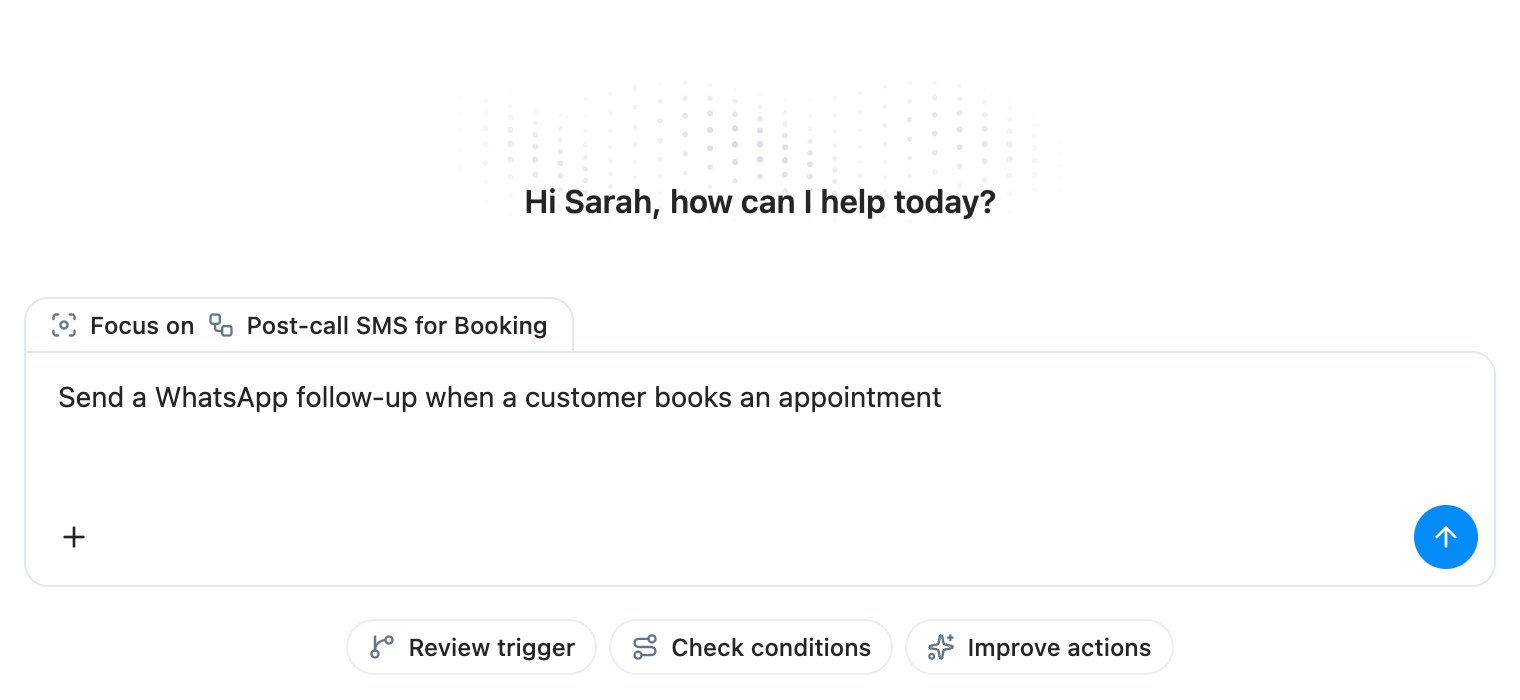
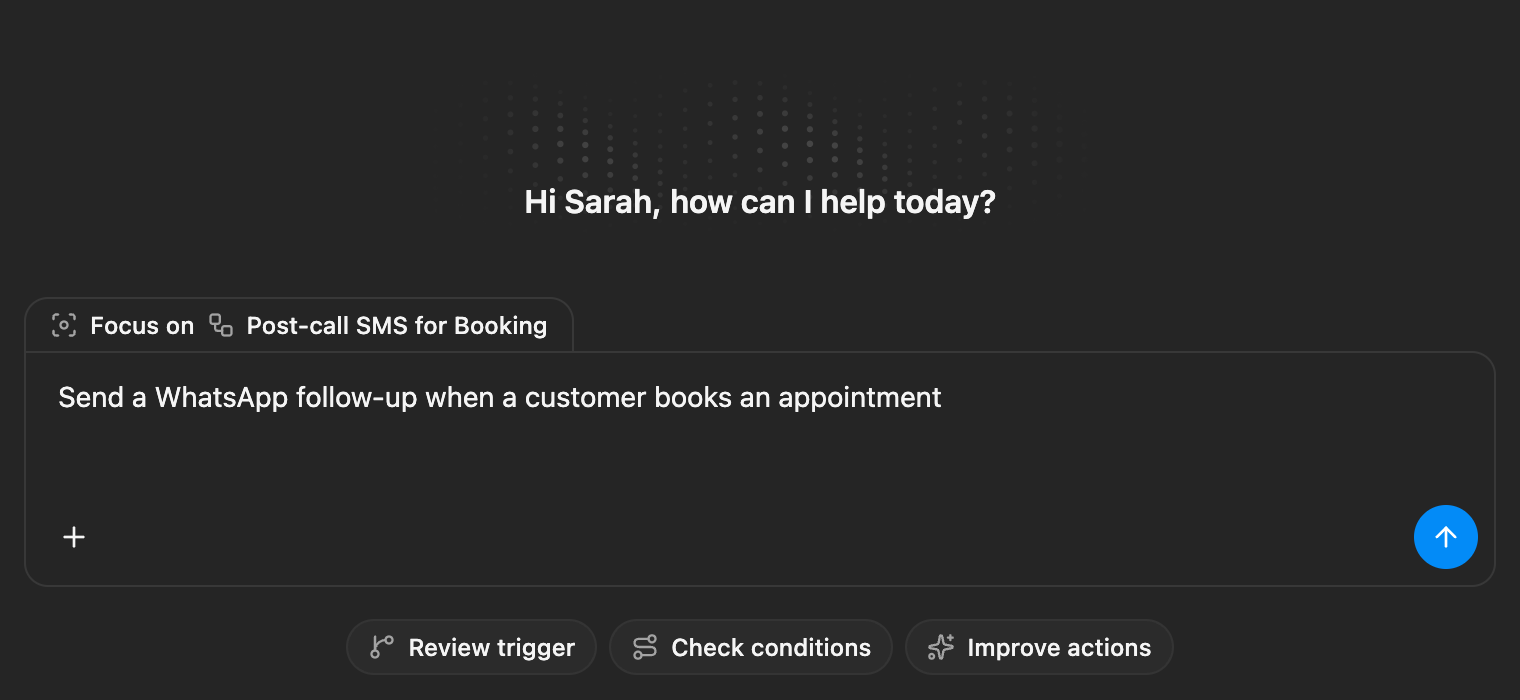
  <Frame caption="Fullscreen Ask Charlie welcome view focused on a Booking follow-ups workflow, with a WhatsApp appointment prompt typed into the input">
    <div className="relative w-full aspect-[1520/700] overflow-hidden">
      <img src="https://mintcdn.com/telli/0iwHjmnVevm7_At8/images/changelog/2026-07-06-charlie-everywhere-light.png?fit=max&auto=format&n=0iwHjmnVevm7_At8&q=85&s=4c67fad7a9c342e677ea74f1edbc2875" width="1520" height="700" alt="Fullscreen Ask Charlie welcome view focused on a Booking follow-ups workflow, with a WhatsApp appointment prompt typed into the input" className="absolute inset-0 h-full w-full object-contain block dark:hidden" data-path="images/changelog/2026-07-06-charlie-everywhere-light.png" />

      <img src="https://mintcdn.com/telli/0iwHjmnVevm7_At8/images/changelog/2026-07-06-charlie-everywhere-dark.png?fit=max&auto=format&n=0iwHjmnVevm7_At8&q=85&s=581f3a8076b89a194571e6d30e44b328" width="1520" height="700" alt="Fullscreen Ask Charlie welcome view focused on a Booking follow-ups workflow, with a WhatsApp appointment prompt typed into the input" className="absolute inset-0 h-full w-full object-contain hidden dark:block" data-path="images/changelog/2026-07-06-charlie-everywhere-dark.png" />
    </div>
  </Frame>

  ### Open Charlie from any page

  Ask Charlie is just a keyboard shortcut away. The main sidebar auto-collapses to give the chat room, and a new conversation picks up whatever agent, workflow, or call you had open so you don't have to re-explain the context.

  ### Builds workflows with you

  Charlie can now create and edit [workflows](https://app.telli.com/_/workflows) directly from chat - it drops in the trigger, condition, and action blocks, asks a clarifying question when it needs one, and proposes the publish before anything goes live.
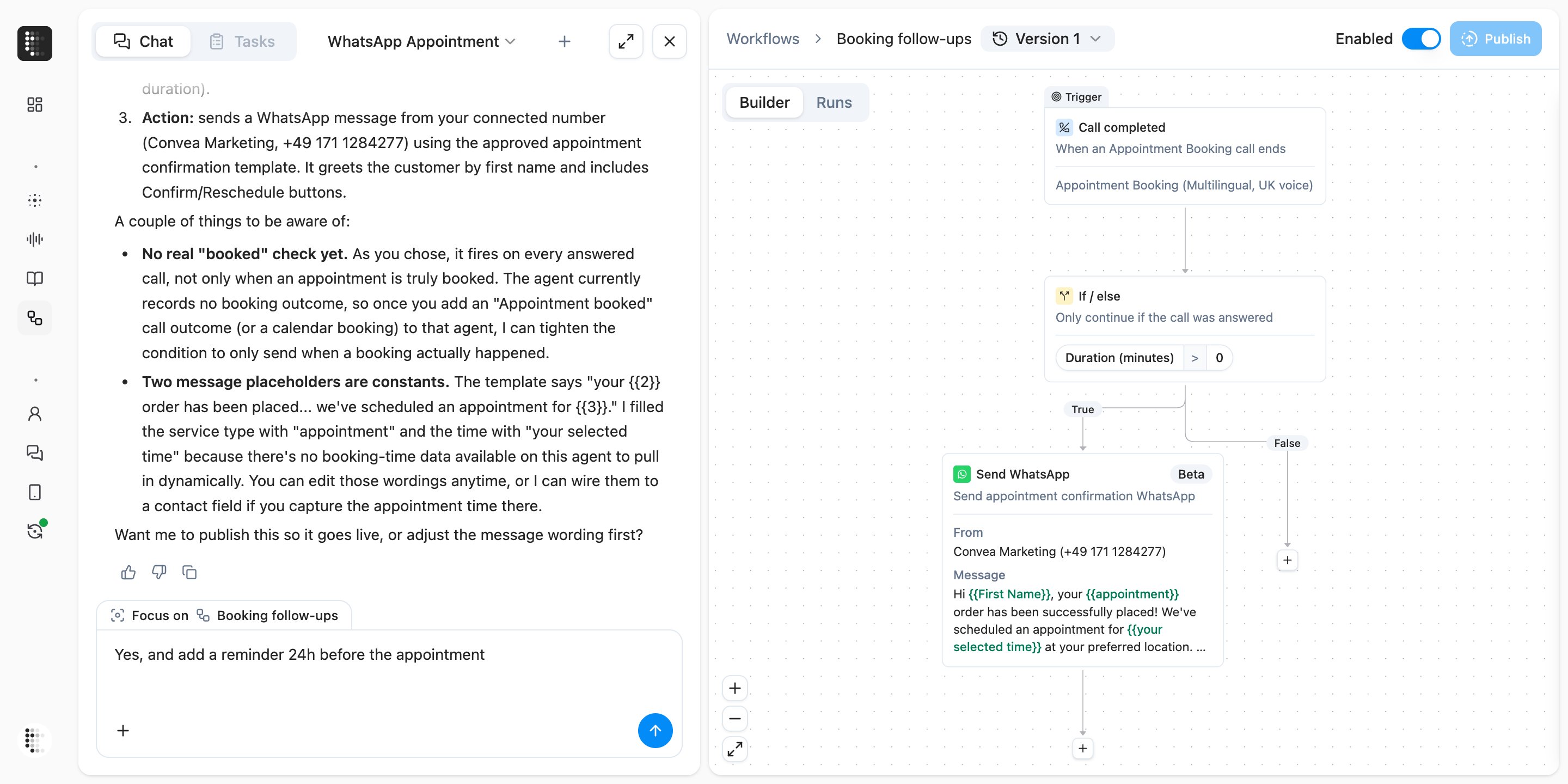
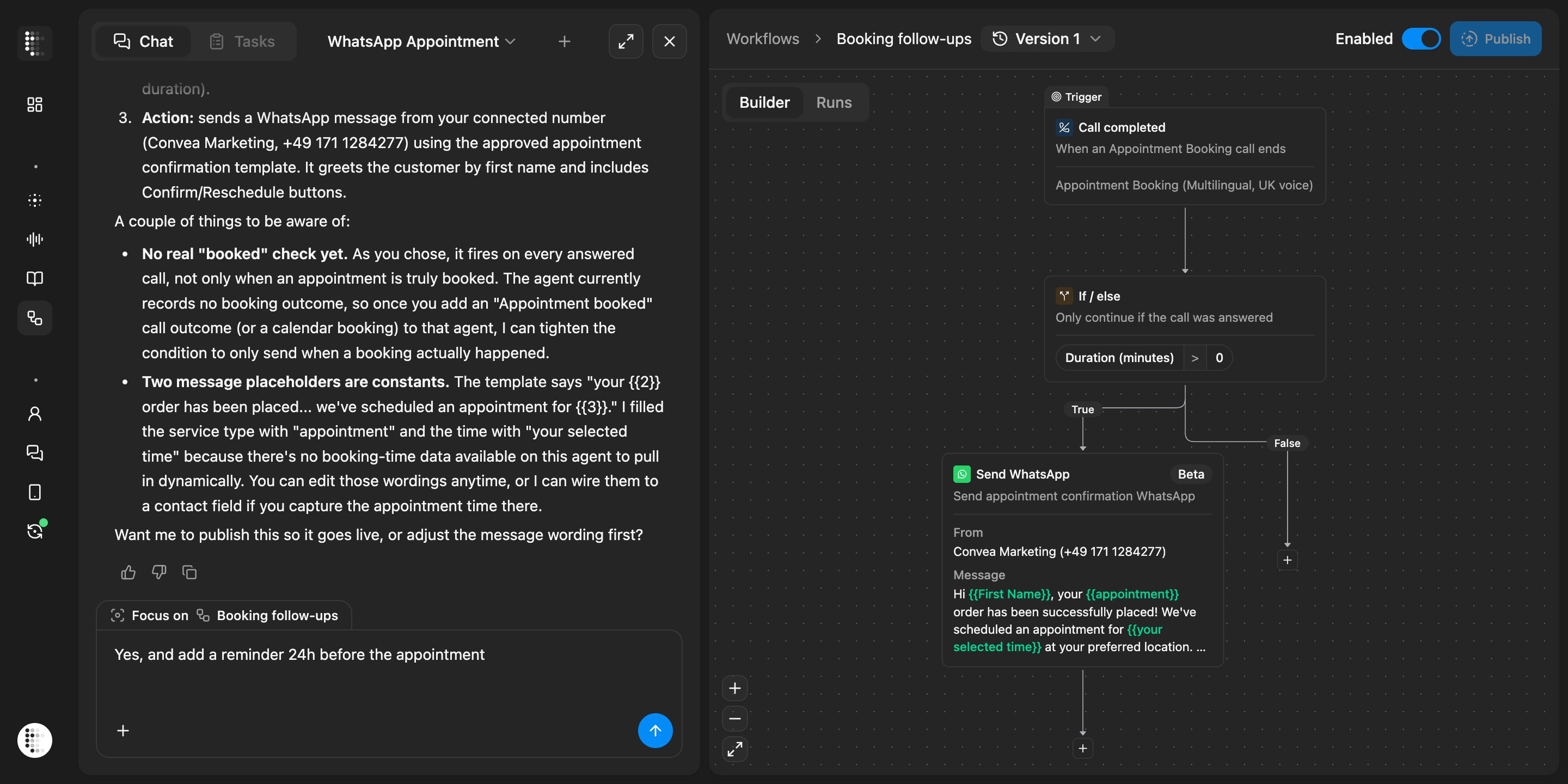
  <Frame caption="Charlie chat next to a workflow builder showing it built a Call completed trigger, an If/else answered-call check, and a Send WhatsApp appointment confirmation block, and asks to publish">
    <div className="relative w-full aspect-[2880/1440] overflow-hidden">
      <img src="https://mintcdn.com/telli/0iwHjmnVevm7_At8/images/changelog/2026-07-06-charlie-workflow-light.png?fit=max&auto=format&n=0iwHjmnVevm7_At8&q=85&s=ff3737580e30c1cbf234e3c89484a358" width="2880" height="1440" alt="Charlie chat next to a workflow builder showing it built a Call completed trigger, an If/else answered-call check, and a Send WhatsApp appointment confirmation block, and asks to publish" className="absolute inset-0 h-full w-full object-contain block dark:hidden" data-path="images/changelog/2026-07-06-charlie-workflow-light.png" />

      <img src="https://mintcdn.com/telli/0iwHjmnVevm7_At8/images/changelog/2026-07-06-charlie-workflow-dark.png?fit=max&auto=format&n=0iwHjmnVevm7_At8&q=85&s=f45faa81b35a700c10e93b26b714a9fd" width="2880" height="1440" alt="Charlie chat next to a workflow builder showing it built a Call completed trigger, an If/else answered-call check, and a Send WhatsApp appointment confirmation block, and asks to publish" className="absolute inset-0 h-full w-full object-contain hidden dark:block" data-path="images/changelog/2026-07-06-charlie-workflow-dark.png" />
    </div>
  </Frame>

  ### Reaches across the account

  Charlie can now pull contact activity, agent revision history, and calls from anywhere in your account, and inline pills link agents, workflows, and calls straight to their page. Autocontinue is on by default so multi-step answers keep going without a nudge, and pressing Escape stops generation cleanly.

  <Accordion title="Improvements">
    <ul>
      <li>Dutch and French are now available as app languages, including localized emails and date formats</li>
      <li>The [Integrations](https://app.telli.com/_/settings/integrations) catalog groups Voice, CRM, and Messaging into tabs, so channel-specific integrations are easier to find</li>
      <li>Click any image in the in-app changelog to open it in a fullscreen viewer</li>
      <li>Workflow save warnings name the exact fields that are still missing on each node, so you know what to fix</li>
      <li>Arrow keys move up and down the [contacts list](https://app.telli.com/_/contacts) after clicking any row, matching how conversation history already worked</li>
      <li>Contact imports and the API accept international phone numbers in `0049…`, `00 49…`, and `491…` formats, not just `+49…`</li>
      <li>[Workflow](https://app.telli.com/_/workflows) drafts that are saved but not yet published no longer trigger an "unsaved changes" prompt when you navigate away</li>
      <li>Hovering an agent's persona in the [agents table](https://app.telli.com/_/agents) shows the full persona description in a tooltip</li>
    </ul>
  </Accordion>

  <Accordion title="Fixes">
    <ul>
      <li>Inbound calls with a real transcript are no longer stuck as "not connected" and now finalize as completed</li>
      <li>The Auto Dialer respects the max retry days limit even when a retry gets snapped into the next day's dialing window</li>
      <li>Post-processing no longer refuses to close calls that have a recording attached</li>
      <li>The Activity tab in the contact details panel is clickable again</li>
      <li>The contact property key input shows an inline validation error instead of silently rejecting invalid keys</li>
      <li>Combobox clear (×) buttons work reliably across the app</li>
      <li>German labels in the contact filters read correctly again</li>
    </ul>
  </Accordion>
</Update>

<Update label="Week 27" description="Jun 29, 2026">
  ## WhatsApp Business

  telli now supports [WhatsApp Business](https://app.telli.com/_/settings/integrations/whatsapp) alongside voice and SMS. Connect your WhatsApp Business account from Integrations, choose approved templates, and message contacts through the channel they already use.
  <Frame caption="WhatsApp Business integration tile in the telli integration catalog showing Connected status">
    <div className="relative w-full aspect-[716/260] overflow-hidden mx-auto" style={{ maxWidth: "490px" }}>
      <img src="https://mintcdn.com/telli/kCfQ5ozLMJ8zCpvl/images/changelog/2026-06-29-whatsapp-integration-light.png?fit=max&auto=format&n=kCfQ5ozLMJ8zCpvl&q=85&s=ae3d850cdc04f9b33cfec3ceda75c4c4" width="716" height="260" alt="WhatsApp Business integration tile in the telli integration catalog showing Connected status" className="absolute inset-0 h-full w-full object-contain block dark:hidden" data-path="images/changelog/2026-06-29-whatsapp-integration-light.png" />

      <img src="https://mintcdn.com/telli/kCfQ5ozLMJ8zCpvl/images/changelog/2026-06-29-whatsapp-integration-dark.png?fit=max&auto=format&n=kCfQ5ozLMJ8zCpvl&q=85&s=eeb13be92712b3f0c198540b57f20dcb" width="716" height="260" alt="WhatsApp Business integration tile in the telli integration catalog showing Connected status" className="absolute inset-0 h-full w-full object-contain hidden dark:block" data-path="images/changelog/2026-06-29-whatsapp-integration-dark.png" />
    </div>
  </Frame>

  ### Send WhatsApp from workflows

  Drop the new Send WhatsApp block into any workflow, pick a connected WhatsApp number, select a Meta-approved template, and map template fields to contact data, variables, or custom values for automated follow-ups.
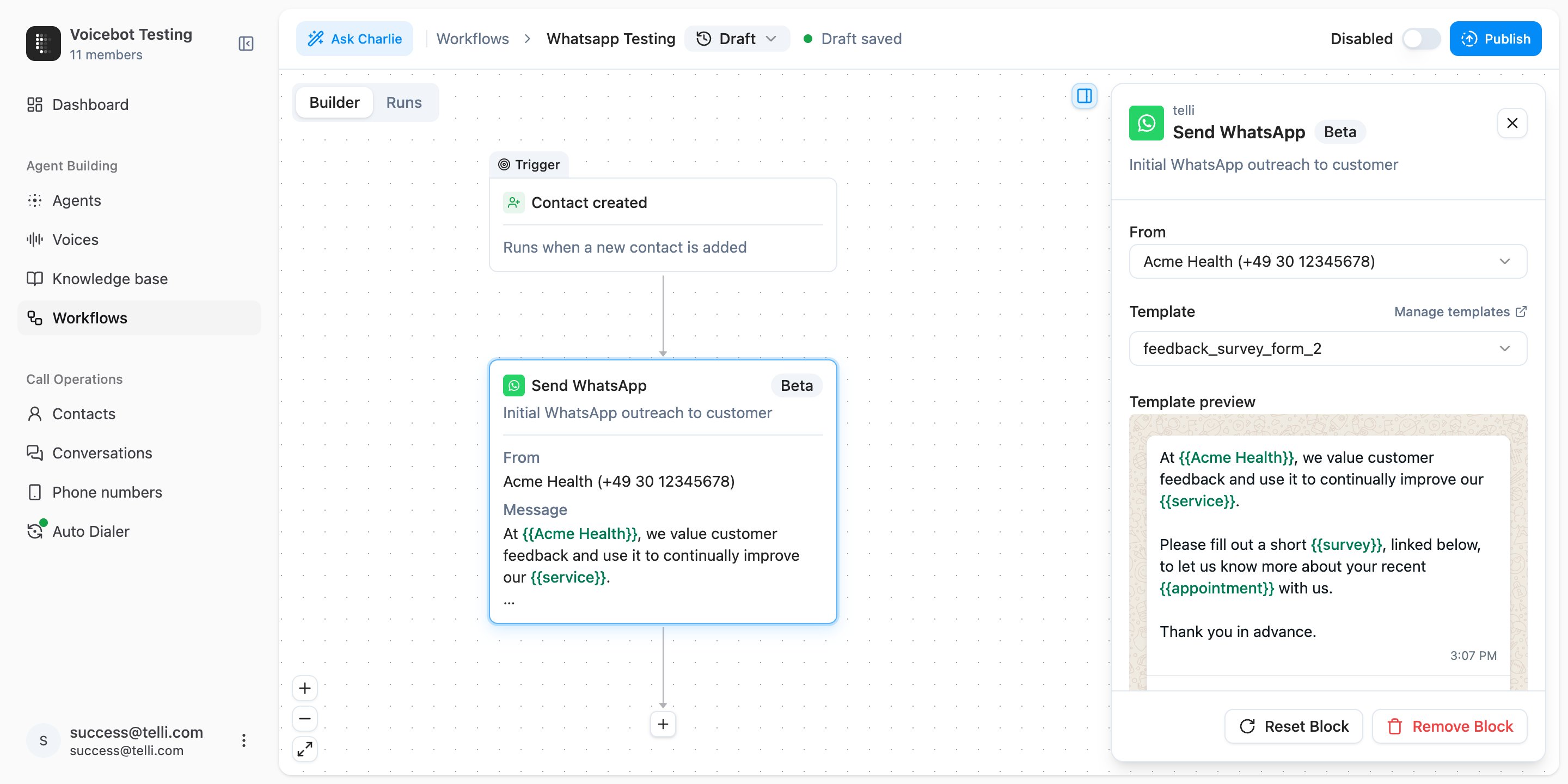
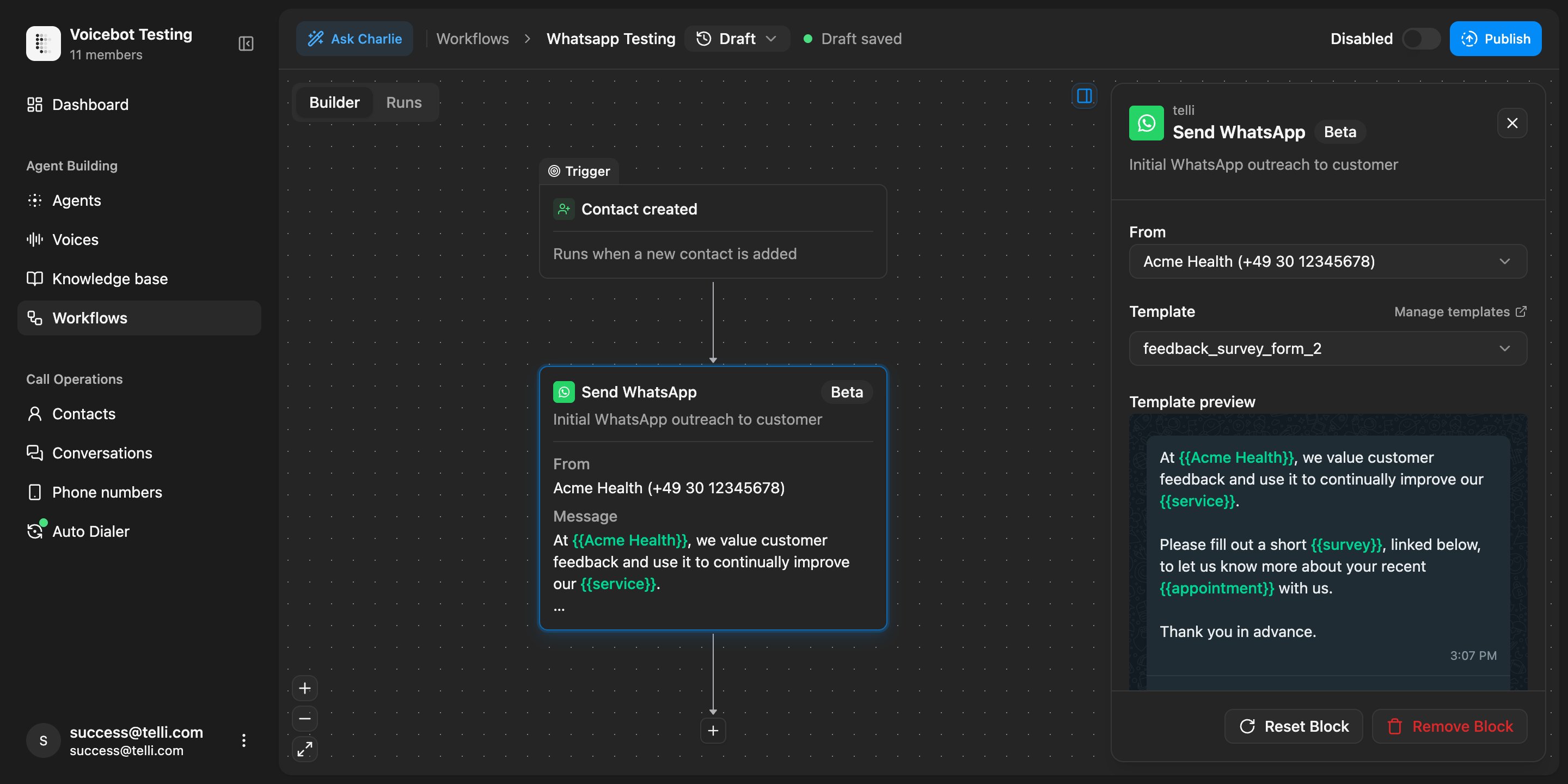
  <Frame caption="Send WhatsApp block in the workflow builder with a Meta-approved feedback survey template and mapped body fields">
    <div className="relative w-full aspect-[2880/1440] overflow-hidden">
      <img src="https://mintcdn.com/telli/kCfQ5ozLMJ8zCpvl/images/changelog/2026-06-29-whatsapp-workflow-light.png?fit=max&auto=format&n=kCfQ5ozLMJ8zCpvl&q=85&s=f967460cc6535ba6ad6d8c100093f8ae" width="2880" height="1440" alt="Send WhatsApp block in the workflow builder with a Meta-approved feedback survey template and mapped body fields" className="absolute inset-0 h-full w-full object-contain block dark:hidden" data-path="images/changelog/2026-06-29-whatsapp-workflow-light.png" />

      <img src="https://mintcdn.com/telli/kCfQ5ozLMJ8zCpvl/images/changelog/2026-06-29-whatsapp-workflow-dark.png?fit=max&auto=format&n=kCfQ5ozLMJ8zCpvl&q=85&s=3a4147cec03c1c7a02f63f92244c820c" width="2880" height="1440" alt="Send WhatsApp block in the workflow builder with a Meta-approved feedback survey template and mapped body fields" className="absolute inset-0 h-full w-full object-contain hidden dark:block" data-path="images/changelog/2026-06-29-whatsapp-workflow-dark.png" />
    </div>
  </Frame>

  ### Message during a live call

  Agents can use a Send WhatsApp tool during calls, so they can send payment links, appointment confirmations, or other approved templates while the conversation is still live.
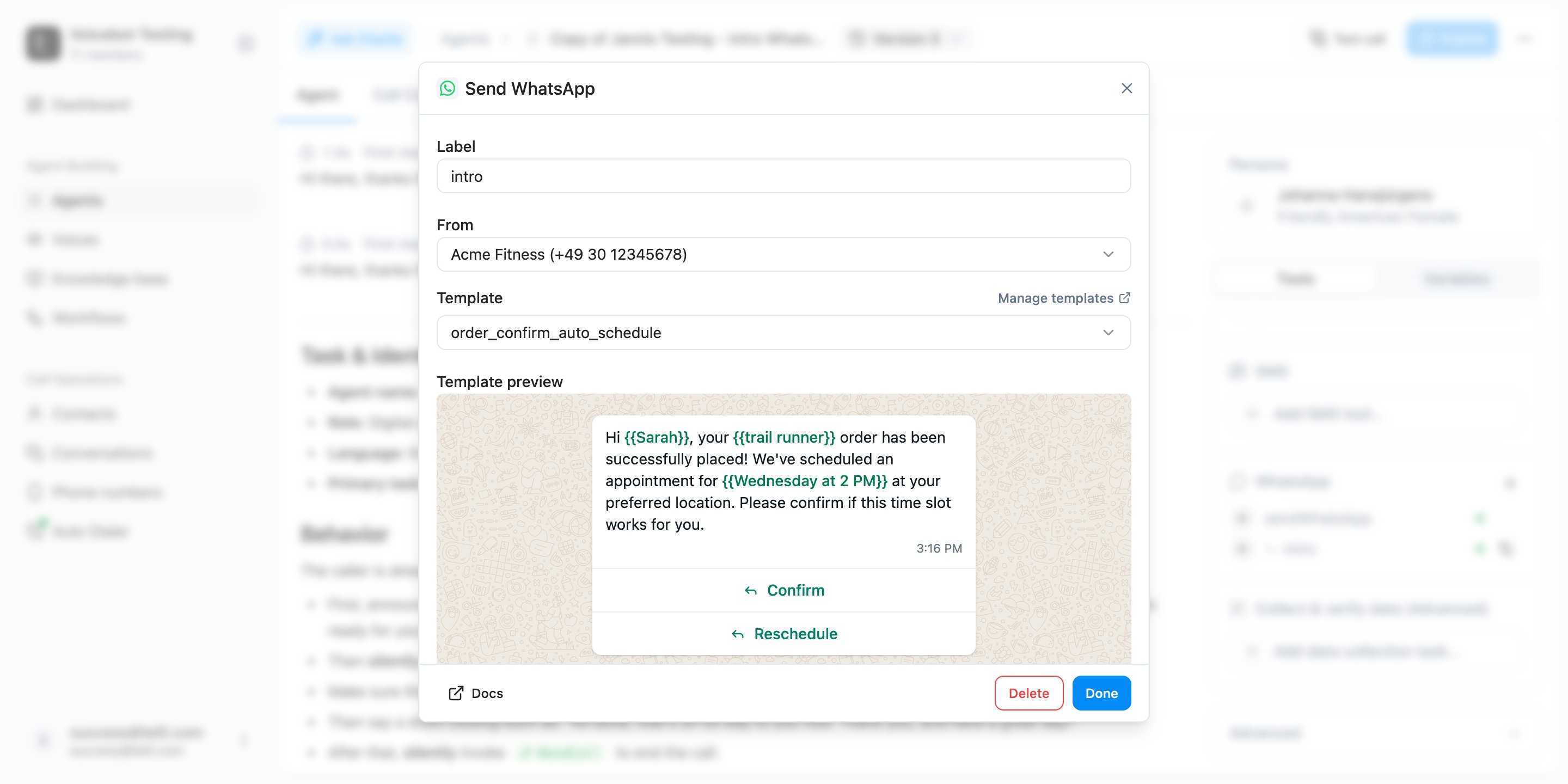
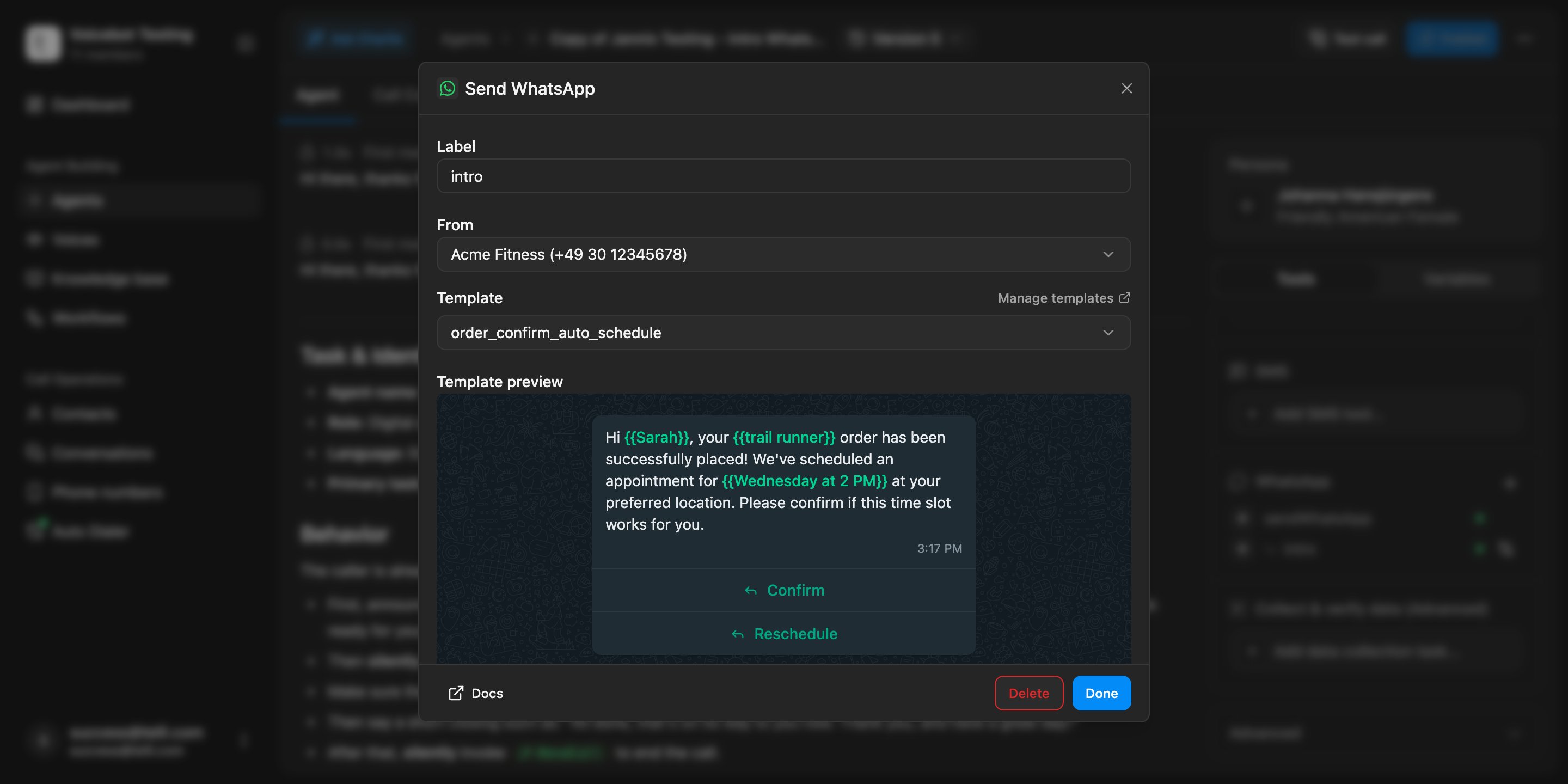
  <Frame caption="Send WhatsApp tool dialog in the agent builder with an appointment confirmation template selected">
    <div className="relative w-full aspect-[2880/1440] overflow-hidden">
      <img src="https://mintcdn.com/telli/kCfQ5ozLMJ8zCpvl/images/changelog/2026-06-29-whatsapp-tool-light.png?fit=max&auto=format&n=kCfQ5ozLMJ8zCpvl&q=85&s=79074444caad513718a2d32b6f18e4cb" width="2880" height="1440" alt="Send WhatsApp tool dialog in the agent builder with an appointment confirmation template selected" className="absolute inset-0 h-full w-full object-contain block dark:hidden" data-path="images/changelog/2026-06-29-whatsapp-tool-light.png" />

      <img src="https://mintcdn.com/telli/kCfQ5ozLMJ8zCpvl/images/changelog/2026-06-29-whatsapp-tool-dark.png?fit=max&auto=format&n=kCfQ5ozLMJ8zCpvl&q=85&s=41082e1e1b19b2ce09524c0a13992583" width="2880" height="1440" alt="Send WhatsApp tool dialog in the agent builder with an appointment confirmation template selected" className="absolute inset-0 h-full w-full object-contain hidden dark:block" data-path="images/changelog/2026-06-29-whatsapp-tool-dark.png" />
    </div>
  </Frame>

  ### Replies in Conversations

  Inbound WhatsApp messages are attached to the same conversation history and contact timeline as voice and SMS, with channel filters in Conversations so teams can follow the full thread.

  ### Auto Dialer settings

  The [Auto Dialer](https://app.telli.com/_/dialer) is now its own top-level page in the sidebar. Calling strategy, dialing windows, intensity, max attempts, and max retry days are configured once at the account level, and every agent inherits those defaults. You can still override any of them per agent, and a single "Disable for all agents" switch acts as a global kill switch.

  <Accordion title="Improvements">
    <ul>
      <li>Deleting a node in the middle of a linear [Workflow](https://app.telli.com/_/workflows) chain now reconnects the surrounding nodes automatically instead of cascading and orphaning everything downstream</li>
      <li>Switch option group names are editable inline in the Workflow builder, and the selected-node focus ring matches the node's tone (brand, warning, success, destructive)</li>
      <li>[HubSpot](https://app.telli.com/_/settings/integrations/hubspot)-synced contacts now show the HubSpot logo in the [contacts list](https://app.telli.com/_/contacts) and lock CRM-managed fields in the details panel, matching how Salesforce-synced contacts already worked</li>
      <li>Deep links survive sign-in: opening something like `/_/settings/integrations/hubspot` while logged out now returns you to that exact page after authentication instead of dropping you on the dashboard</li>
      <li>Scheduling success toasts name the selected agent in CSV and bulk-schedule flows, so you can confirm at a glance who was assigned</li>
      <li>The Workflow publish dialog closes immediately on submit instead of holding a spinner, and the publish button no longer overflows on longer translated labels</li>
      <li>Clearer Auto Dialer copy: "Disable everywhere" reads as "Disable for all agents", and no-call days now refer to "scheduled follow up calls" instead of "callbacks"</li>
    </ul>
  </Accordion>

  <Accordion title="Fixes">
    <ul>
      <li>Contacts are no longer marked as "reached" after a not-reached-only call loop completes</li>
      <li>Cal.com event type IDs reject trailing whitespace, which used to save silently and then break bookings at runtime</li>
      <li>Knowledge base retrieval keeps every relevant context chunk in the final result instead of slicing some of them away</li>
    </ul>
  </Accordion>

  <Accordion title="API">
    <ul>
      <li>`POST /v1/phone-numbers/import` accepts an optional `inOutboundPool` boolean (default `true`), so you can import numbers without automatically adding them to the outbound pool</li>
    </ul>
  </Accordion>
</Update>

<Update label="Week 26" description="Jun 22, 2026">
  ## HubSpot integration

  [HubSpot](https://app.telli.com/_/settings/integrations/hubspot) is now a first-class CRM integration in telli. Use the new Create Record and Update Record nodes in Workflows to write contacts, companies, deals, tickets, or any other HubSpot object straight from a call, custom fields included.

  <Frame caption="HubSpot integration settings with OAuth connection and Create Record workflow node">
    <div className="relative w-full aspect-[1996/1178] overflow-hidden">
      <img src="https://mintcdn.com/telli/Lp0nCpWi6Z0CIDQj/images/changelog/2026-06-22-hubspot-integration-light.png?fit=max&auto=format&n=Lp0nCpWi6Z0CIDQj&q=85&s=8c1c4491df4189e15b5e9676f5c11a2e" width="1996" height="1178" alt="HubSpot integration settings with OAuth connection and Create Record workflow node" className="absolute inset-0 h-full w-full object-contain block dark:hidden" data-path="images/changelog/2026-06-22-hubspot-integration-light.png" />

      <img src="https://mintcdn.com/telli/Lp0nCpWi6Z0CIDQj/images/changelog/2026-06-22-hubspot-integration-dark.png?fit=max&auto=format&n=Lp0nCpWi6Z0CIDQj&q=85&s=0d168fba5233668634527010503bce86" width="1996" height="1178" alt="HubSpot integration settings with OAuth connection and Create Record workflow node" className="absolute inset-0 h-full w-full object-contain hidden dark:block" data-path="images/changelog/2026-06-22-hubspot-integration-dark.png" />
    </div>
  </Frame>

  ### Branded calling for everyone

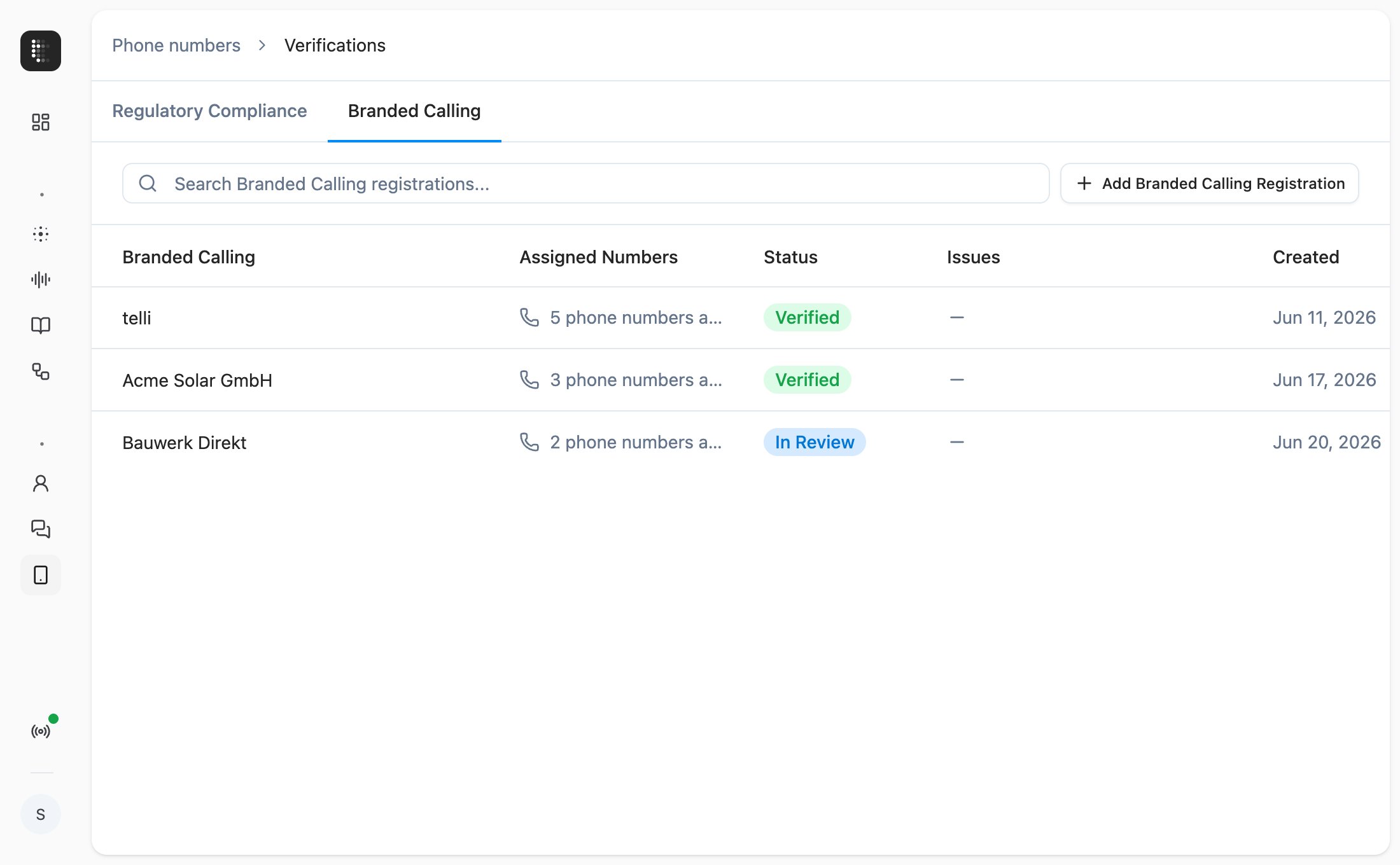
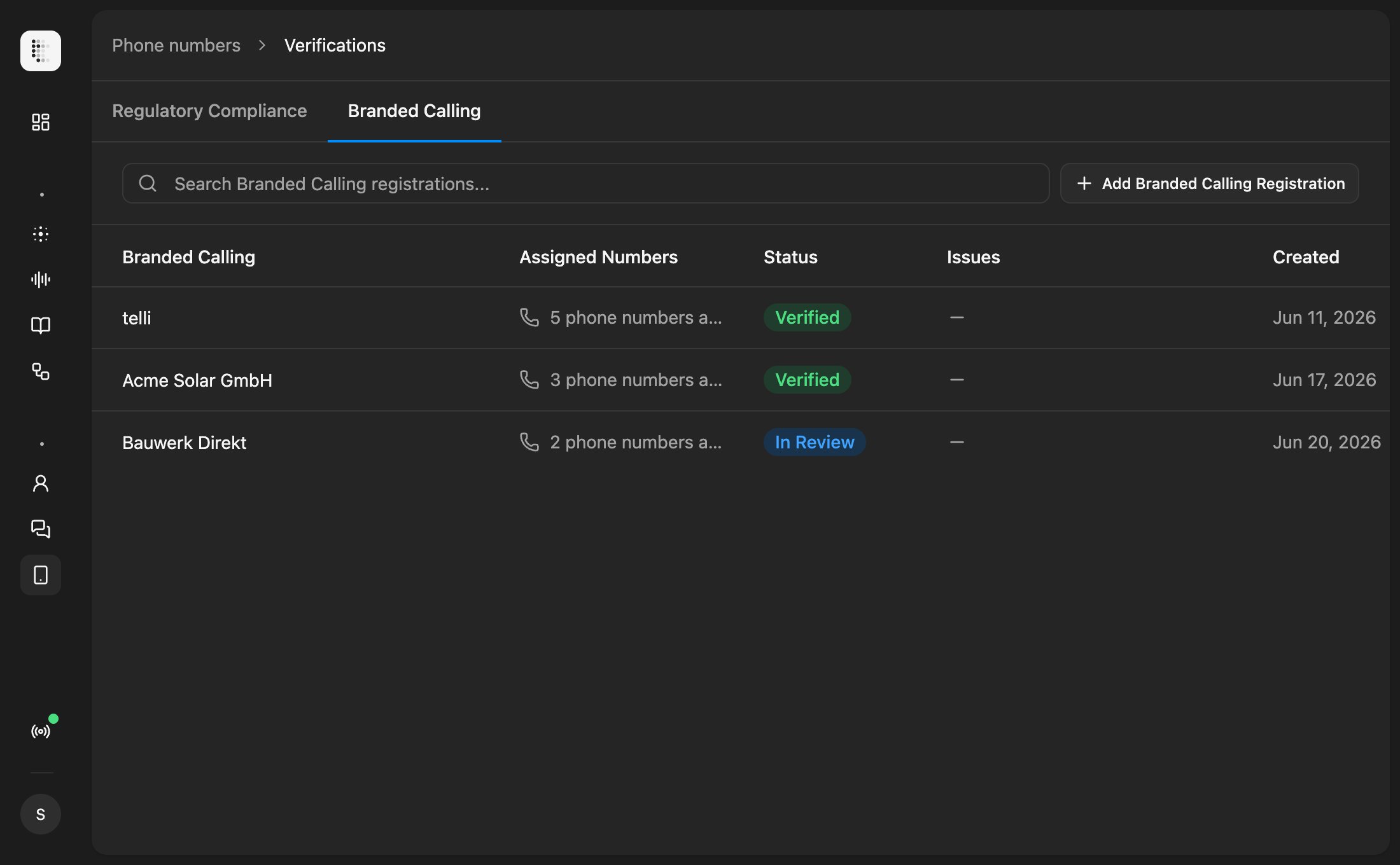
  [Branded calling](https://app.telli.com/_/telephony/verifications?tab=branded-calling) is now available on every telli account. Open Verifications, and once your bundle is verified, assign individual numbers to it so your verified company name shows on the recipient's phone instead of an unknown number.

  <Frame caption="Branded Calling tab in Verifications with phone number bundle management">
    <div className="relative w-full aspect-[2200/1360] overflow-hidden">
      <img src="https://mintcdn.com/telli/Lp0nCpWi6Z0CIDQj/images/changelog/2026-06-22-branded-calling-light.png?fit=max&auto=format&n=Lp0nCpWi6Z0CIDQj&q=85&s=8ed0cfaa1fa39a9c2da10860ce0592cc" width="2200" height="1360" alt="Branded Calling tab in Verifications with phone number bundle management" className="absolute inset-0 h-full w-full object-contain block dark:hidden" data-path="images/changelog/2026-06-22-branded-calling-light.png" />

      <img src="https://mintcdn.com/telli/Lp0nCpWi6Z0CIDQj/images/changelog/2026-06-22-branded-calling-dark.png?fit=max&auto=format&n=Lp0nCpWi6Z0CIDQj&q=85&s=ee350c3404f013400fbe2cd813f20431" width="2200" height="1360" alt="Branded Calling tab in Verifications with phone number bundle management" className="absolute inset-0 h-full w-full object-contain hidden dark:block" data-path="images/changelog/2026-06-22-branded-calling-dark.png" />
    </div>
  </Frame>

  ### Agent-specific outbound numbers

  You can now reserve account phone numbers for one agent. The dialer respects the reservation, so that agent only calls from its reserved numbers and stops drawing from the shared pool. Useful when different agents represent different brands, regions, or campaigns and need separate caller IDs.

  ### Cal.com EU support

  If your team is on the EU instance of [Cal.com](https://app.telli.com/_/settings/integrations/cal-com) (`api.cal.eu`), you can finally connect it to telli. The integration setup now includes a Region selector, so your availability lookups and bookings route to the right Cal.com tenant.

  <Accordion title="Improvements">
    <ul>
      <li>Importing contacts from CSV no longer blocks the request while we schedule them into call loops. The scheduling runs in the background and you see live progress in the import success step</li>
      <li>You can force the language for call outcome analysis from the post-processing panel, so multilingual or short calls don't get classified in the wrong language</li>
      <li>Transfer schedules and agent dialing windows can now respect your account's no-call days, so transfers and outbound calls skip public holidays automatically</li>
      <li>Phone number validation on contacts gives clearer error messages, and the field is editable on the first click after picking a country</li>
    </ul>
  </Accordion>

  <Accordion title="Fixes">
    <ul>
      <li>ElevenLabs TTS no longer stutters, repeats, or garbles spoken words</li>
      <li>Edits to custom HTTP tools in draft mode now run in test calls; previously the published version was used instead</li>
      <li>Voice cloning continues past step 4 again, after a regression in the new voice setup flow</li>
      <li>Cal.com bookings: fully-booked seated slots are filtered out of availability, and the booking location field is handled correctly</li>
      <li>The country select popover in the phone input closes after picking a country, so the field is immediately editable</li>
      <li>Office background noise plays again on calls that requested it</li>
      <li>Team invite emails are sent to the correct recipient</li>
      <li>Buying a phone number no longer leaves an orphaned Twilio number behind when the purchase request errors out</li>
    </ul>
  </Accordion>
</Update>

<Update label="Week 25" description="Jun 15, 2026">
  ## Address data collection

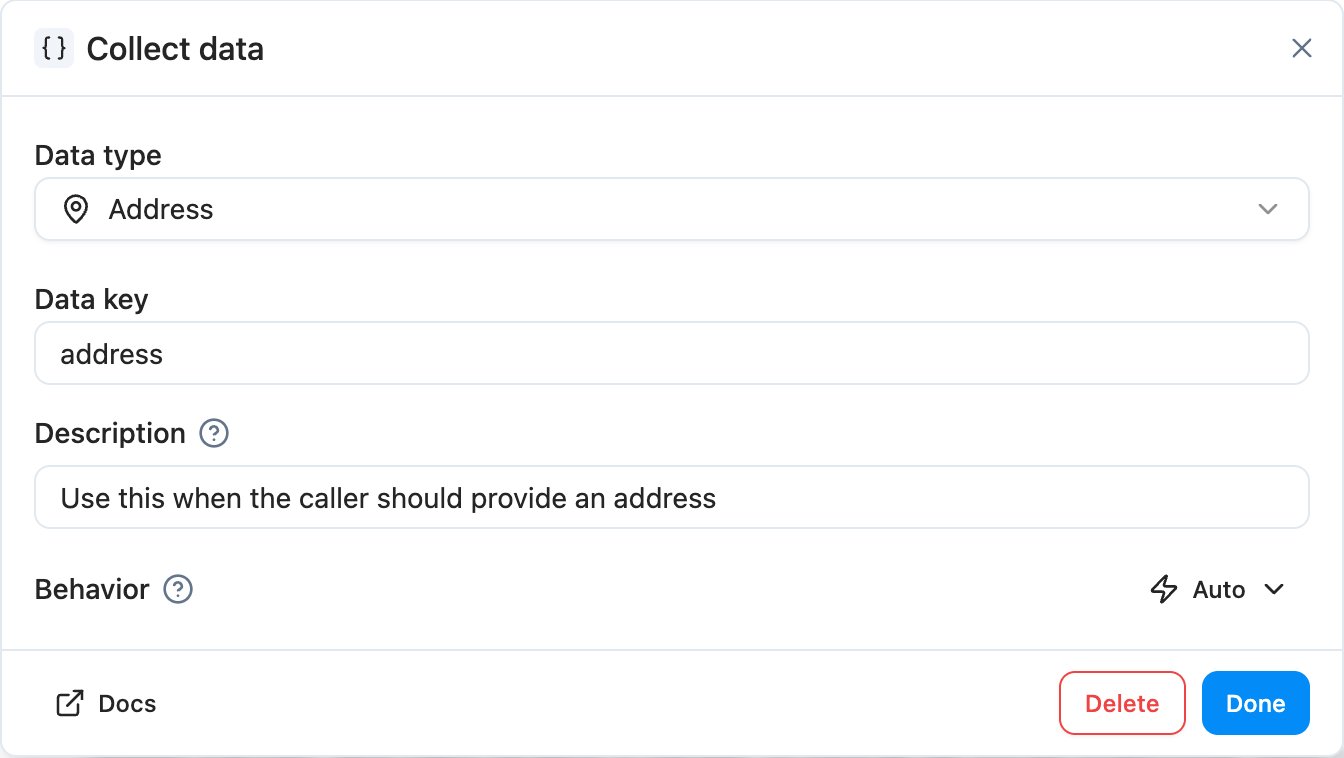
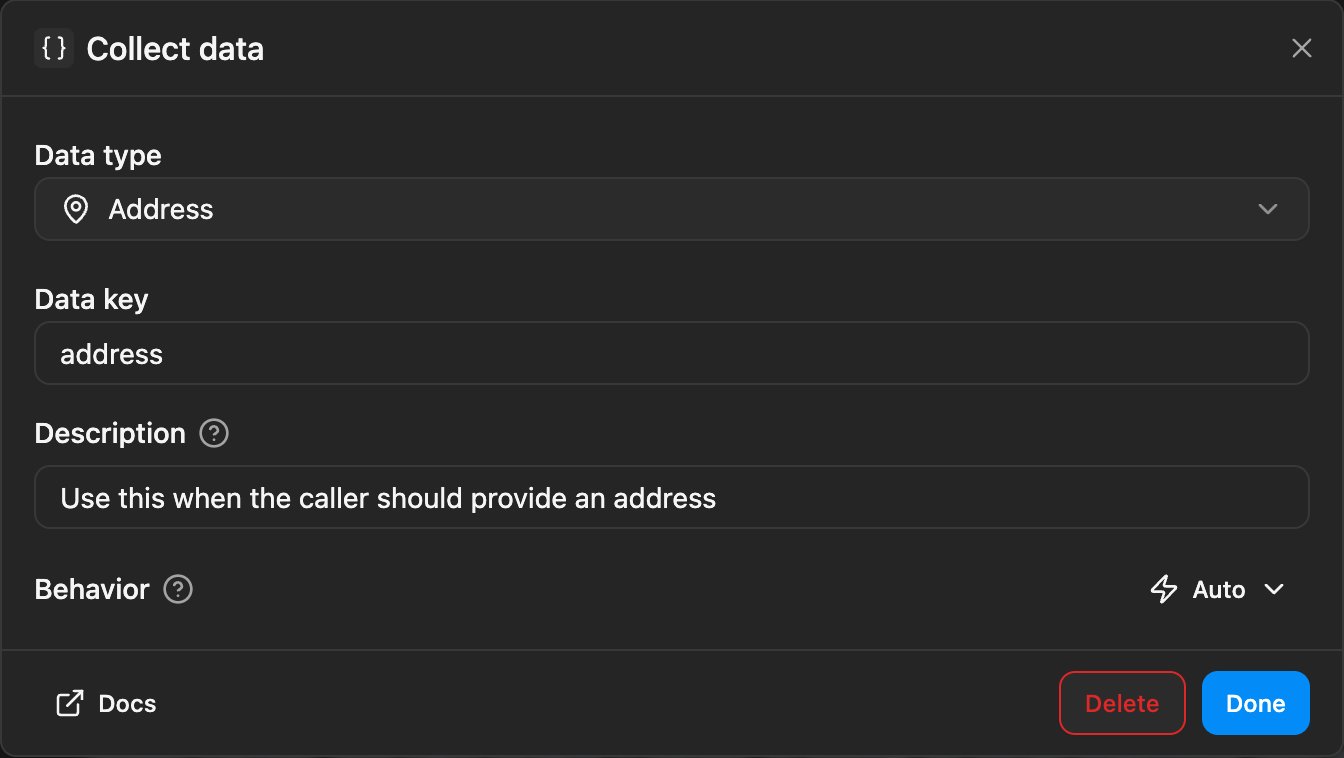
  The Collect Data task has a new address type. Add it to an agent and it walks the caller through providing a complete mailing address (street, city, postcode, country) in one structured step, validating the input and writing the parsed fields back onto the contact. It joins the existing email, license plate, digits, and generic collectors as a first-class option in the builder.

  <Frame caption="Collect Data task dialog with the new address type selected">
    <div className="relative w-full aspect-[1344/758] overflow-hidden">
      <img src="https://mintcdn.com/telli/CuqFOMFrfVIv2H8M/images/changelog/2026-06-15-address-collection-light.png?fit=max&auto=format&n=CuqFOMFrfVIv2H8M&q=85&s=f41cbd56c62dc618f1765fdecc32b420" width="1344" height="758" alt="Collect Data task dialog with the new address type selected" className="absolute inset-0 h-full w-full object-contain block dark:hidden" data-path="images/changelog/2026-06-15-address-collection-light.png" />

      <img src="https://mintcdn.com/telli/CuqFOMFrfVIv2H8M/images/changelog/2026-06-15-address-collection-dark.png?fit=max&auto=format&n=CuqFOMFrfVIv2H8M&q=85&s=3784ebf4ef321531156d637de97fbb4c" width="1344" height="758" alt="Collect Data task dialog with the new address type selected" className="absolute inset-0 h-full w-full object-contain hidden dark:block" data-path="images/changelog/2026-06-15-address-collection-dark.png" />
    </div>
  </Frame>

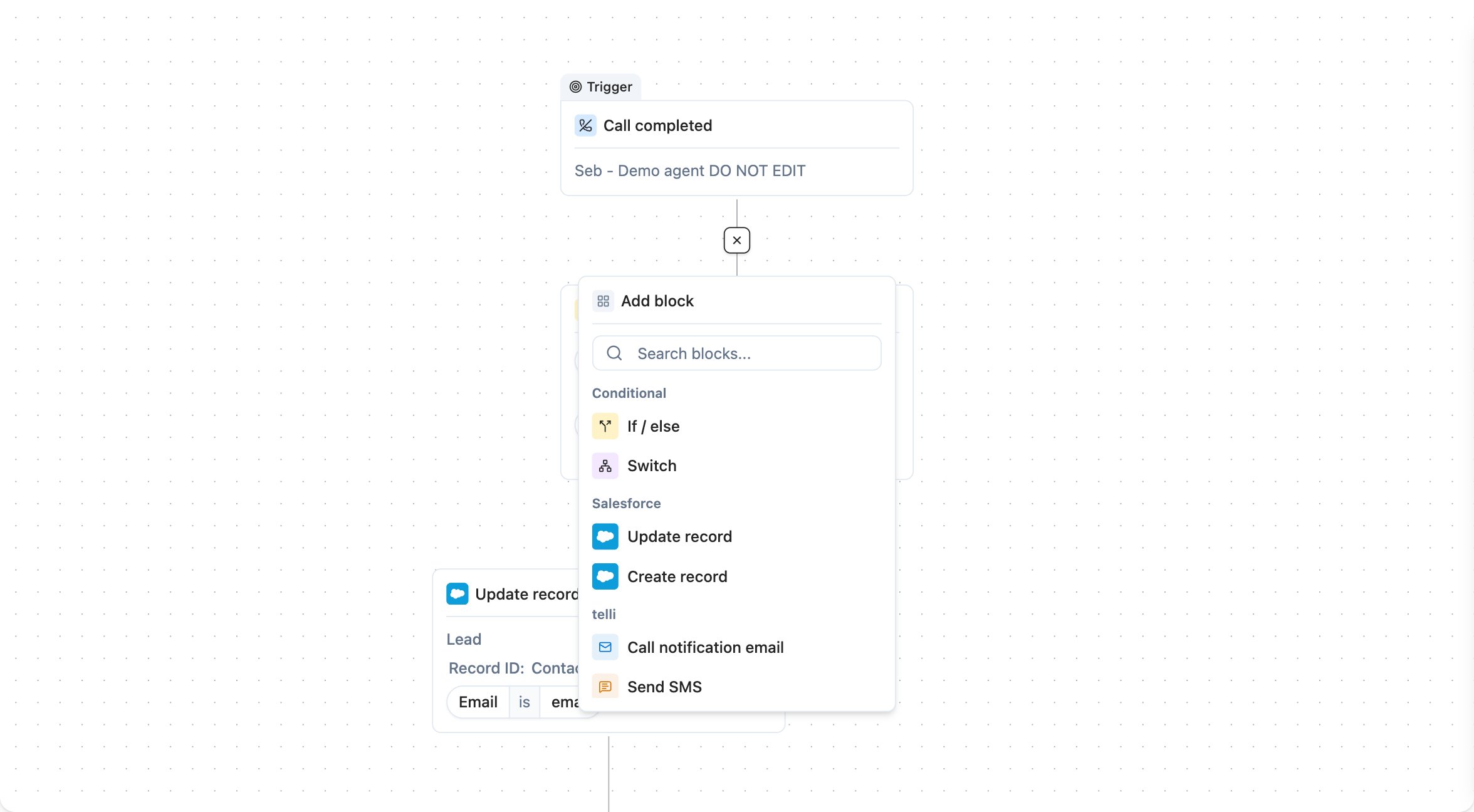
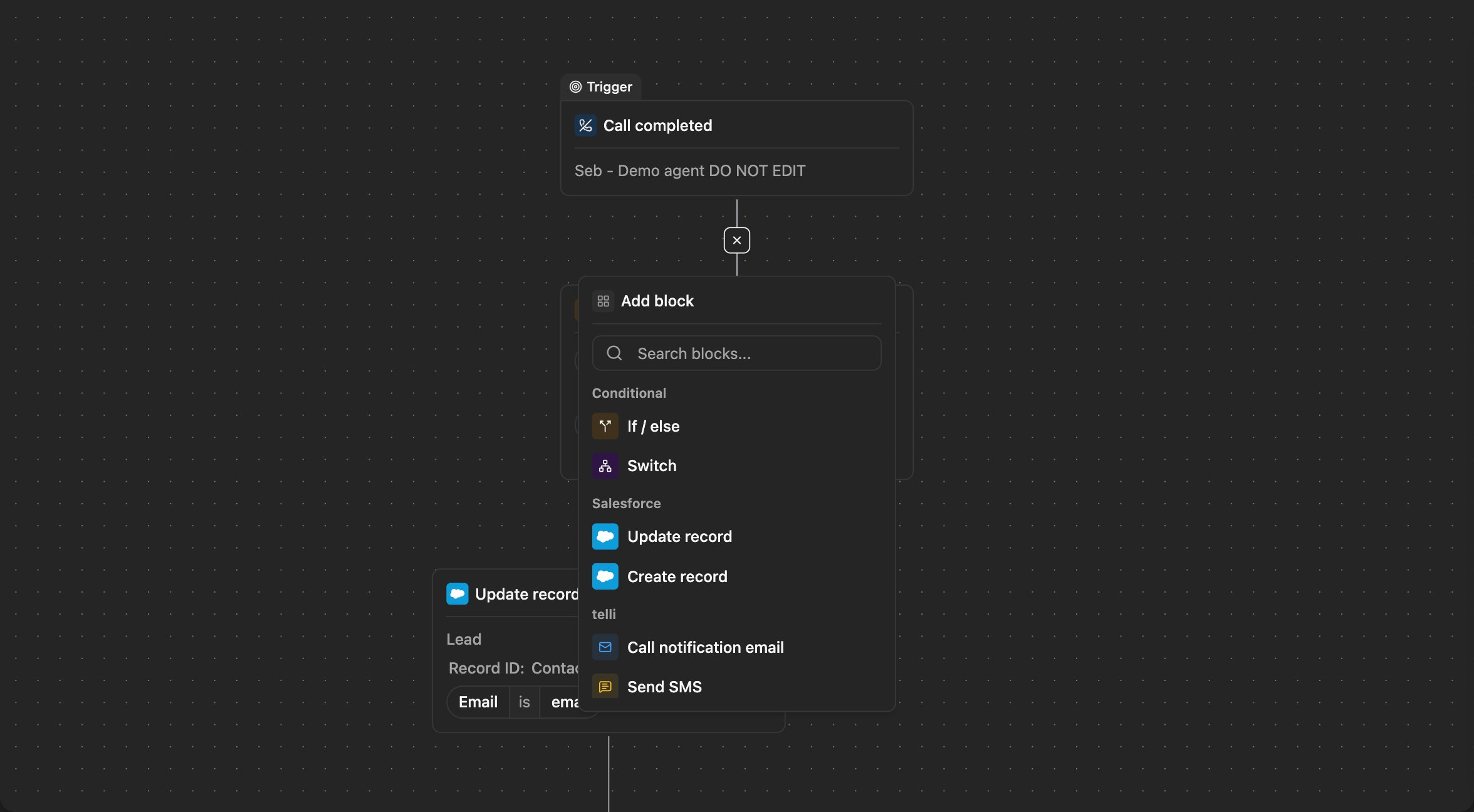
  ### Insert workflow blocks from edges

  Hover the line between two connected workflow nodes and a small plus appears. Click it to drop a new block in right there, instead of rebuilding the chain through the picker just to slot something in the middle.

  <Frame caption="Workflow edge with plus icon between two connected nodes">
    <div className="relative w-full aspect-[2352/1296] overflow-hidden">
      <img src="https://mintcdn.com/telli/CuqFOMFrfVIv2H8M/images/changelog/2026-06-15-workflow-edge-insertion-light.png?fit=max&auto=format&n=CuqFOMFrfVIv2H8M&q=85&s=c61f114916a35b47aebaaa01cf06164f" width="2352" height="1296" alt="Workflow edge with plus icon between two connected nodes" className="absolute inset-0 h-full w-full object-contain block dark:hidden" data-path="images/changelog/2026-06-15-workflow-edge-insertion-light.png" />

      <img src="https://mintcdn.com/telli/CuqFOMFrfVIv2H8M/images/changelog/2026-06-15-workflow-edge-insertion-dark.png?fit=max&auto=format&n=CuqFOMFrfVIv2H8M&q=85&s=6a82f87bf8e770cb13b9bd9dd7b06802" width="2352" height="1296" alt="Workflow edge with plus icon between two connected nodes" className="absolute inset-0 h-full w-full object-contain hidden dark:block" data-path="images/changelog/2026-06-15-workflow-edge-insertion-dark.png" />
    </div>
  </Frame>

  ### Conversations

  Voice and SMS now sit together on the new [Conversations](https://app.telli.com/_/conversations) page. The audio player has 5-second left/right seek shortcuts, a Copy ID action on the header, and red markers on the waveform wherever you've left negative feedback so problem spots are easy to find. SMS leaves beta this week, and Conversations is set up to absorb more channels as we add them.

  <Accordion title="Improvements">
    <ul>
      <li>The Contacts empty state now shows a one-click Connect button for Salesforce, so new accounts can wire up their CRM without leaving the page</li>
      <li>Settings tabs scroll horizontally on narrow viewports, so the tab strip no longer overflows or gets clipped</li>
      <li>Destructive confirmations (delete, disconnect, block, unassign) all use a consistent red action button, so irreversible actions are easier to spot</li>
      <li>The workflow builder shows a loading state while the canvas mounts, instead of briefly flashing an empty page</li>
      <li>Long message rows in conversation history are now width-constrained, so transcripts stay readable on wide screens</li>
      <li>The agent builder sidebar shows a scroll shadow whenever there's more content below the fold</li>
    </ul>
  </Accordion>

  <Accordion title="Fixes">
    <ul>
      <li>Voice cloning from a recorded sample works again, after a regression in last week's voice tooling</li>
      <li>Custom HTTP tools can now leave JSON mode even when the JSON editor contains invalid JSON, so you're not stuck reformatting before you can switch back</li>
      <li>Outbound callbacks scheduled after an inbound call no longer fire a duplicate dial</li>
      <li>Pasting a multi-line value into a templated-string field preserves newlines instead of collapsing them</li>
      <li>The frontend error page silently retries once before reporting, so transient chunk-load failures right after a deploy stop showing up as crashes</li>
      <li>Dark mode is fixed on the "Success" and "Your agent is ready!" account-setup screens</li>
      <li>Zeeg's duration picker stays visible while you select a duration, and the options now match what Zeeg actually offers</li>
      <li>The active workflow node renders above its neighbors instead of being clipped</li>
    </ul>
  </Accordion>

  <Accordion title="API">
    <ul>
      <li>The `call_ended` webhook payload (and `GET /v1/calls/:id` plus the list endpoint) now include `sip_status_code` (integer) and `sip_status` (string), exposing the SIP-level outcome we were already storing on the call</li>
    </ul>
  </Accordion>
</Update>

<Update label="Week 24" description="Jun 8, 2026">
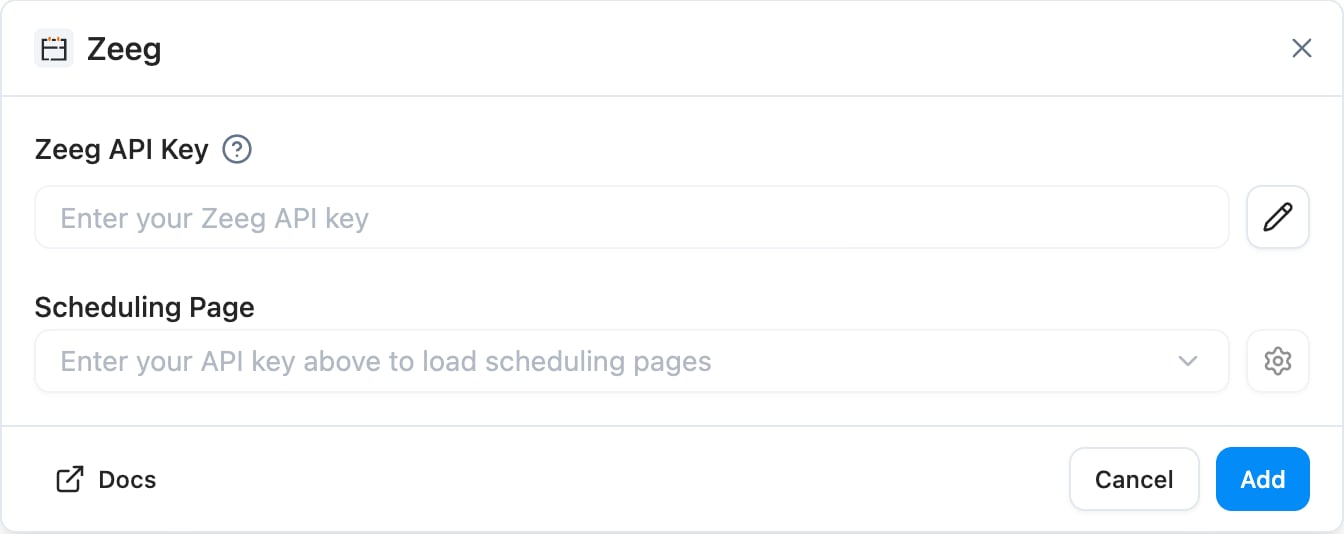
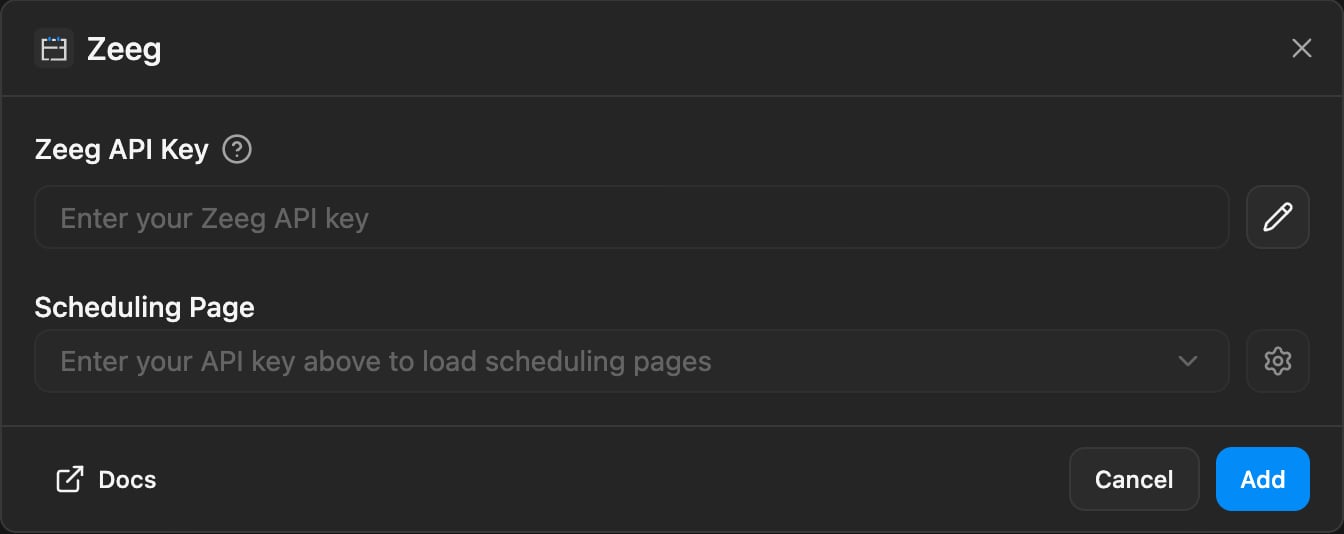
  ## Zeeg calendar

  telli now supports [Zeeg](https://app.telli.com/_/settings/integrations/zeeg) as a calendar provider alongside Calendly. Connect with an API key, pick a scheduling page, and your agents can check availability and book meetings during a call. Custom invitee questions map to booking fields, so the agent captures the right data and writes it straight to Zeeg.

  <Frame caption="Zeeg integration settings with scheduling page picker">
    <div className="relative w-full aspect-[1344/534] overflow-hidden">
      <img src="https://mintcdn.com/telli/Ix2kvcUq5aL88EME/images/changelog/2026-06-08-zeeg-light.png?fit=max&auto=format&n=Ix2kvcUq5aL88EME&q=85&s=27938354eb6d75b3c431e344d5b52d03" width="1344" height="534" alt="Zeeg integration settings with scheduling page picker" className="absolute inset-0 h-full w-full object-contain block dark:hidden" data-path="images/changelog/2026-06-08-zeeg-light.png" />

      <img src="https://mintcdn.com/telli/Ix2kvcUq5aL88EME/images/changelog/2026-06-08-zeeg-dark.png?fit=max&auto=format&n=Ix2kvcUq5aL88EME&q=85&s=fd249928dcf9a4ddfb09788a3c2f9903" width="1344" height="534" alt="Zeeg integration settings with scheduling page picker" className="absolute inset-0 h-full w-full object-contain hidden dark:block" data-path="images/changelog/2026-06-08-zeeg-dark.png" />
    </div>
  </Frame>

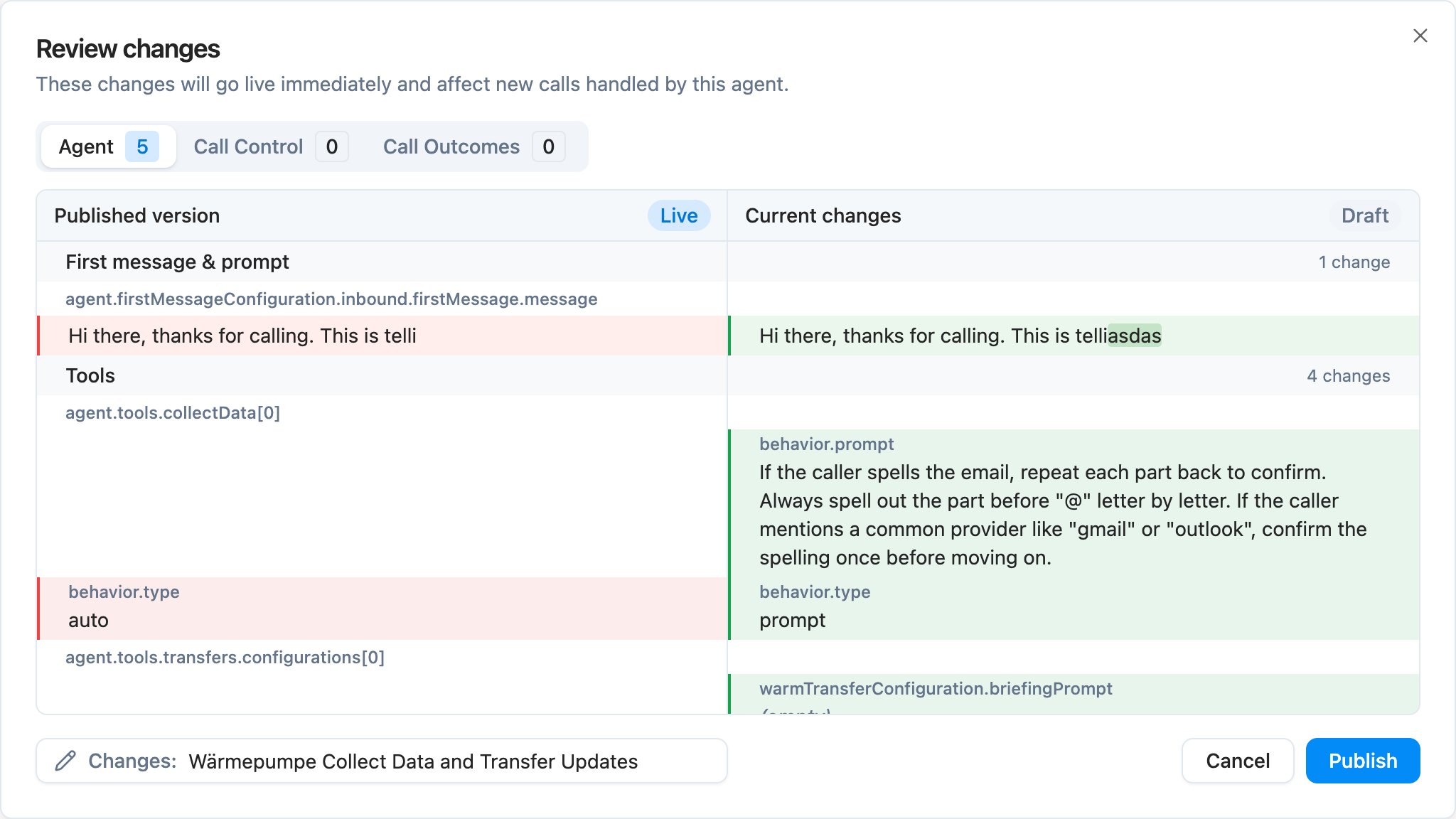
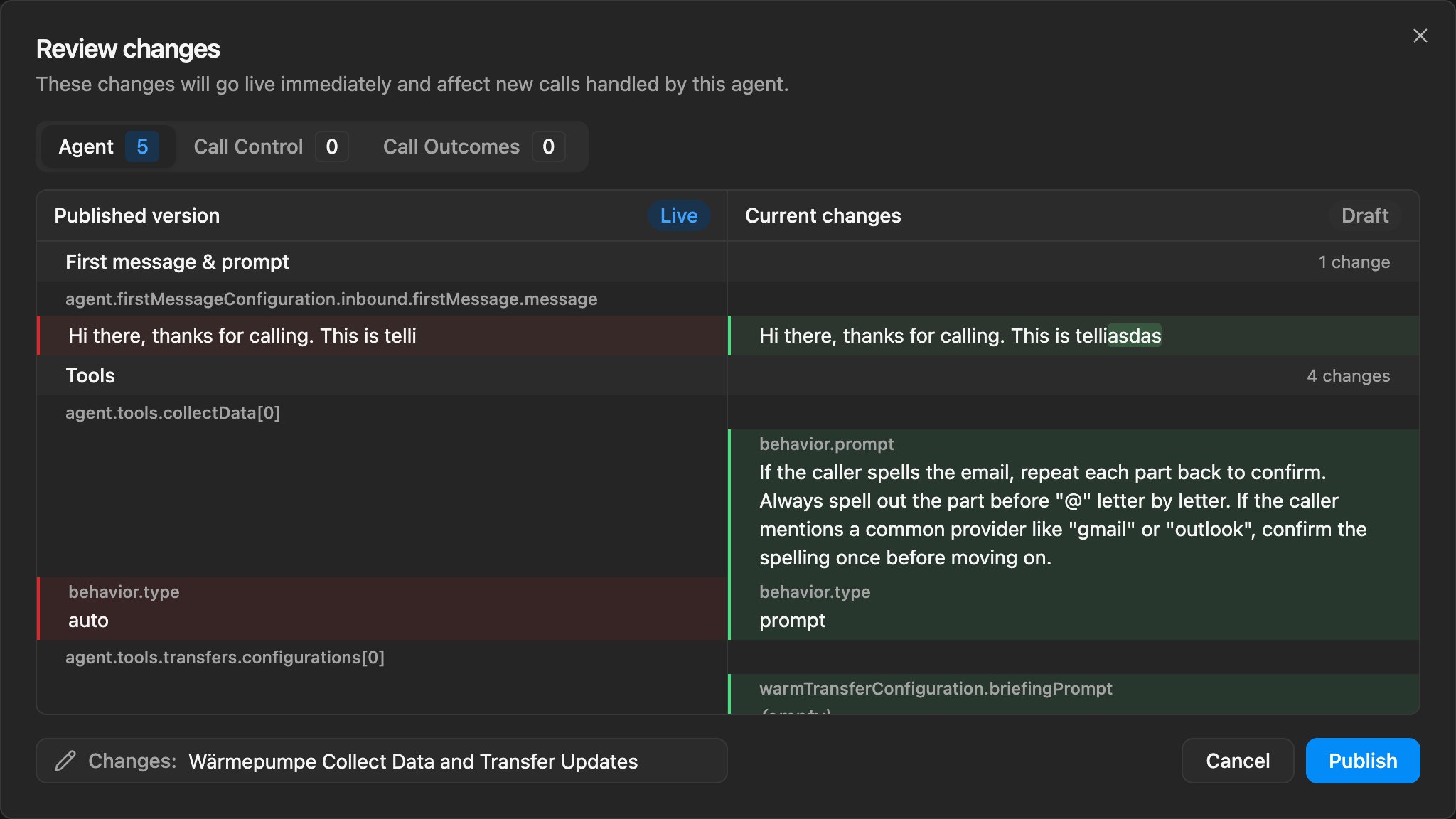
  ### Name your versions on publish

  You can now give a name to every published version of an agent or a workflow. telli auto-suggests a short title from the diff and you can edit it inline before publishing. Version history, the version picker, and related dropdowns show the title alongside the date and version number, so older revisions are easier to scan.

  <Frame caption="Publish dialog with auto-generated version title">
    <div className="relative w-full aspect-[2048/1152] overflow-hidden">
      <img src="https://mintcdn.com/telli/Ix2kvcUq5aL88EME/images/changelog/2026-06-08-version-names-light.png?fit=max&auto=format&n=Ix2kvcUq5aL88EME&q=85&s=d4b06b282cc561efa359e24315b613a8" width="2048" height="1152" alt="Publish dialog with auto-generated version title" className="absolute inset-0 h-full w-full object-contain block dark:hidden" data-path="images/changelog/2026-06-08-version-names-light.png" />

      <img src="https://mintcdn.com/telli/Ix2kvcUq5aL88EME/images/changelog/2026-06-08-version-names-dark.png?fit=max&auto=format&n=Ix2kvcUq5aL88EME&q=85&s=3bab9884202ff1a85bf778588c54721a" width="2048" height="1152" alt="Publish dialog with auto-generated version title" className="absolute inset-0 h-full w-full object-contain hidden dark:block" data-path="images/changelog/2026-06-08-version-names-dark.png" />
    </div>
  </Frame>

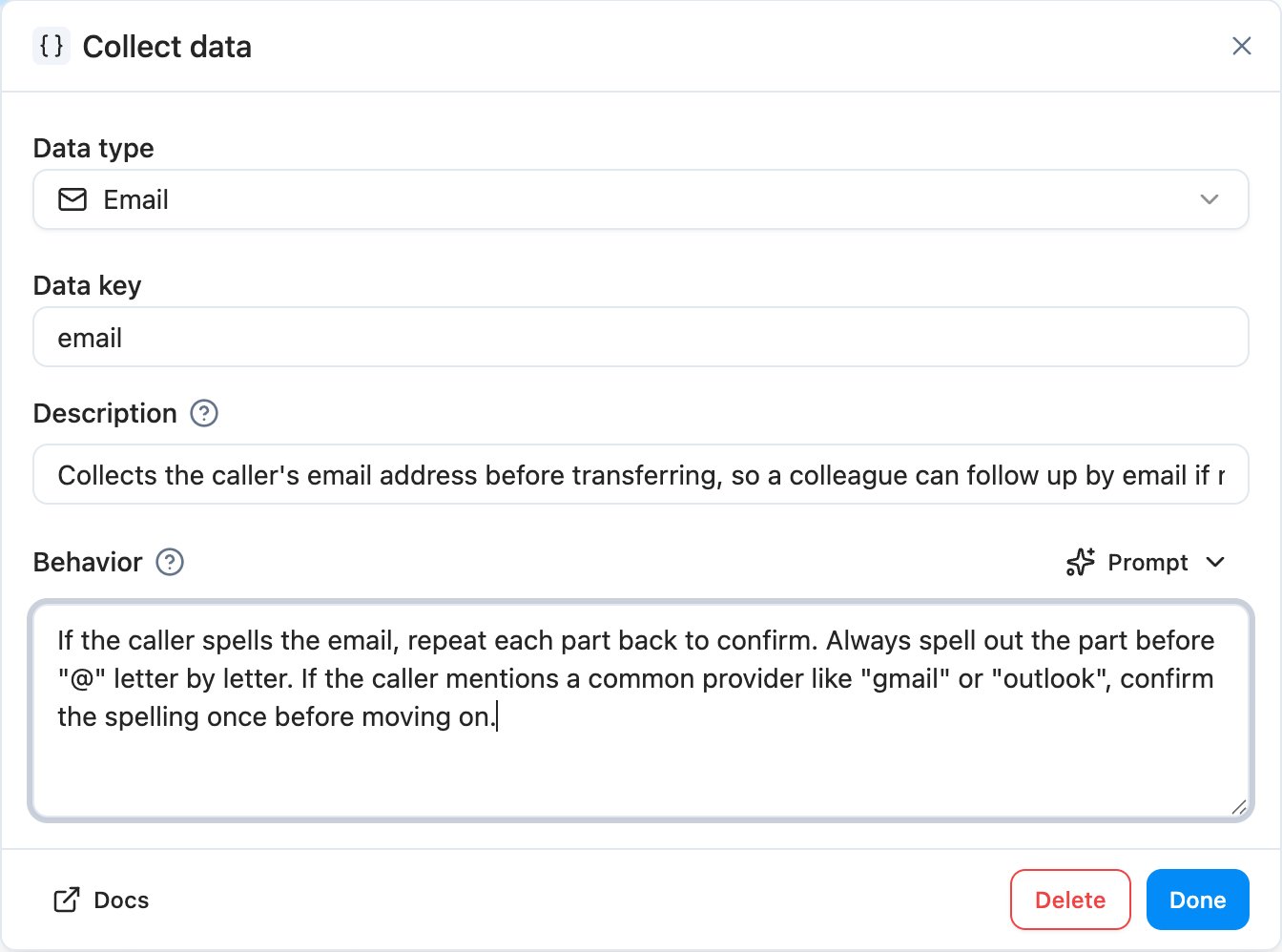
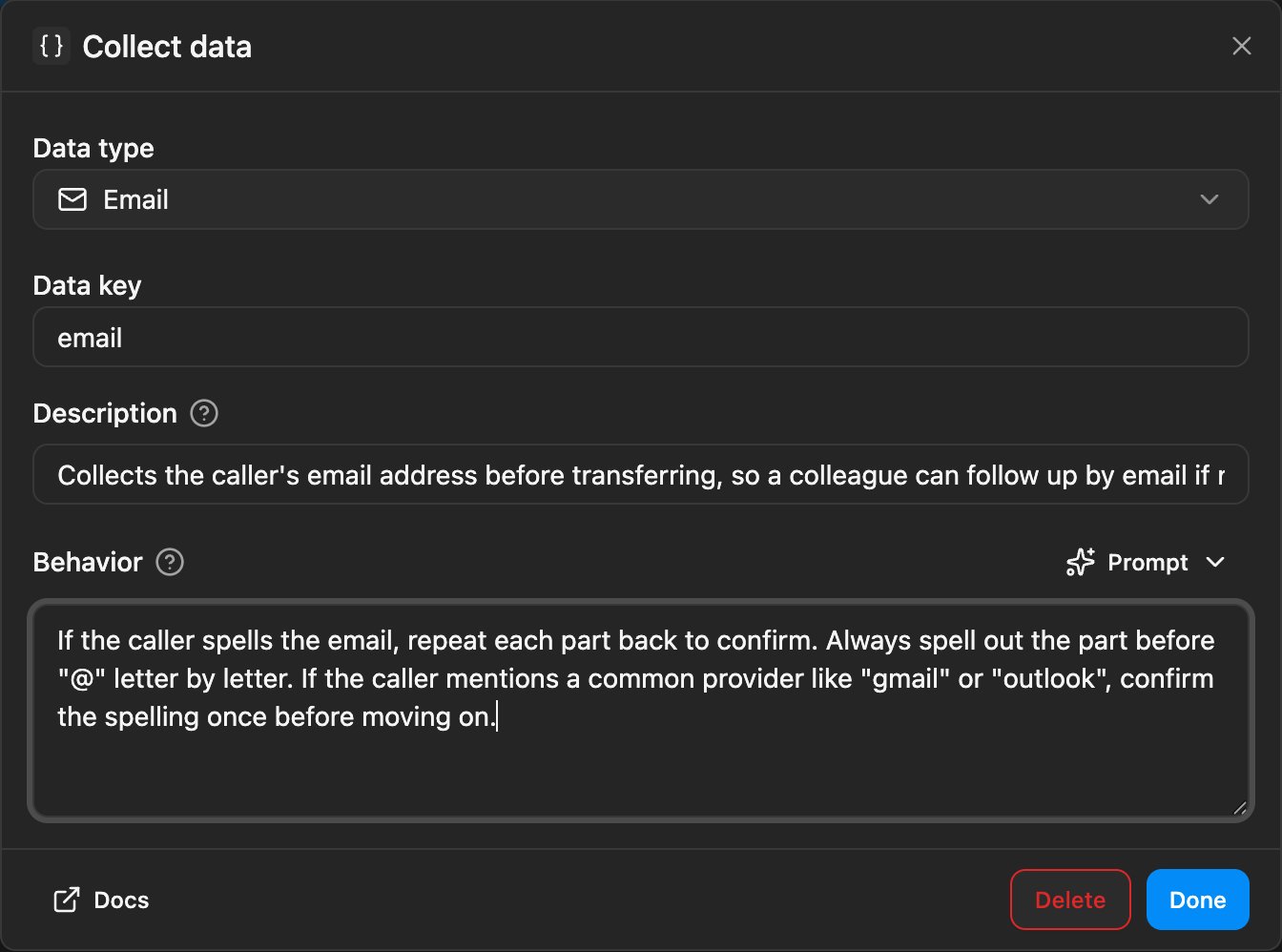
  ### Custom prompts for Collect Data tasks

  The Collect Data task in the agent builder has a new Prompt behavior. Pick Auto to keep the default sub-agent instructions, or write your own prompt to steer how the email, license plate, generic, or digits task asks for the value, confirms it, and handles edge cases - without touching the main agent prompt.

  <Frame caption="Collect Data task dialog with Prompt behavior selected">
    <div className="relative w-full aspect-[1344/998] overflow-hidden">
      <img src="https://mintcdn.com/telli/Ix2kvcUq5aL88EME/images/changelog/2026-06-08-collect-data-prompt-light.png?fit=max&auto=format&n=Ix2kvcUq5aL88EME&q=85&s=70a6d5ef666a503270b30c53b4a0ec92" width="1344" height="998" alt="Collect Data task dialog with Prompt behavior selected" className="absolute inset-0 h-full w-full object-contain block dark:hidden" data-path="images/changelog/2026-06-08-collect-data-prompt-light.png" />

      <img src="https://mintcdn.com/telli/Ix2kvcUq5aL88EME/images/changelog/2026-06-08-collect-data-prompt-dark.png?fit=max&auto=format&n=Ix2kvcUq5aL88EME&q=85&s=b3c878c6e720a20bc82cf58c3cbf2aec" width="1344" height="998" alt="Collect Data task dialog with Prompt behavior selected" className="absolute inset-0 h-full w-full object-contain hidden dark:block" data-path="images/changelog/2026-06-08-collect-data-prompt-dark.png" />
    </div>
  </Frame>

  <Accordion title="Improvements">
    <ul>
      <li>Agents can now stay on a call for up to 2 hours - the builder slider, validation, and call execution all respect the new limit</li>
      <li>When buying a phone number, the selection and confirmation now show Voice and SMS capability badges, so you can pick the right number for the job</li>
      <li>Scheduled calls in the contact timeline now show the agent name and the from-number, matching how past calls already appear</li>
      <li>Discarding an agent draft now opens a full diff dialog instead of a plain confirm, so you can see exactly which changes you'd lose</li>
      <li>The Variables panel's referenced indicator now picks up `{{variable}}` usage in the inbound and outbound first messages, not only in the main prompt</li>
      <li>The active tab in the contact details panel (Details or Activity) is now kept in the URL, so deep links and reloads land on the same tab</li>
    </ul>
  </Accordion>

  <Accordion title="Fixes">
    <ul>
      <li>Inbound phone numbers missing a leading `+` are now normalized, so calls from those numbers route correctly again</li>
      <li>Up/down arrow navigation in conversation history now works when focus is in the right detail pane, not only in the left list</li>
      <li>The agent builder prompt scrolls reliably again - the resize handle no longer steals the scroll area</li>
      <li>The send-SMS-from-number control no longer renders with broken spacing</li>
      <li>Inbound SMS now show the correct source label in the contact timeline</li>
    </ul>
  </Accordion>

  <Accordion title="Keyboard Shortcuts">
    <ul>
      <li>Press `Delete` or `Backspace` with selected contacts to open the bulk delete confirmation - typing in form fields is unaffected</li>
      <li>Press `Escape` to close an open workflow node panel and return to the workflow canvas</li>
    </ul>
  </Accordion>
</Update>

<Update label="Week 23" description="Jun 1, 2026">
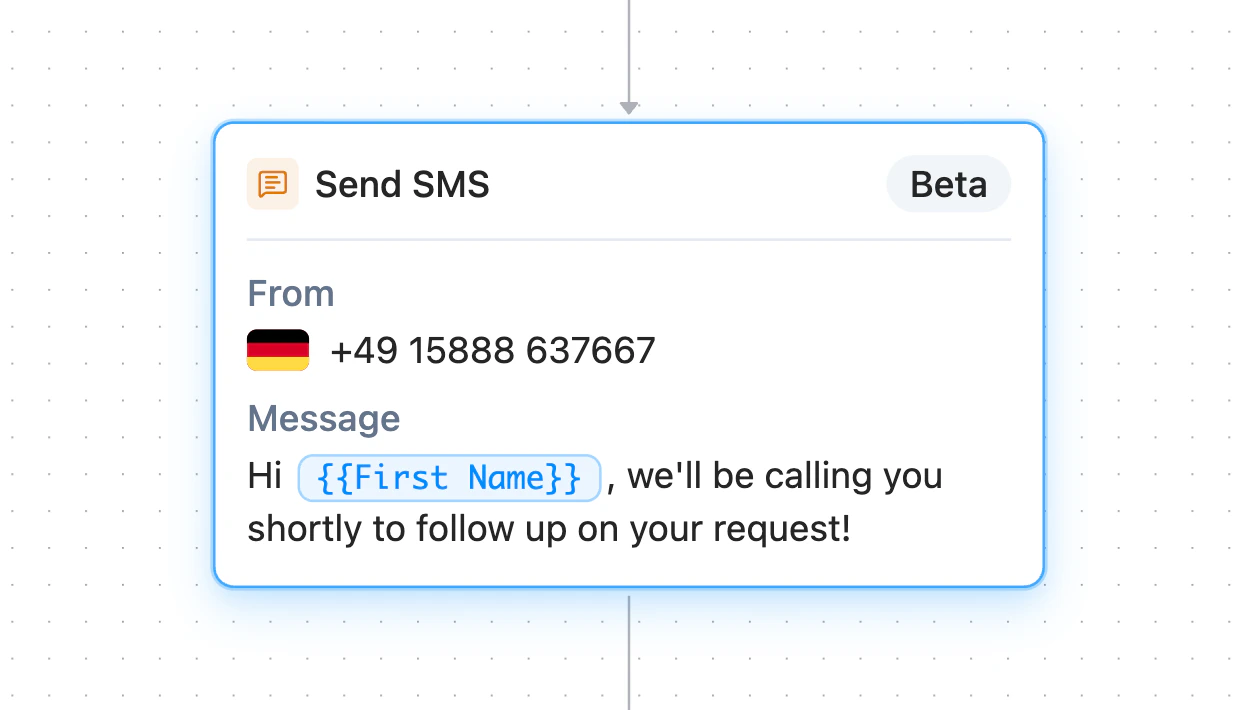
  ## SMS

  telli now supports SMS alongside voice. You can text contacts from a workflow, agents can send templated SMS during a live call, and inbound replies land back in the same conversation thread.

  <Frame>
    <video src="https://migthzpcwvipwgioldfr.supabase.co/storage/v1/object/public/public_assets/changelog/2026-06-01-week-23/sms.mp4" width="3842" height="2160" controls muted autoPlay loop playsInline className="w-full rounded-xl" />
  </Frame>

  ### Send SMS from a workflow

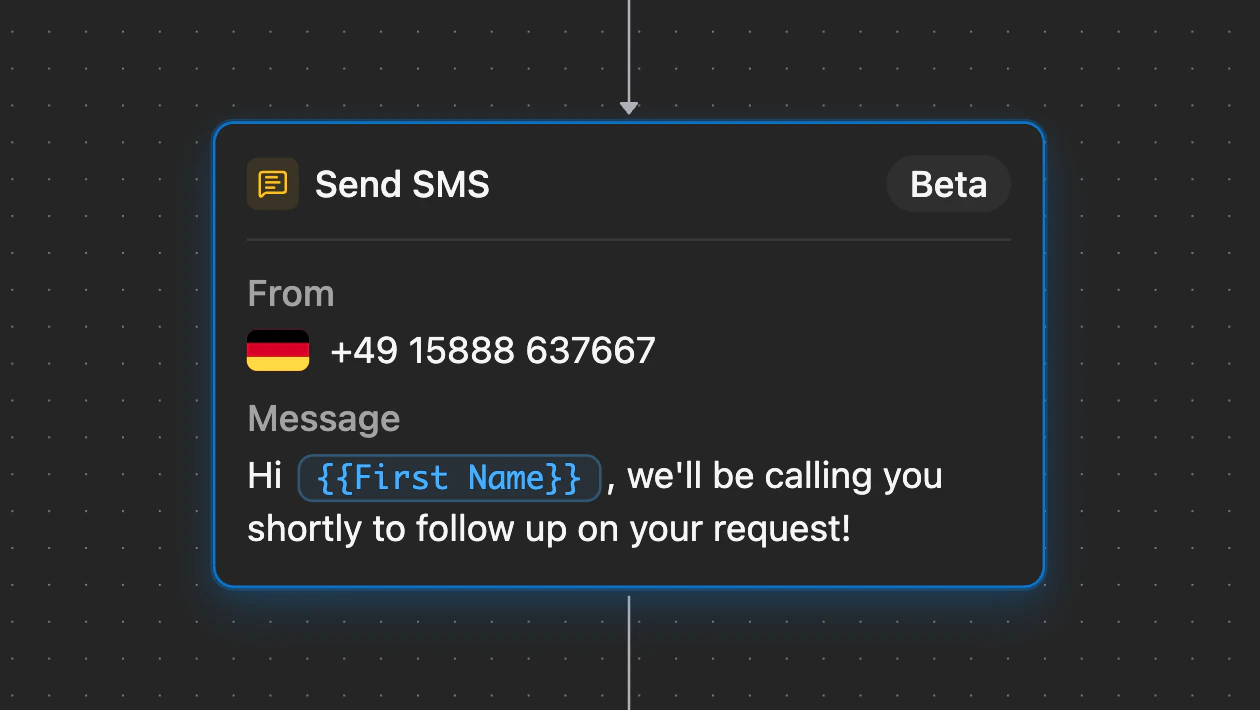
  Drop the new Send SMS block into any workflow, write your template, and pick which telli number to send from. Use it for post-call follow-ups, scheduled-callback confirmations, or any trigger where a quick text is the right answer. First 20 outbound SMS are free once per account; additional SMS are billed by usage.

  <Frame caption="Send SMS workflow block with sender number and message template">
    <div className="relative w-full aspect-[1260/710] overflow-hidden">
      <img src="https://mintcdn.com/telli/BIpFRNxC13HDeHRN/images/changelog/2026-06-01-sms-light.png?fit=max&auto=format&n=BIpFRNxC13HDeHRN&q=85&s=626a8f7e8bda5a01349ef49a8f21648e" width="1260" height="710" alt="Send SMS workflow block with sender number and message template" className="absolute inset-0 h-full w-full object-contain block dark:hidden" data-path="images/changelog/2026-06-01-sms-light.png" />

      <img src="https://mintcdn.com/telli/BIpFRNxC13HDeHRN/images/changelog/2026-06-01-sms-dark.png?fit=max&auto=format&n=BIpFRNxC13HDeHRN&q=85&s=ef6cc300ea5ea3cb5d2ce325a3d68700" width="1260" height="710" alt="Send SMS workflow block with sender number and message template" className="absolute inset-0 h-full w-full object-contain hidden dark:block" data-path="images/changelog/2026-06-01-sms-dark.png" />
    </div>
  </Frame>

  ### Text during a live call

  Configure one or more SMS templates on an agent and the agent gets a runtime tool to send the right one mid-conversation. Useful for sending a payment link, a calendar invite, or a callback confirmation while the caller is still on the line.

  ### Replies in the same thread

  When a contact replies to a telli number, the message is attached to the existing thread and shows up in Conversations and on the contact timeline, so SMS context sits right next to voice context.

  <Accordion title="Improvements">
    <ul>
      <li>Finnish and Danish are now available as agent languages, with matching voice mappings across the product</li>
      <li>Agent analytics adapts to your data: turn-count and call-duration buckets scale automatically, and the by-version view has show-all and isolate controls so you can compare versions one at a time</li>
      <li>Workflow webhooks support templated URLs and encrypted secret values, so you can fan out to any endpoint and authenticate cleanly</li>
      <li>Call durations show in m:ss in the app, and the call-ended webhook and API payload now include `call_length_sec` alongside `call_length_min`</li>
      <li>The Schedule Call workflow node warns when the selected agent's Auto Dialer is turned off, so calls don't queue silently</li>
      <li>"Call history" is now "Conversations" across the app, reflecting both voice and SMS</li>
    </ul>
  </Accordion>

  <Accordion title="Fixes">
    <ul>
      <li>The salutation field is back in the manual contact creation form</li>
      <li>Safari dialogs no longer overflow on small viewports - applies to the shared dialog primitives and to the calendar and knowledge base configuration dialogs</li>
    </ul>
  </Accordion>
</Update>

<Update label="Week 22" description="May 25, 2026">
  ## Trigger Workflows on new contacts

  The [Workflows](https://app.telli.com/_/workflows) trigger picker now includes new contacts. When a contact lands in telli - through CSV import, the API, or any other source - the workflow you've enabled for the contact-created trigger runs automatically. Combine actions like updating a property, calling a webhook, or writing the contact to Salesforce, so every new contact follows the same flow without any manual setup.
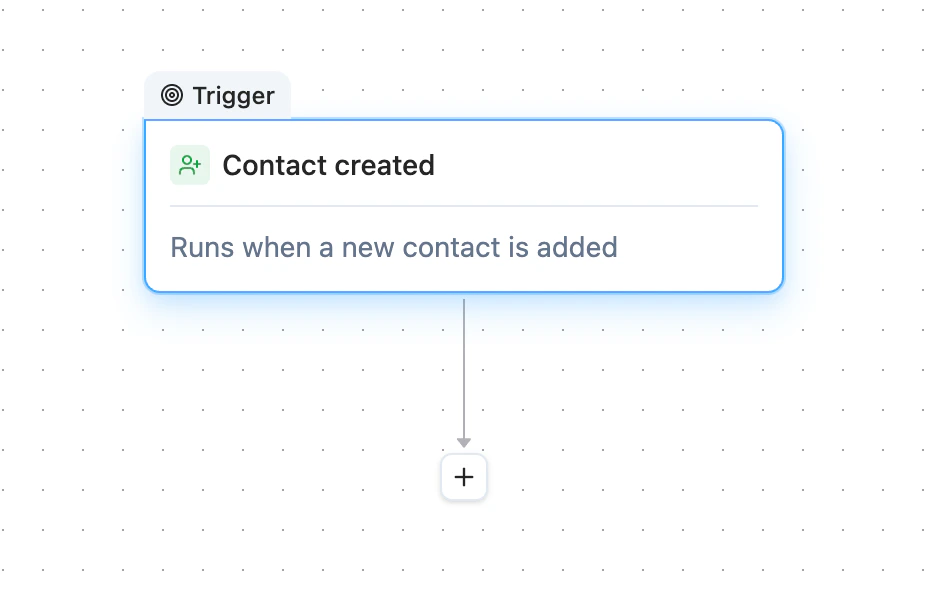
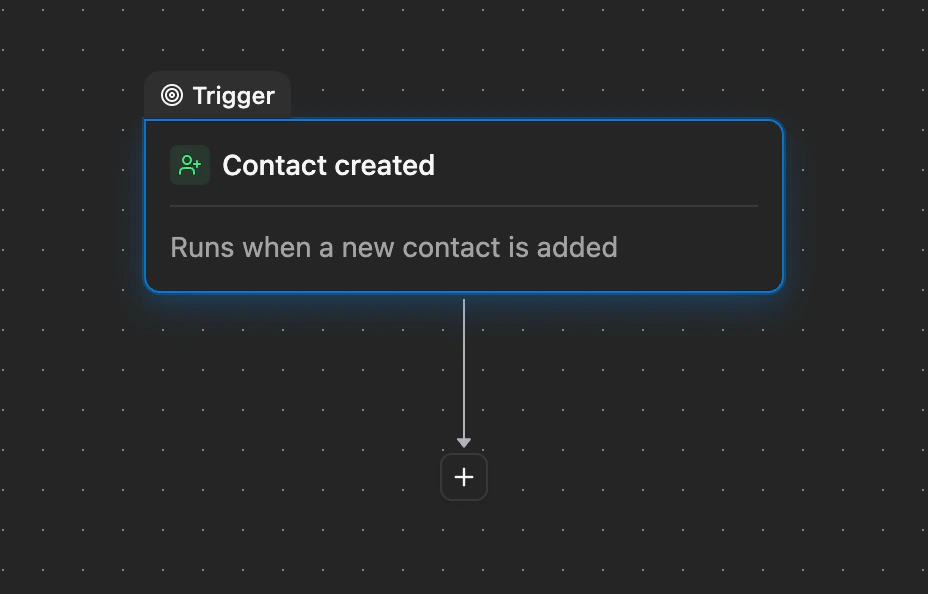
  <Frame caption="Workflow trigger picker showing the new contact created option">
    <div className="relative w-full aspect-[928/594] overflow-hidden">
      <img src="https://mintcdn.com/telli/SCtR_XkAFP_LKjEQ/images/changelog/2026-05-25-workflows-contact-created-light.png?fit=max&auto=format&n=SCtR_XkAFP_LKjEQ&q=85&s=f0a88387946135d4bde4472f589617b1" width="928" height="594" alt="Workflow trigger picker showing the new contact created option" className="absolute inset-0 h-full w-full object-contain block dark:hidden" data-path="images/changelog/2026-05-25-workflows-contact-created-light.png" />

      <img src="https://mintcdn.com/telli/SCtR_XkAFP_LKjEQ/images/changelog/2026-05-25-workflows-contact-created-dark.png?fit=max&auto=format&n=SCtR_XkAFP_LKjEQ&q=85&s=a5f7a63ece483467d076fc640ab90a3b" width="928" height="594" alt="Workflow trigger picker showing the new contact created option" className="absolute inset-0 h-full w-full object-contain hidden dark:block" data-path="images/changelog/2026-05-25-workflows-contact-created-dark.png" />
    </div>
  </Frame>

  ### Duplicate any workflow

  The Workflows list has a new Duplicate action. One click drops in a copy as a disabled draft, so you can edit the new version without touching the original.

  ### Send a bad call to Charlie for a fix

  When you spot a problem in builder call history, click the new Charlie wand next to the thumbs on any agent reply - or leave negative feedback on a call and pick "Try fix with Charlie". Either way, Charlie picks up the transcript up to that point and proposes a change you can review inline.

  <Accordion title="Improvements">
    <ul>
      <li>Outbound calls now play your voicemail message exactly once, even when the assistant and the background detector both react to the same beep</li>
      <li>Auto Dialer settings have a new account-level timezone, used whenever a contact doesn't have its own timezone set</li>
      <li>Agents with their own dialing windows now also respect your account-level no-call days, so configured holidays are skipped no matter how an agent's own schedule is set</li>
      <li>Press Space to play or pause the audio player anywhere in the dashboard, and every audio button now has a tooltip explaining what it does</li>
      <li>Click the title in the agent or workflow breadcrumb to rename it inline - press Enter or click outside to save</li>
      <li>`externalId` is available in the agent variable menu, so prompts can reference it directly during a call</li>
      <li>Phone numbers now use the same readable international format across the phone-number page, call history, breadcrumbs, and blocked-number dialogs, instead of unformatted numbers</li>
      <li>The "Update contact" workflow node has a clearer label and icon, True/False values look consistent across run details and node summaries, and notification email subjects are cleaned up before sending</li>
    </ul>
  </Accordion>

  <Accordion title="Fixes">
    <ul>
      <li>The contact details panel no longer crashes on older custom property rows, so accounts using legacy properties can open contact pages again</li>
      <li>The call status icon now matches the actual call status, instead of always showing the ringing icon</li>
      <li>Pressing Escape in the contacts list closes any open details panel, sheet, or dialog first - a second Escape clears the bulk selection</li>
      <li>Loading placeholders for blocked phone numbers, call history badges, and filter buttons now match their final sizes, so the layout no longer shifts when data loads</li>
    </ul>
  </Accordion>
</Update>

<Update label="Week 21" description="May 18, 2026">
  ## Filter contacts by property

  The [Contacts](https://app.telli.com/_/contacts) table now lets you filter by contact properties. Combine multiple filters to narrow down to the exact contact set you want, then act on the results - schedule calls, cancel pending dials, or open a single contact - without leaving the page.
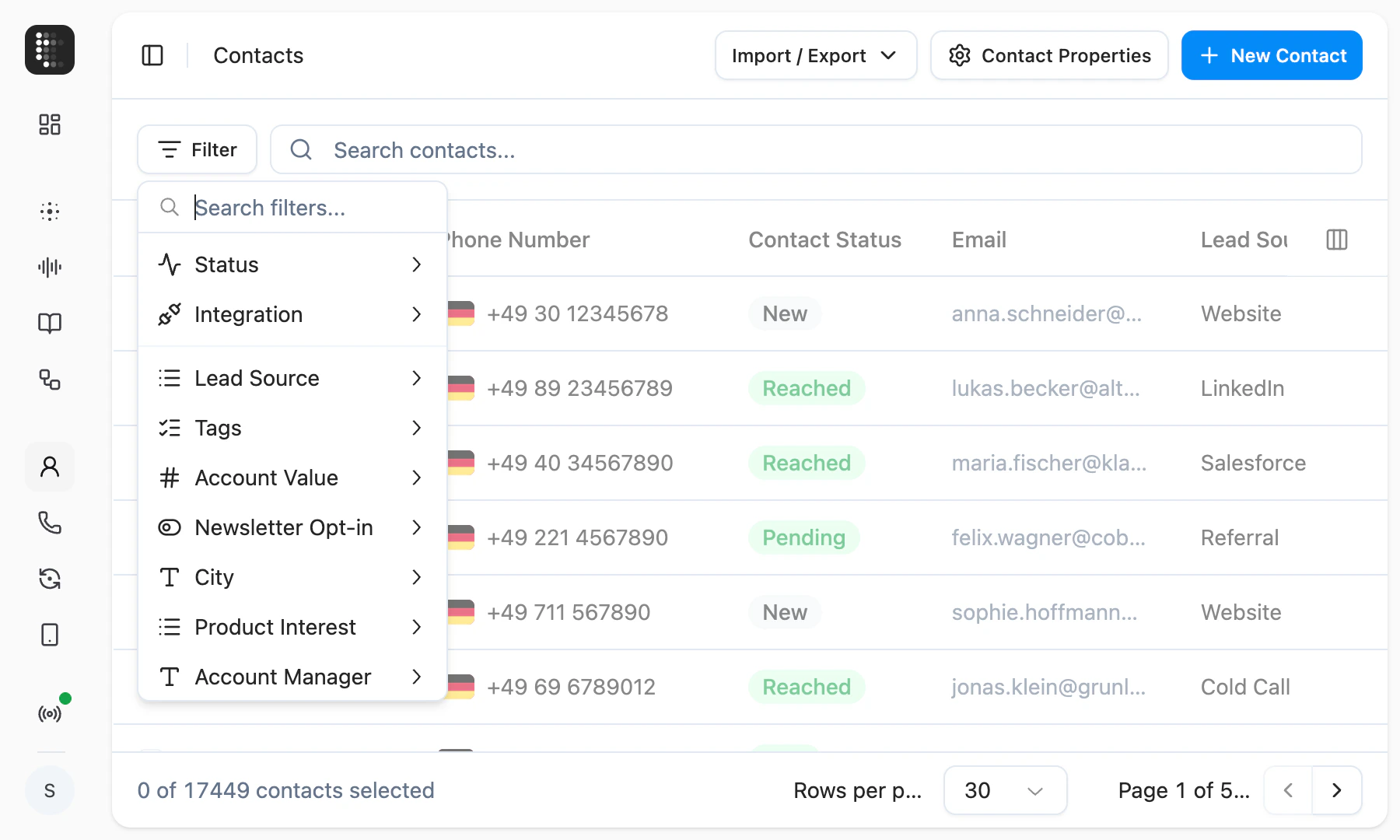
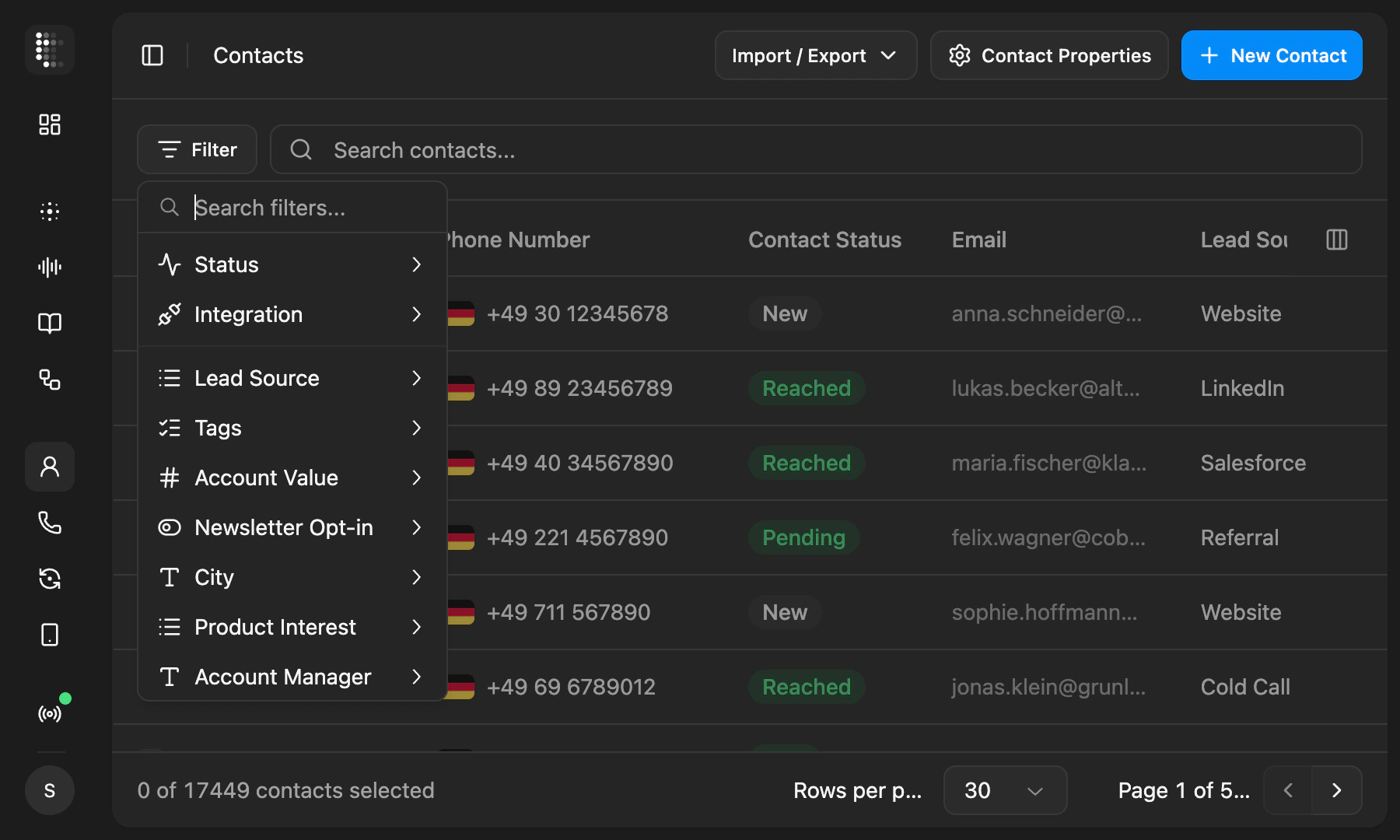
  <Frame caption="Contacts page with the filter menu open showing property options">
    <div className="relative w-full aspect-[1800/1080] overflow-hidden">
      <img src="https://mintcdn.com/telli/c7IWCt5NL0NLb_hm/images/changelog/2026-05-18-contact-filters-light.png?fit=max&auto=format&n=c7IWCt5NL0NLb_hm&q=85&s=9cd7405d014e9f51fde92ffe4f040384" width="1800" height="1080" alt="Contacts page with the filter menu open showing property options" className="absolute inset-0 h-full w-full object-contain block dark:hidden" data-path="images/changelog/2026-05-18-contact-filters-light.png" />

      <img src="https://mintcdn.com/telli/c7IWCt5NL0NLb_hm/images/changelog/2026-05-18-contact-filters-dark.png?fit=max&auto=format&n=c7IWCt5NL0NLb_hm&q=85&s=a5abcaeedb9c271b668e8269731cf8e2" width="1800" height="1080" alt="Contacts page with the filter menu open showing property options" className="absolute inset-0 h-full w-full object-contain hidden dark:block" data-path="images/changelog/2026-05-18-contact-filters-dark.png" />
    </div>
  </Frame>

  ### Block out no-call days

  The auto-dialer and "Call me later" now respect specific dates you mark as no-call days. Set public holidays, company-wide closures, or any individual date in [dialer settings](https://app.telli.com/_/dialer), and telli skips them automatically instead of placing outbound calls when it shouldn't.
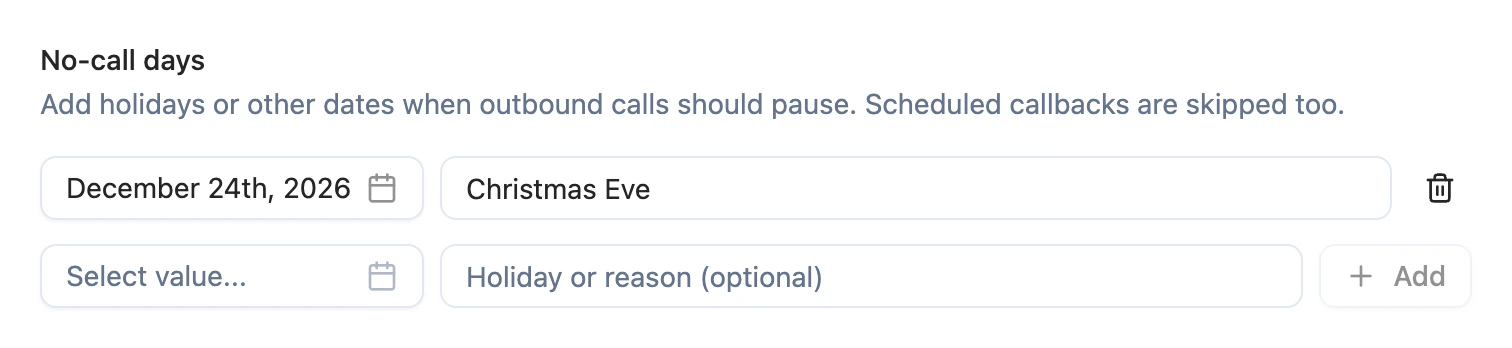
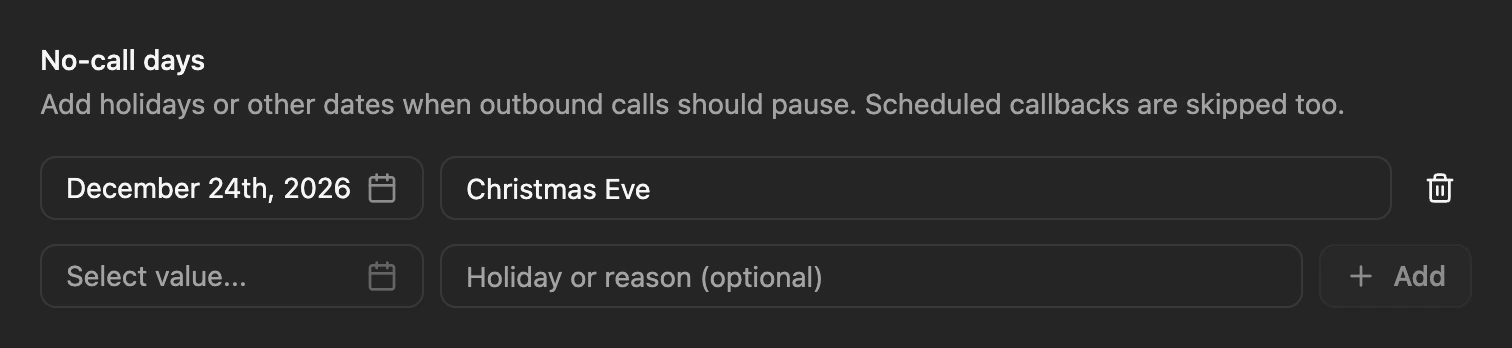
  <Frame caption="No-call days settings with Christmas Eve added">
    <div className="relative w-full aspect-[1512/348] overflow-hidden">
      <img src="https://mintcdn.com/telli/c7IWCt5NL0NLb_hm/images/changelog/2026-05-18-no-call-days-light.png?fit=max&auto=format&n=c7IWCt5NL0NLb_hm&q=85&s=24630cf2e5db7b9100f11b6b2bd8fe0d" width="1512" height="348" alt="No-call days settings with Christmas Eve added" className="absolute inset-0 h-full w-full object-contain block dark:hidden" data-path="images/changelog/2026-05-18-no-call-days-light.png" />

      <img src="https://mintcdn.com/telli/c7IWCt5NL0NLb_hm/images/changelog/2026-05-18-no-call-days-dark.png?fit=max&auto=format&n=c7IWCt5NL0NLb_hm&q=85&s=c1e09a2163d028c49561f8db011a41a1" width="1512" height="348" alt="No-call days settings with Christmas Eve added" className="absolute inset-0 h-full w-full object-contain hidden dark:block" data-path="images/changelog/2026-05-18-no-call-days-dark.png" />
    </div>
  </Frame>

  ### Block phone numbers from reaching your agents

  You can now block specific phone numbers from reaching your agents on inbound calls. Add a number from a call's details or directly in Settings → Telephony → [Blocked phone numbers](https://app.telli.com/_/telephony/blocked-phone-numbers), and any future inbound call from that number is rejected before it touches an agent. The list is account-wide, and outbound calling is unaffected.
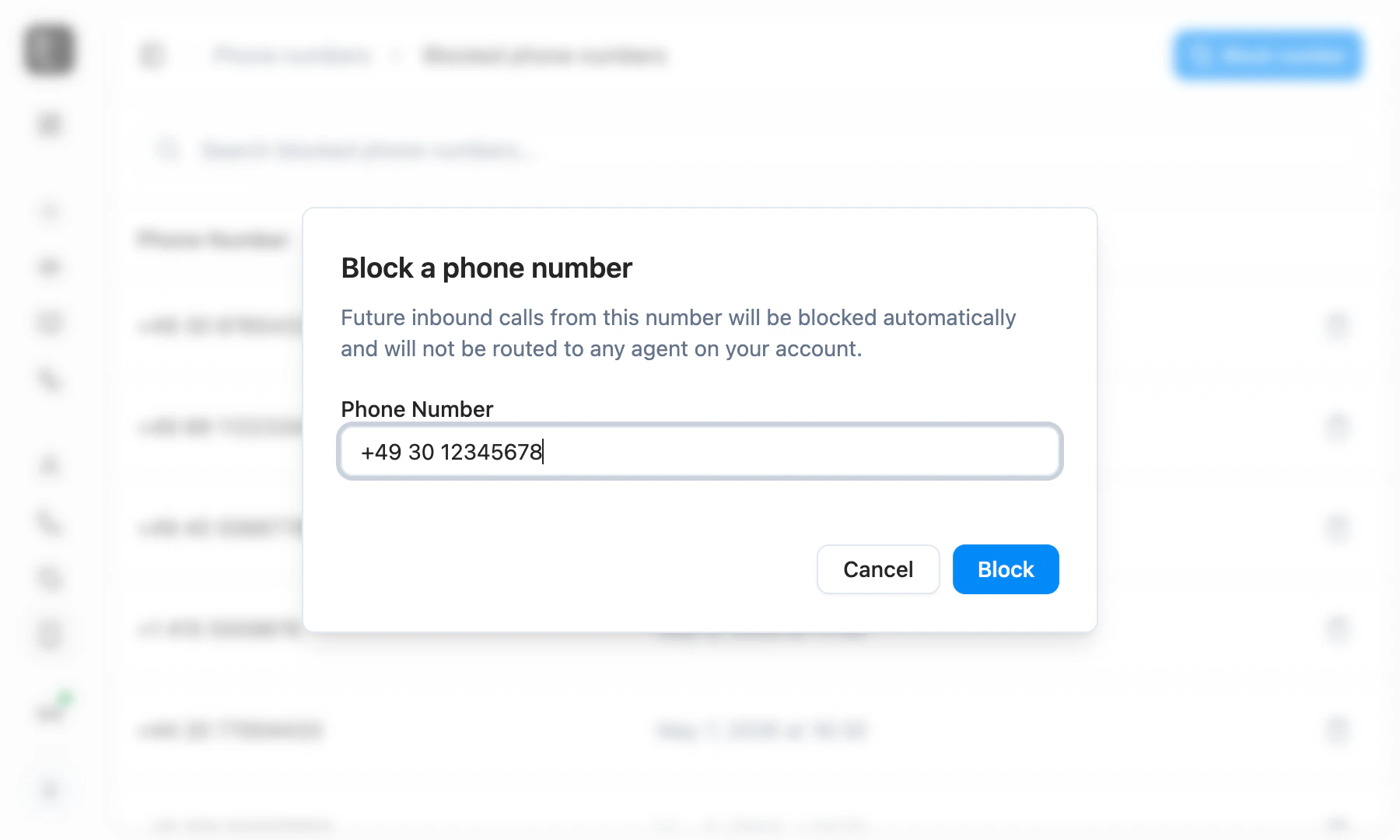
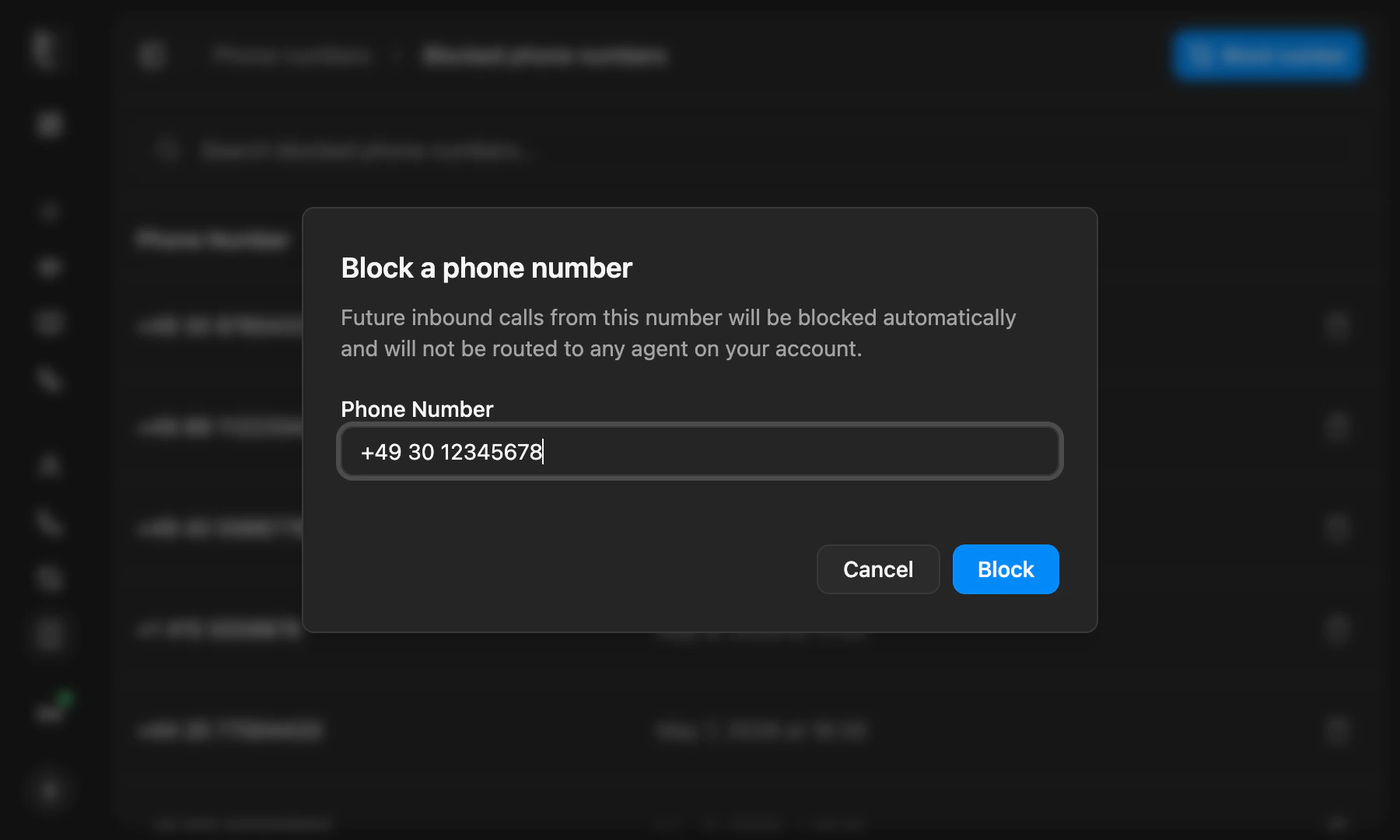
  <Frame caption="Block a phone number dialog with a number filled in">
    <div className="relative w-full aspect-[1800/1080] overflow-hidden">
      <img src="https://mintcdn.com/telli/c7IWCt5NL0NLb_hm/images/changelog/2026-05-18-blocked-phone-numbers-light.png?fit=max&auto=format&n=c7IWCt5NL0NLb_hm&q=85&s=71893c50d22e6526b353c8aa259c0067" width="1800" height="1080" alt="Block a phone number dialog with a number filled in" className="absolute inset-0 h-full w-full object-contain block dark:hidden" data-path="images/changelog/2026-05-18-blocked-phone-numbers-light.png" />

      <img src="https://mintcdn.com/telli/c7IWCt5NL0NLb_hm/images/changelog/2026-05-18-blocked-phone-numbers-dark.png?fit=max&auto=format&n=c7IWCt5NL0NLb_hm&q=85&s=2232a56f7115ba060935d8acff9da827" width="1800" height="1080" alt="Block a phone number dialog with a number filled in" className="absolute inset-0 h-full w-full object-contain hidden dark:block" data-path="images/changelog/2026-05-18-blocked-phone-numbers-dark.png" />
    </div>
  </Frame>

  <Accordion title="Improvements">
    <ul>
      <li>Import a custom voice from Cartesia or ElevenLabs yourself by pasting its voice ID into voice settings, no request to telli needed</li>
      <li>Voice settings let you pin a specific voice model per provider, with a Default option that follows telli's recommendation</li>
      <li>Agents can schedule callbacks in relative time, like "in 30 minutes" or "in 2 hours", in addition to absolute times</li>
      <li>Cold transfers now support SIP URI targets with optional REFER headers, unlocking handoffs to platforms like Zendesk</li>
      <li>Date inputs gained month and year dropdowns, so far-back dates like birthdates are quick to set</li>
      <li>Krisp is no longer selectable for background noise reduction in the agent builder - AI Coustics is the recommended replacement, and existing Krisp configs continue to work as legacy</li>
      <li>Charlie can now show inline voice preview cards in the builder chat, so you can play samples without leaving the conversation</li>
      <li>Knowledge base retrieval now pulls in sibling chunks from the same article, so the agent gets richer context per match</li>
    </ul>
  </Accordion>

  <Accordion title="Fixes">
    <ul>
      <li>Removing a contact from the Auto-Dialer no longer leaves a stale call loop that blocks deletion of the agent</li>
      <li>The Agent Builder no longer crashes intermittently when the chat panel loads</li>
      <li>Salesforce surfaces a clear error when the connected user is missing API access or the session is invalid, with guidance to reconnect</li>
      <li>Creating a tool with a duplicate name now returns a clear validation error instead of failing generically</li>
    </ul>
  </Accordion>
</Update>

<Update label="Week 20" description="May 11, 2026">
  ## Workflows for every Salesforce object

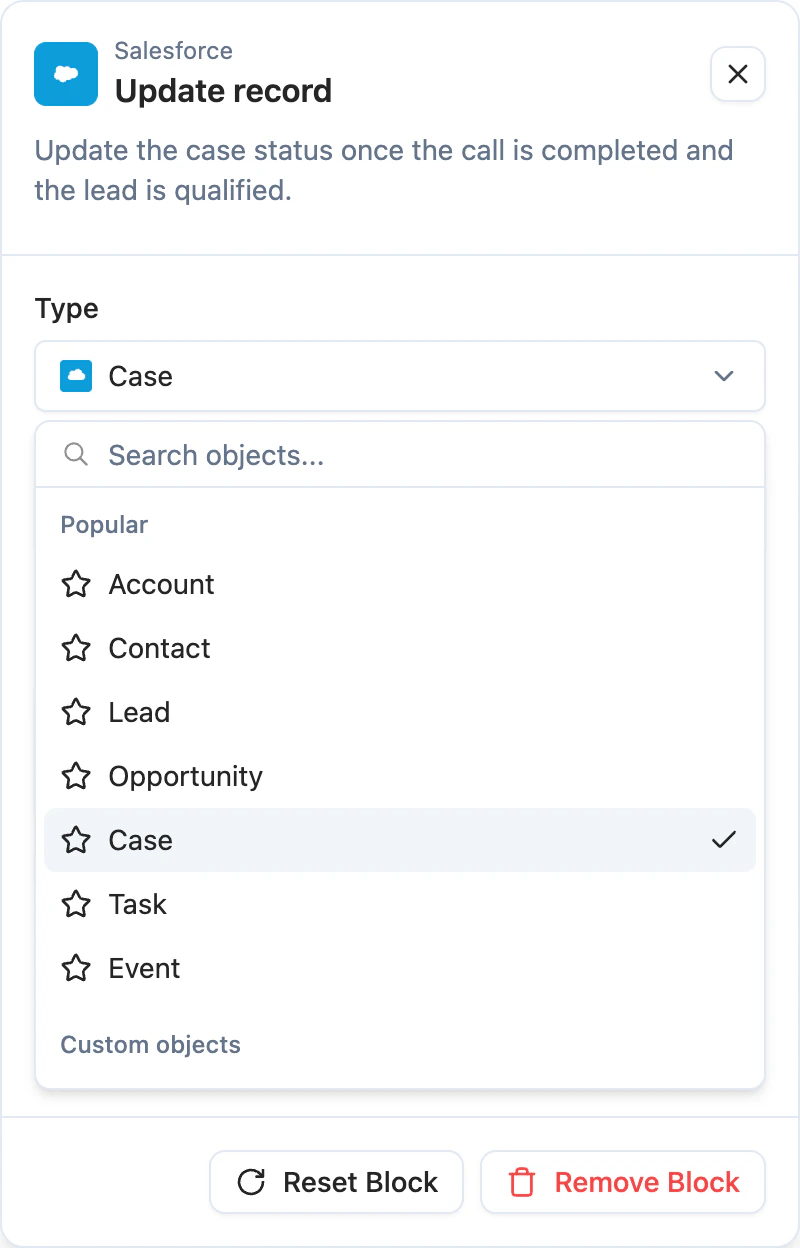
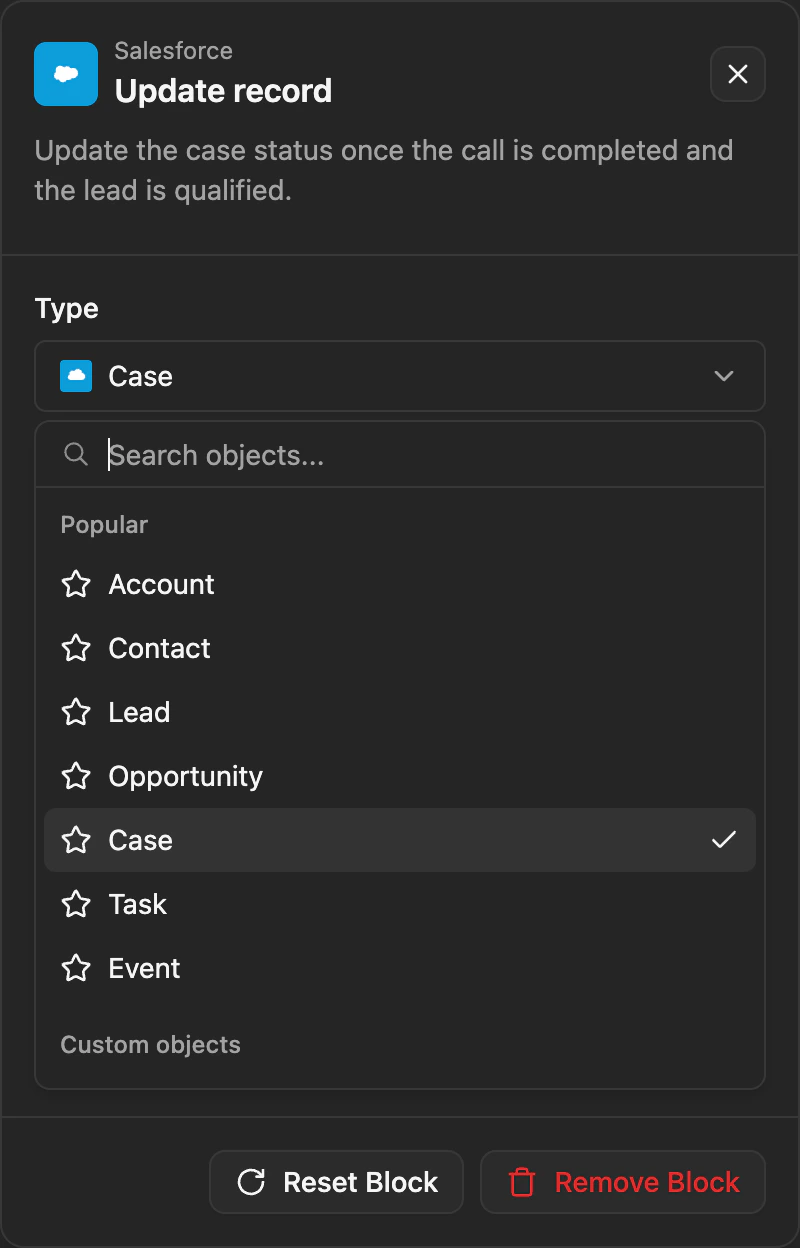
  The [Workflows](https://app.telli.com/_/workflows) Salesforce action is no longer limited to Lead and Contact. You can now create or update any standard or custom Salesforce object. Build a workflow that writes the call outcome and any data your agent captured to the right Task, Case, Opportunity, or custom object after each call, with no extra integration code.

  <Frame caption="Workflow Salesforce action with object dropdown showing all available Salesforce objects">
    <div className="relative w-full aspect-[800/1248] overflow-hidden mx-auto" style={{ maxWidth: "270px" }}>
      <img src="https://mintcdn.com/telli/OVoeRnRQmemmA1Mf/images/changelog/2026-05-11-workflows-salesforce-light.png?fit=max&auto=format&n=OVoeRnRQmemmA1Mf&q=85&s=ce0e3b73028e6443f8a6cc4c2eaf3e07" width="800" height="1248" alt="Workflow Salesforce action with object dropdown showing all available Salesforce objects" className="absolute inset-0 h-full w-full object-contain block dark:hidden" data-path="images/changelog/2026-05-11-workflows-salesforce-light.png" />

      <img src="https://mintcdn.com/telli/OVoeRnRQmemmA1Mf/images/changelog/2026-05-11-workflows-salesforce-dark.png?fit=max&auto=format&n=OVoeRnRQmemmA1Mf&q=85&s=c0cd8d8c3bb09c81a20b0d6f4d7ad3ae" width="800" height="1248" alt="Workflow Salesforce action with object dropdown showing all available Salesforce objects" className="absolute inset-0 h-full w-full object-contain hidden dark:block" data-path="images/changelog/2026-05-11-workflows-salesforce-dark.png" />
    </div>
  </Frame>

  ### Persistent chat history in the Agent Builder

  Charlie's chats now stick around. Conversations stay available across reloads and sessions, you can switch between past chats from a history menu, and start a fresh one when you want a clean slate. telli auto-generates a short title for each chat so older threads are easy to scan.

  <Accordion title="Improvements">
    <ul>
      <li>A dedicated data collection task captures phone numbers and other digit sequences more reliably than the general task</li>
      <li>Workflow conditions display as grouped OR/AND blocks, so complex branching logic is easier to read at a glance</li>
      <li>CSV import now clearly flags duplicate external IDs within the file, so you can resolve them before the import runs</li>
    </ul>
  </Accordion>

  <Accordion title="Fixes">
    <ul>
      <li>Salesforce multipicklist values are now written correctly in post-call automation, instead of dropping selections</li>
      <li>Calls no longer fail outright when a contact-stored transfer number is invalid - the agent handles it gracefully at runtime</li>
      <li>Outbound callbacks scheduled via "Call me later" now use the same telli number as the original call, instead of switching to a different one</li>
    </ul>
  </Accordion>
</Update>

<Update label="Week 19" description="May 4, 2026">
  ## Workflows

  [Workflows](https://app.telli.com/_/workflows) let you automate what happens after a call. Pick a trigger, drop in actions and conditions on the canvas, and decide what telli should do with each completed call without writing custom integration code.

  <Frame>
    <video src="https://migthzpcwvipwgioldfr.supabase.co/storage/v1/object/public/public_assets/changelog/2026-05-04-week-19/workflows.mp4" width="3842" height="2160" controls muted autoPlay loop playsInline className="w-full rounded-xl" />
  </Frame>

  Available action blocks include sending call data to a webhook, updating a contact field or custom property in telli, and creating or updating a Salesforce record when Salesforce is connected. Use If/else and Switch conditions to branch on values from the trigger, the call outcome, or any earlier block, so different calls can take different paths through the same workflow.
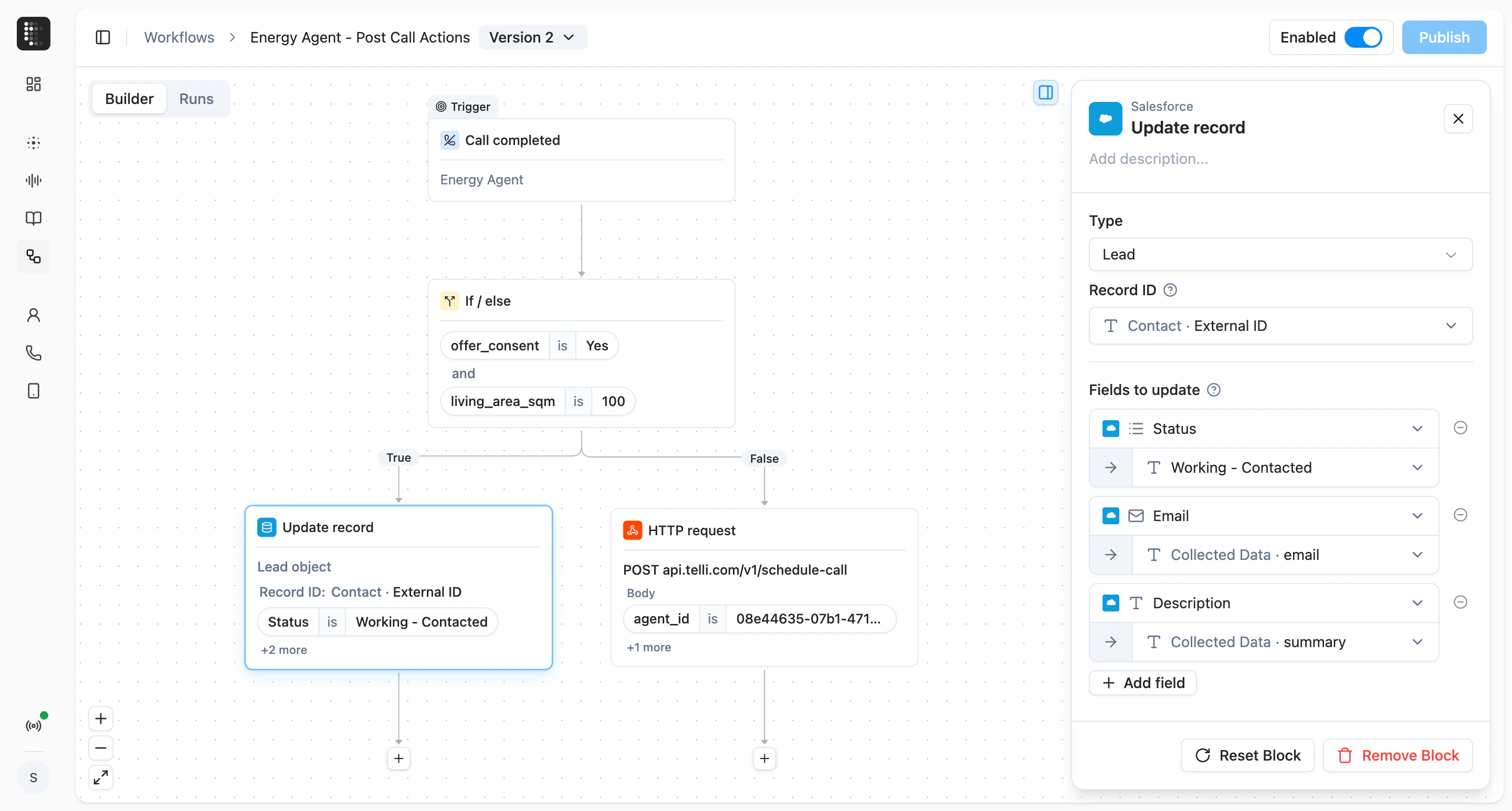
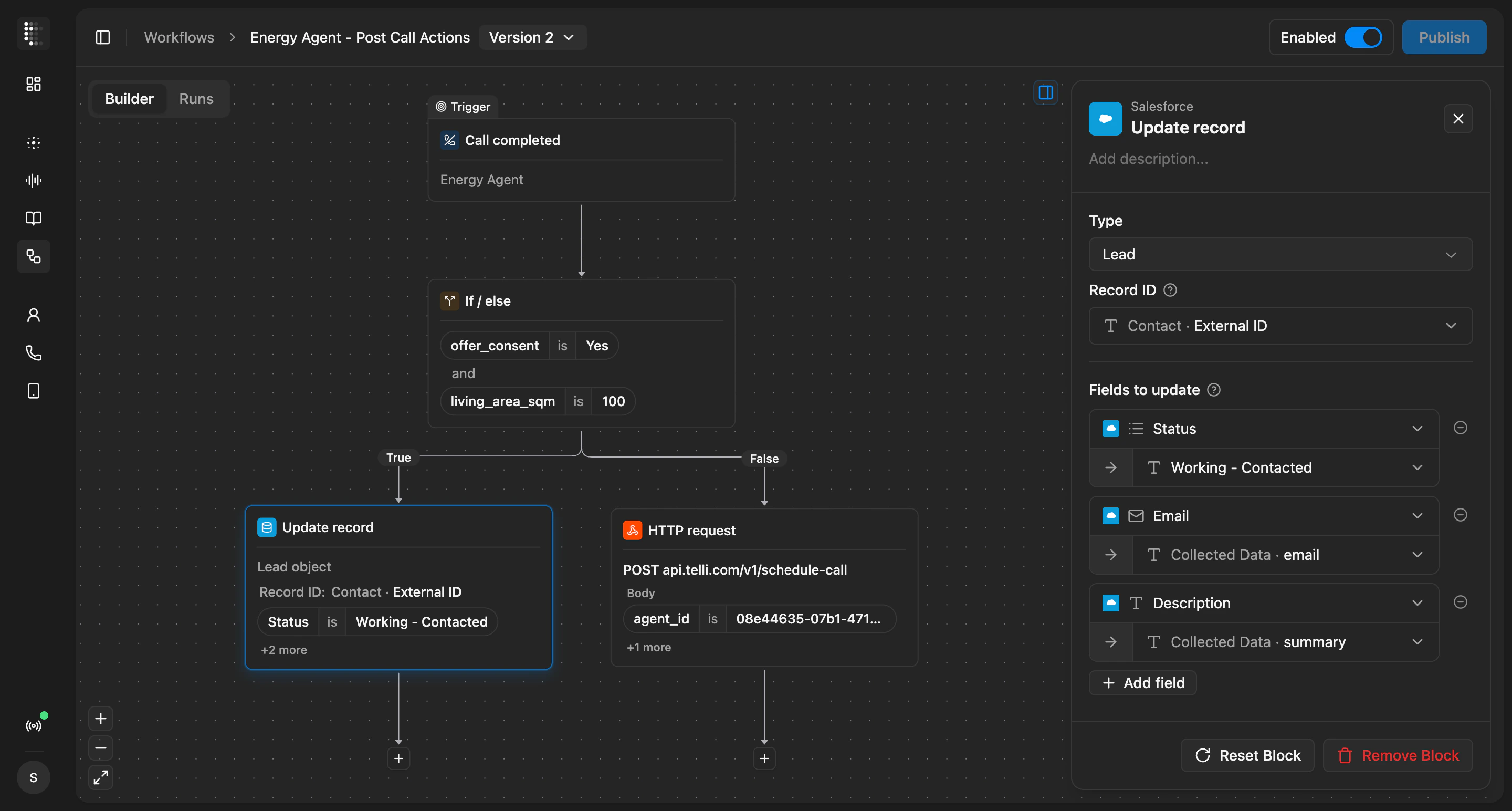
  <Frame caption="Workflows builder with trigger, condition, and action blocks">
    <div className="relative w-full aspect-[2880/1544] overflow-hidden">
      <img src="https://mintcdn.com/telli/kEXXG76BsQr0vaB6/images/changelog/2026-05-04-workflows-light.png?fit=max&auto=format&n=kEXXG76BsQr0vaB6&q=85&s=5a29da365c5097c68e967268cba16bce" width="2880" height="1544" alt="Workflows builder with trigger, condition, and action blocks" className="absolute inset-0 h-full w-full object-contain block dark:hidden" data-path="images/changelog/2026-05-04-workflows-light.png" />

      <img src="https://mintcdn.com/telli/kEXXG76BsQr0vaB6/images/changelog/2026-05-04-workflows-dark.png?fit=max&auto=format&n=kEXXG76BsQr0vaB6&q=85&s=b64abb0842d14815c4dd84302f95ce52" width="2880" height="1544" alt="Workflows builder with trigger, condition, and action blocks" className="absolute inset-0 h-full w-full object-contain hidden dark:block" data-path="images/changelog/2026-05-04-workflows-dark.png" />
    </div>
  </Frame>

  Edits stay as a draft while you build, and the canvas flags any block that is incomplete or references a value that no longer exists. Once published, the workflow runs automatically for new completed calls, and you can test it manually from the Runs tab against a real call before relying on automatic execution.

  <Accordion title="Improvements">
    <ul>
      <li>New multi-select option for call outcome field type, with matching filters and email conditions</li>
      <li>Set both max retry days and max attempts on smart dialing - the auto-dialer stops on whichever limit hits first</li>
      <li>New `agentPhoneNumber` variable lets prompts reference the number the agent is calling from, so the agent can dictate it back to the caller</li>
      <li>Transfer destinations in the agent builder now accept variables from the contact, so you can route a transfer to a number stored on the contact record</li>
      <li>Outbound calls now show the from-number alongside the contact number in call details</li>
      <li>Notification emails for answered calls with a scheduled callback now include the conversation transcript</li>
      <li>Audio waveform in call review now highlights the portion matching the messages you select in the transcript</li>
      <li>telli phone numbers used for testing are clearly marked with a test-only badge</li>
      <li>Builder remembers resized panel widths between sessions, and tooltips on the first message and timer controls explain what each does</li>
    </ul>
  </Accordion>

  <Accordion title="Fixes">
    <ul>
      <li>Deleting a contact property from Settings now requires a type-to-confirm step, so the action cannot happen by accident</li>
      <li>Contacts Reached on the dashboard reflects the correct count again</li>
      <li>Builder bubble menu closes when you click outside the editor</li>
      <li>Variables panel no longer shows a duplicate tooltip on the referenced indicator</li>
    </ul>
  </Accordion>
</Update>

<Update label="Week 18" description="Apr 27, 2026">
  ## Meet Charlie, your Agent Builder co-pilot

  Charlie is the AI assistant in the Agent Builder chat panel. Tell Charlie what you want the agent to do differently, and Charlie drafts the prompt edits. Review each change inline, accept what looks right, and reject the rest without leaving the builder.

  <Frame>
    <video src="https://migthzpcwvipwgioldfr.supabase.co/storage/v1/object/public/public_assets/changelog/2026-04-27-week-18/charlie.mp4" width="3842" height="2160" controls muted autoPlay loop playsInline className="w-full rounded-xl" />
  </Frame>

  Give Charlie context however fits: type an instruction, drop in a screenshot or document, or hold to record a voice message. Attachments preview in the chat before you send. Not sure where to start? The chat surfaces prompt suggestions like reviewing your agent against best practices, so you can run a quick audit and let Charlie propose the edits.

  ### Smarter data collection in long sequences

  When your agent collects several data points in a row, like email, contract number, and license plate, it now coordinates them as one flow instead of handling each as a separate task. The agent stays on track and stops looping back to ask for values the caller already confirmed, so the conversation feels more natural and the data you capture is more reliable.

  <Accordion title="Improvements">
    <ul>
      <li>GPT-5.4 mini is now available as an LLM choice for your agents</li>
      <li>HTTP tools support path parameters, so you can call APIs that put values directly in the URL</li>
      <li>Refined diff view between agent versions makes it easier to scan changes before you publish</li>
      <li>Builder chat attachments now show inline previews, with a clearer drop area</li>
      <li>Navigate between calls in Call History with the up and down arrow keys</li>
      <li>Call History defaults to completed calls and opens the most recent one</li>
      <li>telli prompts you to refresh when a new app version is released</li>
    </ul>
  </Accordion>

  <Accordion title="Fixes">
    <ul>
      <li>Selecting messages in the builder chat works reliably again, so you can pull the right snippets from a past call into Charlie</li>
      <li>Variable suggestions in the prompt editor no longer get clipped by surrounding panels</li>
    </ul>
  </Accordion>

  <Accordion title="API">
    <ul>
      <li>New `GET /v1/list-calls` endpoint: list calls and filter by `contact_id` or `agent_id`</li>
    </ul>
  </Accordion>
</Update>

<Update label="Week 17" description="Apr 20, 2026">
  ## Refine agents from their own call history

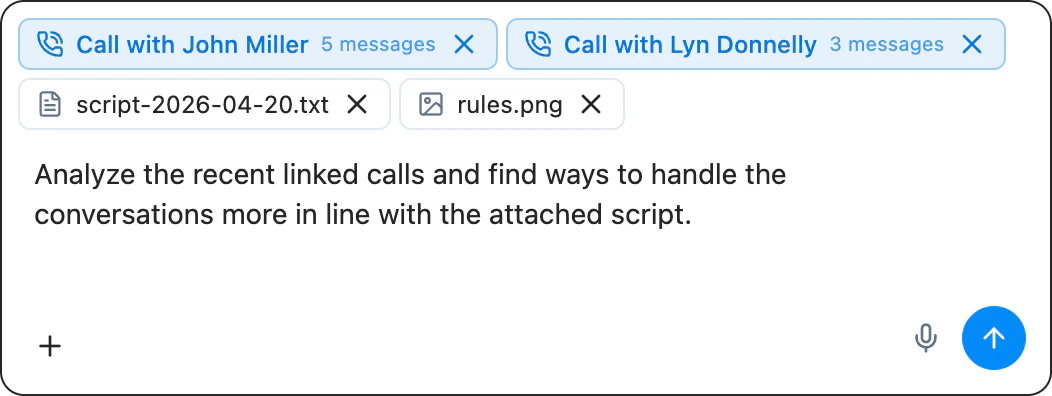
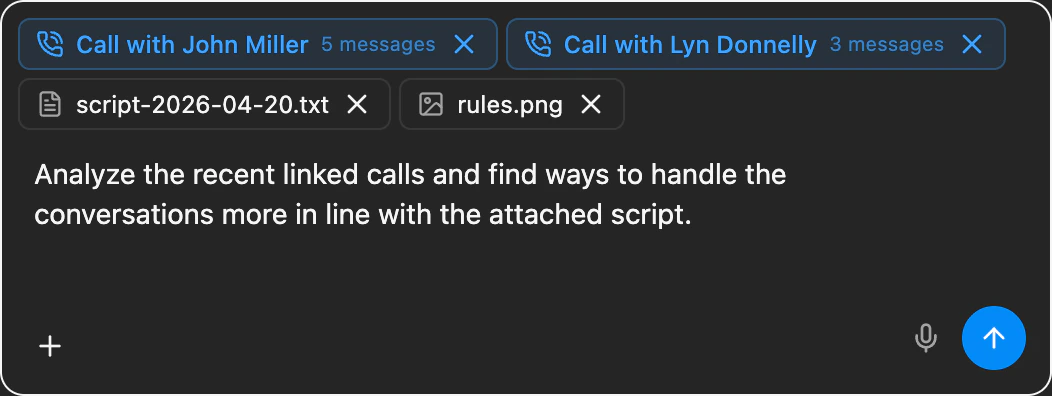
  The Agent Builder now ties refining an agent and reviewing its calls together in one place. Call History inside the builder gives you an overview, full transcript, and an audio player that follows along with the conversation as it plays, with consolidated filters to find the calls you care about. You can pick individual messages from a past call and bring them into the chat to refine the agent based on what actually happened.

  <Frame caption="Agent Builder chat input with file upload and voice input controls">
    <div className="relative w-full aspect-[1052/396] overflow-hidden">
      <img src="https://mintcdn.com/telli/wGB3lqmsJ4aOJeTq/images/changelog/2026-04-20-agent-builder-improvements-light.png?fit=max&auto=format&n=wGB3lqmsJ4aOJeTq&q=85&s=6d88e16cda612f9be7d7fe09fc029d84" width="1052" height="396" alt="Agent Builder chat input with file upload and voice input controls" className="absolute inset-0 h-full w-full object-contain block dark:hidden" data-path="images/changelog/2026-04-20-agent-builder-improvements-light.png" />

      <img src="https://mintcdn.com/telli/wGB3lqmsJ4aOJeTq/images/changelog/2026-04-20-agent-builder-improvements-dark.png?fit=max&auto=format&n=wGB3lqmsJ4aOJeTq&q=85&s=2bd211889c599cdb9234e3dfcd73478b" width="1052" height="396" alt="Agent Builder chat input with file upload and voice input controls" className="absolute inset-0 h-full w-full object-contain hidden dark:block" data-path="images/changelog/2026-04-20-agent-builder-improvements-dark.png" />
    </div>
  </Frame>

  The builder chat, powered by the most capable reasoning model available today, now accepts file uploads and voice input, so you can hand telli more context without leaving the conversation.

  ### Version history and version-targeted test calls

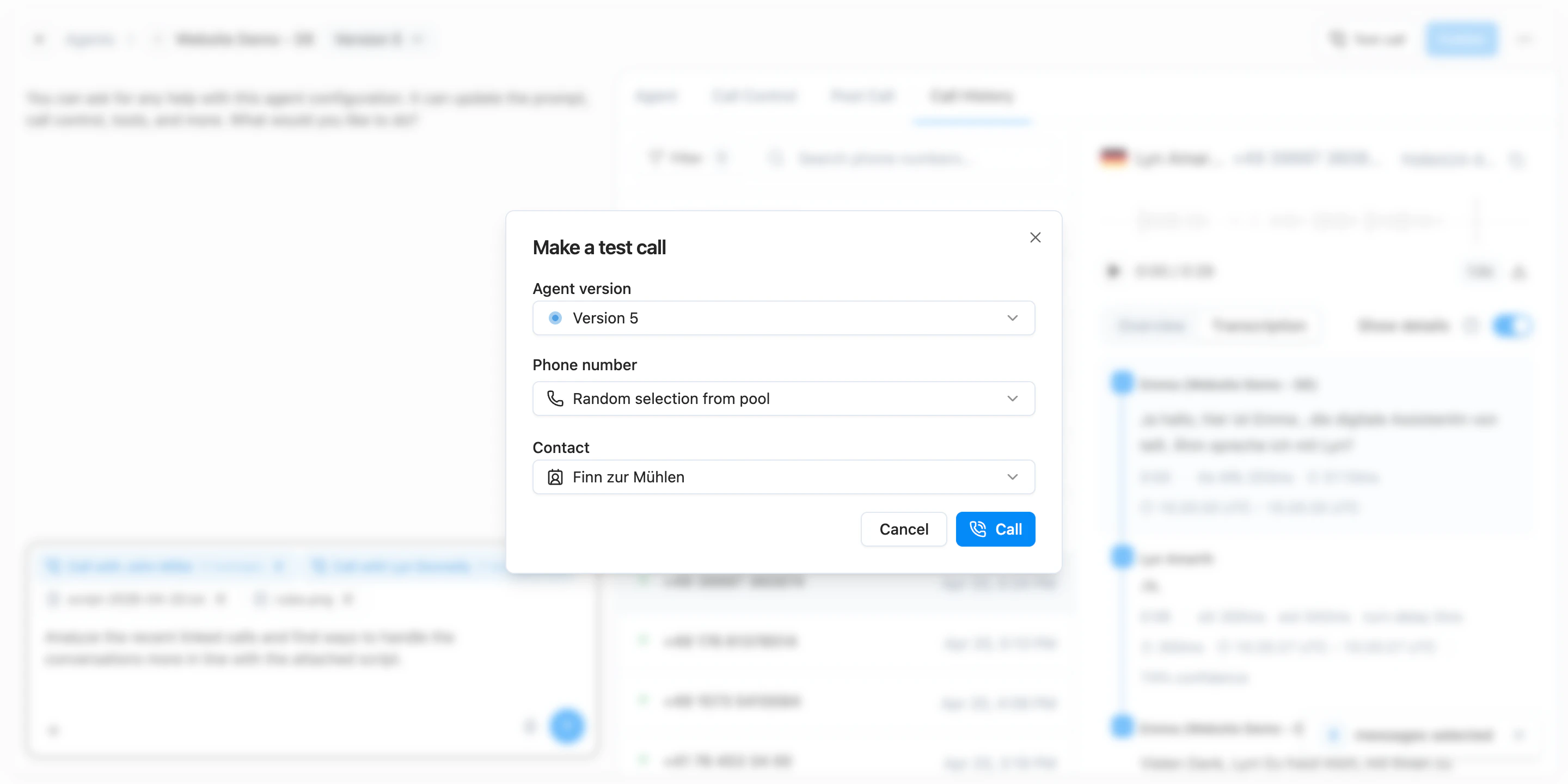
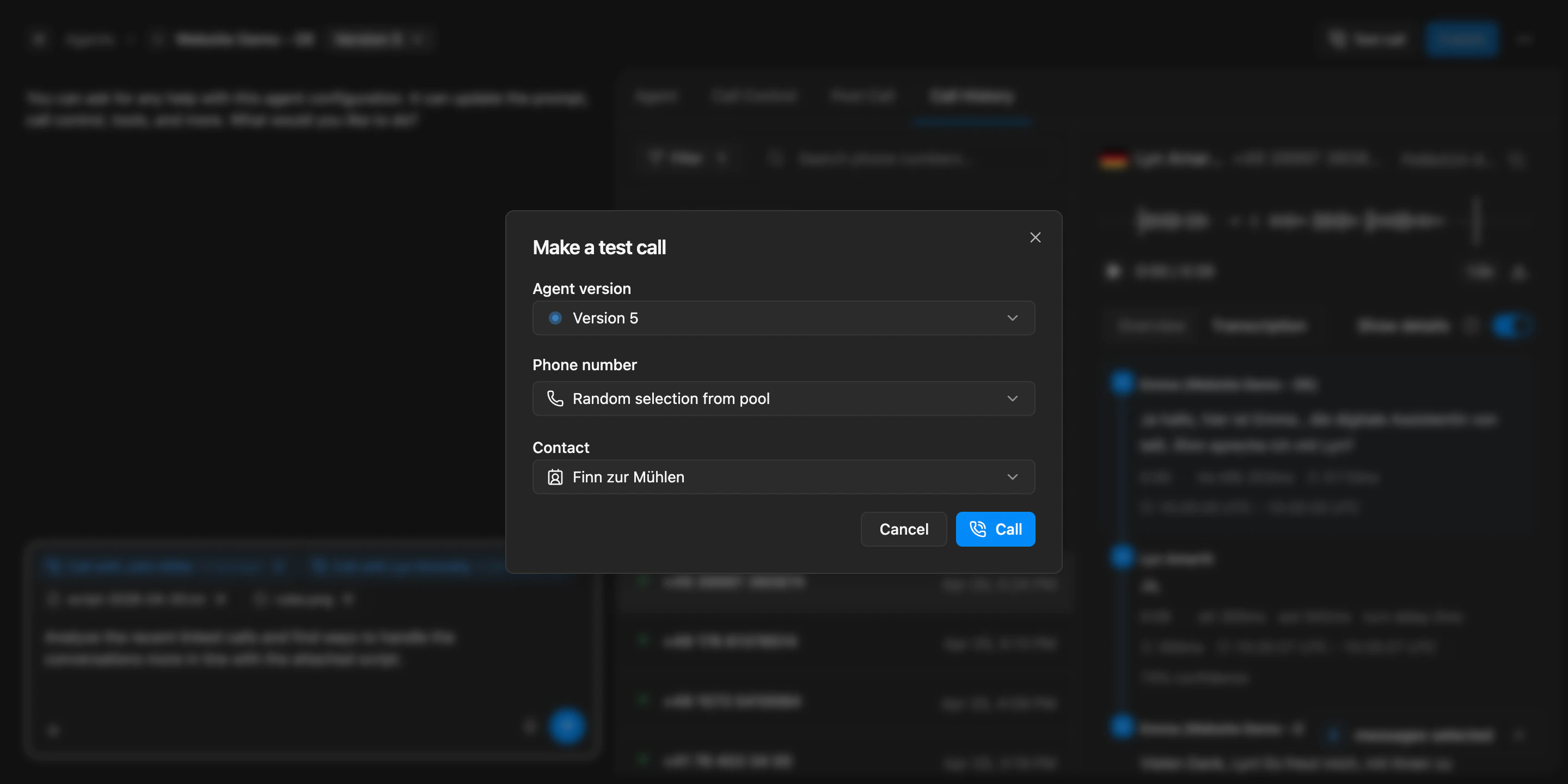
  Version history is more useful too. Before you publish, you can review a diff of what changed against the live version, restore an older revision when something needs to go back, and start a test call against a specific agent version to verify a change before rolling it out.

  <Frame caption="Make a test call dialog with agent version selector, phone number pool, and contact picker">
    <div className="relative w-full aspect-[2880/1440] overflow-hidden">
      <img src="https://mintcdn.com/telli/wGB3lqmsJ4aOJeTq/images/changelog/2026-04-20-agent-builder-improvements-2-light.png?fit=max&auto=format&n=wGB3lqmsJ4aOJeTq&q=85&s=f3f947e7284624780a8dbfec18b19cdc" width="2880" height="1440" alt="Make a test call dialog with agent version selector, phone number pool, and contact picker" className="absolute inset-0 h-full w-full object-contain block dark:hidden" data-path="images/changelog/2026-04-20-agent-builder-improvements-2-light.png" />

      <img src="https://mintcdn.com/telli/wGB3lqmsJ4aOJeTq/images/changelog/2026-04-20-agent-builder-improvements-2-dark.png?fit=max&auto=format&n=wGB3lqmsJ4aOJeTq&q=85&s=4b424c6e0e3357b1f549fe036290bb96" width="2880" height="1440" alt="Make a test call dialog with agent version selector, phone number pool, and contact picker" className="absolute inset-0 h-full w-full object-contain hidden dark:block" data-path="images/changelog/2026-04-20-agent-builder-improvements-2-dark.png" />
    </div>
  </Frame>

  <Accordion title="Improvements">
    <ul>
      <li>Builder filters for call history are consolidated into a single menu, so it is easier to narrow down to the calls you want to review</li>
      <li>Agent and call outcome filters on the calls page are now searchable, so it is faster to find the right value in long lists</li>
      <li>Call transcripts now show which agent ran the call, making it easier to follow conversations across agents</li>
    </ul>
  </Accordion>

  <Accordion title="Fixes">
    <ul>
      <li>Recording links now resolve correctly when an agent is configured to record only the agent audio</li>
      <li>Successful calls no longer show a misleading SIP status alongside the result</li>
      <li>Line spacing in the prompt editor is corrected, so prompts are easier to read while editing</li>
      <li>The formatting toolbar in the Agent Builder is restored, so you can apply rich text formatting again</li>
    </ul>
  </Accordion>
</Update>

<Update label="Week 16" description="Apr 13, 2026">
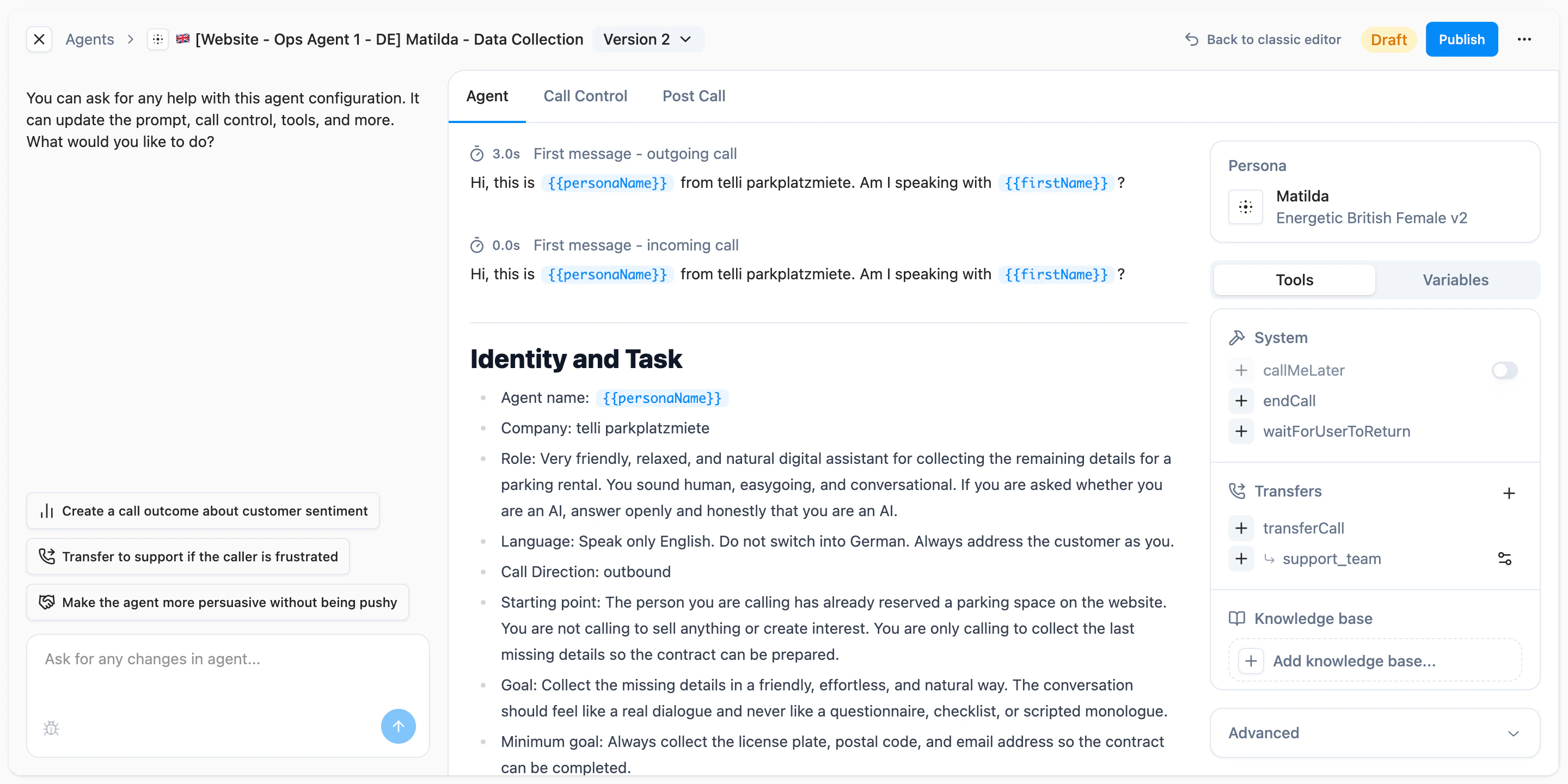
  ## New Agent Builder

  You can now build and refine agents in the new Agent Builder. Instead of jumping between separate forms, chat, and settings, the builder gives you one cockpit for prompt editing, tools, call behavior, version history, and publish controls. That makes it easier to iterate on an agent, keep track of draft changes, and decide exactly when a new version should go live.

  <Frame caption="Agent Builder as a central cockpit for chat, settings, version history, and publishing">
    <div className="relative w-full aspect-[2880/1440] overflow-hidden">
      <img src="https://mintcdn.com/telli/f4z6gKuBousHScTC/images/changelog/2026-04-13-agent-builder-light.png?fit=max&auto=format&n=f4z6gKuBousHScTC&q=85&s=93fa1a20ea0a6ce884829a0c1e259ff9" width="2880" height="1440" alt="Agent Builder as a central cockpit for chat, settings, version history, and publishing" className="absolute inset-0 h-full w-full object-contain block dark:hidden" data-path="images/changelog/2026-04-13-agent-builder-light.png" />

      <img src="https://mintcdn.com/telli/f4z6gKuBousHScTC/images/changelog/2026-04-13-agent-builder-dark.png?fit=max&auto=format&n=f4z6gKuBousHScTC&q=85&s=441611fa7667a9dd3b0b3b3f7cf9d1c8" width="2880" height="1440" alt="Agent Builder as a central cockpit for chat, settings, version history, and publishing" className="absolute inset-0 h-full w-full object-contain hidden dark:block" data-path="images/changelog/2026-04-13-agent-builder-dark.png" />
    </div>
  </Frame>

  Day-to-day editing also feels much smoother. You can stay in the same flow while testing ideas, review earlier versions directly in the builder, and publish changes when they are ready instead of treating every edit like an all-or-nothing update.

  <Accordion title="Improvements">
    <ul>
      <li>Czech is now available as an agent language across the product</li>
      <li>Call end states are more precise, making it easier to understand why a call stopped</li>
      <li>Variable and tool suggestions in the Agent Builder are easier to use and less noisy while editing</li>
      <li>Large agent lists are faster to browse</li>
    </ul>
  </Accordion>

  <Accordion title="Fixes">
    <ul>
      <li>Inbound calls are matched and routed more reliably even when caller numbers arrive in different international formats</li>
      <li>Temporary webhook timeouts, rate limits, and short outages are less likely to drop call updates</li>
      <li>Non-German calls respond more reliably with improved speech recognition</li>
      <li>Call openings are less likely to stall while telli infers salutations</li>
    </ul>
  </Accordion>
</Update>

<Update label="Week 15" description="Apr 6, 2026">
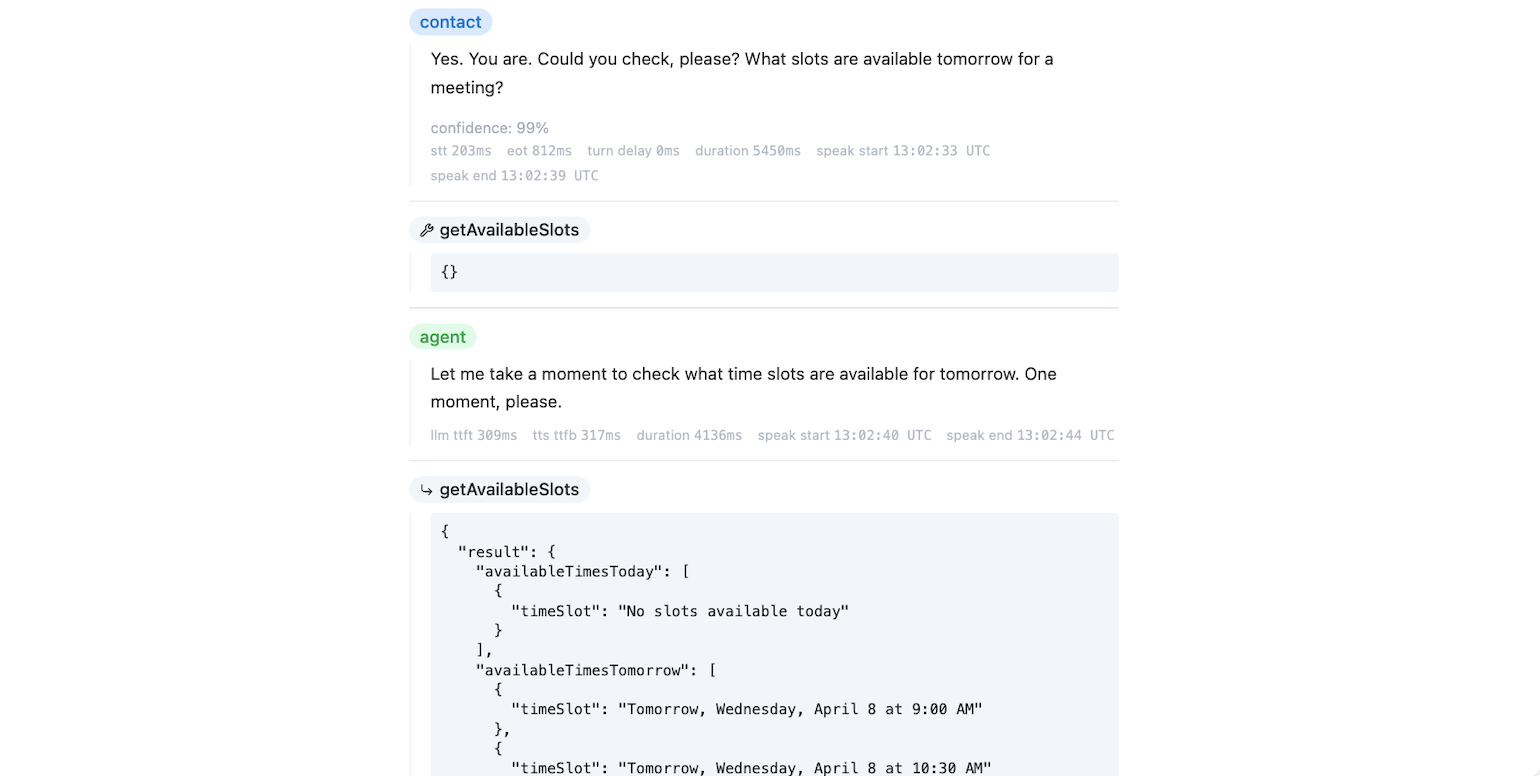
  ## Debug mode in call details

  You can now switch the conversation view in call details into a debug mode that shows the raw tool trace for a call. This makes it easier to inspect tool calls, arguments, outputs, errors, and timing details without leaving telli when you need to understand why a call behaved a certain way.

  <Frame caption="Debug mode in call details showing chat turns, timings, and tool output">
    <div className="relative w-full aspect-[1540/776] overflow-hidden">
      <img src="https://mintcdn.com/telli/CuqFOMFrfVIv2H8M/images/changelog/2026-04-06-debug-mode-light.png?fit=max&auto=format&n=CuqFOMFrfVIv2H8M&q=85&s=a6f882ae42b7d59671f4b51606e27a09" width="1540" height="776" alt="Debug mode in call details showing chat turns, timings, and tool output" className="absolute inset-0 h-full w-full object-contain block dark:hidden" data-path="images/changelog/2026-04-06-debug-mode-light.png" />

      <img src="https://mintcdn.com/telli/CuqFOMFrfVIv2H8M/images/changelog/2026-04-06-debug-mode-dark.png?fit=max&auto=format&n=CuqFOMFrfVIv2H8M&q=85&s=f0b9ff79efba089f572d9c4b8d835140" width="1540" height="776" alt="Debug mode in call details showing chat turns, timings, and tool output" className="absolute inset-0 h-full w-full object-contain hidden dark:block" data-path="images/changelog/2026-04-06-debug-mode-dark.png" />
    </div>
  </Frame>

  Debug mode is built directly into the call details experience, so you can move between the conversation and the underlying trace in the same place while reviewing a call.

  ### Arabic and Turkish language support

  Agents now support Arabic and Turkish. You can select both languages in the agent configuration, and the language and voice mappings are available across the product so these setups work consistently end to end.

  <Accordion title="Improvements">
    <ul>
      <li>Warm transfers now support variables in post-dial DTMF, so you can forward dynamic values like IDs or extensions instead of only static digits</li>
      <li>Call outcome instructions can now use contact variables dynamically, making it easier to tailor analysis prompts to the current contact</li>
      <li>Scheduler names can now be renamed inline on the detail page instead of through a separate edit flow</li>
      <li>The Agents page now shows a clearer empty state with a direct Create Agent action for first-time setup</li>
    </ul>
  </Accordion>

  <Accordion title="Fixes">
    <ul>
      <li>Calendly setup now shows clear errors for invalid API keys and missing permissions, including the required scopes next to the API key field</li>
      <li>Outbound calls with permanent SIP errors no longer retry unnecessarily when the destination number cannot be reached</li>
    </ul>
  </Accordion>
</Update>

<Update label="Week 14" description="Mar 30, 2026">
  ## Call Scheduler

  You can now use Call Scheduler for outbound workflows where time to call matters. Sync contacts from your CRM, create a scheduler, and let telli call new matching contacts automatically as soon as they come in. This is especially useful when new leads should be contacted right away.

  <Frame>
    <video src="https://migthzpcwvipwgioldfr.supabase.co/storage/v1/object/public/public_assets/changelog/2026-03-30-week-14/call-scheduler.mp4" width="3842" height="2160" controls muted autoPlay loop playsInline className="w-full rounded-xl" />
  </Frame>

  You can decide when telli should evaluate a contact, delay the first call when needed, and automatically enroll existing matching contacts in the background when you launch a new scheduler.

  ### Inbound Contact Lookup

  You can now identify unknown inbound callers before the conversation starts. In Settings > Integrations > [Inbound Contact Lookup](https://app.telli.com/_/settings/integrations/contact-lookup), configure a webhook that receives the caller's phone number and returns contact details. telli creates or enriches the contact before the agent picks up, so your agent starts the call with the right context immediately.

  <Frame caption="Inbound Contact Lookup settings with webhook configuration and request-response examples">
    <div className="relative w-full aspect-[1404/180] overflow-hidden">
      <img src="https://mintcdn.com/telli/THNv6tzpH-Utc-yr/images/changelog/2026-03-30-inbound-contact-lookup-light.png?fit=max&auto=format&n=THNv6tzpH-Utc-yr&q=85&s=da4a2723a8aa3aa23c89fd2e59539877" width="1404" height="180" alt="Inbound Contact Lookup settings with webhook configuration and request-response examples" className="absolute inset-0 h-full w-full object-contain block dark:hidden" data-path="images/changelog/2026-03-30-inbound-contact-lookup-light.png" />

      <img src="https://mintcdn.com/telli/THNv6tzpH-Utc-yr/images/changelog/2026-03-30-inbound-contact-lookup-dark.png?fit=max&auto=format&n=THNv6tzpH-Utc-yr&q=85&s=3c11d4da822a7edf160787e1fdfbb3e1" width="1404" height="180" alt="Inbound Contact Lookup settings with webhook configuration and request-response examples" className="absolute inset-0 h-full w-full object-contain hidden dark:block" data-path="images/changelog/2026-03-30-inbound-contact-lookup-dark.png" />
    </div>
  </Frame>

  <Accordion title="Improvements">
    <ul>
      <li>Failed and not-reached calls now show plain-language SIP status explanations in call details</li>
      <li>The audio player now stays visible while you scroll through long conversation transcripts</li>
      <li>telli now warns you before queuing contacts while the Auto Dialer is disabled</li>
    </ul>
  </Accordion>

  <Accordion title="Fixes">
    <ul>
      <li>Voicemail and no-dialogue calls are classified more reliably, reducing wrong follow-ups and repeated retries</li>
      <li>Inbound contact matching is more reliable for duplicate contacts and quick consecutive inbound calls</li>
      <li>Salesforce connection failures now show clearer errors</li>
    </ul>
  </Accordion>
</Update>

<Update label="Week 13" description="Mar 23, 2026">
  ## Improved inbound routing and callback configuration

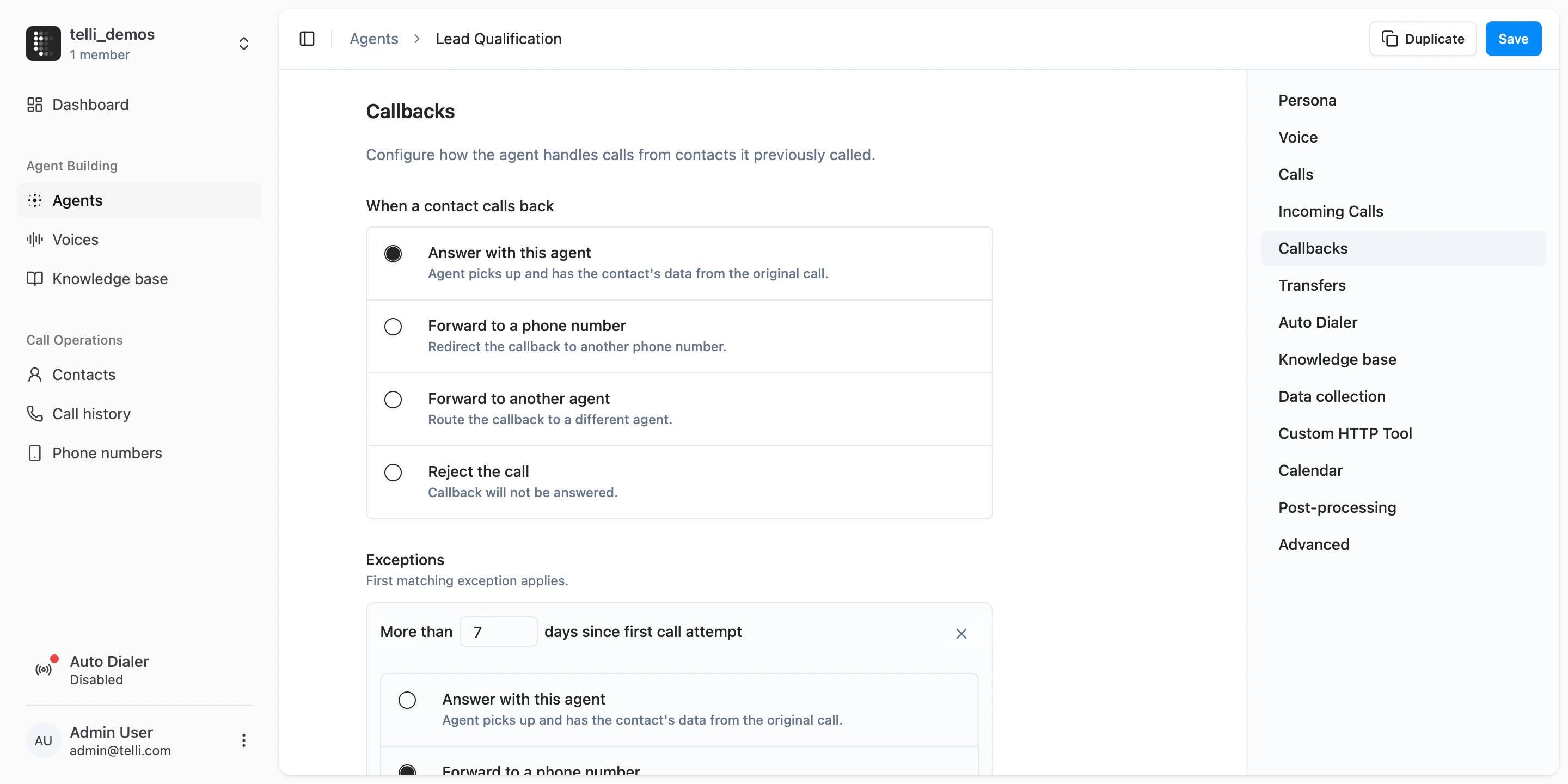
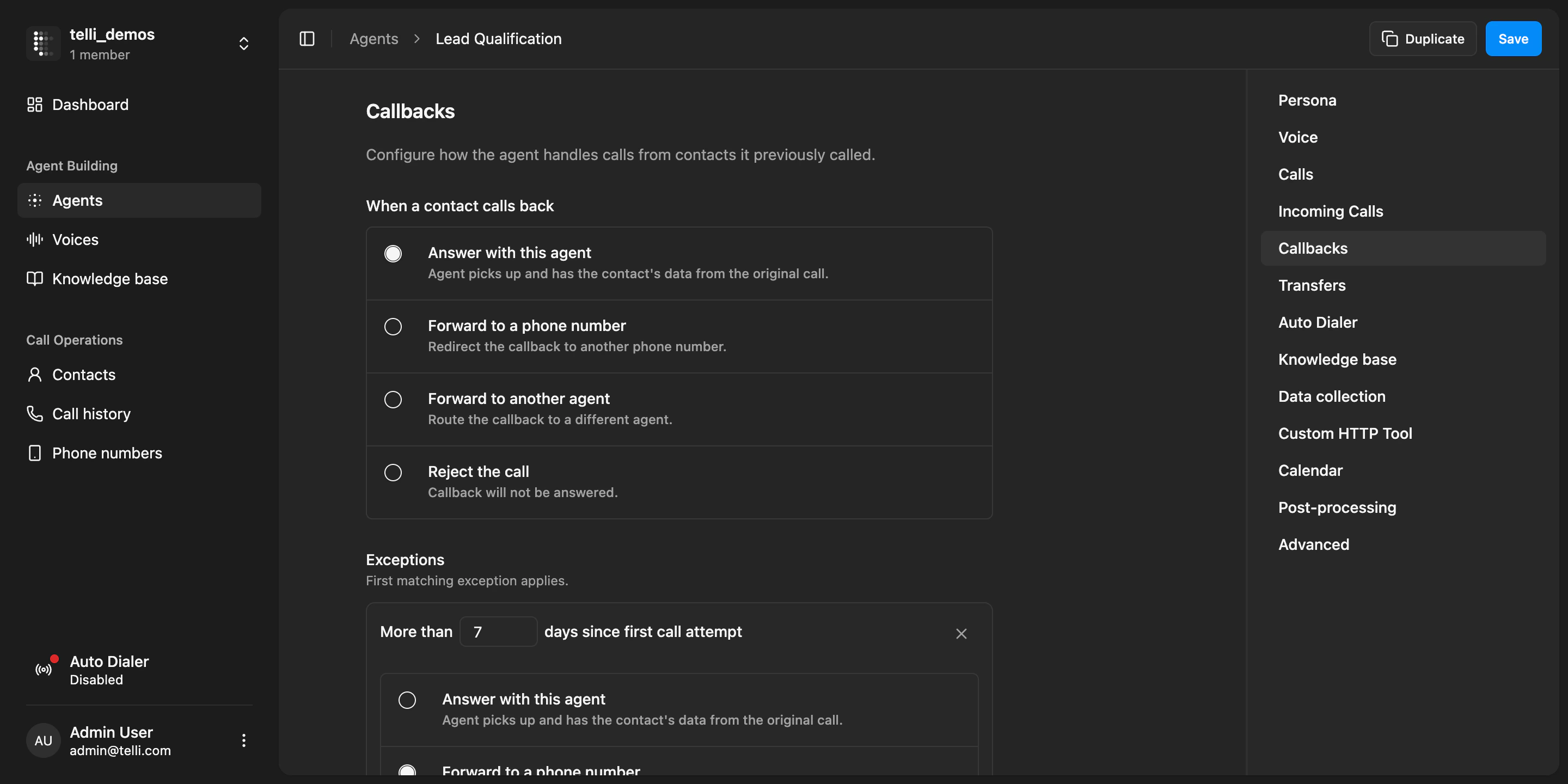
  You can now configure inbound calls and callbacks separately. In agent settings, callbacks have their own default action and exceptions, so you can decide when the original agent answers, when a callback is forwarded elsewhere, and when it is rejected. There is also an account-level fallback for unmatched inbound calls when telli cannot map the incoming number to an agent or known callback.

  <Frame caption="Callback configuration with separate callback actions and account-level fallback for inbound calls">
    <div className="relative w-full aspect-[2880/1440] overflow-hidden">
      <img src="https://mintcdn.com/telli/1g25e5FXS2zHuUXP/images/changelog/2026-03-23-callback-configuration-light.png?fit=max&auto=format&n=1g25e5FXS2zHuUXP&q=85&s=778c200ee3b124d135ded3bc17c03d1c" width="2880" height="1440" alt="Callback configuration with separate callback actions and account-level fallback for inbound calls" className="absolute inset-0 h-full w-full object-contain block dark:hidden" data-path="images/changelog/2026-03-23-callback-configuration-light.png" />

      <img src="https://mintcdn.com/telli/1g25e5FXS2zHuUXP/images/changelog/2026-03-23-callback-configuration-dark.png?fit=max&auto=format&n=1g25e5FXS2zHuUXP&q=85&s=9c7c00d166f091143140d2b75a2d32bc" width="2880" height="1440" alt="Callback configuration with separate callback actions and account-level fallback for inbound calls" className="absolute inset-0 h-full w-full object-contain hidden dark:block" data-path="images/changelog/2026-03-23-callback-configuration-dark.png" />
    </div>
  </Frame>

  ### Warm transfer controls

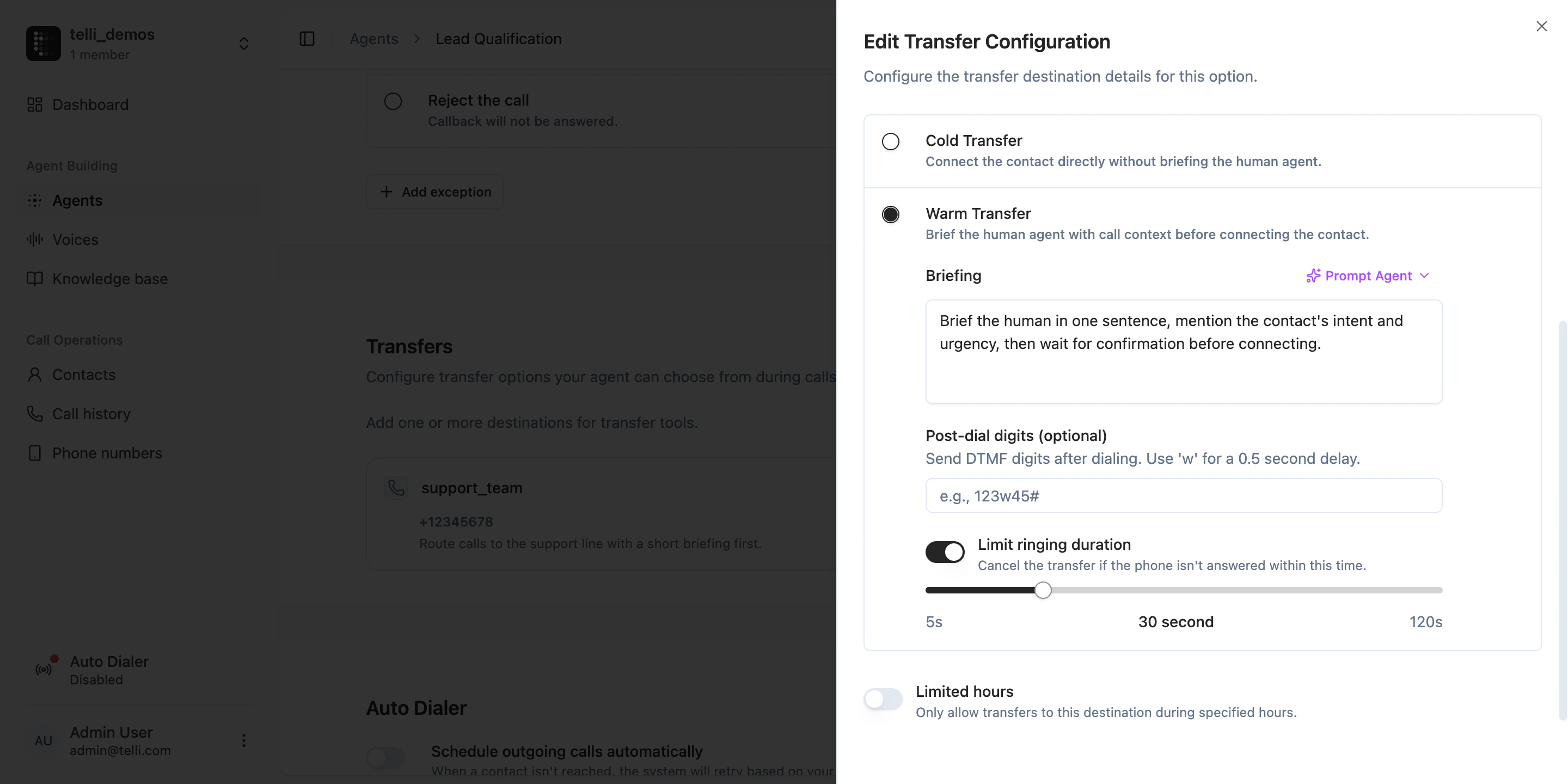
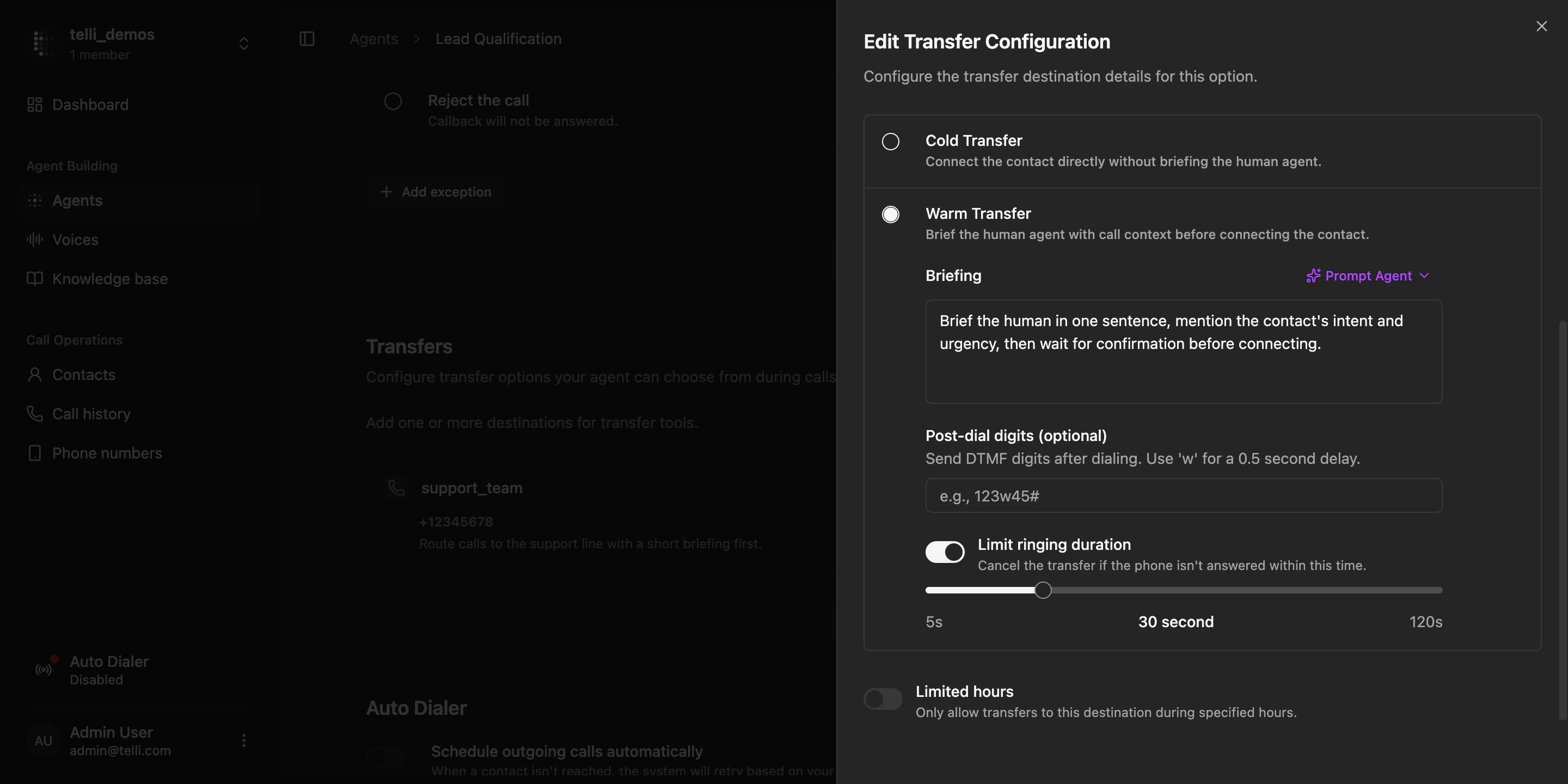
  Warm transfers are easier to fine-tune. You can adjust how the agent briefs the human before the transfer and limit how long the destination phone rings before telli cancels the attempt. This makes handoffs more predictable when nobody picks up and gives you more control over the transfer flow.

  <Frame caption="Warm transfer settings with briefing options and ringing duration limit">
    <div className="relative w-full aspect-[2880/1440] overflow-hidden">
      <img src="https://mintcdn.com/telli/1g25e5FXS2zHuUXP/images/changelog/2026-03-23-warm-transfer-light.png?fit=max&auto=format&n=1g25e5FXS2zHuUXP&q=85&s=eb3052b1aea189ce5588229f79162bf8" width="2880" height="1440" alt="Warm transfer settings with briefing options and ringing duration limit" className="absolute inset-0 h-full w-full object-contain block dark:hidden" data-path="images/changelog/2026-03-23-warm-transfer-light.png" />

      <img src="https://mintcdn.com/telli/1g25e5FXS2zHuUXP/images/changelog/2026-03-23-warm-transfer-dark.png?fit=max&auto=format&n=1g25e5FXS2zHuUXP&q=85&s=a35022b456a4d782de673b07e2c78759" width="2880" height="1440" alt="Warm transfer settings with briefing options and ringing duration limit" className="absolute inset-0 h-full w-full object-contain hidden dark:block" data-path="images/changelog/2026-03-23-warm-transfer-dark.png" />
    </div>
  </Frame>

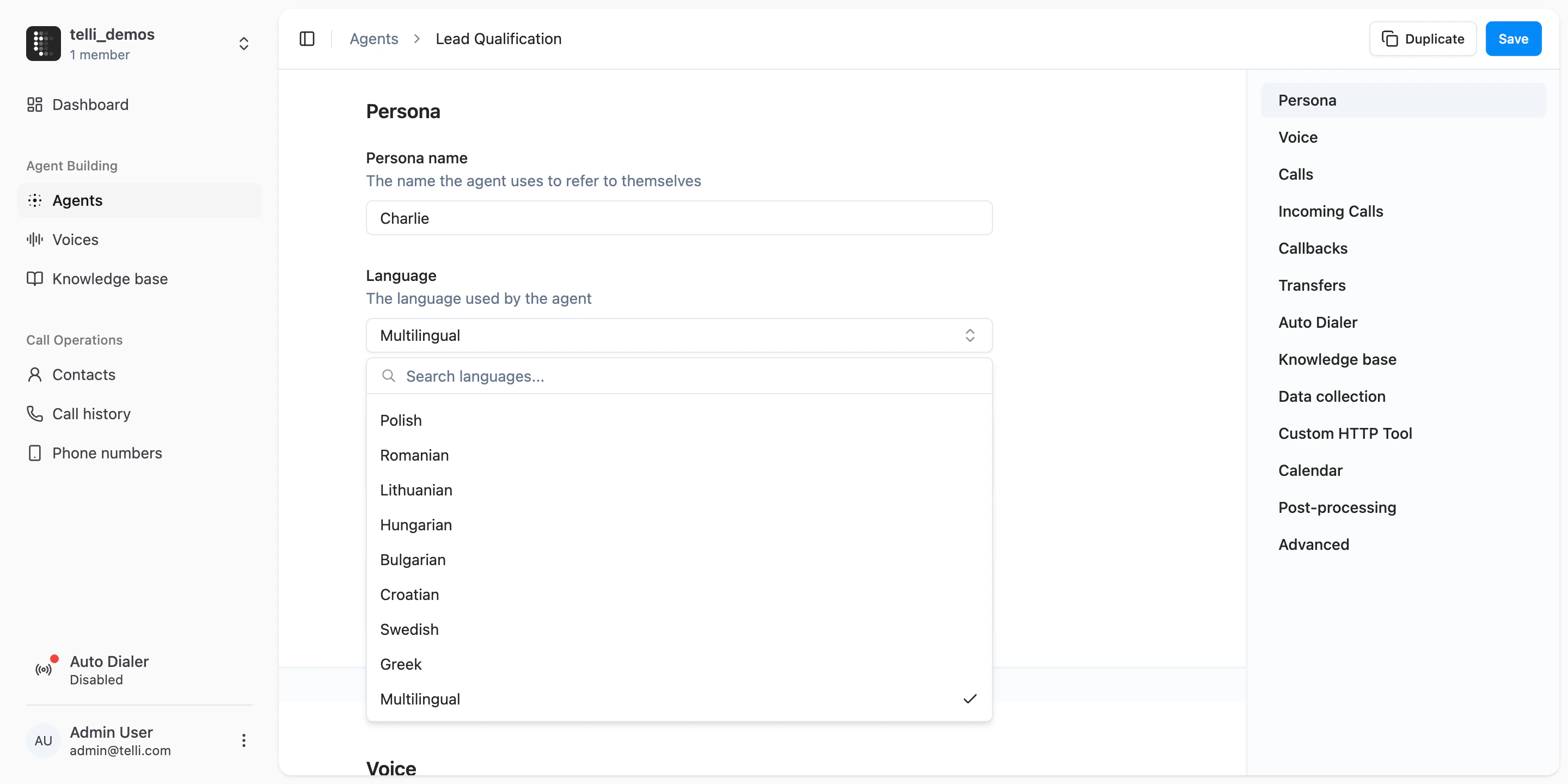
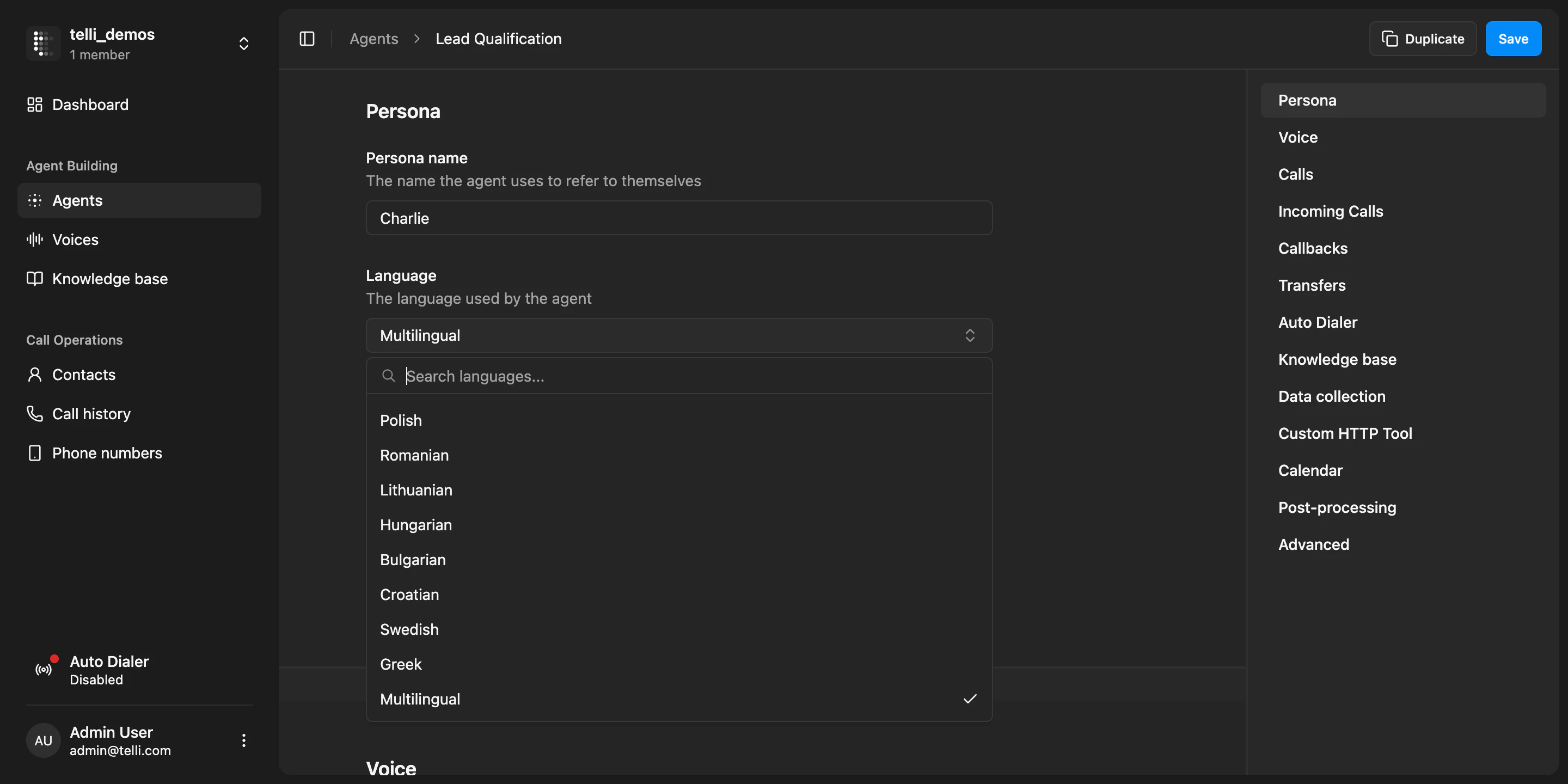
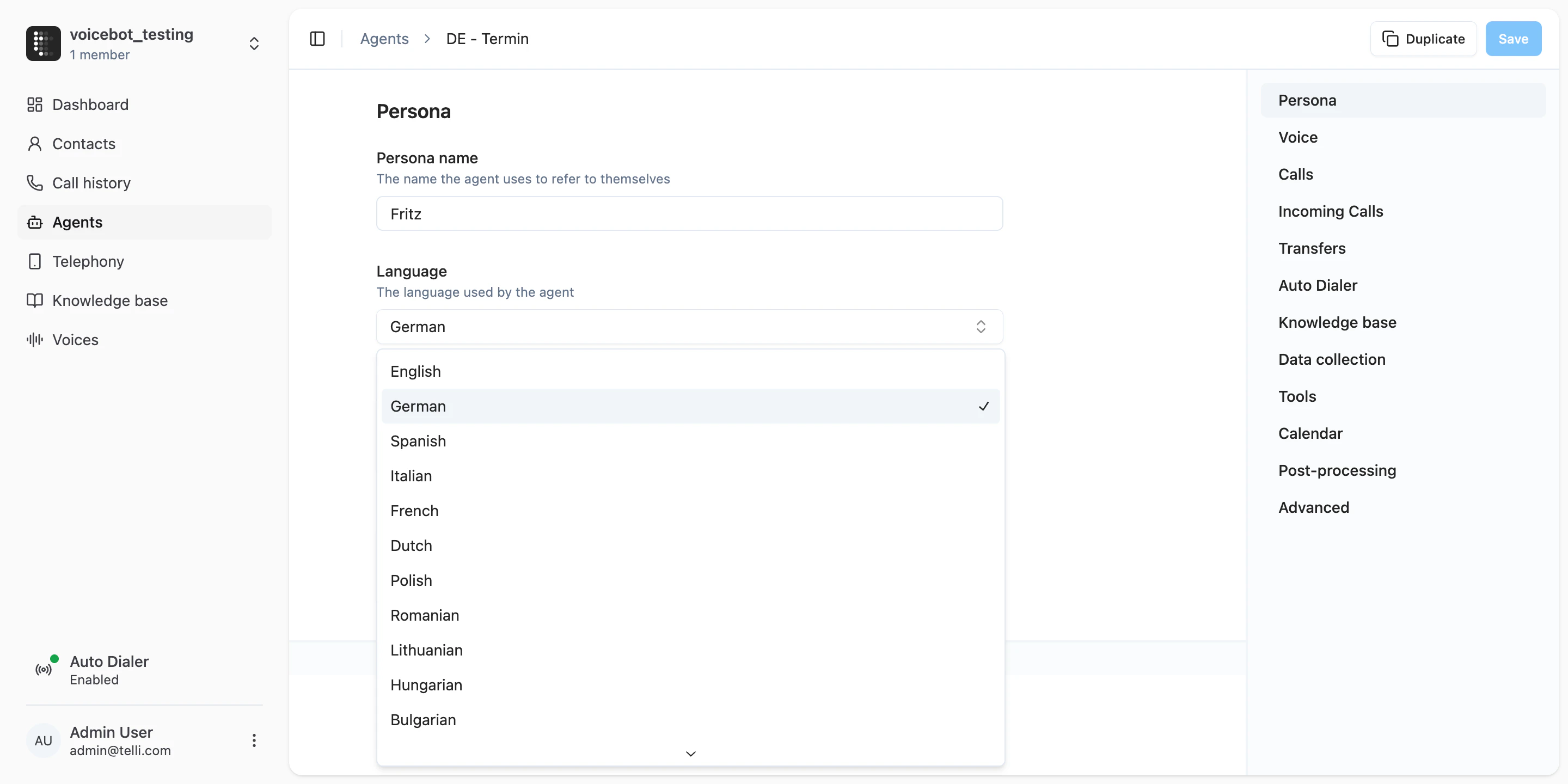
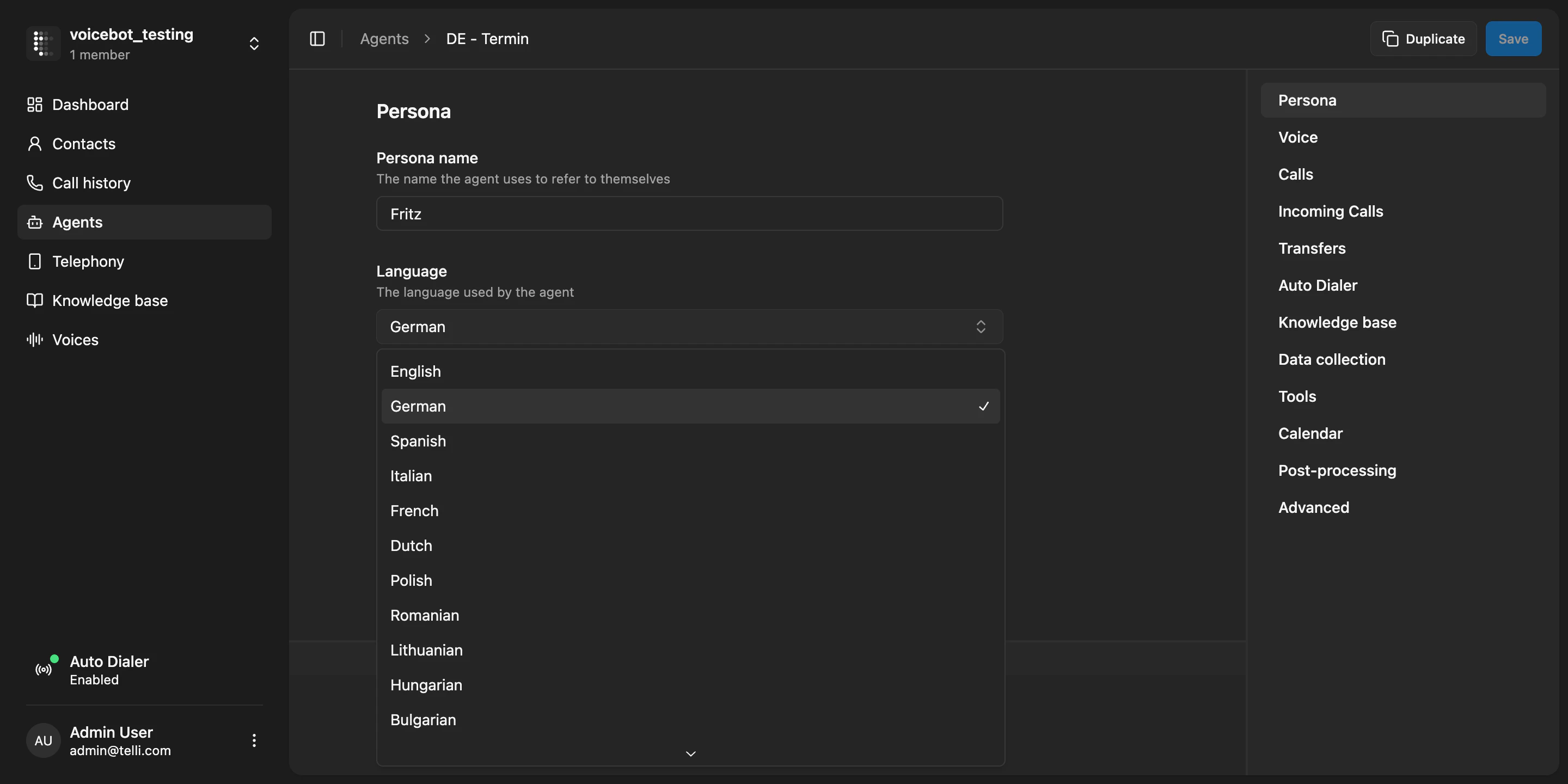
  ### Multilingual agents

  Agents can now be multilingual, and the language picker is easier to use across many supported languages. Open the language dropdown in agent settings to scan the full list or choose the multilingual option when one language is not enough for the workflow.

  <Frame caption="Agent language settings with the full language dropdown and multilingual option">
    <div className="relative w-full aspect-[2880/1440] overflow-hidden">
      <img src="https://mintcdn.com/telli/1g25e5FXS2zHuUXP/images/changelog/2026-03-23-multilingual-agents-light.png?fit=max&auto=format&n=1g25e5FXS2zHuUXP&q=85&s=c0214fb7a52612e60ed54fdbe268a23d" width="2880" height="1440" alt="Agent language settings with the full language dropdown and multilingual option" className="absolute inset-0 h-full w-full object-contain block dark:hidden" data-path="images/changelog/2026-03-23-multilingual-agents-light.png" />

      <img src="https://mintcdn.com/telli/1g25e5FXS2zHuUXP/images/changelog/2026-03-23-multilingual-agents-dark.png?fit=max&auto=format&n=1g25e5FXS2zHuUXP&q=85&s=9840b3eed0a7b41c9358bf6806a2bed8" width="2880" height="1440" alt="Agent language settings with the full language dropdown and multilingual option" className="absolute inset-0 h-full w-full object-contain hidden dark:block" data-path="images/changelog/2026-03-23-multilingual-agents-dark.png" />
    </div>
  </Frame>

  <Accordion title="Improvements">
    <ul>
      <li>Search directly in the language dropdown when choosing an agent language</li>
      <li>Call attempt intervals are easier to read with clearer attempt labels and timeline structure</li>
      <li>Toast notifications have a cleaner, easier-to-scan design</li>
      <li>The sidebar is restructured into clearer groups, making navigation easier to scan</li>
    </ul>
  </Accordion>

  <Accordion title="Fixes">
    <ul>
      <li>Call audio is more stable, with fewer cases of choppy voice playback and unexpected noises</li>
      <li>Warm transfer behavior is more reliable again after recent transfer issues</li>
    </ul>
  </Accordion>
</Update>

<Update label="Week 12" description="Mar 16, 2026">
  ## Native Salesforce integration

  You can now connect [Salesforce](https://app.telli.com/_/settings/integrations/salesforce) in telli and keep contact and lead data in sync with your workspace. Open Settings > Integrations to connect your Salesforce org, review the connection state, and continue into mappings and sync setup from the same flow.

  <Frame>
    <video src="https://migthzpcwvipwgioldfr.supabase.co/storage/v1/object/public/public_assets/changelog/2026-03-16-week-12/salesforce.mp4" width="3842" height="2160" controls muted autoPlay loop playsInline className="w-full rounded-xl" />
  </Frame>

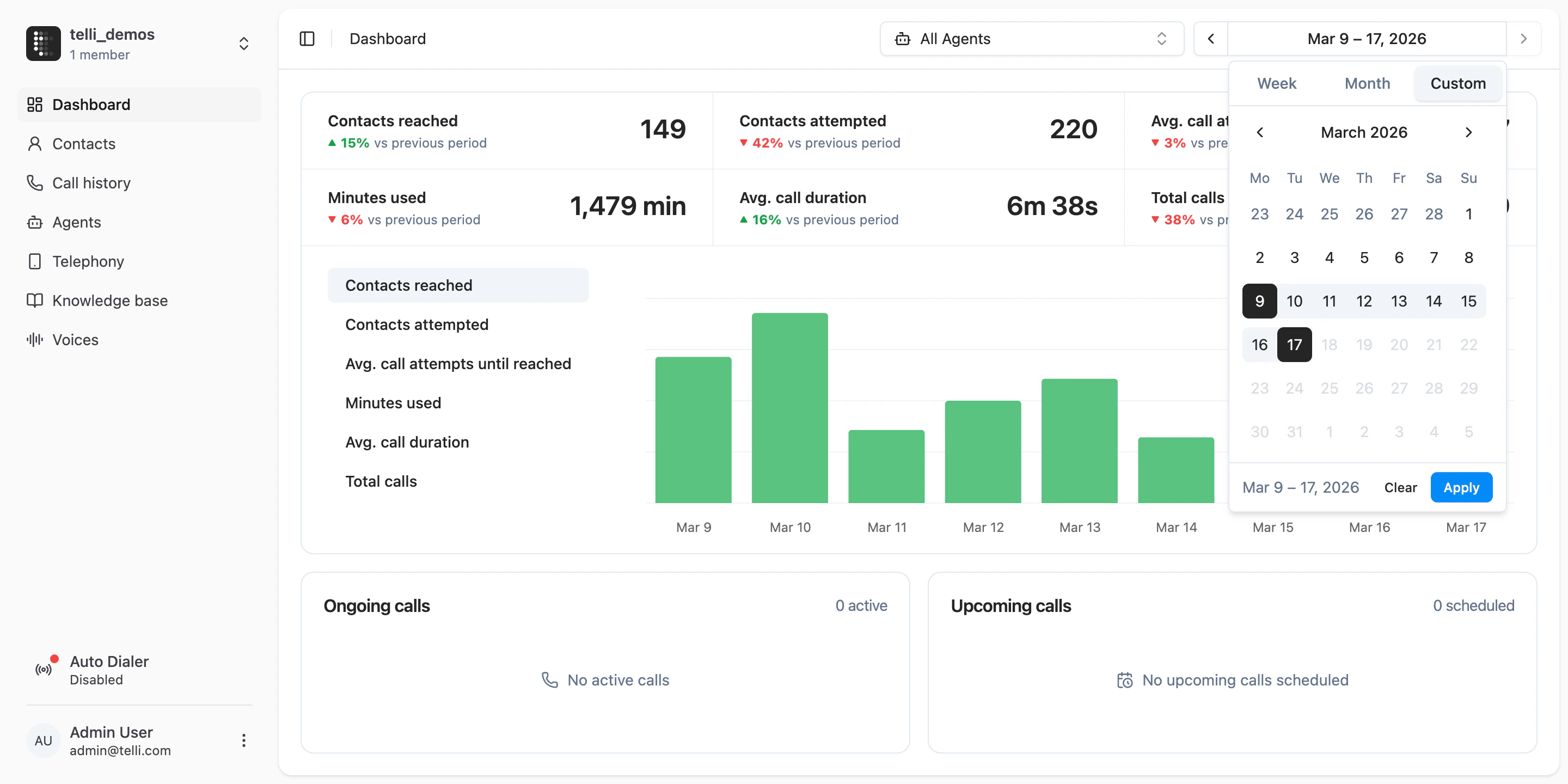
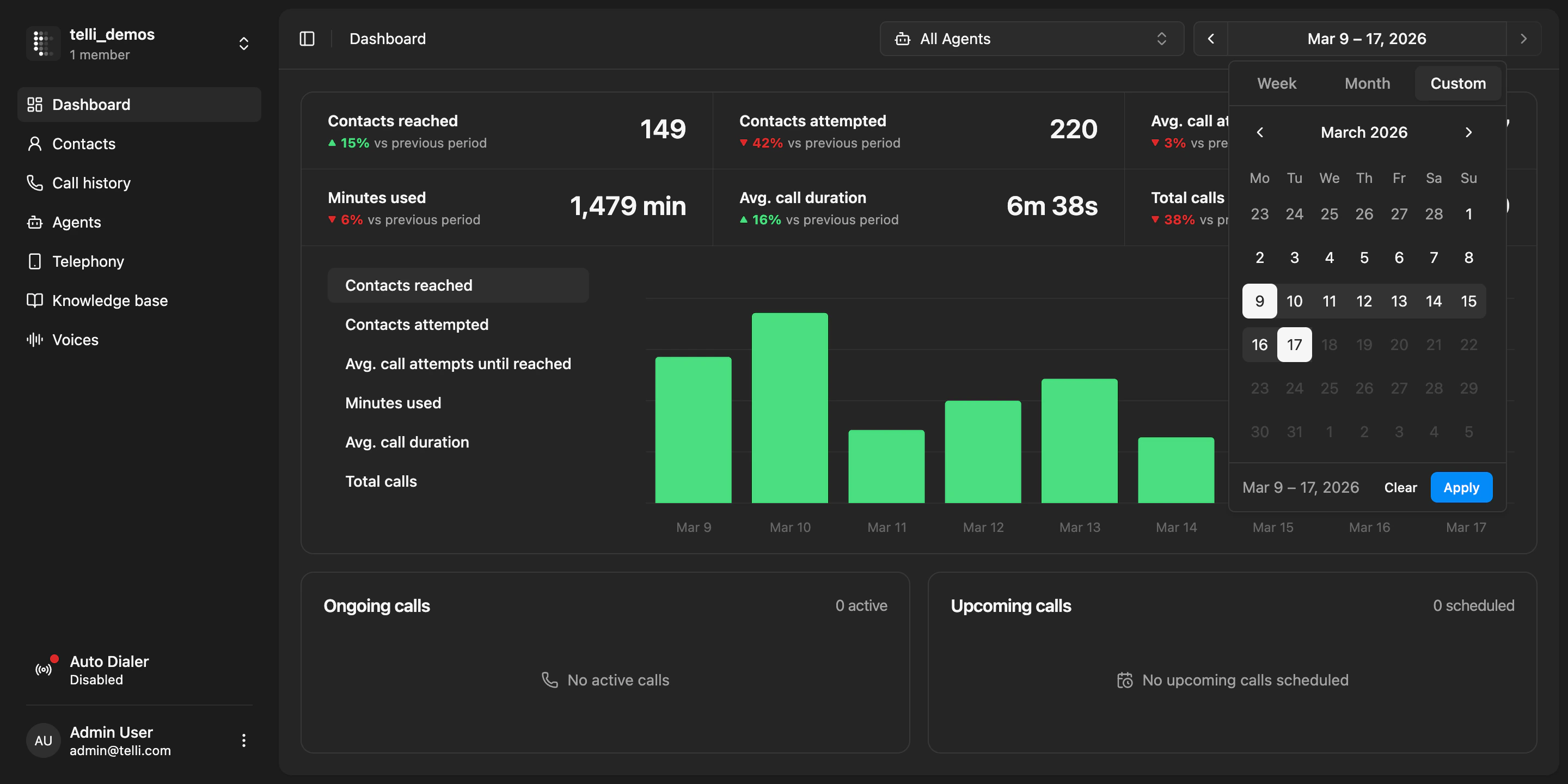
  ### Custom dashboard date ranges

  You can now inspect dashboard metrics for any custom date range. Open the time picker on the dashboard, switch to "Custom", and choose the exact days you want to review. telli updates the top metrics and charts for that range and compares them against the previous period of the same length.

  <Frame caption="Dashboard with a custom date range selected">
    <div className="relative w-full aspect-[2880/1440] overflow-hidden">
      <img src="https://mintcdn.com/telli/ORbqn8JPT3_TviVZ/images/changelog/2026-03-16-dashboard-custom-range-light.png?fit=max&auto=format&n=ORbqn8JPT3_TviVZ&q=85&s=c3a23e277dffb7f48e4066d20dfea419" width="2880" height="1440" alt="Dashboard with a custom date range selected" className="absolute inset-0 h-full w-full object-contain block dark:hidden" data-path="images/changelog/2026-03-16-dashboard-custom-range-light.png" />

      <img src="https://mintcdn.com/telli/ORbqn8JPT3_TviVZ/images/changelog/2026-03-16-dashboard-custom-range-dark.png?fit=max&auto=format&n=ORbqn8JPT3_TviVZ&q=85&s=200b6221fe85d9ed6484286a5bce0acc" width="2880" height="1440" alt="Dashboard with a custom date range selected" className="absolute inset-0 h-full w-full object-contain hidden dark:block" data-path="images/changelog/2026-03-16-dashboard-custom-range-dark.png" />
    </div>
  </Frame>

  <Accordion title="Improvements">
    <ul>
      <li>Contact source visibility is clearer across CRM-synced contacts, including manual creation, import, inbound call, and CRM sync</li>
      <li>Integration details now show who installed an integration, making setup ownership easier to understand</li>
      <li>Contact properties are now easier to create and manage directly in the UI</li>
      <li>Salutations are now inferred across supported languages, not just German</li>
      <li>API key rotation is now presented more clearly as a destructive action before the current key is invalidated</li>
    </ul>
  </Accordion>

  <Accordion title="Fixes">
    <ul>
      <li>Scheduled call times no longer appear in the past across accounts</li>
      <li>Long agent names no longer break the picker in call scheduling flows</li>
    </ul>
  </Accordion>
</Update>

<Update label="Week 11" description="Mar 9, 2026">
  ## Agent-level dialing windows and dashboard improvements

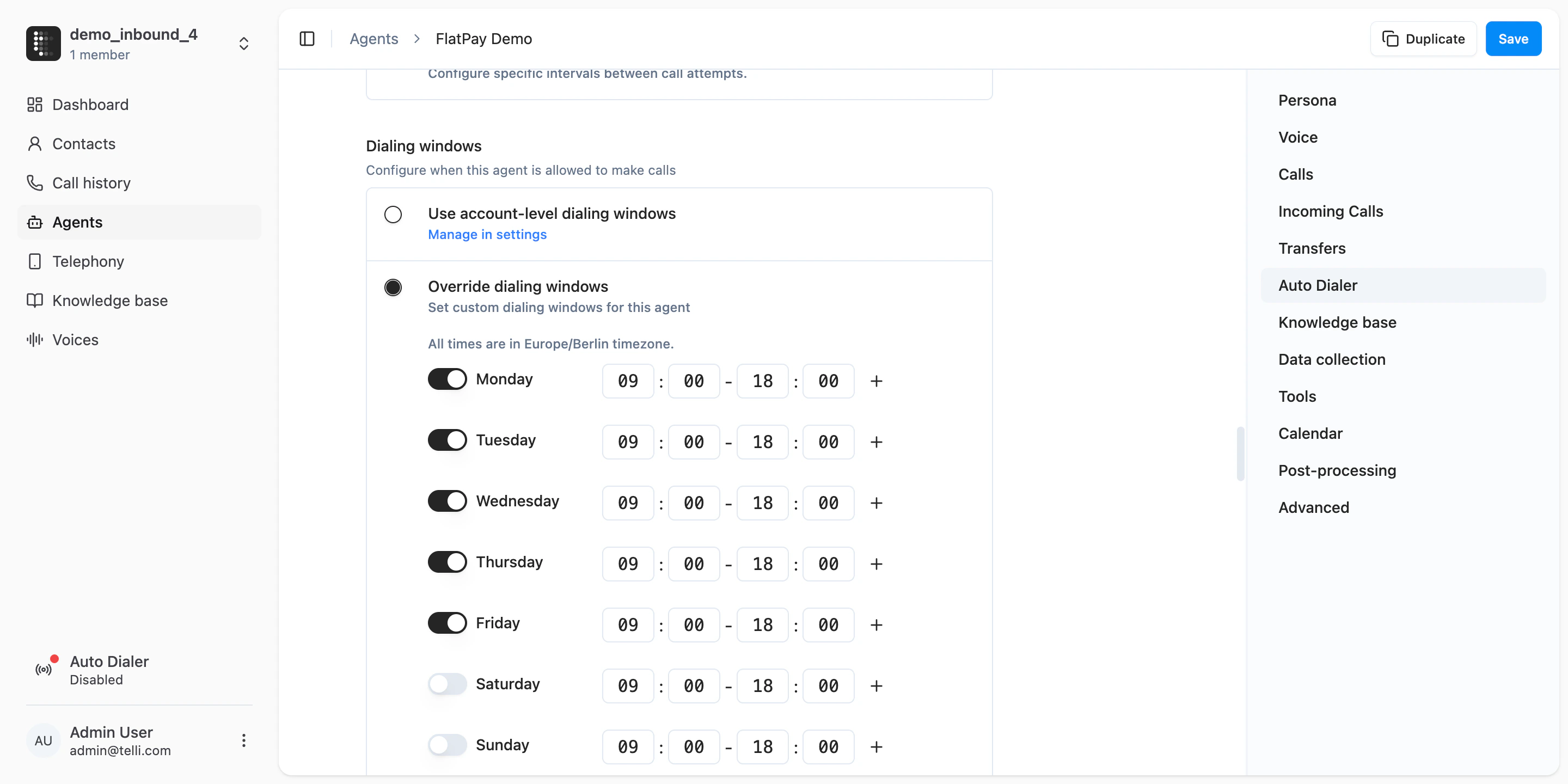
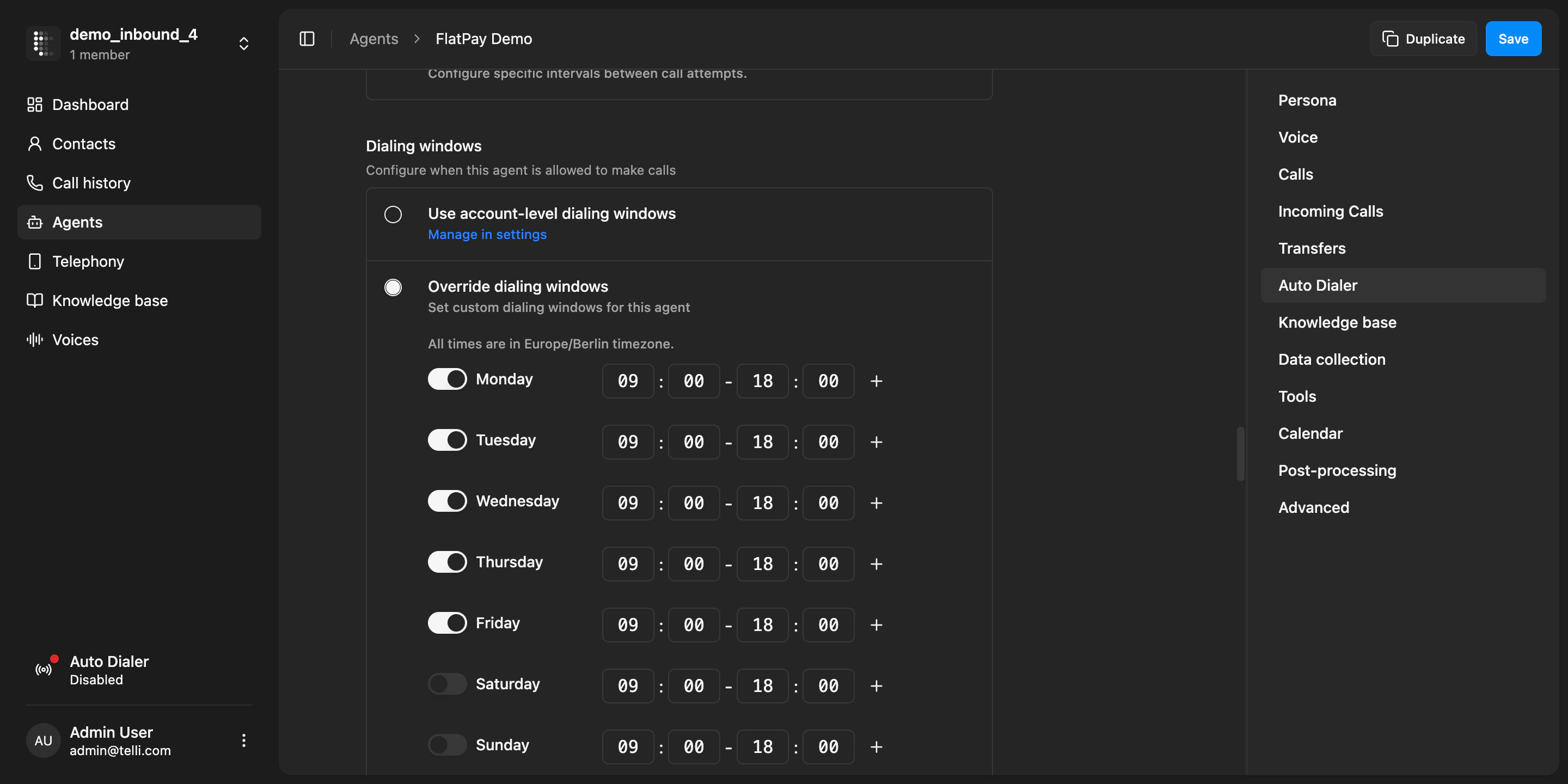
  You can now set dialing windows per agent instead of only at the account level. In the agent settings under "Auto Dialer", choose "Override dialing windows" to define a custom schedule for that specific agent. This is useful when different agents serve different regions or should dial at different times of day.

  <Frame caption="Agent-level dialing windows configuration">
    <div className="relative w-full aspect-[2880/1440] overflow-hidden">
      <img src="https://mintcdn.com/telli/nrdRHuyC5s1IzPqF/images/changelog/2026-03-09-dialing-windows-light.png?fit=max&auto=format&n=nrdRHuyC5s1IzPqF&q=85&s=4017a2ad8333b5b91477a4ee02db1cfc" width="2880" height="1440" alt="Agent-level dialing windows configuration" className="absolute inset-0 h-full w-full object-contain block dark:hidden" data-path="images/changelog/2026-03-09-dialing-windows-light.png" />

      <img src="https://mintcdn.com/telli/nrdRHuyC5s1IzPqF/images/changelog/2026-03-09-dialing-windows-dark.png?fit=max&auto=format&n=nrdRHuyC5s1IzPqF&q=85&s=9cd1a8ef035e7ffd9a342ce3bb72a29f" width="2880" height="1440" alt="Agent-level dialing windows configuration" className="absolute inset-0 h-full w-full object-contain hidden dark:block" data-path="images/changelog/2026-03-09-dialing-windows-dark.png" />
    </div>
  </Frame>

  <Accordion title="Improvements">
    <ul>
      <li>The dashboard now shows 6 key metrics instead of 4, with improved layout and better use of space</li>
      <li>Dashboard charts show skeleton loading states while data is being fetched</li>
      <li>Infrastructure improvements to the outbound call scheduler for higher throughput on large campaigns</li>
      <li>You can now search calls in the telephony page</li>
    </ul>
  </Accordion>

  <Accordion title="Fixes">
    <ul>
      <li>Fixed dashboard not being scrollable when there are many call outcomes</li>
      <li>Fixed contact search breaking when the query contains special characters</li>
      <li>Fixed contact sheet not warning about unsaved changes when closing</li>
    </ul>
  </Accordion>
</Update>

<Update label="Week 10" description="Mar 2, 2026">
  ## Agent data collection and more languages

  You can now configure your agent to collect structured data from callers during a conversation. In the agent settings under "Data collection", define tasks for emails, license plates, or custom fields with validation rules. The agent will naturally ask for and confirm each piece of data during the call. After the call, collected values appear in the call details with status indicators.

  <div style={{ position: "relative", paddingBottom: "62.9%" }}>
    <iframe allow="clipboard-write; encrypted-media; picture-in-picture" allowFullScreen frameBorder="0" src="https://supercut.ai/embed/telli/X6RwmoReGLo1XxIvkH1WUM?embed=full" style={{ position: "absolute", width: "100%", height: "100%", top: "0", left: "0", borderRadius: "16px" }} title="New Agent Data Collection" />
  </div>

  ### More languages

  telli agents now support 7 additional languages: Romanian, Swedish, Lithuanian, Hungarian, Bulgarian, Croatian, and Greek. You can set any of these in your agent's language settings.

  <Frame caption="Expanded language selection in agent settings">
    <div className="relative w-full aspect-[2880/1440] overflow-hidden">
      <img src="https://mintcdn.com/telli/oNSZiRYOfdYk3fFp/images/changelog/2026-03-02-languages-light.png?fit=max&auto=format&n=oNSZiRYOfdYk3fFp&q=85&s=41816ef1368b46bf1fe56cf896c337c6" width="2880" height="1440" alt="Expanded language selection in agent settings" className="absolute inset-0 h-full w-full object-contain block dark:hidden" data-path="images/changelog/2026-03-02-languages-light.png" />

      <img src="https://mintcdn.com/telli/oNSZiRYOfdYk3fFp/images/changelog/2026-03-02-languages-dark.png?fit=max&auto=format&n=oNSZiRYOfdYk3fFp&q=85&s=6e6d1a72b62a9676025be9f700f54f98" width="2880" height="1440" alt="Expanded language selection in agent settings" className="absolute inset-0 h-full w-full object-contain hidden dark:block" data-path="images/changelog/2026-03-02-languages-dark.png" />
    </div>
  </Frame>

  <Accordion title="Improvements">
    <ul>
      <li>The contacts table now shows the total number of contacts, so you always know how many records you have</li>
      <li>Voicemail messages can now be limited to the first call attempt only, instead of leaving a message on every retry</li>
      <li>The default app theme now follows your system preference instead of defaulting to light mode</li>
      <li>The contacts table now has proper pagination with page navigation</li>
    </ul>
  </Accordion>

  <Accordion title="Fixes">
    <ul>
      <li>Fixed scrambled table columns on narrow screen widths</li>
      <li>Fixed cursor pagination losing precision on large contact lists</li>
      <li>Fixed breadcrumb and flag icon shrinking in the contacts table</li>
      <li>Fixed scrolling issues in the settings page tabs</li>
      <li>Fixed cropped column names during CSV import</li>
      <li>Fixed error when importing CSV files with duplicate external IDs</li>
      <li>Internal tokens like \[endCall] are no longer spoken aloud by the agent</li>
    </ul>
  </Accordion>
</Update>

<Update label="Week 9" description="Feb 23, 2026">
  ## In-app changelog

  telli now has a built-in changelog. When there are new updates, a "What's New" card appears in the sidebar. You can also find it anytime in the user menu under "What's new?" or visit the full changelog in the docs.
  <Frame caption="What's New sidebar card">
    <div className="relative w-full aspect-[468/194] overflow-hidden">
      <img src="https://mintcdn.com/telli/yYsU9zYbah5mmh7w/images/changelog/2026-02-23-changelog-card-light.png?fit=max&auto=format&n=yYsU9zYbah5mmh7w&q=85&s=ffe93f804f697b2e83e2005202460465" width="468" height="194" alt="What's New sidebar card" className="absolute inset-0 h-full w-full object-contain block dark:hidden" data-path="images/changelog/2026-02-23-changelog-card-light.png" />

      <img src="https://mintcdn.com/telli/yYsU9zYbah5mmh7w/images/changelog/2026-02-23-changelog-card-dark.png?fit=max&auto=format&n=yYsU9zYbah5mmh7w&q=85&s=d433c491e36affd4beccd11422632966" width="468" height="194" alt="What's New sidebar card" className="absolute inset-0 h-full w-full object-contain hidden dark:block" data-path="images/changelog/2026-02-23-changelog-card-dark.png" />
    </div>
  </Frame>
</Update>